User Suspension
Maintained by
Sebsoft BV, Rogier van Dongen
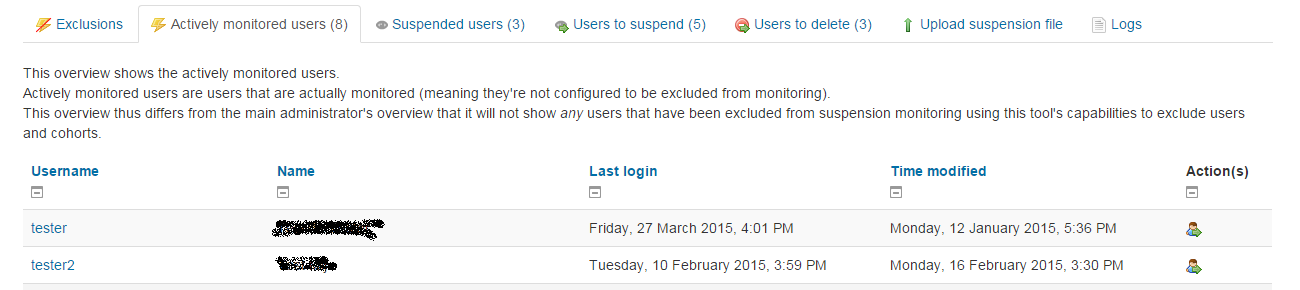
The Sebsoft User Suspension Plugin offers you the possibility to automate the process
of suspending users and/or removing user accounts (using moodle's default methods to delete users).

Comments
Product ratings and reviews are coming to Moodle Marketplace. Until then, existing comments remain available to read, but new posts have been disabled.
The question has been asked before but unfortunately without my desired feedback.
I can see the added value here so not unwilling to implement.
However, there can be a possible clashing of the titans without a specification/detection mechanism.
There are some prerequisites I'd like to discuss, primarily how those users should be detected. It's more or less critical when using a combination of functionalities from the plugin.
I.e.: the different processes shouldn't interfere with one another.
Currently, all users are "under investigation" apart from those specifically excluded.
So I'd need a way to identify the specific group of users you're intending to suspend.
Another question that arises would be what happens when one of those intended users would be unsuspended again. You can see I most lilely cannot use the creation date of the account, so I can already see the need for some date-tracking there as well.
In other words: this needs to be specified more. It'd be great to discuss through the issue tracker on github for this plugin.
Thanks and cheers!
I want to suspend a user not by inactivity but pure on a period of time. Is that something you'll add to functionality of your plugin?
Ricardo
@Larry, welcomed input. I'll take this into account for possible future extension because it seems like a neat feature!
@Hemam, a modification has been made so the two tabs causing the error are now useable again. In other words: SQL Server should no longer be an issue and the tool now works on SQL Server as well.
Cheers!
I use Moodle 3.11.4 (Build: 20211120)
When accessing "Users to suspend" tab I got this error message:
SQL Server][SQL Server]'GREATEST' is not a recognized built-in function name.
SQL Server][SQL Server]Invalid usage of the option NEXT in the FETCH statement.
User Suspension option 'smart detection' is disabled in global tool configuration
Hopefully when you have time you will correct this in the settings.
This app will help our school a great deal . Thank you for your hard work on developing this.
Provided you have sufficient adminstration rights, go to
site administration -> tab "Server" -> category "Tasks" -> "Scheduled tasks"
Then, in the list of tasks, locate the task "
\tool_usersuspension\task\suspend\fromfolder".
It's very likely the entry there will show "*/30" for the minute column, meaning the background task itself will only run every 30 minutes.
You have to modify that task by hitting the cog icon and then enter "*/5" (or even */1) there. */5 would imply to run every 5th minute (practically running every 5 minutes).
Please _do_ be aware that this by itself will not have any effect when your main CRONTAB only runs scheduled tasks every 30 minutes.
So for this to work every 5 minutes, the following _must_ be true:
- CRONTAB runs the generic Moodle tasks every 5 minutes
- The specific scheduled task, as explained above, has to be set to run every 5 minutes (or less).
The culprit here is that no specific scheduled task will run at the intended frequency if the main task runs at a lower frequency (hence why Moodle says your background tasks should run at least every 5-10 minutes, but preferably _every_ minute).
Please also be aware the settings you're looking for are by no means part of the settings you're looking at (in fact: the frequency intervals for any task should no longer be part of the plugin settings because it's handled on a different level: the scheduled tasks in Moodle).
Cheers and good luck!
Im not sure what your asking.
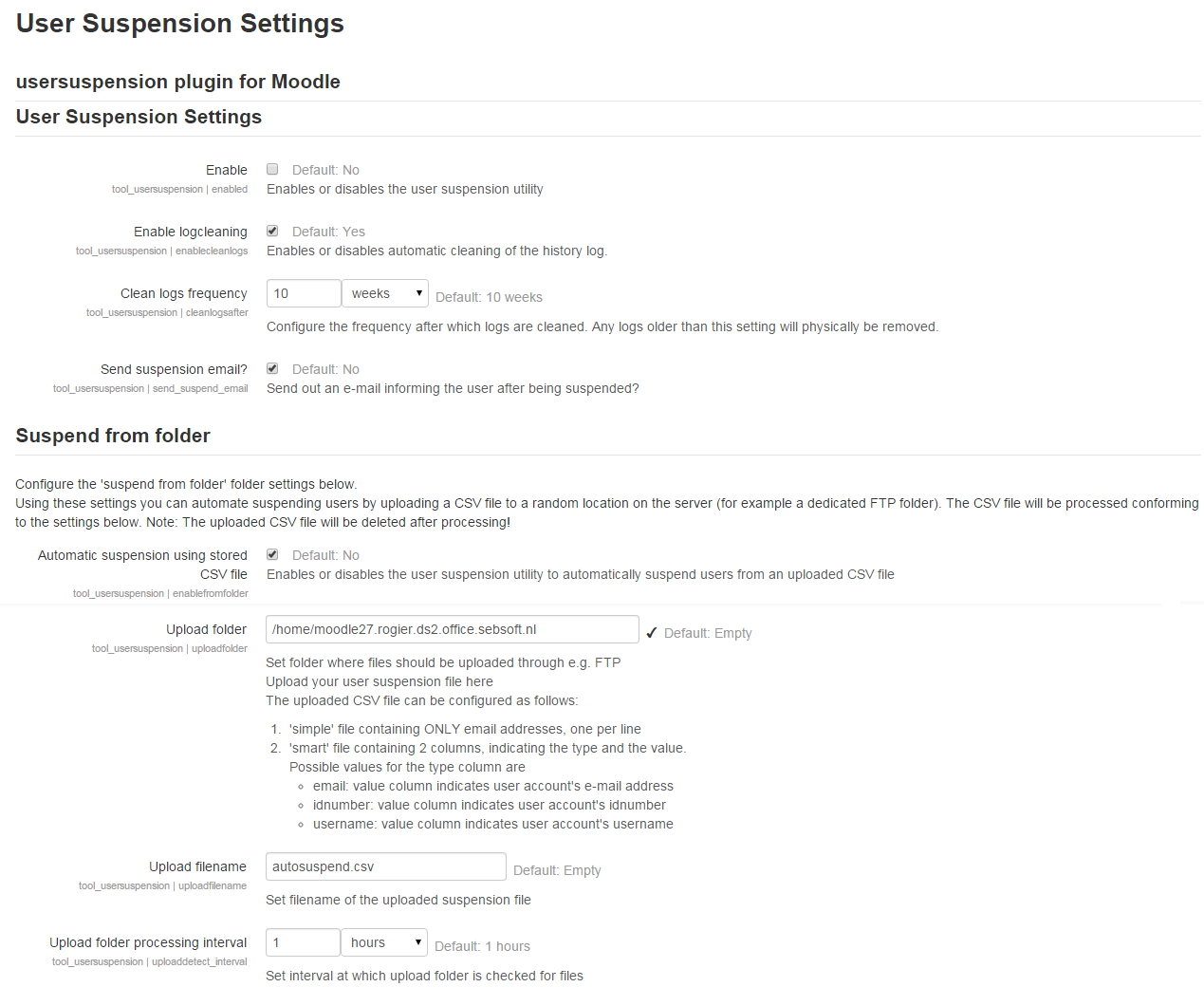
Users Suspension Settings are enabled.
Suspend from Folder Automatic using stored csv file = Yes
Automatic Unsuspension = Yes
This does work.
Upload folder processing interval = 15 minutes but would like it to be 5, but does 30 minutes no matter what minutes I use
Configuration Check doesn't detect any problems.
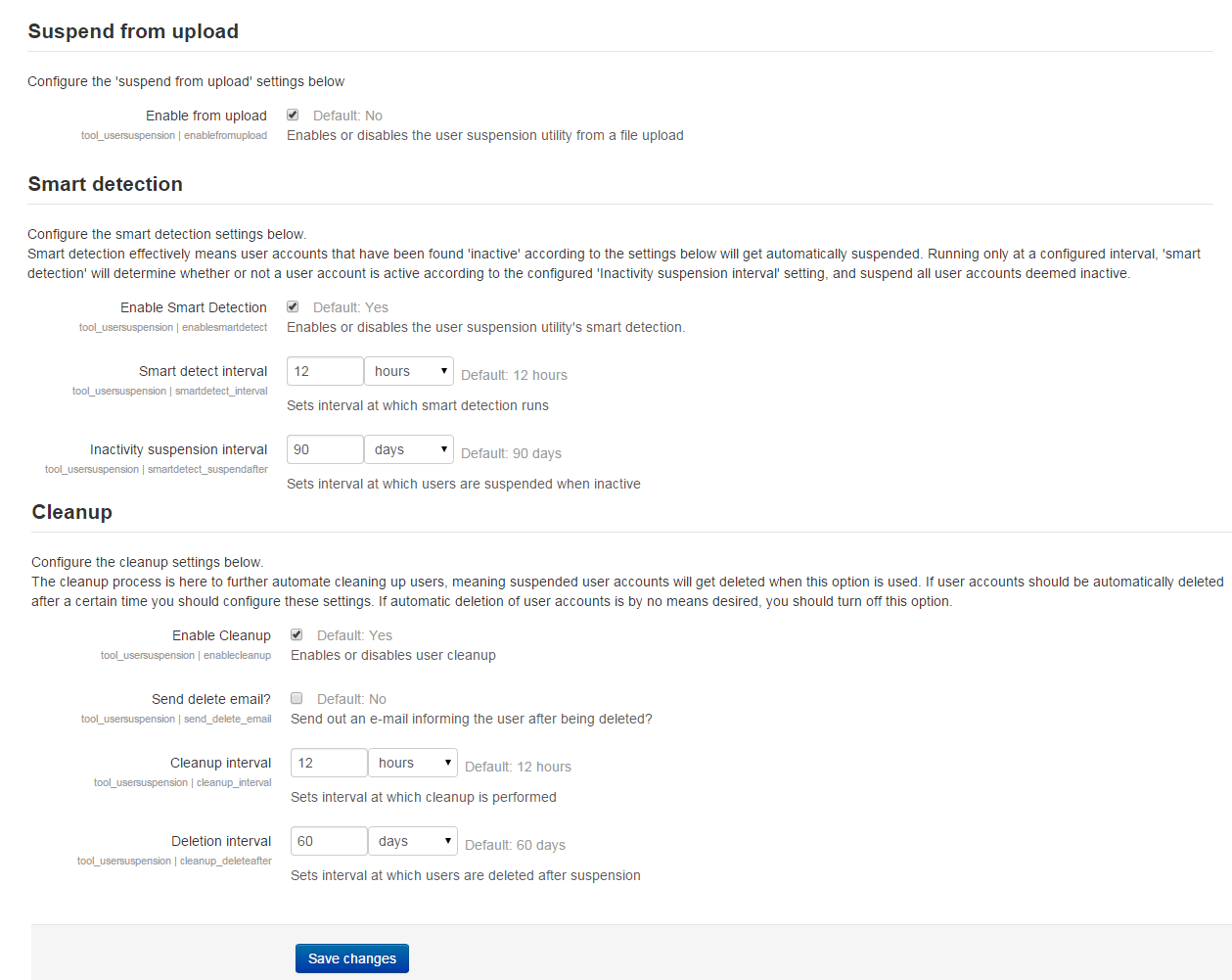
Smart Detection is disabled. this is the way I want it
Cleanup is disabled. "
Historical logs show ever 30 minutes.
Thanks for you help.
Can you confirm, or make sure, your background task for this specific task is set to run at the wanted interval?
Looking through the sources quickly, I realize we never updated the global settings and the setting seems to be unused at the moment.
I _think _ at some point the decision was made to replace a generic background task with dedicated background tasks to avoid a few issues and it looks like the thing that was forgotten was to update the settings and remove some options that are no longer in use.
You should be looking at the tasks "fromfolder" in this plugin in your scheduled tasks overview.
It'd be great if you can confirm this resolves your issue. I'll take a look at cleaning up some unused options, after confirmation, for the next release.
Cheers!
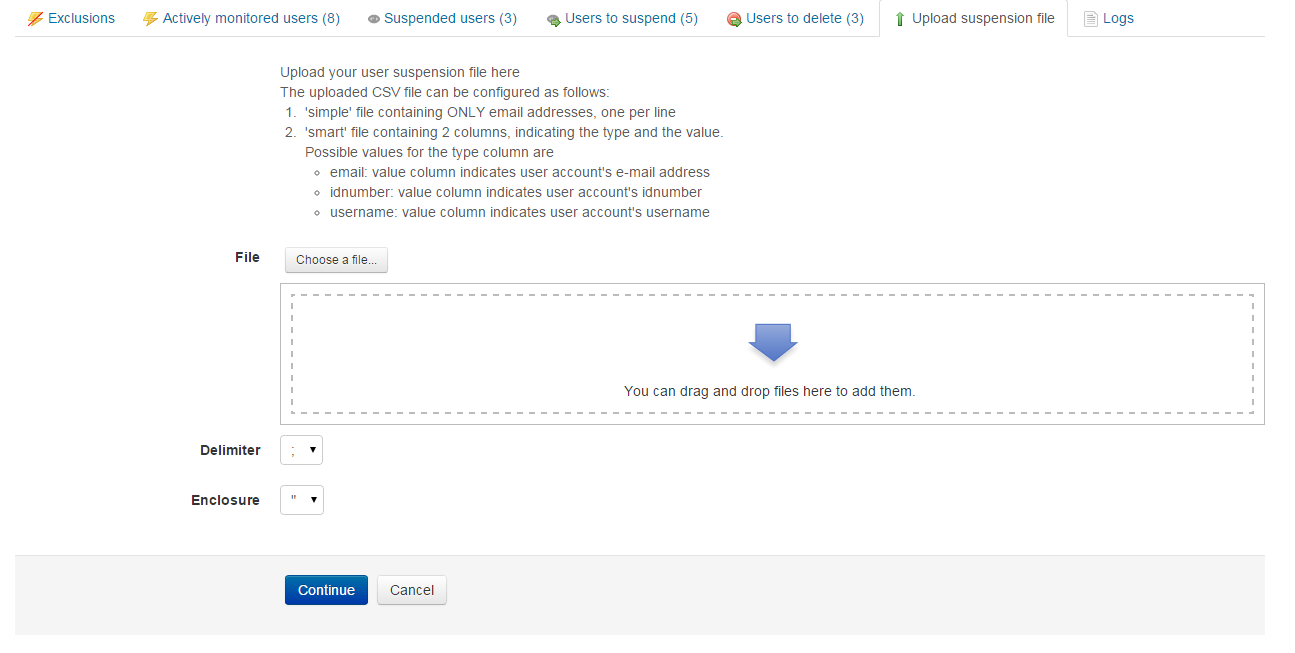
We use an alert system, so if a student gets a red alert, our databases will automatically upload the suspend.csv file Once the red alert goes off, then it uploads the un-suspend.csv file. This works great. We need our moodle to be available to them quicker than 30 minutes. Some of our classes use Moodle and a student cannot do their work until they are un-suspended.
I would like to be able to set it ever 5 minutes.
Thanks,
I do not use the automatic cleanup or other smart features. Just the .csv file features.
The main functionality in pre 3.5 versions is basically very similar, but there have been substantial additions (which may not really be that important) and a number of fixes. Some of those are specific to changes in the Moodle core in 3.5 onwards, but overall the main plugin functionality doesn't differ all that much.
For a decent overview, you could download the most recent version and then view the changelog in the archive. That should give you a basic idea of the changes. The majority of them are rather small fixes.
Having said that: I strongly do advise to first check the plugin outside of a production environment to make sure no users would accidentally be removed or suspended (suspending is no problem, but the plugin does support full removal of users which is an irreversible process!)
Of course you're always free to ask questions ;)
Cheers, Rogier
I noticed, after a reload of the Verions page, that there is a Build 3.3.0 for Moodle 3.4. So, I will try that first.
Is new functionality added since 3.4 -> 3.5 or is code just rewritten to make use of (newly added) core functions ?
Regards.
I would have to validate, but to my best recollection, the mandate for Moodle3.5 onwards is there on purpose because the code makes use of some core functionality that only exists from Moodle3.5 onwards (which is why the majority of our plugins only support Moodle 3.5 and up).
If you're really in need of this plugin and can't upgrade your Moodle, I advise you to contact me personally (see email address in the sources) to see if we can find a way to support your need.
Cheers
Too bad you didn't really check the main repository for updates because this bug was long fixed already (i can't always keep up with rolling out every change here).
Anyway: new version is available, please refer to changelog.
Cheers.
Is "User Suspension 3.5.5 (build 2020121500)"compatible with Postgresql 12?
When accessing "Users to suspend" tab I got this error message:
------------------------------------
Error reading from database
Debug info: ERROR: function unix_timestamp() does not exist
LINE 2: ...ccess, u.timemodified) AS timedetect,(31536000 - (UNIX_TIMES...
^
HINT: No function matches the given name and argument types. You might need to add explicit type casts.
SELECT
u.id,u.username, '' || u.firstname || ' ' || u.lastname AS name,u.lastlogin,u.firstaccess,u.lastaccess,u.timemodified,u.suspended,u.deleted,GREATEST(u.firstaccess, u.lastaccess, u.timemodified) AS timedetect,(31536000 - (UNIX_TIMESTAMP() - GREATEST(u.firstaccess, u.lastaccess, u.timemodified))) AS suspendin,NULL as action
FROM mdl_user u
WHERE (u.confirmed = 1 AND u.suspended = 0 AND u.deleted = 0 AND u.mnethostid = $1 AND ((u.lastaccess = 0 AND u.firstaccess > 0 AND u.firstaccess > $2) OR (u.lastaccess > 0 AND u.lastaccess > $3) OR (u.auth = 'manual' AND u.firstaccess = 0 AND u.lastaccess = 0 AND u.timemodified > 0 AND u.timemodified > $4)) AND u.id NOT IN ($5,$6,$7)) OR (u.confirmed = 1 AND u.suspended = 0 AND u.deleted = 0 AND u.mnethostid = $8 AND ((u.lastaccess = 0 AND u.firstaccess > 0 AND u.firstaccess < $9) OR (u.lastaccess > 0 AND u.lastaccess < $10) OR (u.auth = 'manual' AND u.firstaccess = 0 AND u.lastaccess = 0 AND u.timemodified > 0 AND u.timemodified < $11)) AND u.id NOT IN ($12,$13,$14))
LIMIT 25
[array (
0 => '1',
1 => 1602383800,
2 => 1602383800,
3 => 1602383800,
4 => 1,
5 => 2,
6 => 3,
7 => '1',
8 => 1602383800,
9 => 1602383800,
10 => 1602383800,
11 => 1,
12 => 2,
13 => 3,
)]
Error code: dmlreadexception
Stack trace:
line 486 of /lib/dml/moodle_database.php: dml_read_exception thrown
line 329 of /lib/dml/pgsql_native_moodle_database.php: call to moodle_database->query_end()
line 920 of /lib/dml/pgsql_native_moodle_database.php: call to pgsql_native_moodle_database->query_end()
line 2017 of /lib/tablelib.php: call to pgsql_native_moodle_database->get_records_sql()
line 2039 of /lib/tablelib.php: call to table_sql->query_db()
line 231 of /admin/tool/usersuspension/classes/statustable.php: call to table_sql->out()
line 158 of /admin/tool/usersuspension/classes/statustable.php: call to tool_usersuspension\statustable->render_to_suspend()
line 88 of /admin/tool/usersuspension/view/statuslist.php: call to tool_usersuspension\statustable->render()