User Suspension
Maintained by
Sebsoft BV, Rogier van Dongen
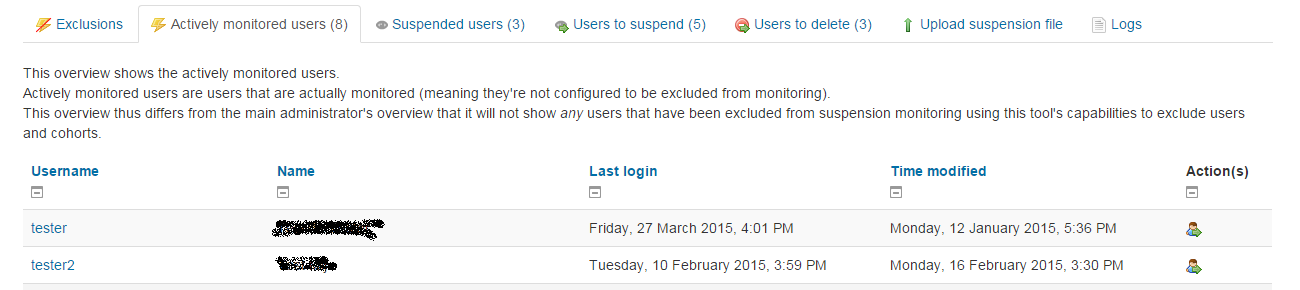
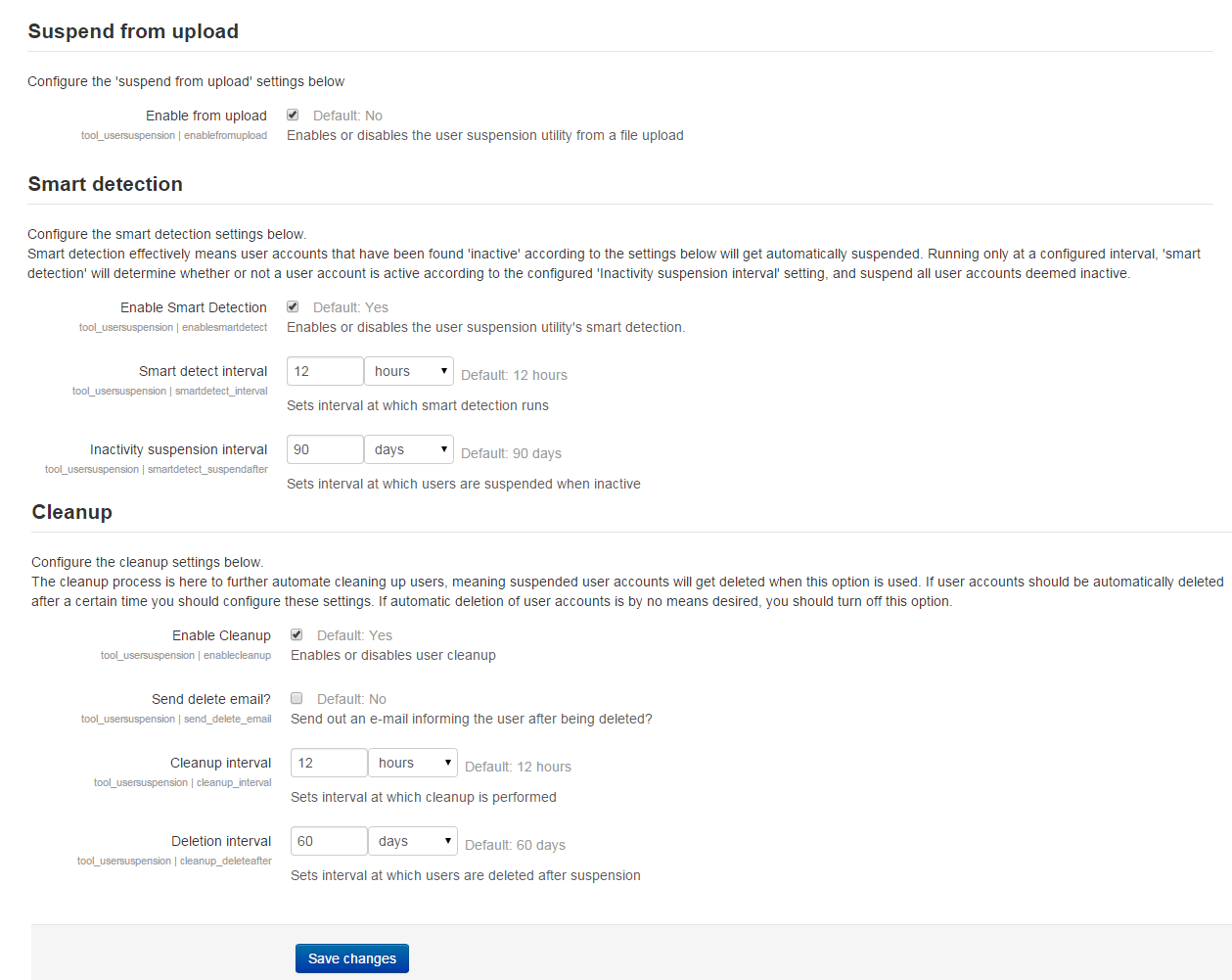
The Sebsoft User Suspension Plugin offers you the possibility to automate the process
of suspending users and/or removing user accounts (using moodle's default methods to delete users).

Comments
Product ratings and reviews are coming to Moodle Marketplace. Until then, existing comments remain available to read, but new posts have been disabled.
Could you message me in person through email (or optionally: message me through the repository issue tracker)?
I have an idea how to facilitate this but it may just fall outside of scope of the plugin intention depending on optional other requirements you may have.
Looking forward to seeing your response,
Cheers, Rogier
I've seen your earlier question as well although it has disappeared from view (maybe you've removed it).
It's somewhat easier to aid you personally through e.g. email, because I try to avoid long messages here.
Cheers, Rogier
I have moodle 3.9. I am testing this plugin but the automation to suspend/unsuspend users is not working via the automatic feature. My csv file is saved with ";" and I am using only the email information. I did a change in order to have this files checked every minute but nothing works. Any advice? Thank you. Andrea
Version checked up to Moodle 3.10.
Also, we've finally migrated to github. Sorry for the delays; this year has been busier than ever.
Cheers!
Thanks for the message and your correct (this is the case for all of our plugins at the moment). We've been in the process of migrating to gitlab/github, which was succesful.
However, we don't have a decent pipeline to the public repositories on github yet.
I'll have to ask about the status and will update to the correct repositories asap.
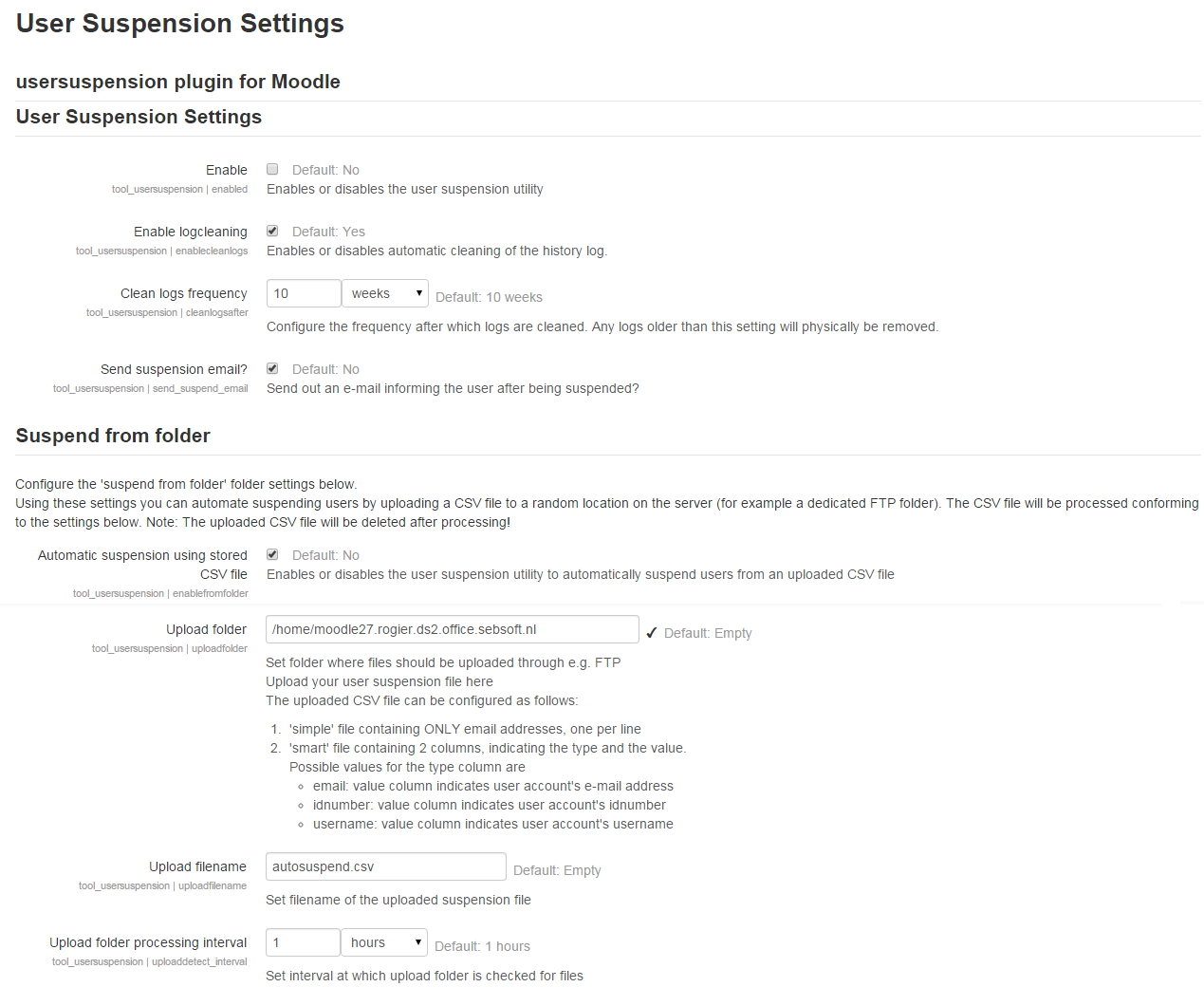
@Godfrey: one first thing that comes to mind is what the delimiter of your CSV file is. It should be a semi-colon (;), although I might choose to make this configurable in a future release.
UN-suspending users from CSV is actually not a bad idea at all. Might also implement this in a next version.
Thank you for the update! Logs are now working as expected. However ordering users by "suspendin" is still not working. For some reason in this new update "suspendin" time is shown twice for every user, and when trying to order by that column, there is no change on the user order whatsoever. This must happen because I have 900 users on that section. If I try to order by similar "deletein" column where I have only 100 users, it works without any problems.
1. I set the dir where the plugin will search the .csv file so it automatically supend the users inside that file, but nothing is happening. I set an interval of 5 min but is not working. Am I doing someting wrong?
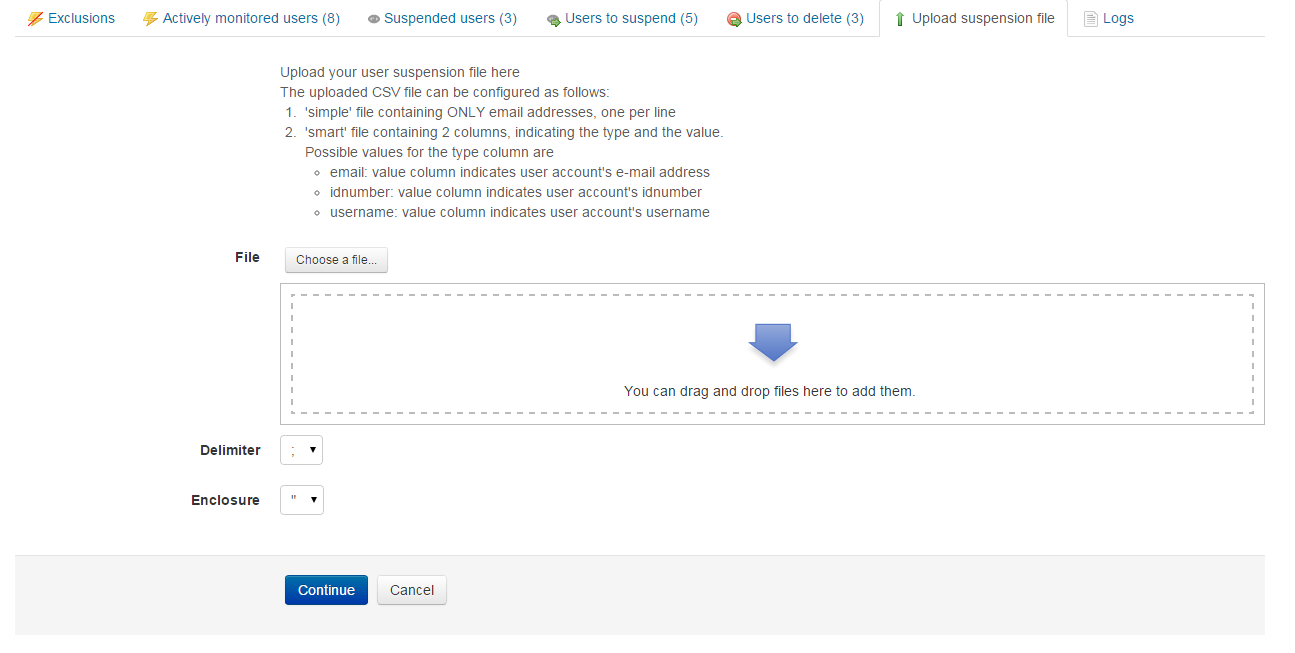
2. Is there an option to do the same thing, but in a reverse way using this plugin? Upload a .csv file and then un-suspend or activate the users inside that file?
I am using Moodle 3.8
I've addressed the issues and changed the queries so that you should also be able to sort correctly.
Please be aware another change was made so users "to be suspended/deleted" will also show for those that should have been suspended/deleted already (Many negative values would be an indication your cron might not run corrcetly).
Cheers, R
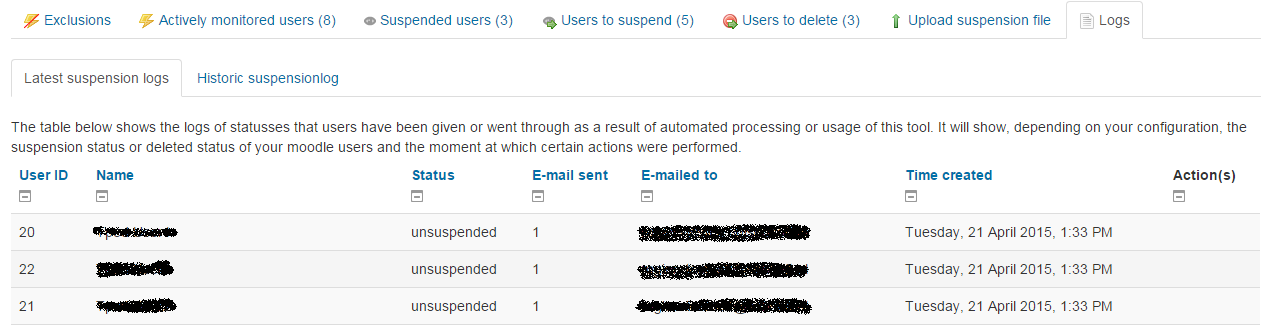
However there is couple places where it's not working. First, I don't see any logs. When I go to "Logs" tab it gives me error message
Exception - Argument 4 passed to table_sql::set_sql() must be of the type array, null given, called in [dirroot]/admin/tool/usersuspension/classes/logtable.php on line 124
Another thing where this plugin fails is to order users by timedetect or by suspendin in the "Users to suspend" tab. I wonder if this is happening because I have over 500 users in that list, so this plugin cannot order that many users. However list can be ordered by name or username without any problem.
I am using Moodle 3.8 and latest release of the plugin.
To make changes to the mail the plugin sends out, please edit the language translation.
When you open up your language pack, locate the file tool_usersuspention.php in the correct language. The relevant translations starts with 'email:user:'.
Kind regards,
Sebastian