User Suspension
Maintained by
Sebsoft BV, Rogier van Dongen
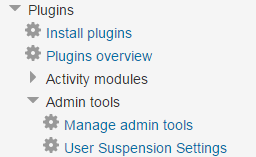
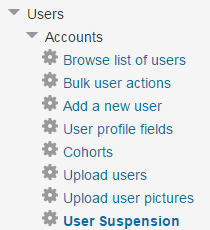
The Sebsoft User Suspension Plugin offers you the possibility to automate the process
of suspending users and/or removing user accounts (using moodle's default methods to delete users).

Comments
Product ratings and reviews are coming to Moodle Marketplace. Until then, existing comments remain available to read, but new posts have been disabled.
Is this plugin for setting the course status of a user as "suspended"? I need to automate this, but it's not happening when I'm testing this plugin, I would like some help.
Thanks!
I entered our domains in the field "domains_to_exclude", but the users are still blocked and have received an email.
When does the field take effect?
Thanks.
I need learners to be automatically suspended at a specific date (typically end of year in my case) so that learners have to reregister in order for them to gain access to course material.
It would also be really helpful if we could have bulk selection or bulk process options to suspend or activate without creating cohorts. If I could select multiple/all users and have the option to quickly assign a suspension date to all that would also work perfectly for my specific requirements but I'm sure there are others that mind find these options useful.
Thanks for the awesome developments!
Since implementing a workaround in our scope has the potential of interfering with the suspension process, we don't think it's wise to provide one.
The other reason is that the user with the invalid username can't login either way (unless logging in with email an address is allowed).
Please validate the following setting to be enabled in your installation to work around the issue: /admin/search.php?query=extendedusernamechars
This rather implies you have a user with an invalid username in your list of users which needs investigating.
Having said that, we'll look into skipping those users so the background task can finish running and won't cause problems.
However, my advice is that you also looks in the list of user accounts and verify that all usernames conform to the usernaming scheme (which is, to my best recollection, configurable in Moodle).
Execute scheduled task: Usersuspension task: automatic suspension of users (tool_usersuspension\task\suspend\mark)
... started 11:32:02. Current memory use 4.2 MB.
Debugging increased temporarily due to faildelay of 60
... used 5 dbqueries
... used 1.2918848991394 seconds
Scheduled task failed: Usersuspension task: automatic suspension of users (tool_usersuspension\task\suspend\mark),The given username contains invalid characters
Backtrace:
* line 310 of /admin/tool/usersuspension/classes/util.php: call to user_update_user()
* line 189 of /admin/tool/usersuspension/classes/util.php: call to tool_usersuspension\util::do_suspend_user()
* line 64 of /admin/tool/usersuspension/classes/task/suspend/mark.php: call to tool_usersuspension\util::mark_users_to_suspend()
* line 263 of /lib/cronlib.php: call to tool_usersuspension\task\suspend\mark->execute()
* line 120 of /lib/cronlib.php: call to cron_run_inner_scheduled_task()
* line 73 of /lib/cronlib.php: call to cron_run_scheduled_tasks()
* line 178 of /admin/cli/cron.php: call to cron_run()
Regarding your other question:
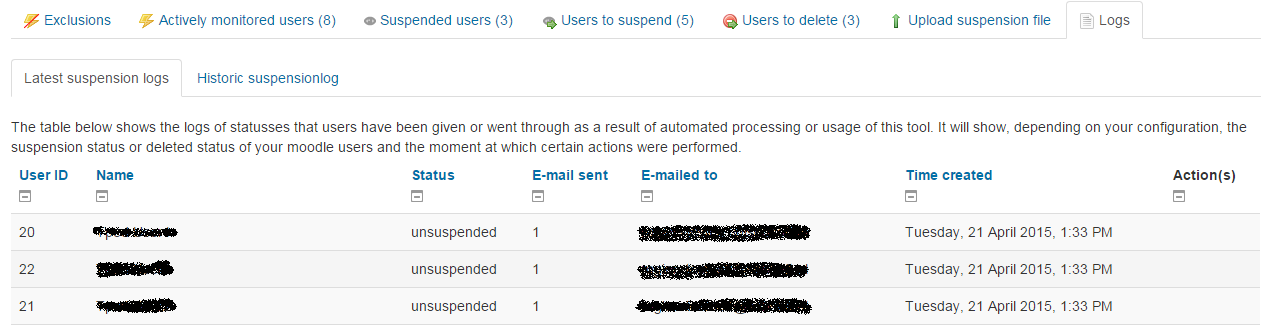
This is what the log tables are for, see the "Logs" tab. It does not, however, display the contents of the sent mail, but it logs the traffic. After many complaints of mails "not sending" in the past this was added back then to have some sort of insight in the mails that may have been sent (this still does not tell you anything if the mail was received or possibly even dropped by the gateway or lost along the way, this is completely out of scope. ALso, this type of information is typically not tracked in Moodle itself).
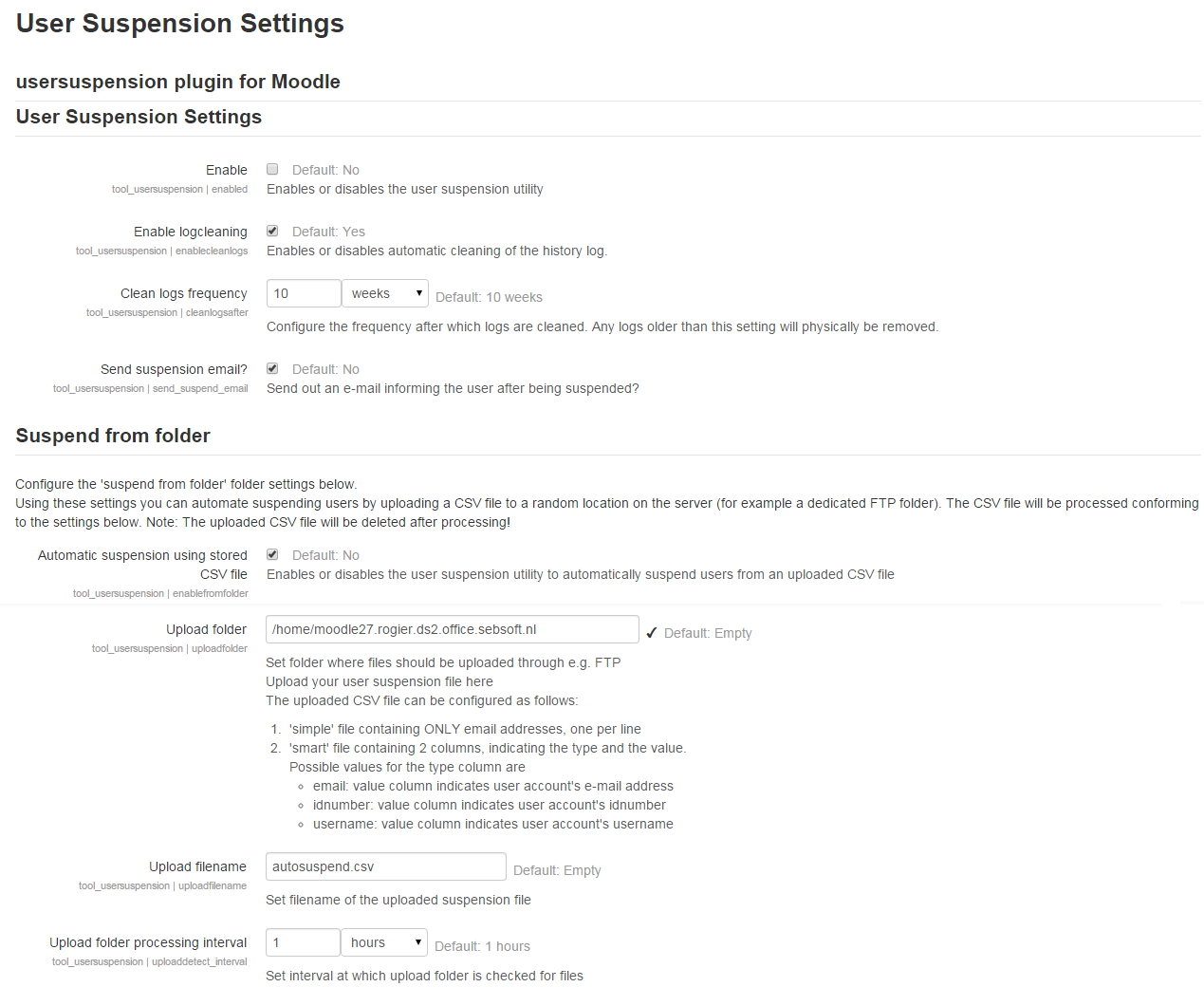
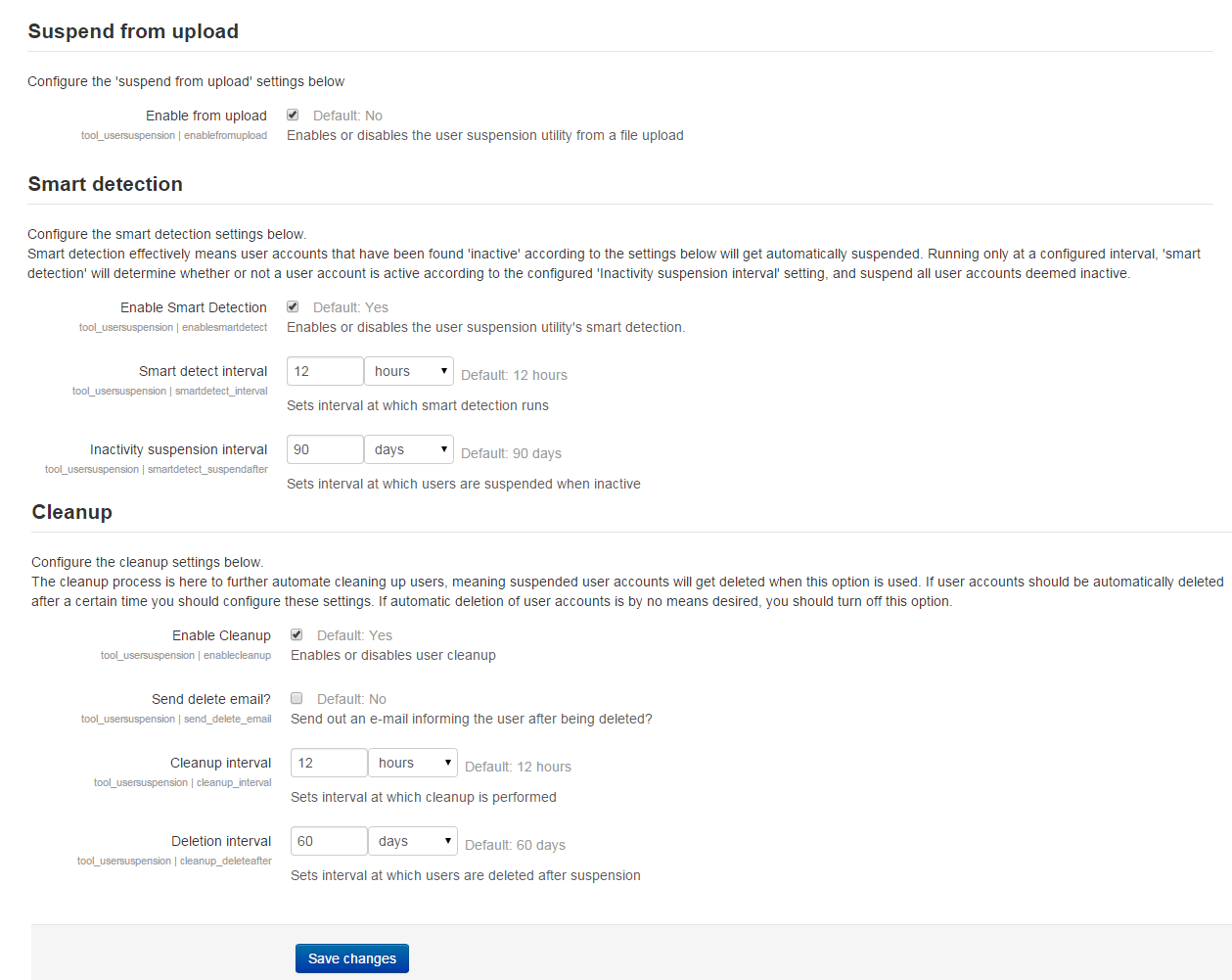
Please be aware that your logs may be "cleaned out" according to plugin settings.
@Annie, we're working on it. There also is a critical issue in version 4.0.1 we're resolving.
New version will be landing ASAP.
1) It would be beneficial to have a grace period after activation. When I activated the plug-in, several users were immediately suspended, and some responded to my notification email. To address this, it would be helpful if the plug-in first sent warning emails to users who are to be immediately suspended, then waited for a specified period (e.g., 2 weeks) before actually suspending them. This grace period should apply only to users who would be immediately suspended upon activation of the plug-in.
2) I read in a previous comment that there is a way to see the messages sent to users, but I do not understand where to find this. I am using Moodle 3.11.
Again, I think the plug-in is very useful, and I am happy with it.
Modifying the messages can be done using the language customisation options from within core Moodle.
The string IDs you're looking for all start with "email:user:"
Cheers,
Rogier
got it now, thanks for the reply.
We sync an external User DB with Moddle. We have a table field "Status" which is 0, 1 or 2. I was thinking that we can disable the users according to this table field.
No need to configure anything. Regular Moodle users recognize the correct icon.
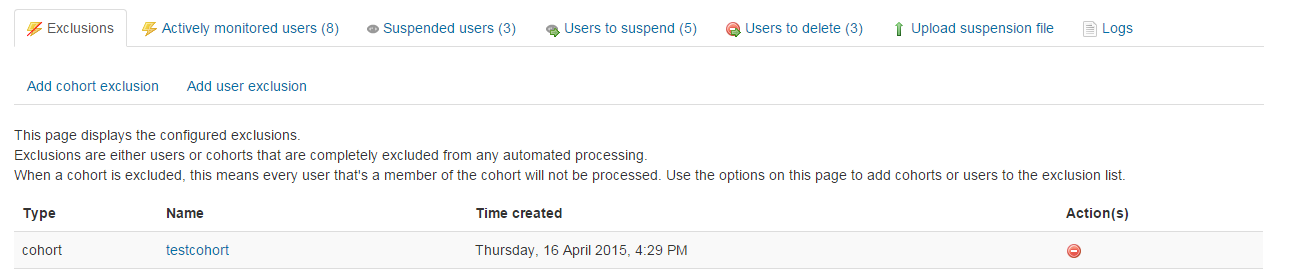
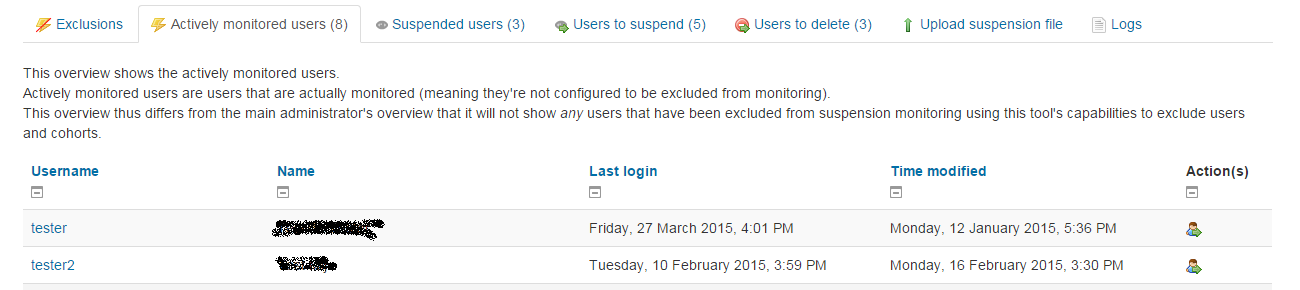
Go to the tab stating "users to suspend". The eye icon can be used to immediately suspend the user (much like the same action type in Moodle's core user list).
No documentation other than the readme is available at the moment (expecting the interface and alt/title attributes on icons etc to be self explanatory).
Cheers
"Manually through a status table"
How to configure this?