
Faces
Maintained by
Daniel Mc Sweeney, Kyle Goslin
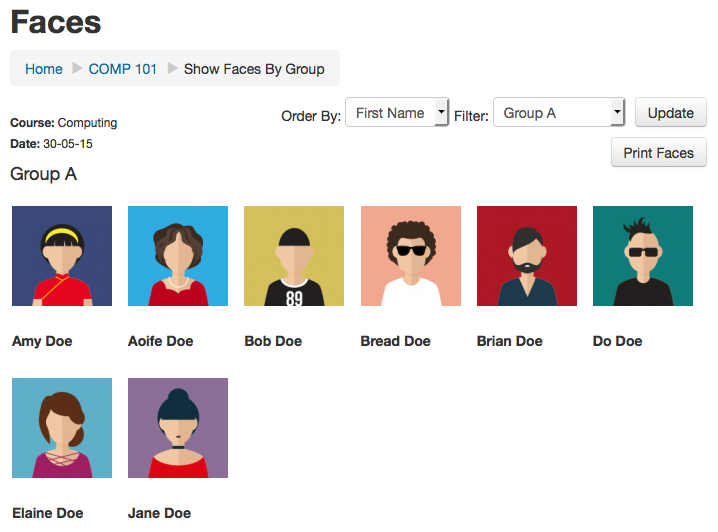
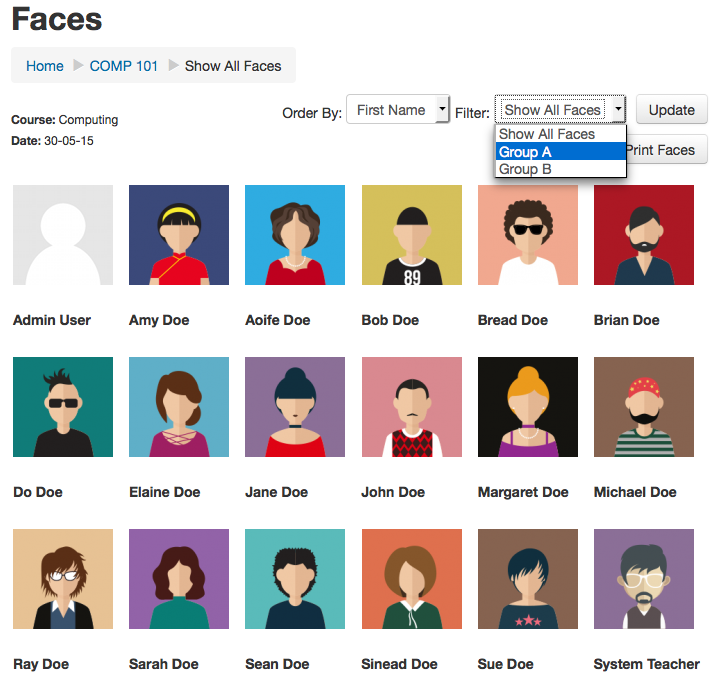
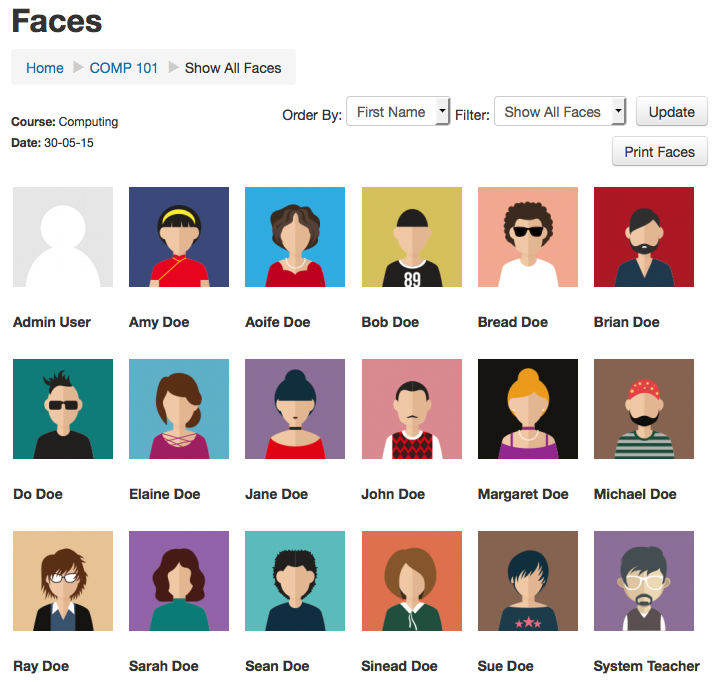
Faces is a simple block that allows you to print or view a collection of user profile pictures for your moodle course. Its very useful for those of us who need to put a name to a face. Faces can be viewed/printed for the entire class or by group.
Comments
Comments are no longer open for new posts. Existing comments remain available to read.
Thanks a lot!
The block is very convenient to make a "who is who" for groups on a course page. Thank you for making it!
We found a possible privacy issue Even when the block is not installed/active on a specific course page a member of that page can make a faces page when he copies the page id (XXX) to the faces URL
yoursite/course/view.php?id=XXX
To make an overview of all the members of that page (even with separate groups) you can visit this url:
yoursite/blocks/faces/showfaces/show.php?cid=XXX
There is no difference whether the block is installed or not on page XXX. The use of the block anywhere on the site makes this possible.
Is there a way to prevent or fix this?
It would be more privacy friendly
if the block only showed faces on the pages it is installed
if the block only showed faces of the groups to which the user belongs
Any updates to 3.5?
Ricardo
Your plugin is highly appreciated. Any change for a 3.4 edition?
Bert
Has anybody tested the current version (1.6) against Moodle 3.2?
Debugging output enabled
ZIP /data/web/ecampus/data/temp/tool_installaddon/4e0288a6-9118-4805-aee2-f51c8f194fa1/plugin.zip
Validating block_faces ... Error
[OK] Name of the plugin to be installed [faces] Help with Name of the plugin to be installed
[OK] Plugin version [2015052915]
[OK] Required Moodle version [2011070110.00]
[Error] Plugin does not declare its component name [null] Help with Plugin does not declare its component name
Installation aborted due to validation failure
Erro version Moodle 3.0
Validating block_faces ... Erro
[Error] Plugin does not declare its component name [null]
Gracias al quien me pueda ayudar. El bloque se ve muy interesante.
Please make it Moodle 3.0 ready. After that it will be very helpful.
What I'm looking for is an option to learn my student names just like with flashcards: Profile-Picture as question - lastname as answer. And not allways beginning with name a-z but shuffeld. Any hint how to do that? In Moodle? With export via Excel to a flashcard-App
Validating block_faces ... Erro
[Error] Plugin does not declare its component name [null] Ajuda com Plugin does not declare its component name
Installation aborted due to validation failure
I tried all. report_roster,mod_attendance and autoattendmod but when you export to excel the images are not.
I added an issue : https://github.com/Kylegoslin/moodle-block_faces/issues/1
Why don't you merge this plugin with Roster ? (and with attendance plugin by the way ? ^^)
https://moodle.org/plugins/view/report_roster
https://moodle.org/plugins/view/mod_attendance
https://moodle.org/plugins/view/mod_autoattendmod