Eguru icon

Eguru

Maintained by LMSACE
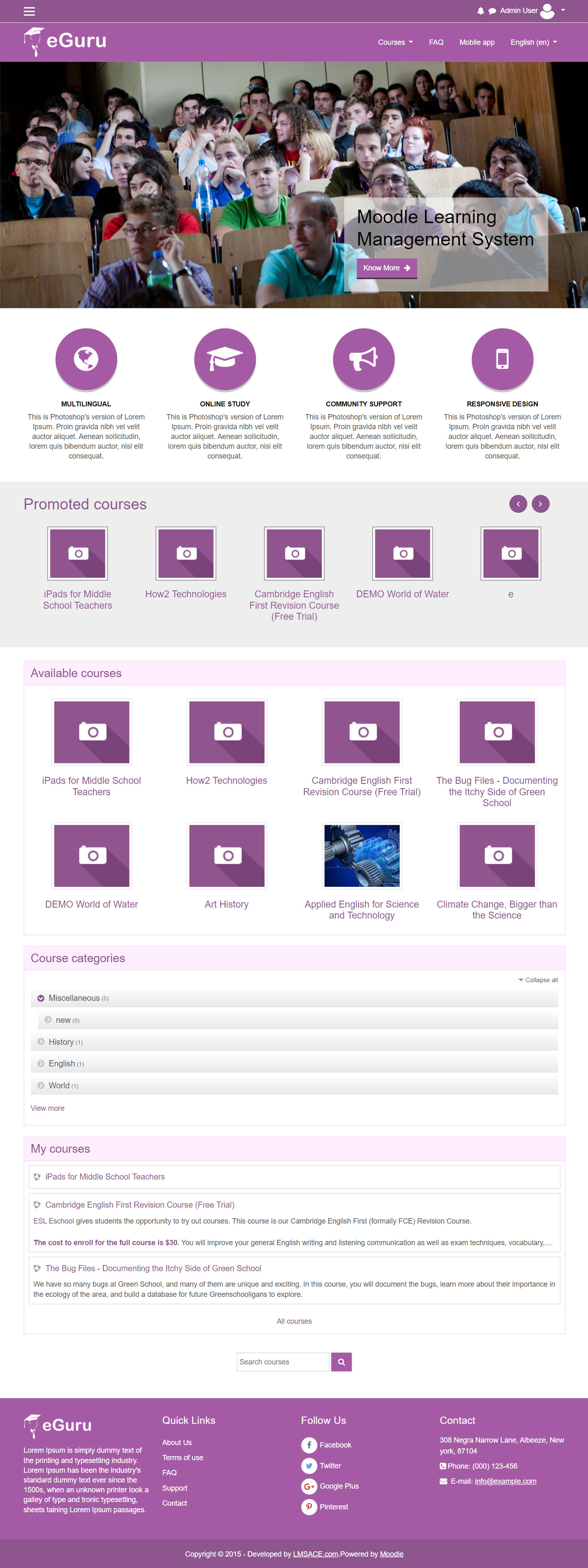
The Guru of moodle themes e-Guru - ultra responsive moodle theme with multi color pattern is free now in moodle plugin directory.It has stunning features that will be a suitable choice for your educational establishments and coming out with powerful admin theme setting options.
Price option: Free

Supports Moodle 2.6-4.2 See all versions
Latest release: 2 years ago
Installations: 3491
Downloads (last 90 days): 359

Frankenstyle name: theme_eguru
Themes

Comments

Comments are no longer open for new posts. Existing comments remain available to read.

Hello,
I try to dosome modifications with the code css. For exemple, i want to change the menu color. But, when i put the code css in the appropriate box, there are no results. I don't understand. Anyone has had this problem?
Thank you in advance and good day.
Hello, this theme does not load the icons at the bottom, thus loading the page is slow.
Please, can any of you tell me how to add links to the Marketing Spots? I tried it by adding a htmleditor to the icon of the marketing spots but from the moment I add the url to the icon name, the name of the icon appears in the circle and the symbols "> are added as well...
Please help
Thanks in advance
Greetings. Can anyone advise how to include a New User Sign Up block or menu or page? It is giving me an error when I use the default /login/signup.php Am I missing anything?
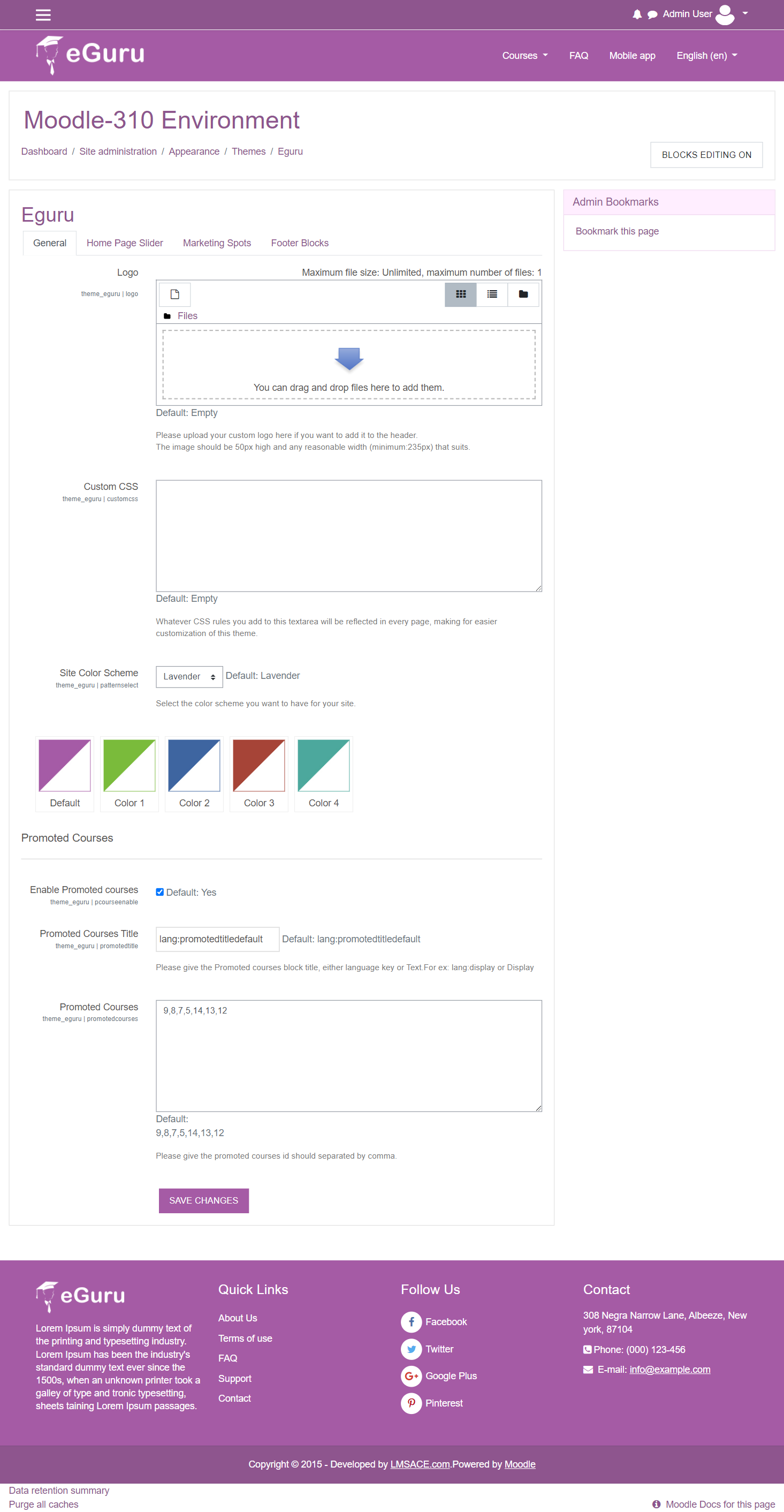
Does anyone know what the URL would be to change between the different theme colours? You can set the whoel them with moodleURL/?theme=eguru - but I'd like to know how to switch between the subset of colours that are offered in the Eguru settings.
@ Drew Worster: to resize the image in the header, just go to the theme/eguru/layout/include/header.php in the 41st line alternate change the width and height based on your image size.. smile
Faye, yes, I have inherited from this theme and was able to change all kinds of colors, including colors in the header and footer. This theme has four style sheets that of the four only one is used per color scheme. If you are working with the blue color scheme you'll find the .css file under /theme/eguru/style/color_scheme-2.css. And all the elements are in the same general area labeled with #header in the far left of each style. I don't recall what the other color schemes are, but blue is 2, and there are 1, 3, and 4 remaining. You'll find all styles that affect the header grouped together. Same thing with the footer. If you're using Chrome, you can find exactly which CSS style is used for each section using the right-click/inspect or F12 key.
Has anyone figured out how to change font color in the header and footer? I'm referring to the top in the header for "Home, Courses, Account", etc.
And how to change font color in the main footer section. Thanks!
Hello!
Theme looks awesome. I have 9 courses. all the courses in front page displaying in 3 rows. Each row displaying 4 courses.
But, How can i get all the courses in single line with pagination in front page?
Thanks in Advance
Hi guys,
Thanks for a great theme! Very good-looking and easily customizable.
If you could please help me with one more custom tweak that I couldn't manage myself - how can I place the Tags block in the middle of the Front page? There is only Right and Left position in its Settings, and I'd like to see it under the front page News.
Thanks in advance,
Natalie
Hi everyone, I like very much this theme but I have some question:
1- How can I change the font size of the slider texts?
2- Slider: How do I open link in a new tab?
3 - How can I change the images for Promoted Courses?
4- How can I change the images for the spot Marketing?
5 - How can I link the spot Marketing buttons to other sites?
Thank you.
Hi guys
anyone know how to change or place images in the courses of courses pomoted?
Please, can any of you tell me how to add links to the Marketing Spots? I tried it by adding a htmleditor to the icon of the marketing spots but from the moment I add the url to the icon name, the name of the icon appears in the circle and the symbols "> are added as well...
Please help
Thanks in advance
Please help me how to remove the lorem ipsum text from page anyone help me
Is anyone getting any response? Even by e-mail no response.