Anti-hammering / Login blocker
Maintained by
Sebsoft BV, Rogier van Dongen
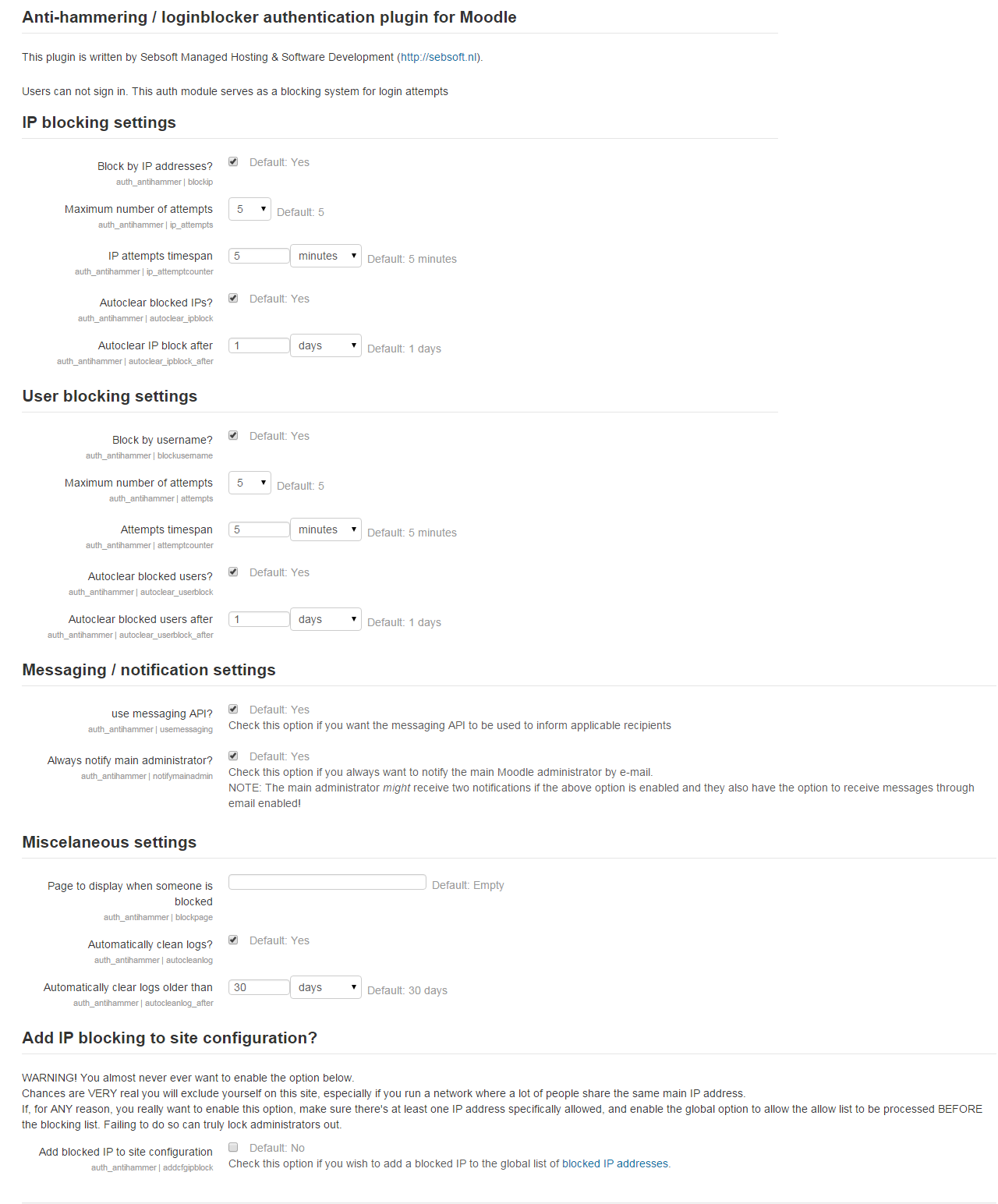
The Sebsoft Anti Hammering Authentication Plugin offers you the possibility to prevent hammering your login system.
This plugin can be configured to "smart detect" so called hammering on IP basis or for users in general.
Comments
Product ratings and reviews are coming to Moodle Marketplace. Until then, existing comments remain available to read, but new posts have been disabled.
- reports page is: mysite.com/auth/antihammer/admin.php?page=apreport
- pagination links for logs & reports are of the sort: mysite.com/auth/antihammer/admin.php?page=1&action=list
so, when I click on page no. 2/3/etc on the plugin reports page, it shows an error page. Message is "Section error!" and the error page gives a link to this moodle docs page -- https://docs.moodle.org/501/en/error/admin/sectionerror
btw loving this plugin, been helping me from many 'hammerers' <3
- IP no longer takes precedence over user hammering; they are _both_ taken into account (@minh this should solve your issue)
- Repeat offenders feature was IP basis only, now also on USER basis (i.e. users are now also potentially marked as repeat offender).
- Added some reporting columns regarding user info
Cheers
The plugin doesn’t directly tie the IP address to the user but follows a different strategy.
”Hammering” is determined on 2 levels: IP based and user based.
The IP strategy looks at the IP address and marks a counter on it. Exceeding the counter within timespan X with the configured value will instantly lead to the IP being blocked.
The USER strategy looks at an entered username and marks a counter on it. The combination of user vs counter is the key here. Exceeding the counter within timespan X for user Y will lead to user user Y being blocked.
This is also why IP blocks cannot be sanely provided with a user: there’s no direct correlation between the two unless the block on both IP and user is/was a result of the person entering the exact same username every time (for whatever reason).
In this case the IP block is processed in favour of the user block. We may change this in a next release so this very condition will make two blocks: one for the user and one for the IP.
The code can then also try to correlate the two and see if both would be applicable.
We are using Anti-hammering / Login blocker. It works, it can block IP. But the notification report does not include username.
"The block is made active for IP address xxx.xxx.xxx.xxx, username -". Does anyone know how to include username in report.
Thanks
this is fixed (though only locally at the moment). The next release will have this fixed.
Cheers
I installed your latest version on my system running Moodle 4.1 on a Rocky Linux system. FYI - When I go to Site Administration -> Anti-hammering/Login blocker section and click on the "Repeat offenders" link, I get an error "Section error!" with a link to a moodle.org page. But I can click on the "Antihammer reports" or "Antihammer logs" links and then click on the tabbed link for "Repeat offenders" which does seem to work.
Natassia
I set my system to Autoclear blocked IPs after one hour. That prevents a real user from being permanently locked out. I only use the Whitelist to allow a few maintenance consoles constant access.
English isn't my first language and maybe is better to say that in my university has really huge network which I don't want to block accidentally when someone in local network can't login because forgot password.
It would be really hard for me to typing all ip addresses which starts from 10.0.0.0.
Can you provide more details for your use case?
This plugin is intended to temporarily block out users that hammer the authentication system and, if applicable, blocks the source IP address.
However, the plugin is not intended as a low level security layer.
Because the plugin works with the current source IP addres, expanding to wildcards is not something this plugin should be responsible for.
One of the reasons is because it'd have to be configurable what parts to "wildcard".
If you wish to block IP ranges, Moodle has another mechanism (mind: using both the plugin and Moodle's internal IP blocking _can_ cause unintended side effects!).
Please look into https://docs.moodle.org/311/en/IP_blocker
Cheers
Validated working for Moodle4.0
No significant additions to features this time; just some minor fixes.
Cheers!
Just checked (and fixed some minor coding standards issues as well as added a capability string) and I can confirm the plugin to work for Moodle 4.0
Please be a little patient for the new version as this is an automated job these days but at this moment requires some updates.
We do have the new version ready for (automated)release but only on our internal git at the moment.
Cheers
The account lockout features in core Moodle can be located under the site security settings in the security section of the site administration settings.
Whenever you're using user mode lockout features from the plugin; you should make sure you have Moodle's settings for "Account lockout threshold" set to NO.
In the future we may add a message indicating when both settings are in use.
Cheers,