Simple Clock
Maintained by
Michael de Raadt
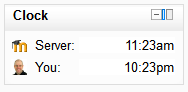
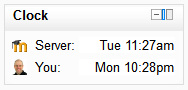
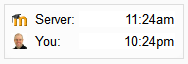
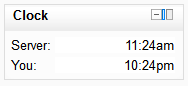
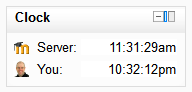
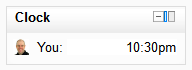
A simple JavaScript clock that highlights the time difference between a student and the Moodle server
Comments
Comments are no longer open for new posts. Existing comments remain available to read.
Best regards.
Verónica.
I've just tested tested the latest release on Moodle 3.1 and 3.2 and it works as expected.
Enjoy!
Michael
Is there any work being done on this for 3.1+? This would be a very useful block to use on our site.
Thank you,
Gina
thanks for the update - is working for me, showing the correct time.
Jan
I have created a new version that I hope will resolve this problem. Could you please test the new version (available on Git and in the here) and confirm this resolves your problem?
Michael
https://tracker.moodle.org/browse/CONTRIB-5840
I've sent something to Alexander to test.
Could one of you create a Tracker issue for this?
I'm quite busy organising MootUS15 currently and any help you could provide on this issue would be welcomed.
Michael.
I've experienced the same issue Alexander did: after upgrading to Moodle 2.9 the server time shows one hour less than it should in the block. I don't think it is related to server configuration because another instance of Moodle 2.7 on that same server shows the time like it should.
Iñigo
I have checked everything I thought of but I am still getting 1 hour difference between user and server time with server time being one hour less than supposed to be.
Moodle is 2.9 and set to Toronto, php.ini is set to the same. In CLI of the server "date" returns proper parameters. The plugin is up to date. What else?
I know that the problem is in the four lines inside the "if ($CFG->timezone!=99) {'something wrong happens here}".
Where to look and what is the issue?
IMPORTANT: it is an upgrade and the previous block worked perfectly fine.
AGAIN: any help is greatly appreciated
Calculating and maintaining a time difference is a complicated business. The way the Simple Clock block works is by attempting to determine the difference between your timezone and the timezone set for the server. This assumes that the server timezone and yours are set correctly in Moodle; this is what I would check. After that it only relies on computer's clock to maintain the time, in other words, to keep it ticking over. The time difference between the two times shown by default on the block should never grow.
Michael.