Simple Clock
Maintained by
Michael de Raadt
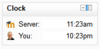
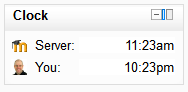
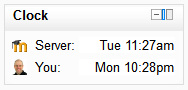
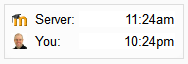
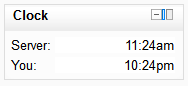
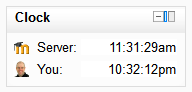
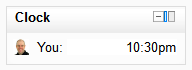
A simple JavaScript clock that highlights the time difference between a student and the Moodle server
Comments
Comments are no longer open for new posts. Existing comments remain available to read.
Adding another time would require code changes. Feel free to do that or get someone else to as I don't think I will.
Michael
I want to use this opportunity to thank Michael for all those useful plugins that he produced during all these years.
Also I would like to ask is it possible to show time based on users time-zone settings in the profile (as additional option), because we have problems with that. We have counsellors all over Canada (six time-zones) and our server time is not relevant in our case, on the other hand we have thousands of clients all over the world, and for lot of them choosing the proper time-zone is a challenge. Couple of examples: some clients from India are choosing Asia/Deli for their time-zone setting simply because it is sound like New Delhi, and the truth is that Asia/Deli is two and a half hours before India time; some of our clients from Nigeria are choosing UTC as their time-zone setting but Nigeria doesn't observe DST and we have again wrong time difference, and there are lot of other examples but I don't have time to put them here all.
It would be great if clock block can show time based on users time-zone setting that can be compared with system clock in the right lower corner and that way check if time-zone setting is correct, or show both - user setting as it is now and plus time based on time-zone setting to be visible one to another (maybe even time-zone chosen to be more noticeable). Just to add that we are using scheduler plugin for scheduling live meeting in BBB, and scheduler is showing local time for counsellors when they are setting available slots, and showing that same slots for clients in their local time, then you can imagine how problematic all these wrongly set time-zones are.
Thank you Michael.
It still seems to be working on 3.5, so I have added that version.
Michael
Greetings.
Verónica.
I haven't really changed much, but I did a code review and uploaded a new version for 2.9 to 3.4.
I have the module running in 3.3 with no issues. I hope Michael will update the source accordingly soon.
Can't say anything about 3.4 yet.