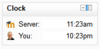
Simple Clock
Maintained by
Michael de Raadt
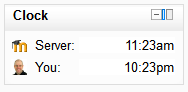
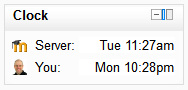
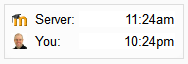
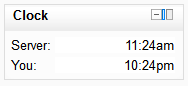
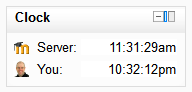
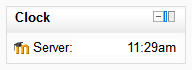
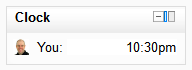
A simple JavaScript clock that highlights the time difference between a student and the Moodle server
Comments
Comments are no longer open for new posts. Existing comments remain available to read.
Thanks for pointing that out. It was unintentional. I've put in a fix and will upload a new version now. See details at https://tracker.moodle.org/browse/CONTRIB-5352
Thanks for trying the block. Be sure to install the block in the /blocks directory.
Here's a guide for installation. https://docs.moodle.org/27/en/Installing_plugins
I tried installing this manually - downloaded the zip, unzipped it, uploaded it to the server - but I only manage to get to the 'Plugins Check' page. Was stated that it is 'To be installed'. I tried googling this but found nothing that could solve it.
Please help, thank you.
You can change this by altering the language string for this label. Go to Site admin > Language > Language customisation and load the strings for block_simple_clock.php and edit the sting for "server".
If this is a relatively easy fix, I am happy to log an improvement on tracker.moodle.org.
Cheers
I've just uploaded a new version with changes that were in a version that was lost when moodle.org was rolled back. If you've downloaded this block in the last two days, you should download it again now.
That sounds like a reasonable improvement. If you create an improvement issue for the plugin on tracker.moodle.org I will make the change.
Yo he confiado en Google Traducir al leer su mensaje y escribir una respuesta, así que por favor me disculpe si he entendido mal su pregunta.
El bloque se basa en cadenas de un archivo de idioma. Puede editar las cadenas a través de Moodle al ingresar como administrador y vaya a Administración del sitio> Idioma> Idioma personalización. Hay algo de documentación sobre cómo hacer esto aquí ...
http://docs.moodle.org/all/es/Personalizaci% C3% B3n_del_idioma
Aún mejor sería que te permite traducir las cadenas en el paquete de idioma distribuida. Esto puede ser compartida con todos los hablantes de la lengua. Ir a lang.moodle.org para más información.
---
Hi, Marta.
I've relied on Google Translate to read your message and write a reply, so please excuse me if I have misunderstood your question.
The block draws on strings from a language file. You can edit the strings through Moodle by logging in as the administrator and navigating to Site admin > Language > Language customisation. There is some documentation on how to do this here...
http://docs.moodle.org/all/es/Personalizaci%C3%B3n_del_idioma
Even better would be for you to translate the strings in the distributed language pack. This can then be shared with all speakers of your language. Go to lang.moodle.org for more information.
You're correct. I'm not sure that showing the adjusted time for the server time is a good idea. Most students wouldn't set a timezone. If I did adjust the time using the user's profile setting, I think it would be even more confusing. Two possibilities: introduce a third time (server time adjusted to user's time zone) or add a note somehow describing what times are shown.