Navigation buttons icon

Navigation buttons

Maintained by Davo Smith
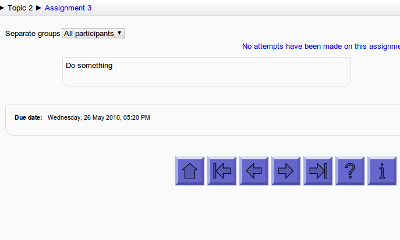
Add customisable navigation buttons (next/prev/etc.) to the bottom of each activity page (Moodle 1.9/2.0+)
Price option: Free

Supports Moodle 1.9-5.2 See all versions
Latest release: 3 months ago
Installations: 850
Downloads (last 90 days): 348

Frankenstyle name: block_navbuttons
Blocks

Comments

Comments are no longer open for new posts. Existing comments remain available to read.

(I have now manually fixed the download).
Thanks Stewart - it's a problem with the github import not working properly as the plugin has been moved into the 'other' category, rather than the 'blocks' category (which breaks a lot of features of the plugins DB). Unfortunately, the plugin still needs a tiny core (or theme) modification to work, so it doesn't get to go anywhere else ...
Hi Davo, I think there's an error in the latest zip folder. For the plugin version 3.4+ (Build: 2017100900) (2018042100), when I click the green download link, the zip folder that I download is completely empty.
Sidenote. If you're using the essential theme, the line of code you need is in: public_html/theme/essential/classes/output/core_renderer.php
Please switch to one of the standard themes (boost or clean) and see if it works. If it does, then to get it working with essential, you'll need to find where that theme overrides the 'footer()' function and add the core change there instead.
Hi Davo,
I modified the outputrenders.php file as instructed in the readme file but mine still does not work. I am running Moodle 3.3 with the Adaptable 1.5.3 theme.
The output says Navbutton self-test: The line "$output = draw_navbuttons().$this->container_end_all(true);" has not been correctly added to outputrenderers.php - see README.txt for further instructions
This is what I put in the php file:
public function footer() {
global $CFG, $DB, $PAGE;
// Give plugins an opportunity to touch the page before JS is finalized.
$pluginswithfunction = get_plugins_with_function('before_footer', 'lib.php');
foreach ($pluginswithfunction as $plugins) {
foreach ($plugins as $function) {
$function();
}
}
require_once ($CFG->dirroot.'/blocks/navbuttons/footer.php');
$output = draw_navbuttons().$this->container_end_all(true); {
// Change this line to enable the navigation buttons
}
$footer = $this->opencontainers->pop('header/footer');
Am I missing something? Please help. Thanks!
that's it, I forgot I changed that file. Works now, thanks.
Jose - just reverse the changes to outputrenderers.php that you made whilst installing the plugin (for reference, the instructions are here: https://github.com/davosmith/moodle-navbuttons/blob/master/README.txt#L35 )
Hi Davo, I want to delete the plugin but when I do that (remove the navbutton map or remove it from the plugin page within moodle) i get this error:
Warning: require_once(/.../moodledir/blocks/navbuttons/footer.php): failed to open stream: No such file or directory in /.../moodledir/lib/outputrenderers.php on line 1283
Fatal error: require_once(): Failed opening required '/.../moodledir/blocks/navbuttons/footer.php' (include_path='/.../moodledir/lib/pear:.:/usr/local/php70/pear') in /.../moodledir/lib/outputrenderers.php on line 1283
How can I safely uninstall the navigation buttons?
thanks,
jose
I haven't found where to put the code yet. I tried a few places but it didn't render. It's late here now, so I'll try again tomorrow. In the meantime, if anyone can think of how I can get the buttons in the top navbar area (in course pages only) I'd be happy for your input ...
Cool. Thanks. I'll give that a go.
Sheila, I guess you could insert the core hack to output the buttons into a different place in the code to output them to a different place on the page. Probably somewhere in the header() function, but I couldn't tell you exactly where.
Hi Davo. Great plugin! Is there any way to place the nav buttons at the top of the page, within the navbar section, rather than the footer?
Ketan, I'm not quite sure what documentation you are after - there's developer docs over at: https://docs.moodle.org/dev/Main_Page . My plugin code has some comments in it, but I've not got a full range of technical documentation for it.
No worries Davo
If you have any documentation then i can help look into it and let you know if i succeed so you can then add it to the plugin.
Thanks