Navigation buttons
Maintained by
Davo Smith
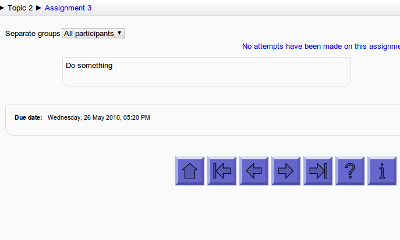
Add customisable navigation buttons (next/prev/etc.) to the bottom of each activity page (Moodle 1.9/2.0+)
Comments
Comments are no longer open for new posts. Existing comments remain available to read.
I am facing an issue with navigation buttons plugin when used for H5P activity. It shows the button twice.
I am using moodle version:Moodle 4.5.4 (Build: 20250414) and plugin version: 4.0.0.1 2025041900
Thanks in advance,
Prasita
I'd also add that layout/styling are not my strong points, so I'm not best placed to make such adjustments.
I'm open to patches if someone wants to provide some improvements (they would have to follow Moodle's latest coding guidelines, have automated test coverage and not break any existing installs of the plugin).
You don't need to send me the same question by comment here and by direct message - I am notified about both.
If you have the plugin files, then you can modify them locally - you do not need anything from me. If you are getting permission denied issues, then that must be something to do with your local computer, not something I can help you with.
This is no different to how activity navigation in the footer used to behave in Moodle, so it's most definitely not a criticism of this plugin. But I thought it might be helpful to highlight for those thinking of using this plugin for navigation between activities with completion criteria.
Many thanks for a very useful plugin. Well-designed, easy to use, does just what it says. Well-done!
If you use the 'view page source' feature of your browser and search for 'Navbuttons start' in the HTML of the page, then you should see something that looks like this:
[the navigation buttons content OR a message about why they are not being output]
If that doesn't explain what is going wrong, then copy that section of the HTML and send me a direct message or email and I'll see if I can figure it out.
Running Moodle 3.9.17
- After installing the plugin, settings were set to "Always show" for all activity types
- I was then able to add the block to my course
- In the Navigation Buttons block settings, all buttons were set to "Show"
- At the end of the Navigations Button Block settings I have the message: "Navbuttons self-test: required core modifications have been completed successfully"
- But in my course activities the Navigation Buttons are not there.
Any suggesstions would be welcome.