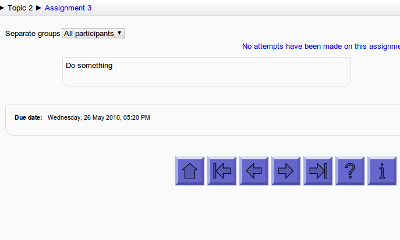
Navigation buttons
Maintained by
Davo Smith
Add customisable navigation buttons (next/prev/etc.) to the bottom of each activity page (Moodle 1.9/2.0+)
Comments
Comments are no longer open for new posts. Existing comments remain available to read.
Thank you for your plug-in. I have looked to integrate this kind of navigation during a long time. It works fine with my Moodle 3.0.
Best regards.
But... in the backend, when I click on 'courses' to go to a specific course, I get the following error:
Debug info:
Error code: codingerror
Stack trace:
line 5721 of /lib/accesslib.php: coding_exception thrown
line 7338 of /lib/accesslib.php: call to context->get_course_context()
line 48 of /blocks/navbuttons/block_navbuttons.php: call to context_block->get_course_context()
line 288 of /blocks/moodleblock.class.php: call to block_navbuttons->get_content()
line 230 of /blocks/moodleblock.class.php: call to block_base->formatted_contents()
line 971 of /lib/blocklib.php: call to block_base->get_content_for_output()
line 1023 of /lib/blocklib.php: call to block_manager->create_block_contents()
line 473 of /lib/outputrenderers.php: call to block_manager->ensure_content_created()
line 52 of /theme/mytheme/layout/columns3.php: call to core_renderer->standard_head_html()
line 1015 of /lib/outputrenderers.php: call to include()
line 945 of /lib/outputrenderers.php: call to core_renderer->render_page_layout()
line 59 of /course/index.php: call to core_renderer->header()
If I go back and click on ' courses' again, the error is gone. This happens every time I click on 'courses'. I use Moodle 2.9.1+
I really love and need this navigation buttons, can someone help me on this?
thanks
"Navbutton self-test: The line "$output = draw_navbuttons().$this->container_end_all(true);" has not been correctly added to outputrenderers.php - see README.txt for further instructions"
I want to add navigation buttons to all the courses by default. Could you please guide me what to do?
You must download the plugin manually, rename it to 'navbuttons', install it into the 'blocks/' directory on the server and make the required core code modification.
There is no way to enable automatic installation of this plugin.
I'm running Moodle 2.6+ (Build: 20131129)
When I try and install this through the ADMIN > Plugins it fails validation and I get the following error message:
Error Invalid add-on name: davosmith-moodle-navbuttons-b8f320e
The help message says:
"The name of the root directory in the ZIP package violates formal syntax requirements. Some ZIP packages, such as those generated by Github, may contain an incorrect root directory name. You need to fix the name of the root directory to match the add-on name."