SAML2 SSO Auth

Description
SAML2 SSO Authentication using exists SimpleSAMLphp Service Provider
You'll need the following pre-requirement:
- A working SimpleSAMLphp Service Provider (SP) installation (https://simplesamlphp.org) working means that the metadata from SP must be registered in Identity Provider (IdP). Can be found in /config/authsources.php
- The absolute path for the SimpleSAMLphp installation on server
- The authsource name from SP in which your users will authenticate against
You are strongly encouraged to use a [SimpleSAMLphp session storage](https://simplesamlphp.org/docs/stable/simplesamlphp-maintenance#section_2) other than the default phpsession.
How to install
You can install this plugin as usual from the Moodle plugins directory following the official instructions: https://docs.moodle.org/500/en/Installing_plugins#Installing_directly_from_the_Moodle_plugins_directory
If you can't deploy the plugin code via the web interface, unzip the distribution package in *`/path/to/moodle`*`/auth/` and rename the folder `saml2sso` if required.
Then complete the configuration from the Moodle UI *Administration > Plugins > Manage authentication*.
The key for this plugin is that you can use your exists Service Provider (SP) without need to exchange the metadata with the Identity Provider (IdP) for every new Moodle instances. (for instances in the same host name)
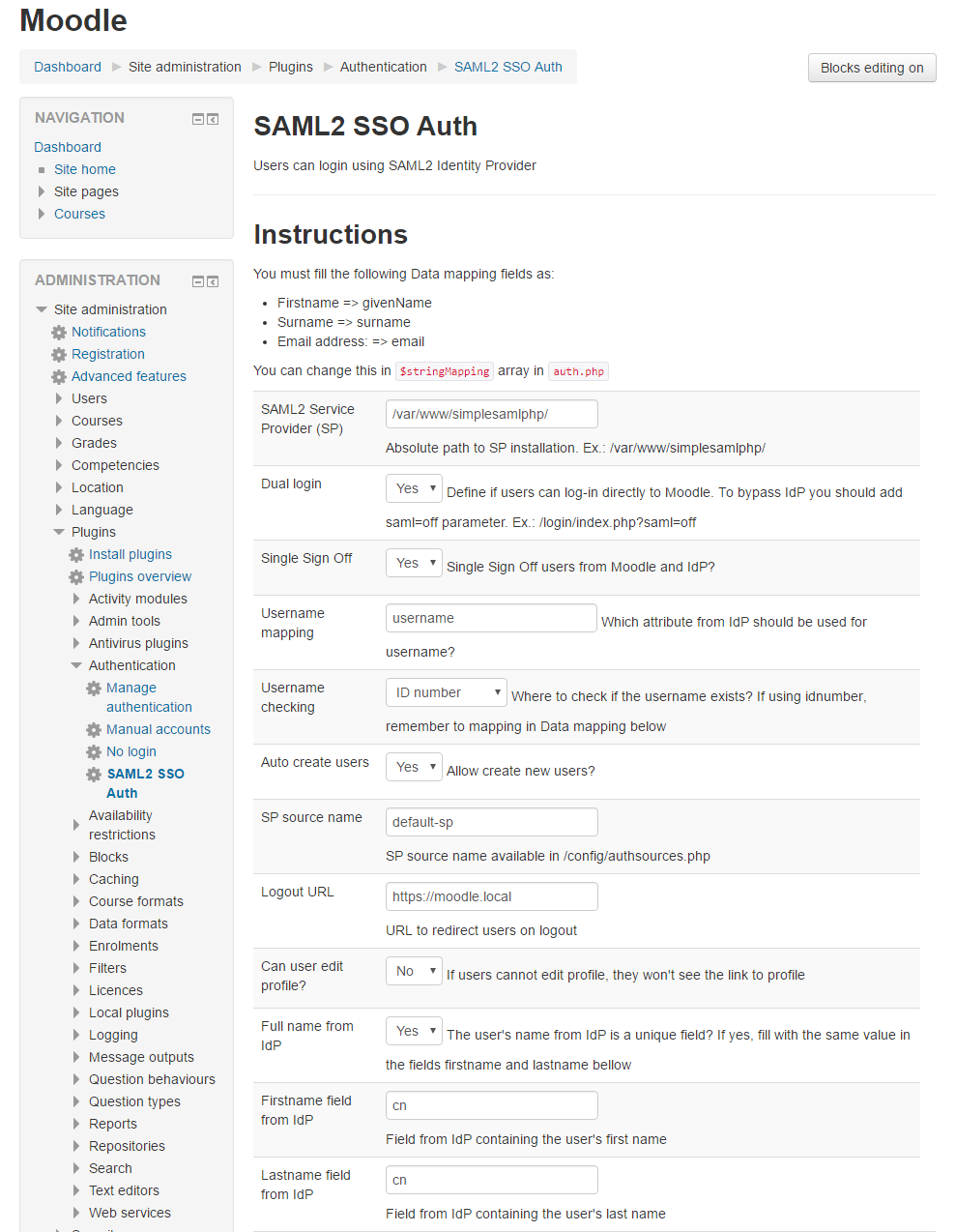
The following options can be set in config:
- SimpleSAMLphp installation path
- Dual login (Yes/No) - Can login with manual accounts like admin
- Single Sign Off (Yes/No) - Should we sign off users from Moodle and IdP?
- Username mapping - Which attribute from IdP should be used for username
- Username checking - Where to check if the username exists
- Auto create users - (Allow create new users)
- Force IdP re-authentication after Moodle logout
- Limit concurrent logins to 1 if configured as global setting
- SP source name (generally default-sp in SimpleSAMLphp)
- Logout URL to redirect users after logout
- Allow users to edit or not the profile
To bypass the authentication and login directly in Moodle (ex.: using admin account), add the saml=off parameter in the URL (ex.: https://my.moodle/login/index.php?saml=off)


