
Outage manager
Premium Certified Partner
Maintained by
Brendan Heywood, Catalyst IT
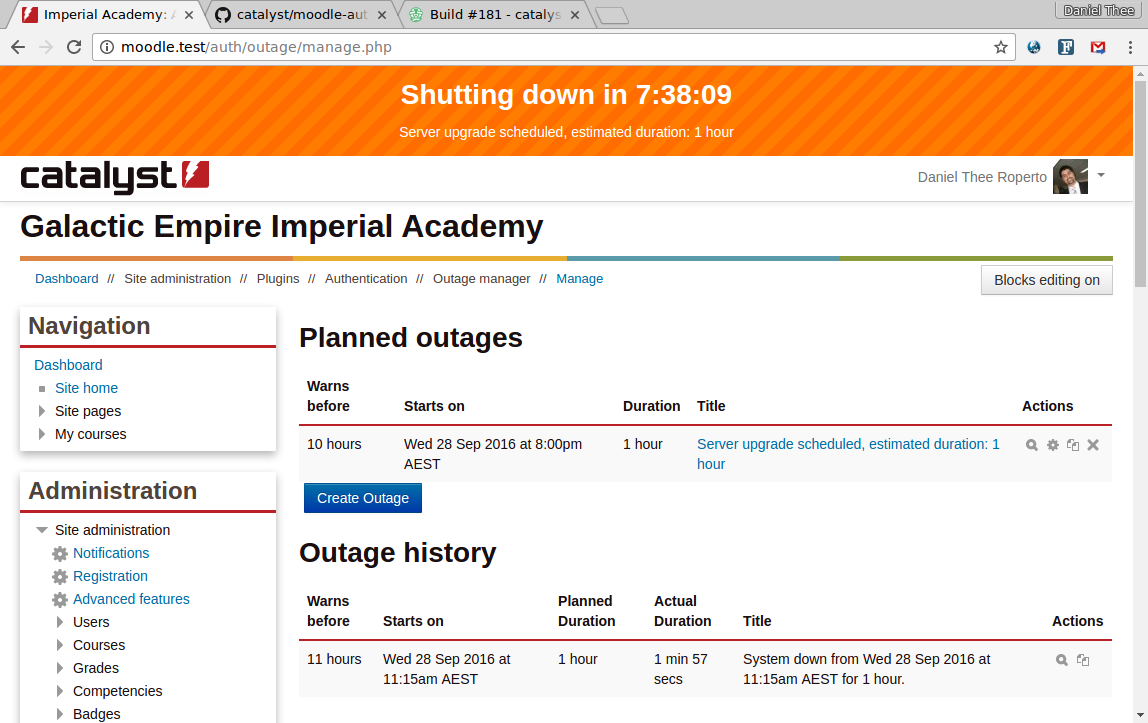
A plugin to manage outage periods, such as scheduled maintenance, including CLI tools to embed in your scripting.
Comments
Comments are no longer open for new posts. Existing comments remain available to read.
Any help would be appreciated.
But, could I point one interesting feature that will make it wonderful? The ability to define one (or several, but one is fine for me) recurring outage, i.e. I want to define one outage at 4:00 EVERY day.
Anyway it's a superb plugin.
Thanks!
Paris
Exception - Unsupported operand types: array + string
When will this be ready or should I rather uninstall it?
We just implemented this plugin in our Moodle 3.7+ (Build: 20190628) install. The only customization we have implemented is changing the messageoutageongoing language string to better reflect our standards.
The plugin functions well except for the following:
Using the standard Boost or Classic themes in 3.7+ the Outage banner is not responsive. Specifically, the Outage Info link is pushed outside the bounds of the outage banner.
I created the issue https://github.com/catalyst/moodle-auth_outage/issues/127 so we can perform some testing before marking it compatible with newer Moodles. It seems like our testing goes up to Moodle 3.3 but I need to confirm that.
Thank you for the information
Daniel
The core moodle cli maintenance mode locks everyone out, this isn't something we can, or would, change. However we are working on a new feature to be released soon which lets testers from certain ip ranges in during the shoulder of the outage period but while strict maintenance mode is no longer on. The typical use case being you start the outage, then enter cli maint mode, do the upgrade, turn off maint mode, at which point the testers can do their work while the students still see the outage message, then when the testers are happy the outage is finished and everyone can see moodle again.
Also re the header of your theme not appearing, there is also a new config setting shortly to be released allowing css tweaks to adapt to any theme. The default css works in the default moodle bootstrap theme.
cheers
Brendan
I also found that the plugin locks admins out of the site during the outage. This meant there was no way for admins to work in Moodle behind maintenance mode or to disable maintenance mode. I restored access by changing the "auth" database setting in the mdl_config table from "outage" to "manual".
May only affect our site/theme, but also noticed that during the warning period the top-bar (i.e. with "My Courses", profile menu etc) didn't display. We're running Essential theme & latest version of Moodle.
The plugin concept is great, but these two issues mean we can't use it yet.
Happy to provide any details that would be helpful in resolving the two issues, just let me know. I used autostart for the outage.
Thanks
I will need to doublecheck the autostart mode part but basically admins could not even log onto the moodle instance. If that is intentional, how does an admin do any work within the GUI while in maintenance mode? I will really need to get back into github as your not the first person that has asked me to open an issue there. I will try to make time this weekend and report the info.