Frank Koch
Maintainer

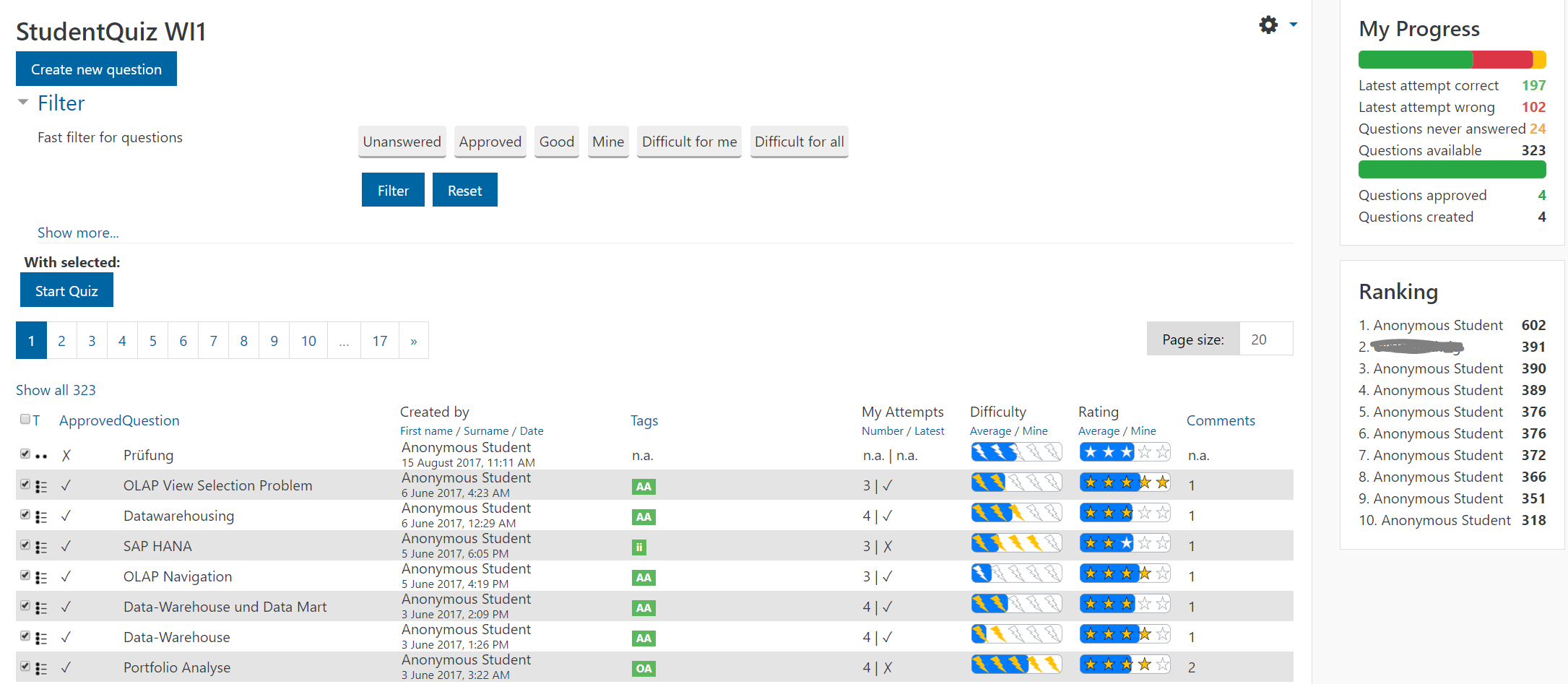
Students like quizzes to prepare for exams. However, it’s hard to create all the questions needed for assessments and exams. That’s where the Moodle plugin StudentQuiz comes in. StudentQuiz enables students to collaboratively create their own question pools within Moodle. This allows a better learning experience because knowledge is actively constructed by the learner, not just passively received from the environment. And even if an individual student contributes a few questions only, a larger cohort can easily build up an extensive question pool.
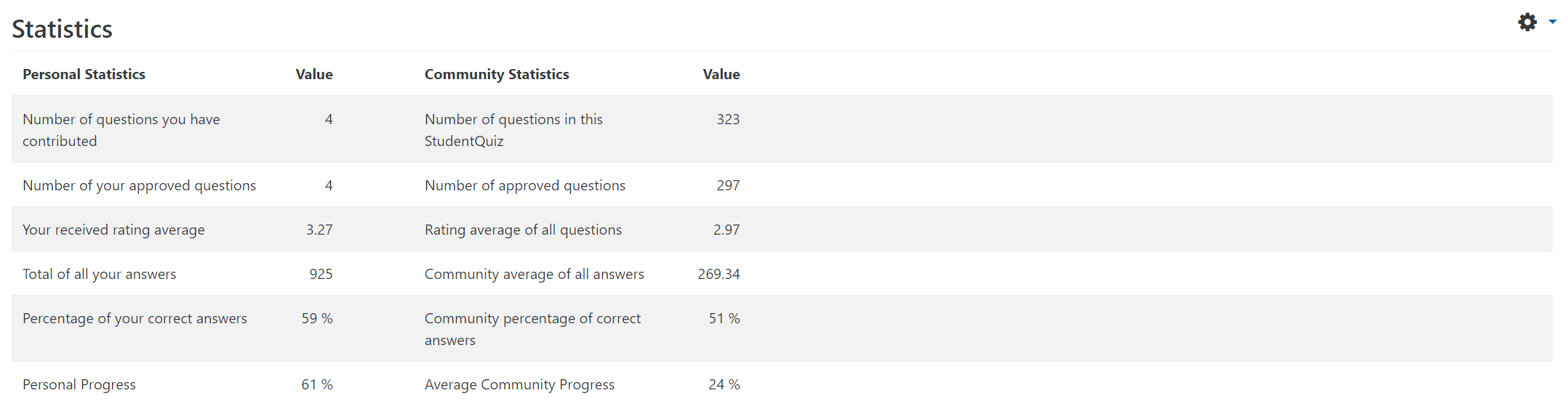
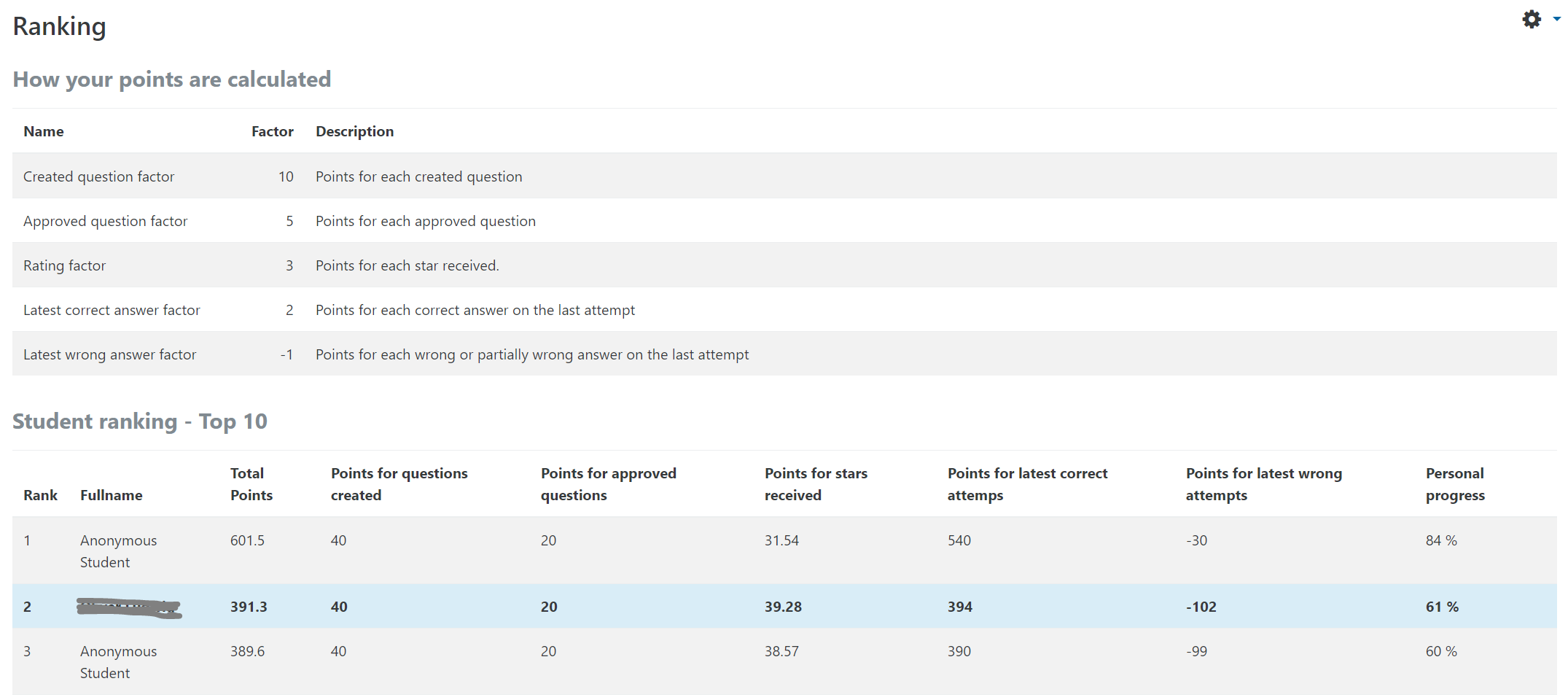
In StudentQuiz, learners can create individualised quizzes. They also add their feedback to each questions by rating and commenting while working through the quizzes. Students can see their personal learning progress, and they can compare their contribution and competence with their peer group. Furthermore, the created questions become part of the Moodle question bank and can be reused in standard Moodle quizzes.
The teacher can approve/disapprove questions, or hide or delete questions. The teacher can also configure:
The video StudentQuiz in a minute provides a quick introduction. There's also the 16 mins video Tutorial for Teachers.
StudentQuiz is available in many languages. Please feel free to add your language to the AMOS translator.
Installation
The simplest way to install the StudentQuiz is by going to the Site administration -> Plugins -> Install plugins page.
You can try StudentQuiz without installing on the StudentQuiz Demo Page.
For changes and instructions please read the Release Notes.
You can find manuals for each role in the manuals website. For technical issues and help raise an issue in our Issue Tracker.
See Versions tab.
Refer to the Moodle release notes for the minimum requirements for PHP and the databases. Other modern browsers should be compatible too, it's just not tested or developed against them explicitly.
Please help translate StudentQuiz into your language on AMOS.
Feel free to submit code changes as Pull Request or help people and universities around the world in our Issue Tracker.


