Multi-Language Content (v2)
Maintained by
Iñigo Zendegi Urzelai, Iñaki Arenaza, Kepa Urzelai
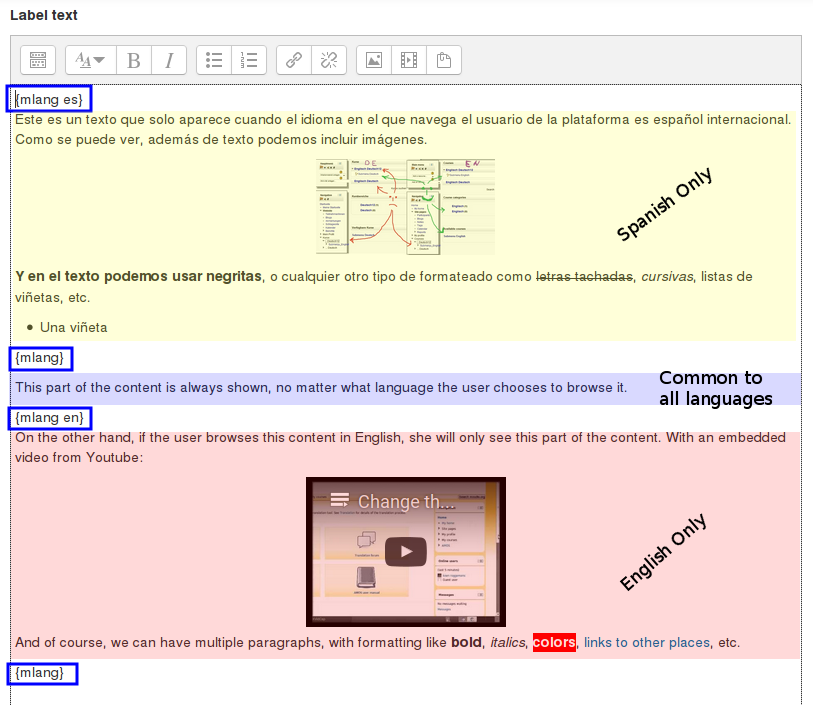
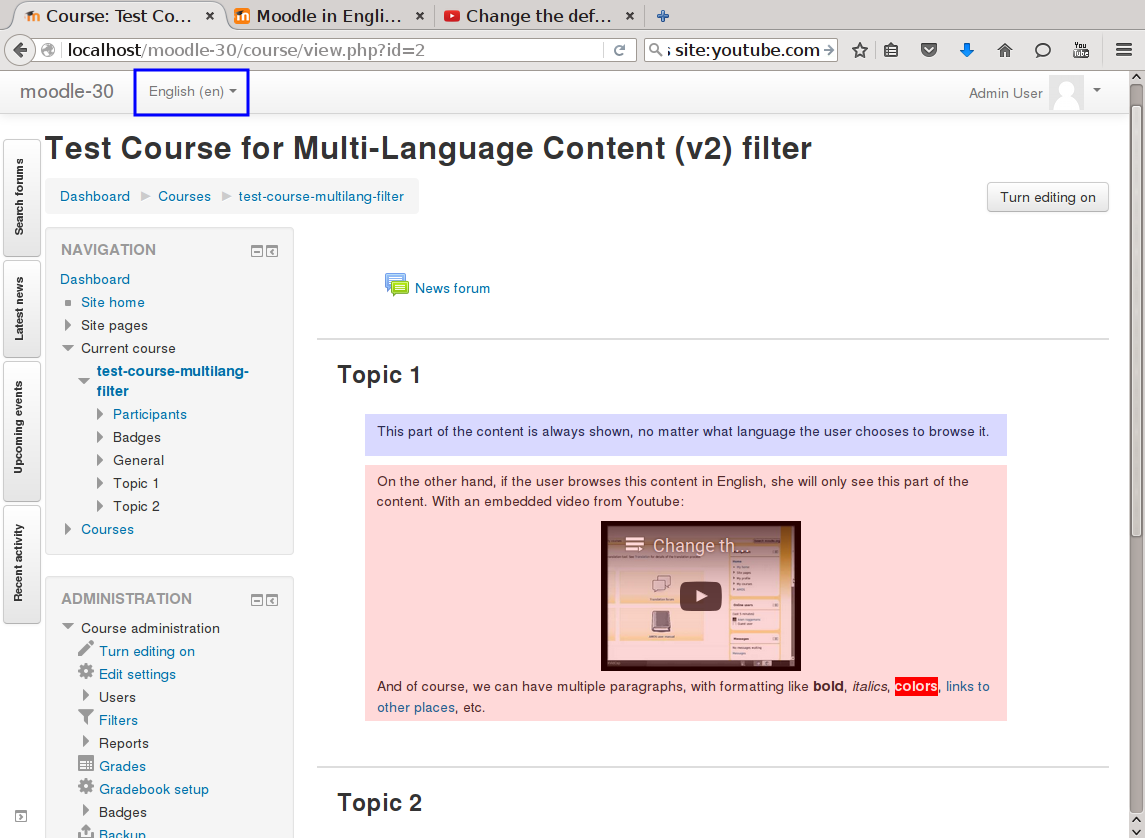
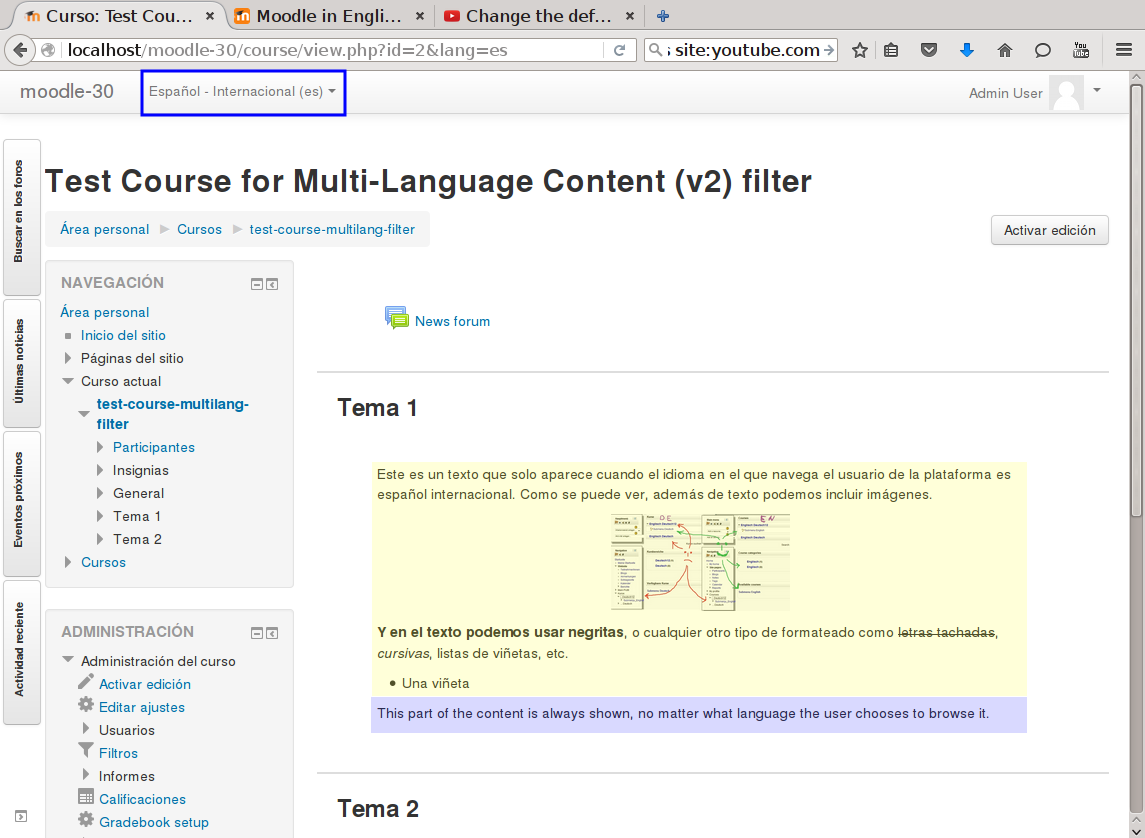
This filter is a greatly simplified multi-language filter. It uses very simple non-HTML tags to mark multi-language blocks. Namely {mlang XX} {mlang} pairs, where XX is the Moodle short name for the language pack (i.e., en, fr, eu, es, es_mx, etc.)
It uses the same tags as the filter_multilangsecond plugin (to be compatible with it), but there is one difference between the two. This filter allows standalone {mlang} tags that don't require adjoining alternative language tags. This makes the filter more flexible at the cost of potentially producing empty sets of tags.
Comments
Product ratings and reviews are coming to Moodle Marketplace. Until then, existing comments remain available to read, but new posts have been disabled.
Firstly, thanks for this plugin, I've been using it for a while now and find it very useful.
I recently updated to v4.1.1 of Moodle and have noticed that the Course Index is no longer being translated (zh_cn) in my case.
All the Content and Headings are fine when I switch between English and Chinese just not the left-hand side course index. It used to be ok, so I'm wondering if it's something to do with the Moodle upgrade.
Can it be fixed? Do you think it's a plug-in issue or a Moodle issue?
Many thanks
James
the error occurs in the button to mark as complete the section of the chapter or lesson, it is not a part of questionnaire.
Regards
I definitely agree with Michael Milette. This seems to be a bug in the plugin (or core module) that is using that string. Where do you get this error? Is it some type of question or questionnaire? If so, for which kind of question type?
Saludos.
Iñaki.
This sounds more like an issue with Moodle than with the plugin. I definitely recommend that you report the issue at https://tracker.moodle.org if it has not already.
Best regards,
Michael Milette
I have a problem with the plugin that I can not solve. I'll explain it to you briefly.
When I try to click the 'Mark Complete' button I get this message:
Syntax Error: expected property name or '}' at line 1
After consulting it on the internet, I have seen that it is necessary to use double quotes so that the json validator does not give an error.
The string in question causing this error is the one used in the Name field:
{mlang es}EMPRESARIO INDIVIDUAL: VENTAJAS Y DESVENTAJAS{mlang}{mlang eu}BANAKAKO ENPRESABURUA: ABANTAILAK ETA DESABANTAILAK{mlang}
If I put
"{mlang es}EMPRESARIO INDIVIDUAL: VENTAJAS Y DESVENTAJAS{mlang}{mlang eu}BANAKAKO ENPRESABURUA: ABANTAILAK ETA DESABANTAILAK{mlang}"
it does not give an error but it shows me the name as
"EMPRESARIO INDIVIDUAL: VENTAJAS Y DESVENTAJAS{"
including double quotes.... (language selected is spanish - es)
Any ideas how to make those quotes not appear?
Many thanks in advance!!!
Mentxu
the link takes me to a ppt ...
The filters that I have activated are the following:
-. Show H5P
-. Automatic binding to activity names
-. mathjax
-. Show emoticons as images
-. Convert URL to links and images
-. media plug-ins
-. Multi-Language Content (v2)
I have disabled this:
-. Automatic binding to activity names
and it seems that it works correctly, the tag {mlang es} is not displayed
I'm going to keep checking to see if this filter deactivation affects anything else
Thank you very much for your help
I have other issue with this filter. I'll try to explain it.
In a chapter I've include text in the content section with tags associated to 2 languages (es and eu), like this:
{mlang es}SALUD: estado de bienestar físico, mental y social completo, no meramente la ausencia de daño o enfermedad ....
if I see on html mode I've this:
{mlang es}SALUD: estado de bienestar físico, mental y social completo, no meramente la ausencia de daño o enfermedad.
but when I go to view the page (after deactivating edit mode) the tag "{mlang es}" appears as a hyperlink !!!
{mlang es}SALUD: estado de bienestar físico, mental y social completo, no meramente la ausencia de daño o enfermedad.
what could this be due to?
Many thanks in advance
Regards
sí, como el resto de filtros de Moodle, se puede aplicar tambén a los títulos. La documentación del filtro multi-idioma estándar indica como hacerlo en la dirección https://docs.moodle.org/all/es/Filtro_de_contenido_multi-idioma#Habilitando_el_filtro_de_contenido_muti-idioma
Siguiendo esos mismos pasos, pero aplicándolos al filtro "Multi-Language Content (v2)", lograrás lo que buscas.
Short English translation for those who don't speak Spanish: the question was about whether the filter can be applied to titles / headings too; which it can, as any other Moodle filter. My answer simply links to the Spanish docs detailing how to to it for the standard multi-lang filter.
existe la posibilidad de aplicar el filtro a un título, por ejemplo de una sección o un tema?
eskerrik asko
Yes, indeed. To apply the multilang filter to the course and category titles you have to set it to apply to "Content and headings" in 'Site administration' > 'Plugins' > 'Filters' > 'Manage filters'.