Multi-Language Content (v2)
Maintained by
Iñigo Zendegi Urzelai, Iñaki Arenaza, Kepa Urzelai
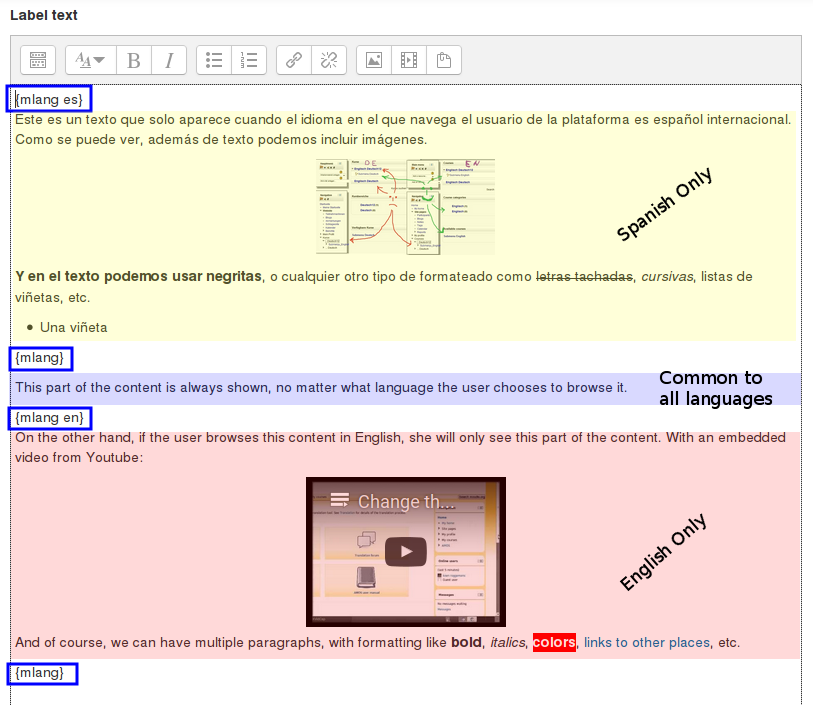
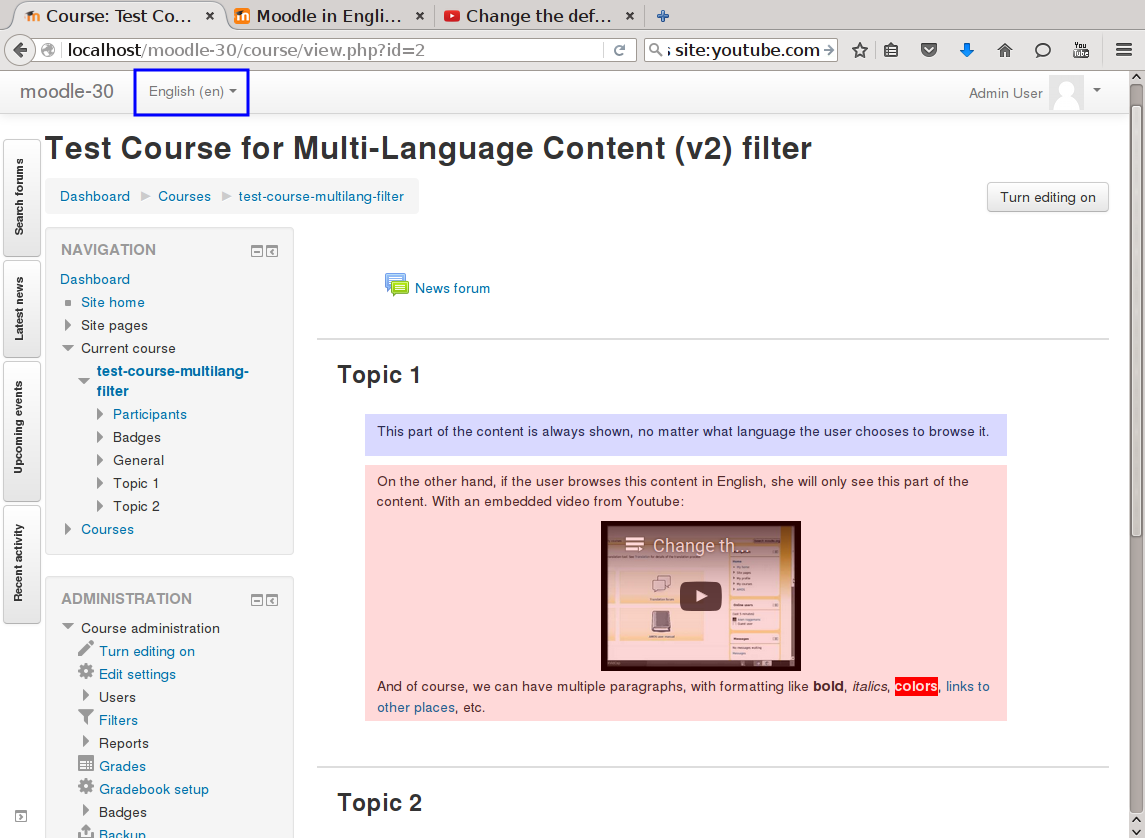
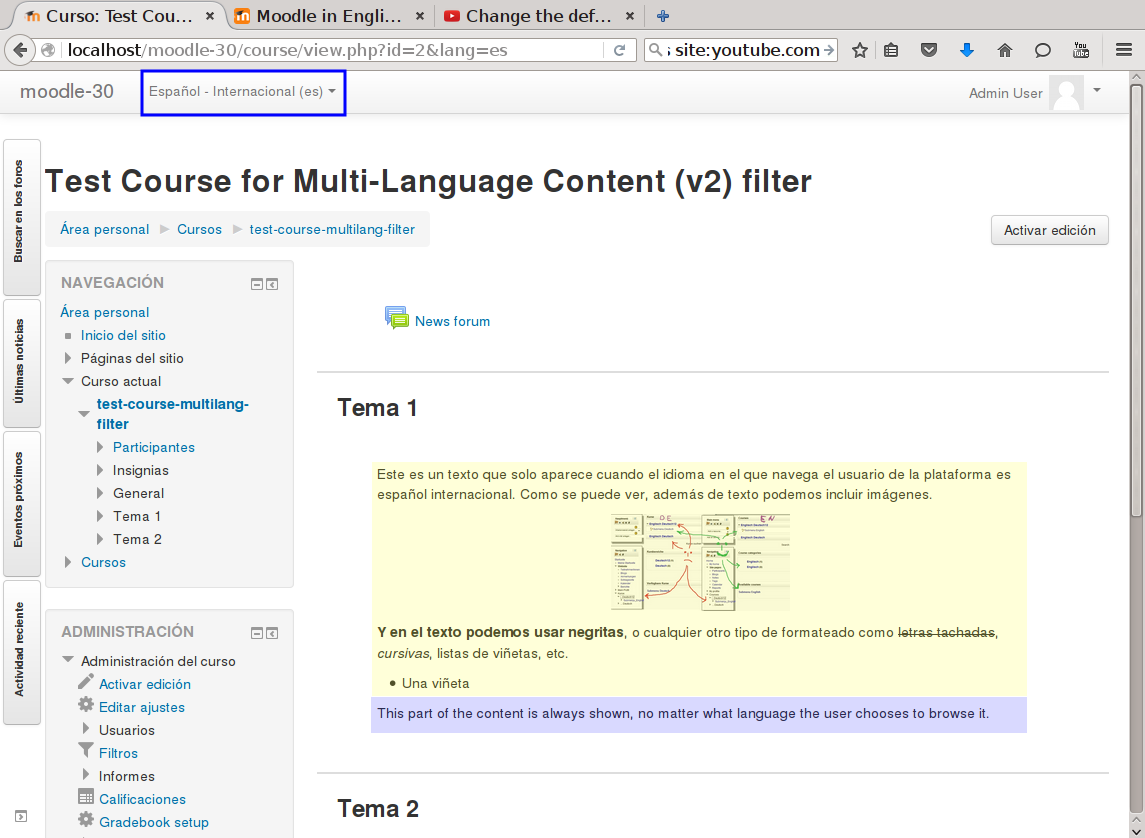
This filter is a greatly simplified multi-language filter. It uses very simple non-HTML tags to mark multi-language blocks. Namely {mlang XX} {mlang} pairs, where XX is the Moodle short name for the language pack (i.e., en, fr, eu, es, es_mx, etc.)
It uses the same tags as the filter_multilangsecond plugin (to be compatible with it), but there is one difference between the two. This filter allows standalone {mlang} tags that don't require adjoining alternative language tags. This makes the filter more flexible at the cost of potentially producing empty sets of tags.
Comments
Product ratings and reviews are coming to Moodle Marketplace. Until then, existing comments remain available to read, but new posts have been disabled.
Is it possible to have multilang titles as well? I tried to use lang tags, but of course they are ignored!
Moodle 3.10
Thanks again
davide
I'm afraid that's not in our hands
Saludos.
Iñaki.
Is there any plans to enable translating the Tags using this plugin?
Regards,
I am not the developer of the Multi-Language Content v2 plugin but I am a big fan and the developer of the FilterCodes plugin which works in a very similar way but for different purposes (like creating context aware dynamic menus).
Unfortunately Moodle does not yet include support for these types of {tags} in the custom menu. You have three options:
1) Fix your Moodle theme or get the developer who created it to add the fix.
2) Fix Moodle. The advantage of this approach is that it will not only fix it for your theme but almost any Moodle theme that you might use.
The instructions on how to do #1 and #2 above can be found at:
https://github.com/michael-milette/moodle-filter_filtercodes#filtercodes-in-a-custom-menu
And of course, if you fix it for Multi-language Content v2, the fix will also work for FilterCodes which might be useful for you too. I have been creating multi-language Moodle sites since many years using this plugin and these fixes work great. Just remember to re-apply the patch anytime you upgrade Moodle or your theme.
3) if you don't to modify Moodle or your theme, there is a way to do multi-language menus without any plugins or tags at all. You will find information on how to do this at:
https://docs.moodle.org/en/Theme_settings#Multilanguage_support
Tip: Depending on your version of Moodle, you may need to group your menu items by language in order for it to work. Example: all your English menu items followed by all your French ones.
Consider asking your questions in the Moodle discussion forums in the future. You will find many more people like me who love to help people with their Moodle questions. You might even discover that you can pay it forward and help others too.
Hope you found something useful in all of this.
Best regards,
Michael Milette
First of all, thank you for this plugin, it simplified a lot my life, definitively.
But I'm having a problem, and I can't find a solution for it. When applying the language mark separator in menus with links, it turns out that it doesn't recognize the link, and this is crucial to make proper use of a multilanguage site (proper use of the menus). Can you give some hint of how to overcome this?
Anyway, thank you for your work. It continuos amazing
TF
This plugin only require the call of the standard functions to apply the filters in Moodle, usually format_string or format_text.
Your plugin is absolutely amazing. Thank you so much for this.
I am using it with the Edwiser RemUI theme and Edwiser's course formats. In some areas such as course description in the list of all courses, the {mlang} tags do not work. Instead you see the entire string unfiltered, i.e. {mlang en}Let's study together{mlang}{mlang ja}一緒に勉強しましょう{mlang}.
Reading the comments here it seems like it may be an issue with the Edwiser course formats and theme not calling specific functions or missing something in their code that can display your plugin. I would like to ask them about this and if they can fix it.
Can you please advise what your plugin requires in their code to properly display? I do not know how to describe it to them so they can see if it is something they can fix on their side.
Thank you in advance.
For more information on this issue and some workarounds, see https://tracker.moodle.org/browse/MDL-70556
I have a question about this plugin according to course names. I'm using this plugin to create a platform fully displayed in 9 different languages. How can I apply this to course names? I know that it is working - I checked based on 2-3 languages, but the field is too short to type all 9 languages. Is there any way of how I can overcome this issue? Maybe you have some tips for me how can I make it possible to apply all of the 9 languages?
Thank you for any advices and information in advance!
All the plugins of the plugin database (and this one too) are non-standard plugins, so you'll have to install them in addition to the Moodle core on every Moodle instance you want to use it.
As suggested by Michael Milette, are you testing it with the Boost or Classic theme? Many non-core themes have issues with filters in general (not just multilang2, but any filter). So before digging further, can you confirm that it doesn't work in the course summary if you use the Boost or Classic theme?
Saludos.
Iñaki.
While it is working with books, pages, headings etc. it does not work with course summary.
Any suggestions?