Multi-Language Content (v2)
Maintained by
Iñigo Zendegi Urzelai, Iñaki Arenaza, Kepa Urzelai
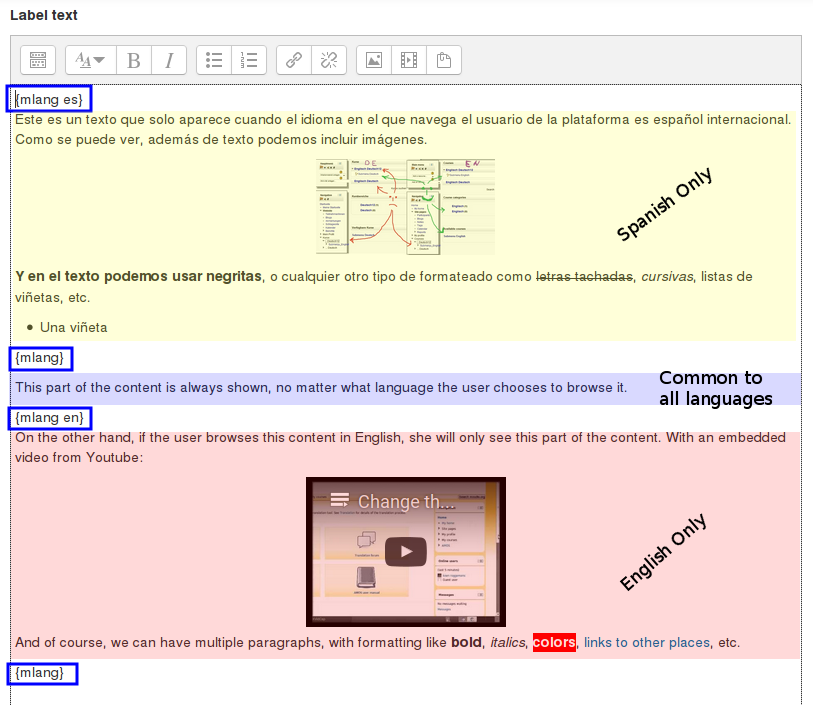
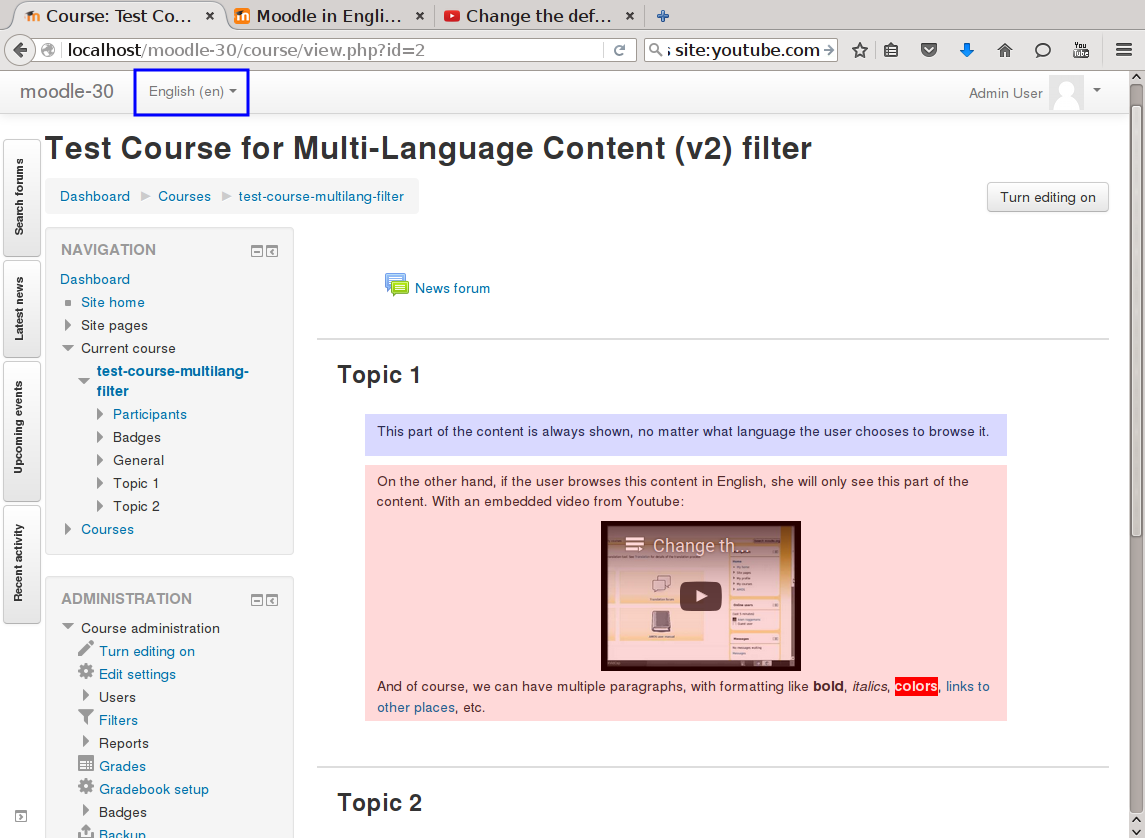
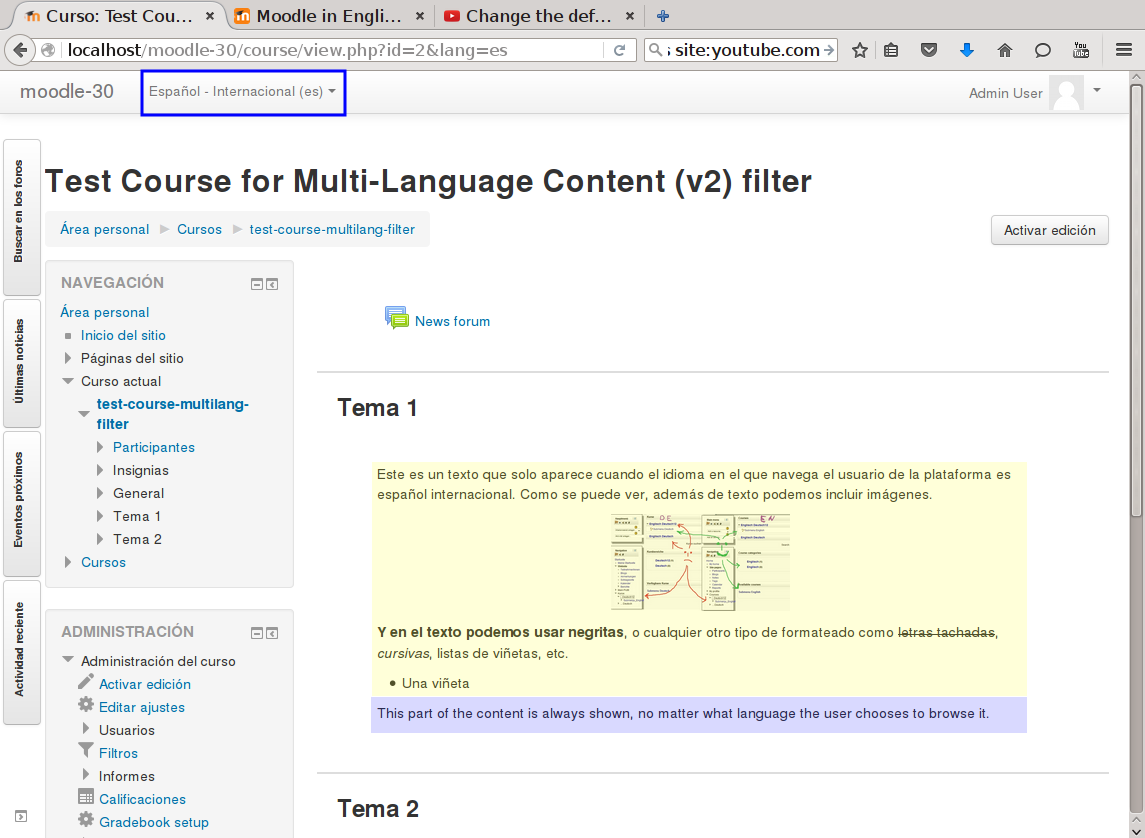
This filter is a greatly simplified multi-language filter. It uses very simple non-HTML tags to mark multi-language blocks. Namely {mlang XX} {mlang} pairs, where XX is the Moodle short name for the language pack (i.e., en, fr, eu, es, es_mx, etc.)
It uses the same tags as the filter_multilangsecond plugin (to be compatible with it), but there is one difference between the two. This filter allows standalone {mlang} tags that don't require adjoining alternative language tags. This makes the filter more flexible at the cost of potentially producing empty sets of tags.
Comments
Product ratings and reviews are coming to Moodle Marketplace. Until then, existing comments remain available to read, but new posts have been disabled.
I have been digging a bit in the "dataform" plugin code, and it is clearly an issue in it. When rendering the contents of a select-type field, it doesn't call "format_tring()" on the entries to display. It that function is not called, no filtering plugins are applied (of which filter_multilang2 is just one). I verified it by adding these 3 lines of code before this line: https://github.com/itamart/moodle-mod_dataform/blob/master/field/select/classes/renderer.php#L206
foreach ($options as $key => $val) {
$options[$key] = format_string($val);
}
I didn't check the rest of the field types, but I wouldn't be surprised it the calls to "format_string()" or "format_text()" (depending on the type of content to show in each case) are missing too. So you should open a bug in the dataform plugin bug tracker and let the maintainer know about this issue.
Saludos.
Iñaki.
We have implemented this plugin in our LMS Site, it was working good with the all custom pages.But we are facing some issue with the front page Slider Caption.It was not supporting the tags you mentioned.I have mentioned the exact output which we are receiving.
NOTE:
We are using our own custom theme.
Output:
{mlang en}XXXX YYYY ZZZZ {mlang}
Am I doing anything wrong? Or have I to configure something else?
Thank you in advance
Best regards
Muthuswamy
When you were using a localized languages such as French Canda (fr_ca) in versions of Moodle up to and including 3.6, you used to be able to use the syntax:
{mlang fr_ca}content{mlang} OR {mlang fr-ca}content{mlang} OR {mlang fr}content{mlang}
As of Moodle 3.7, you can only use the following syntax:
{mlang fr}content{mlang}
This doesn't appear to be a result of a change in the plugin but rather in Moodle.
Doesn't bother me (I am not considering this an issue). If it is a big problem for you, you might have better luck with the https://moodle.org/plugins/filter_multilangsecond plugin. I have not used that one in several years. The code works differently so it might be more backwards compatible with your site.
Best regards,
Michael Milette
the official version of the plugin doesn't have that feature. But there is an additional git branch (called wip-master-langlist) that has it: https://github.com/iarenaza/moodle-filter_multilang2/tree/wip-master-langlist
I am a bit reluctant to make that feature part of the official plugin, but I have been maintaining it up to date in sync with the official one so far. It is the one that I called the "extended" version in a Nov 2016 comment. Then I said that I didn't expect that the "extended" version of the plugin would fall out-of-date, given that it is 85-90% of the same code as the standard one, and I've kept both in sync since then. So no hard guarantees, but several people have been using it since then.
Saludos.
Iñaki
AFAIK, it is not possible, but you could have a workaround: since the plugin defaults if it doesn't find the string in the appropriate language, you could define a string for those cases, something like:
{mlang ES} Bien {mlang }
{mlang EN} OK {mlang }
And if you log in in FR or any other language installed and it can't find the language, it will use whatever language you have as default for the platform
Cheers
can the plugin support multilang in the tag ?
example : can we write " {mlang DE EN FR} OK {mlang } " instead of writing :
{mlang DE} OK {mlang }
{mlang FR} OK {mlang }
{mlang FR} OK {mlang }
I'm afraid you are not doing anything wrong. It's simply that the "drag and drop into text" question type (and I suspect other drag and drop question types too) are not multi-language ready. The multi-language filters (all of them, including mine) can only work if the texts to be displayed are passed through the filtering mechanisms (usually format_string() and format_test() functions).
I've seen that the "drag and drop into text" question type doesn't use those mechanisms in a few places. But in this particular case, the problems are deeper. Because when you do something like the following to define a question:
{mlang en}Question EN: gap 1 \[\[1]] , gap 2 \[\[2]]{mlang}{mlang DE}Question DE: gap 1 \[\[1]] , gap 2 \[\[2]]{mlang}
the drag and drop into text question type stores the question as this (at least in Moodle 3.5):
{mlang en}Question EN: gap 1 \[\[1]] , gap 2 \[\[2]]{mlang}{mlang DE}Question DE: gap 1 \[\[3]] , gap 2 \[\[4]]{mlang}
As you can see, it renumbers the second language gaps, in effect making the question have more gaps than intented! This later means that when you are presented with the question in a single language (e.g., EN), you can only fill in two gaps (because there only appear two empty gaps!). So from grading point of view, you have a partially correct question, because you didn't fill in all the gaps!
As I sais before, this is a deep issue in that question type and I suspect it needs changes in quite a few places. I don't master the quiz/questions code at all, so I'd say it's better to open a Moodle bug in the official tracker and try to get the issue fixed there by the official maintainers.
Saludos.
Iñaki.
That's actually a bug in the glossary filter and module. The glossary filter adds the glosarry entry concept as is, without trying to filter it first. So the multilanguage filter can't even try to do its jobs. And something very similar happens when you click on the auto-linked glossary entry: the AJAX call doesn't try to apply the filters to the entry concept and definition, so the multilang filter is not called, and you get the raw original string (wit all the {mlang} tags, etc.).
Applying the patch available at https://gist.github.com/iarenaza/cd5bb7c766e457caa73e73298bcbf31b should fix the issue (patch is for latest 3.5 version, so line numbers might change a bit depending on exact 3.5 version).
I tried to insert a "drag and drop into text" question into my moodle course using your plugin. The translation of the quotation text works well but the choice text (which are the drag texts) are visualised like "{mlang DE}Text DE{mlang}{mlang EN}Text EN{mlang}".
Am I doing anything wrong? Or have I to consider something else?
Thank you in advance
Best regards
Christian
do you thinking about extension your filter with something like default wording. In case, that you have content in EN and CZ for example, and user has selected some other language, he gets emptz string.
Great plugin,
But how to translate course title ?
best regard,