Multi-Language Content (v2)
Maintained by
Iñigo Zendegi Urzelai, Iñaki Arenaza, Kepa Urzelai
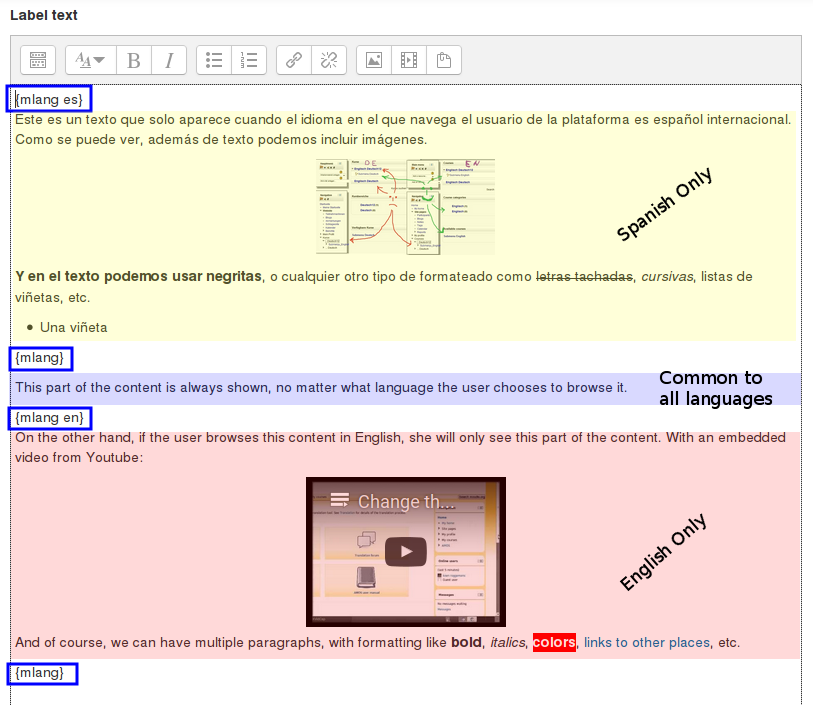
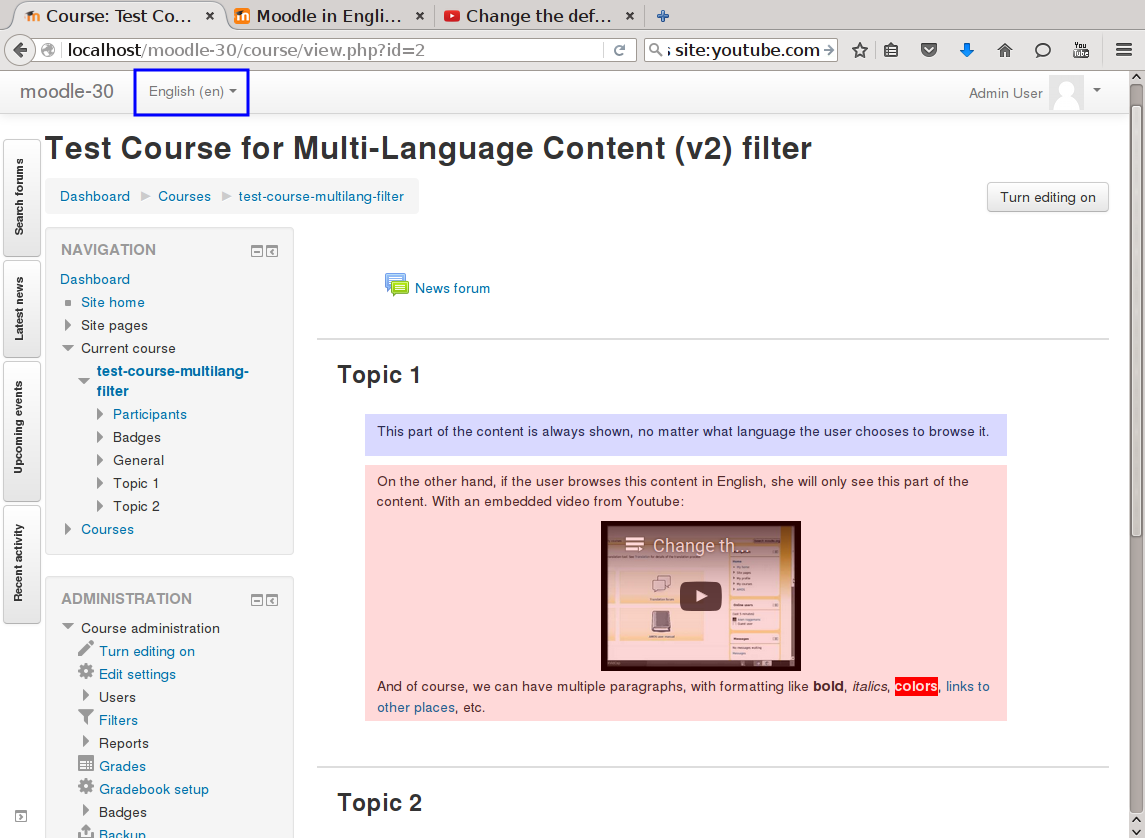
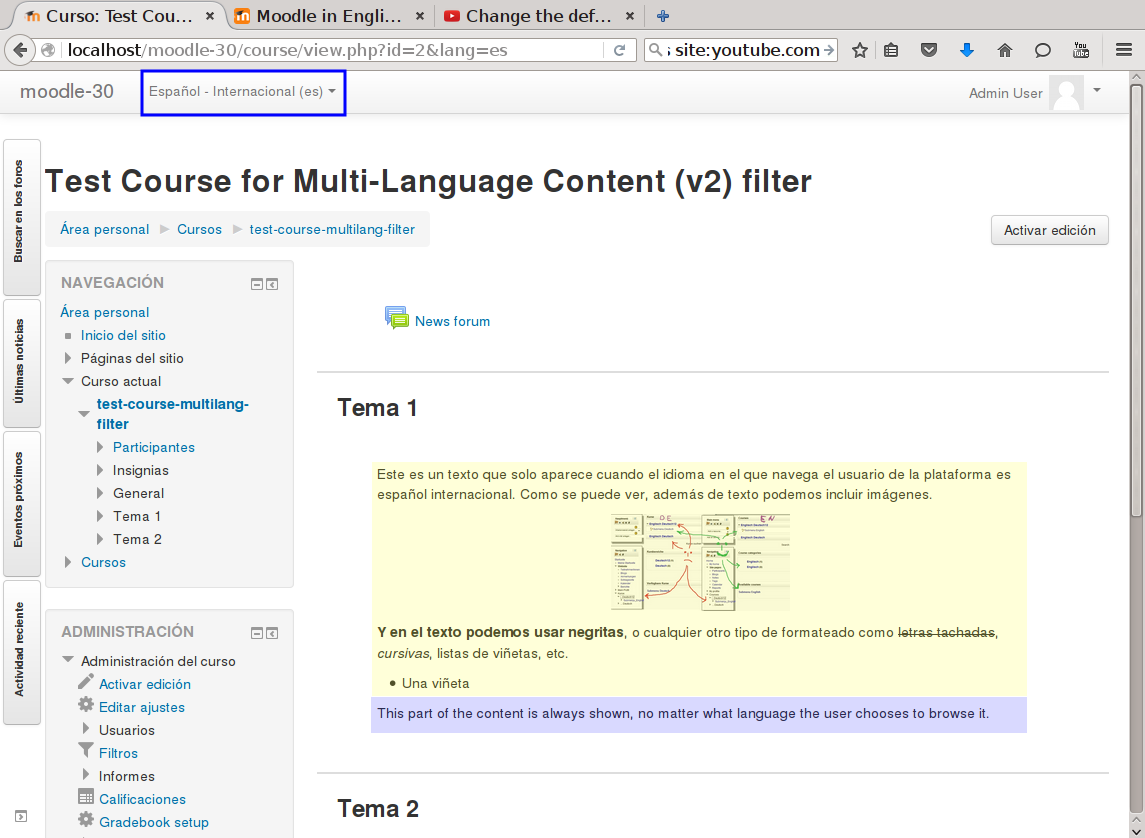
This filter is a greatly simplified multi-language filter. It uses very simple non-HTML tags to mark multi-language blocks. Namely {mlang XX} {mlang} pairs, where XX is the Moodle short name for the language pack (i.e., en, fr, eu, es, es_mx, etc.)
It uses the same tags as the filter_multilangsecond plugin (to be compatible with it), but there is one difference between the two. This filter allows standalone {mlang} tags that don't require adjoining alternative language tags. This makes the filter more flexible at the cost of potentially producing empty sets of tags.
Comments
Product ratings and reviews are coming to Moodle Marketplace. Until then, existing comments remain available to read, but new posts have been disabled.
Is it possible to automatic link to activities which names are multilingual? Now not working.
Bert
just to mention that this plugin (filter_multilang2) is *not* related to Atto in any way
The Atto multi-language plugin ( which is available at https://moodle.org/plugins/atto_multilang2 ) is the one you seem to be having trouble with. That plugin produces the markup that is later processed by this plugin, but otherwise are completely independent.
Anyhow, I also co-maintain the Atto multi language plugin so I can try to help you debug your issue. We can either move the discussion to the Atto multi language plugin page, or you can send me a direct message here in moodle.org.
Saludos.
Iñaki
We use this great plugin. Thank you!
I want to report a possible incompatibility with the html button for the ATTO editor. We were having trouble with an issue:
https://moodle.org/mod/forum/discuss.php?d=369155#p1488384
Our computing boffins have finally managed to find the incompatability (though not the underlying cause).
It turns out that there seems to be some interference between the HTML toolbar button and the multilang2 toolbar button in ATTO.
In the ATTO toolbar configuration dialogue, you have to load html before multilang2.
In other words,
other = fullscreen,preview,multilang2,html
doesn't work
other = fullscreen,preview,html,multilang2
works
Is there a bug in the multilang2 code? Or somewhere else?
I commented on the Github issue: https://github.com/iarenaza/moodle-filter_multilang2/issues/9
In Moodle 3.3.1 and multi-lang Contect (v2) 1.0.5.
Steps:
One. create a new question with multilang text in the answer option.
Two. edit the question, and now in the question text and in the other options, you can see the value of option 3
Here you can see some screenshots
Grettings
thx
Update on the above problem. I found this as a solution and it seems to be working fine. What do you think? Any suggestion to make the code better? Also, should I add an issue on github so it is included in the next Moodle version?
Thank you
/moodle/question/type/gapselect/questiontypebase.php
line 158
I changed:
$bits = preg_split('/\[\[(\d+)]]/', $question->questiontext, null, PREG_SPLIT_DELIM_CAPTURE);
to
$formatedQuestionText = format_string($question->questiontext);
$bits = preg_split('/\[\[(\d+)]]/', $formatedQuestionText, null, PREG_SPLIT_DELIM_CAPTURE);
Thank you for your answer. Your solution fixes the question's rendering issues. The problem now is that Moodle consider the question as incomplete even though I answered it properly.
My guess is that, when Moodle tries to grade the question, it doesn't call format_string before analyzing the question which leaves 2 placeholders - one x per language. Therefor Moodle expects 2 answers and set the question status as incomplete when it receives only one.
Below is a var_dump() of the question at grading time.
1 - We can see that the "textfragment" array contains the unfiltered question text.
2 - The "places" property contains 2 keys. Does places = number of expected answer?
/moodle/question/type/gapselect/questionbase.php
/**
* @var array place number => group number of the places in the question
* text where choices can be put. Places are numbered from 1.
*/
public $places;
3 - /moodle/question/type/gapselect/questiontypebase.php line 126:
is this where we should add a few format_string()?
especially before $question->places gets populated?
4 - Is this the right place to talk about this issue?
Thank you for your help
object(qtype_gapselect_question)#151 (34) {
...
["places"]=> array(2) {
[1]=> string(1) "1"
[2]=> string(1) "1"
}
["textfragments"]=> array(3) {
[0]=> string(141) "{mlang en}
Alkyd Melamine Resin Paint uses cross-linking system by condensation reaction between alkyd resin and melamine resin. There are "
[1]=> string(177) " type and acid curing type.
{mlang}{mlang id}
Cat Alkyd Melamine Resin menggunakan sistem cross-linking dari kondensasi antara alkyd resin dan melamine resin. Ada tipe "
[2]=> string(30) " dan tipe acid.
{mlang}"
}
["rightchoices"]=> array(2) {
[1]=> int(1)
[2]=> int(1)
}
["questiontext"]=> string(358) "{mlang en}
Alkyd Melamine Resin Paint uses cross-linking system by condensation reaction between alkyd resin and melamine resin. There are 1 type and acid curing type.
{mlang}{mlang id}
Cat Alkyd Melamine Resin menggunakan sistem cross-linking dari kondensasi antara alkyd resin dan melamine resin. Ada tipe 1 dan tipe acid.
{mlang}"
...
}
the issue is that the "Select the missing word" question type doesn't support adding formatting to the answers (see https://docs.moodle.org/32/en/Select_missing_words_question_type#How_to_create_a_question). Which means it doesn't apply any of the enabled filters to the value you specify in the answer(s).
That doesn't play very well with this filter. When the "Select the missing word" code displays the question, it applies the enabled filters to the question text, which includes the answer(s) values unfiltered (as the SELECT element values).That means we end up having nested multilang tags, which the filter doesn't support (supporting nested multilang tags in the general case is more difficult and would be more CPU intensive).
You could patch the "Select the missing word" question type to add formatting (via filtering) to the anwers' values. You just need to change two lines of code. The first one is in question/type/gapselect/rendererbase.php, around line 99 (in Moodle 3.2). Look for a line that reads like this:
$choice->text) . ']';
and change it to:
format_string($choice->text)) . ']';
The second one is in question/type/gapselect/renderer.php, around line 60 (in Moodle 3.2). Look for a line that reads like:
$selectoptions[$orderedchoicevalue] = $orderedchoice->text;
and change it to:
$selectoptions[$orderedchoicevalue] = format_string($orderedchoice->text);
I created a quiz with this type of question, and after applying the patch, it behaved as expected.
Saludos.
Iñaki.
Following up on my previous post.
I hope this can help:
Question Type:
Select the missing word
My question:
{mlang en}This is 1 the answer.{mlang}{mlang id}Ini 1 adalah jawaban.{mlang}
My Answers:
Choice 1: {mlang en}Answer1{mlang}{mlang id}Jawab1{mlang}
Choice 2: {mlang en}Answer2{mlang}{mlang id}Jawab3{mlang}
Choice 3: {mlang en}Answer3{mlang}{mlang id}Jawab3{mlang}
/filter/multilang2/filter.php
Line 61: var_dump($text)
string(881) "{mlang en}This is <span class="control group1"><select id="q989_1_p1" class="select custom-select custom-select place1" name="q989:1_p1"><option value="">Choose...</option><option value="1">{mlang en}Answer1{mlang}{mlang id}Jawab1{mlang}</option><option selected="selected" value="2">{mlang en}Answer2{mlang}{mlang id}Jawab2{mlang}</option><option value="3">{mlang en}Answer3{mlang}{mlang id}Jawab3{mlang}</option></select> </span> the answer.{mlang}{mlang id}Ini <span class="control group1"><select id="q989_1_p2" class="select custom-select custom-select place2" name="q989:1_p2"><option value="">Choose...</option><option value="1">{mlang en}Answer1{mlang}{mlang id}Jawab1{mlang}</option><option value="2">{mlang en}Answer2{mlang}{mlang id}Jawab2{mlang}</option><option value="3">{mlang en}Answer3{mlang}{mlang id}Jawab3{mlang}</option></select> </span> adalah jawaban.{mlang}"
Line 64: var_dump($result)
string(448) "This is <span class="control group1"><select id="q989_1_p1" class="select custom-select custom-select place1" name="q989:1_p1"><option value="">Choose...</option><option value="1">{mlang en}Answer1</option><option selected="selected" value="2">Answer2</option><option value="3">Answer3</option></select> </span> the answer.{mlang}</option><option value="2">Answer2</option><option value="3">Answer3</option></select> </span> adalah jawaban.{mlang}"
Second output is after the preg_replace_callback. The in $text seem to be well formatted with {mlang} blocks but after filter_multilang2::replace_callback it seems that things got a bit messed up.
I hope I provided enough information on the problem.
Thank you in advance for your answer
Nicolas
Thank you for your plugin.
Is it possible that the filter doesn't work with "Select the missing word" question type? I tried in on Moodle 3.2.2 with default boot theme and I obtain some unexpected result.
My code is:
{mlang en}This is 1 the answer.{mlang}{mlang id}Ini adalah 1 jawaban.{mlang}
And the rendering looks like:
"This is the answer{mlang}" there is also "{mlang}" string in the containing the answers.
Do you have any idea of what is going on?
Thank you in advance
Nicolas
I'm trying to use the plugin with the Fordson theme in here:
https://moodle.org/plugins/theme_fordson
But it's not functioning as supposed, please see:
https://moodle.org/mod/forum/discuss.php?d=344191#p1405478
The problem appears in the front-page custom fields (text areas, marketing tiles and footnotes) the theme provides.
Any help about featuring the issue and solving it is most appreciated?
Best regards,
Thanks for directions. I will look for that.
So far, I have resolved the mentioned issue by calling current_language() function. Based on the language tag e.g. fr or en (As my case is only dealing two languages) returned by function, I have set partial translation for specific fields and titles of course custom view.
$currlang = current_language();
if($currlang == 'en'){ view of fields in English}
if($currlang == 'fr'){ view of fields in French}
Thanks again.
Salman,
this plugin only has a chance to process and filter content that is output to the user by using the Moodle output functions that process filters. As of today, those functions are format_text and format_string (see https://docs.moodle.org/dev/Output_functions for the differences).
So if you use:
echo $SomeCustomField;
in your code, then the filter will not be called, and the content will not be filtered. You should use something like:
echo format_text($SomeCustomField, .....rest of parameters here...);
or similar. Make make sure you check all the possible formatting options that apply to your type of content (again see the link above)
Saludos.
Iñaki.