Enovation Dev Team
Lead maintainer


This is a plugin that makes Moodle an Identity Provider site: other application can use Moodle as a login portal.
Requires SimpleSAMLphp, configured as IdP: https://simplesamlphp.org/docs/stable/simplesamlphp-idp.
ATTENTION: SimpleSAMLphp's session store (config/config.php, 'store.type') MUST BE "sql" - "phpsession" will not work, "memcache" is not tested.
ATTENTION: SimpleSAMLphp's baseurlpath (config/config.php, 'baseurlpath') MUST BE in the full URL format.
This instruction describes the situation, when we have two Moodle instances and use one of them as Identity Provider (IdP) server and another as Service Provider (SP). In our example we have:
First of all, you need to install Simple SAMLphp according to its instructions and locate it in the folder near IPD site installation directory. Since these must be on the same physical server.
In SimpleSAMLphp, add the plugin's ./moodle directory to SimpleSAMLphp' /modules directory.
Use standard Moodle installation mechanism to install the plugin to auth/samlidp on idp.enovation.lan.
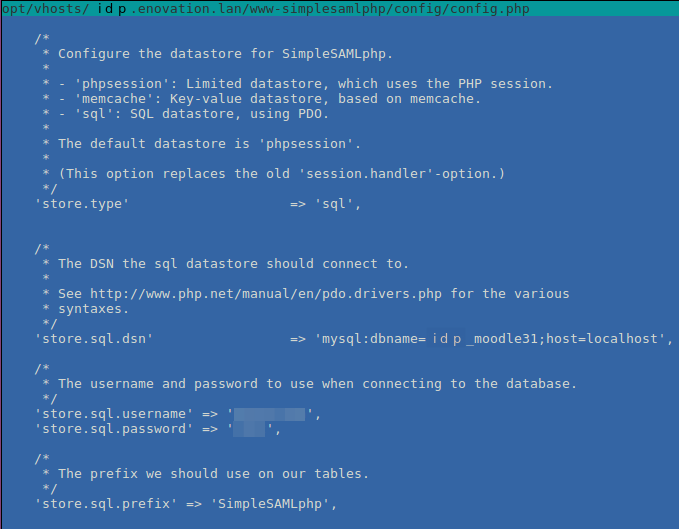
In config/config.php configure session datastore:
    'store.type'         => 'sql',
    'store.sql.dsn'      => 'mysql:dbname=idp_moodle31;host=localhost',
    'store.sql.username' => 'your_db_username',
    'store.sql.password' => 'your_db_password',
    'store.sql.prefix'   => 'SimpleSAMLphp',
As one of the possible options please use Moodle DB credentials. SQLite should also work.
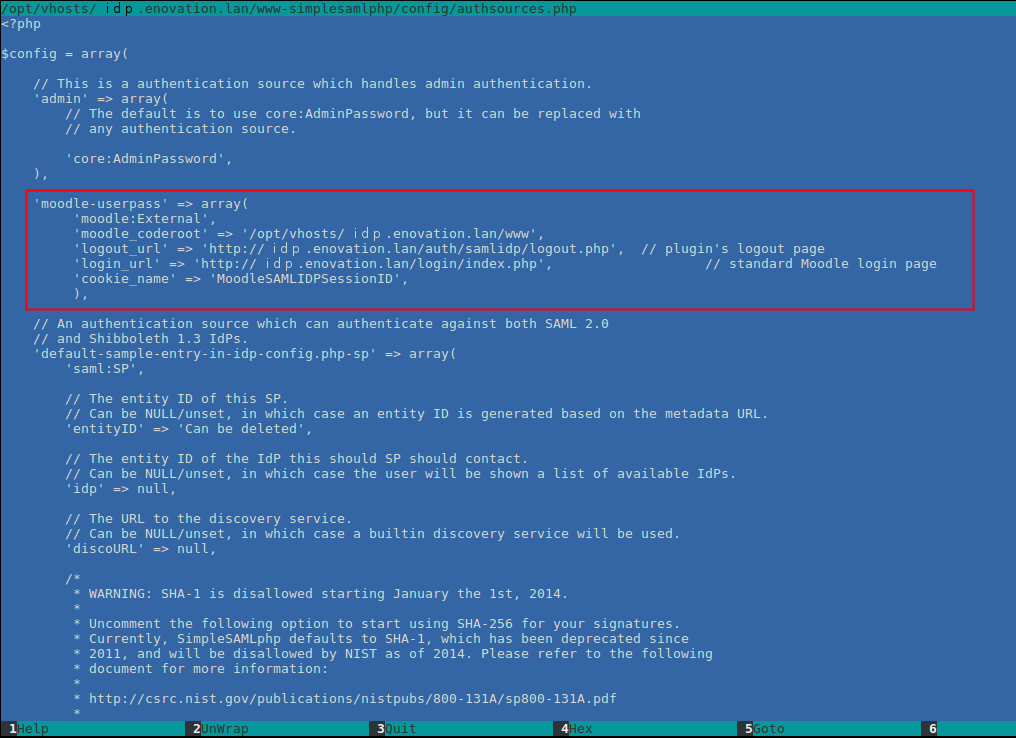
In SimpleSAMLphp config/authsources.php, add following to $config var:
'moodle-userpass' => array(
    'moodle:External',
    'moodle_coderoot' => '/var/www/ticket/moodle314/www',
    'logout_url'      => 'https://idp.enovation.lan/auth/samlidp/logout.php',	// plugin's logout page
    'login_url'       => 'https://idp.enovation.lan/login/index.php',			// standard Moodle login page
    'cookie_name'     => 'MoodleSAMLIDPSessionID',
)
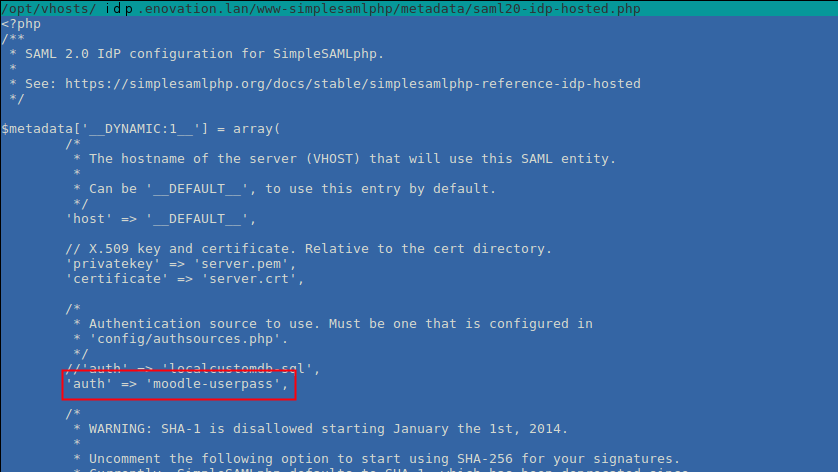
In SimpleSAMLphp, in metadata/saml20-idp-hosted.php, modify 'auth' with the name from previous step:
'auth' => 'moodle-userpass'
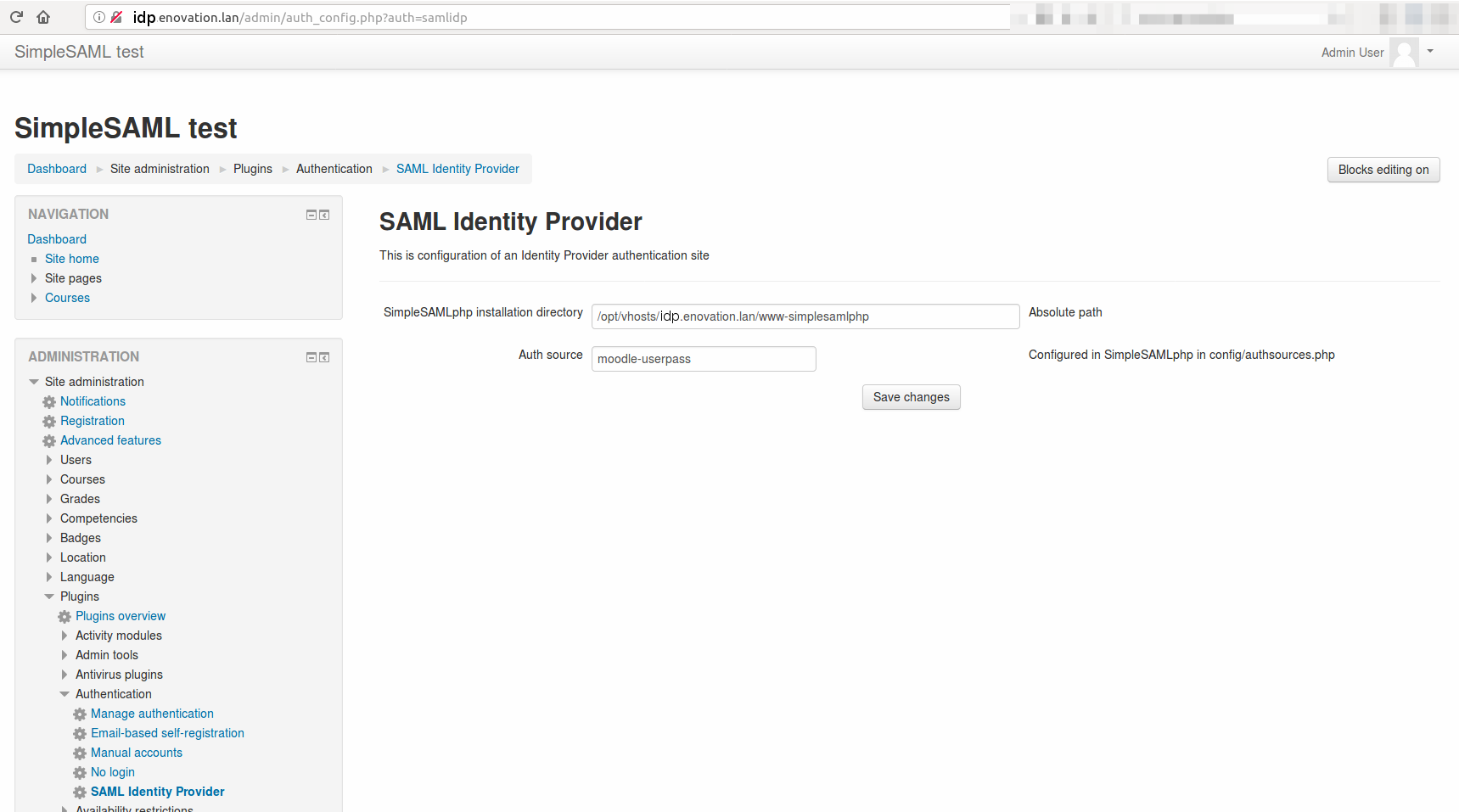
Now lets config the plugin in Moodle:
Go to Site administration -> Plugins -> Authentication -> SAML Identity Provider and set two parameters:
SimpleSAMLphp installation directory: /opt/vhosts/idp.enovation.lan/www-simplesamlphp
Auth source: moodle-userpass - the string from two previous steps.
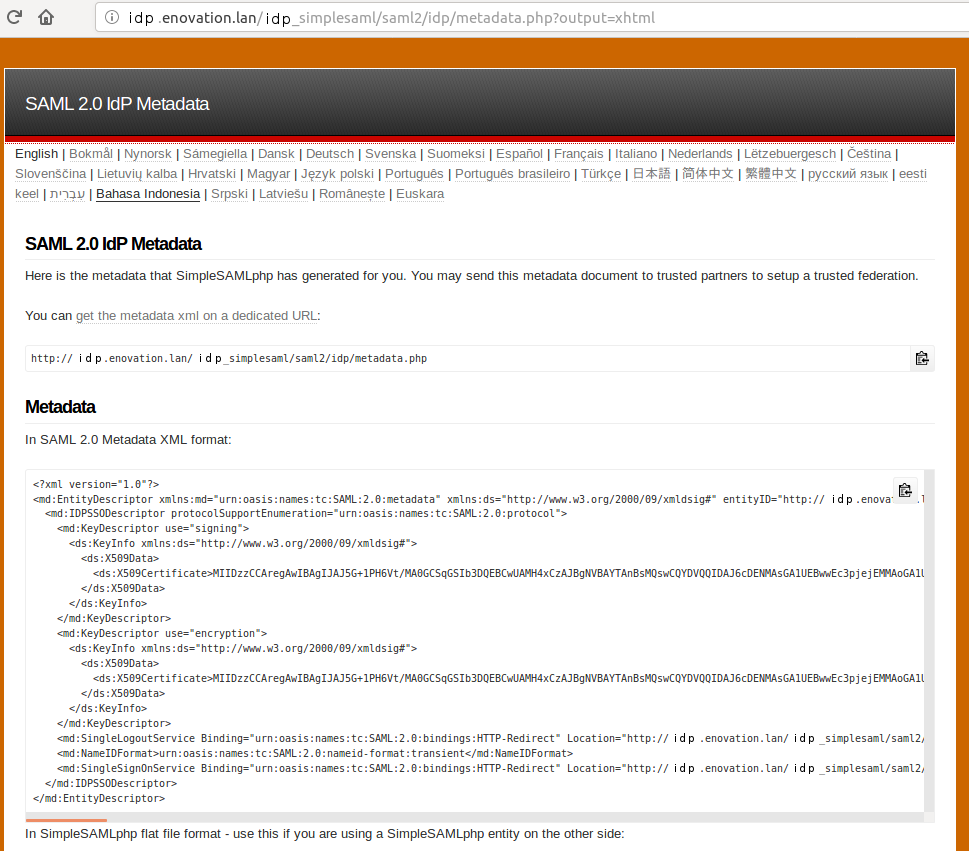
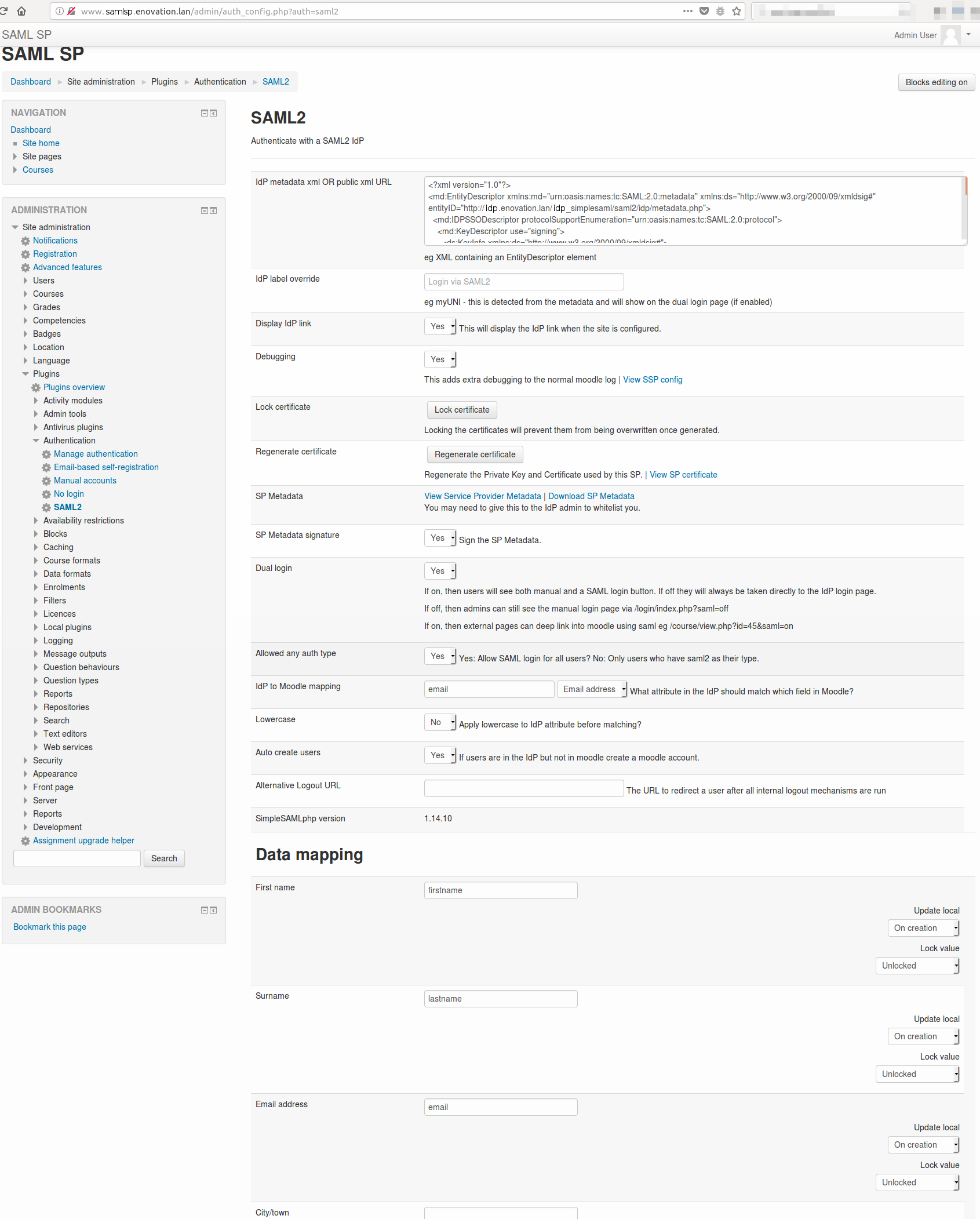
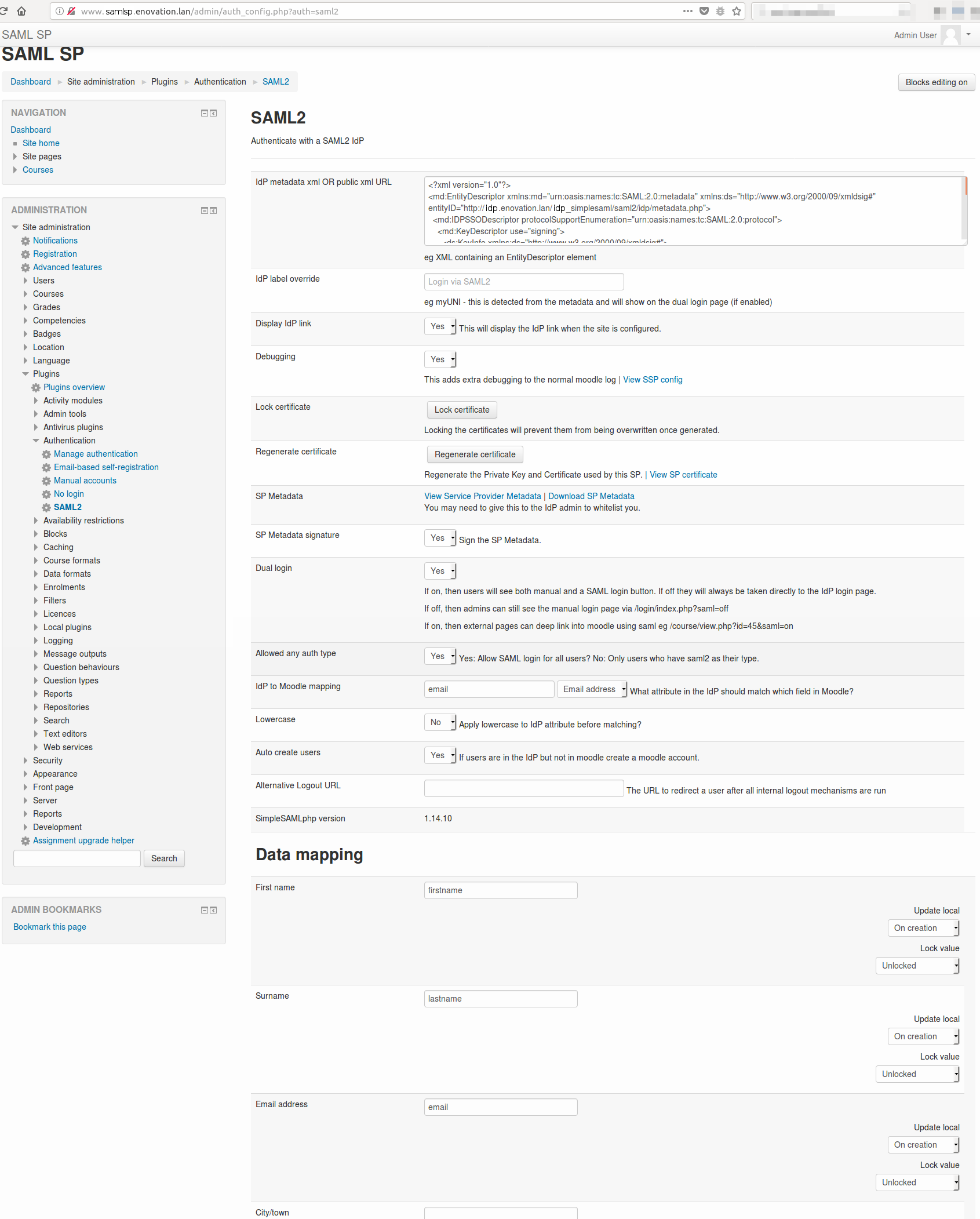
Lets configurate SP samlsp.enovation.lan. Download SAML2 plugin and install it (https://moodle.org/plugins/auth_saml2). Go to Site administration -> Plugins -> Authentication ->SAML2 and set parameters. Some of them are described below:
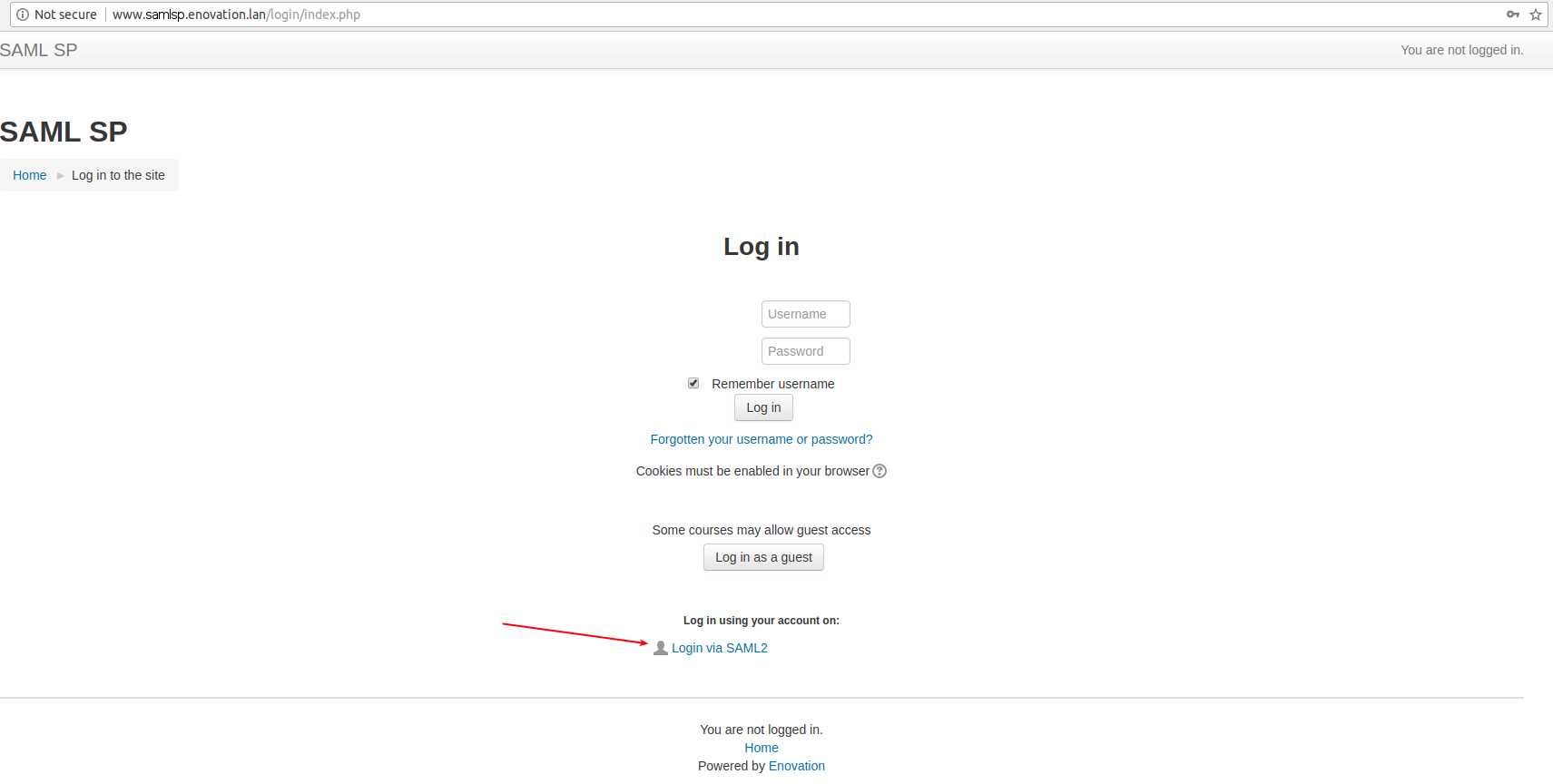
Now you can test the logging via SAML_IdP plugin. Create a new user or use existing idp.enovation.lan. Go to samlsp.enovation.lan login page and choose the SAML2 option. Enter username and password of a user from idp.enovation.lan and log in. After logging in the user will be added do samlsp.enovation.lan. That's all.
KNOWN ISSUES
