SAML Identity Provider
Premium Certified Partner
Maintained by
Enovation Dev Team
This is a plugin that makes Moodle an Identity Provider site: other application can use Moodle as a login portal.
Requires SimpleSAMLphp, configured as IdP: https://simplesamlphp.org/docs/stable/simplesamlphp-idp.


Comments
Comments are no longer open for new posts. Existing comments remain available to read.
There's a chance it'll work on older Moodle/php/SimpleSAMLphp versions (it *should* work on Moodle and php8.1 and you probably want the newest SimpleSAMLphp anyway) however we did not test that
generally that error does mean Moodle SP does not create new accounts, and allowing creating in auth_saml2 should fix the issue
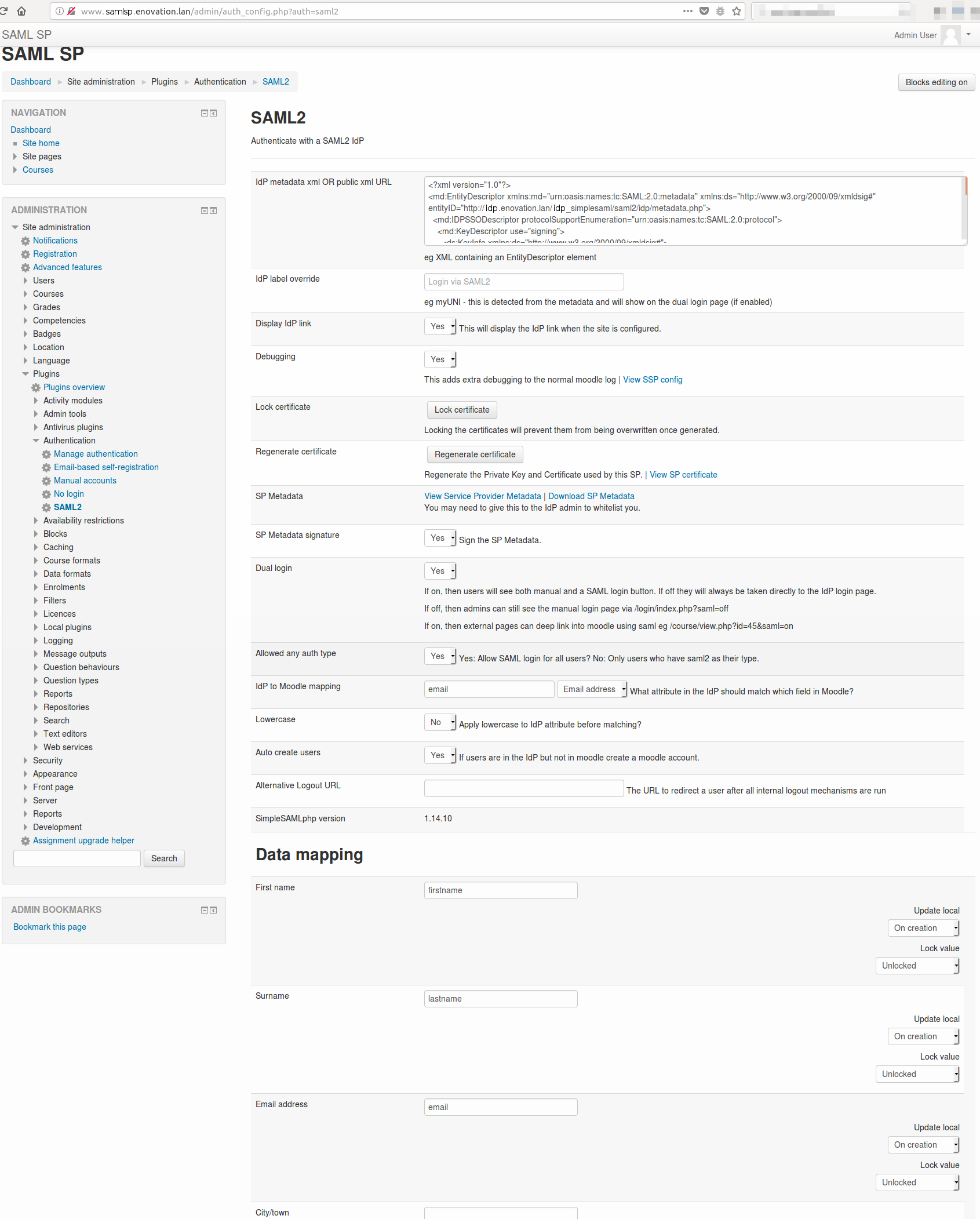
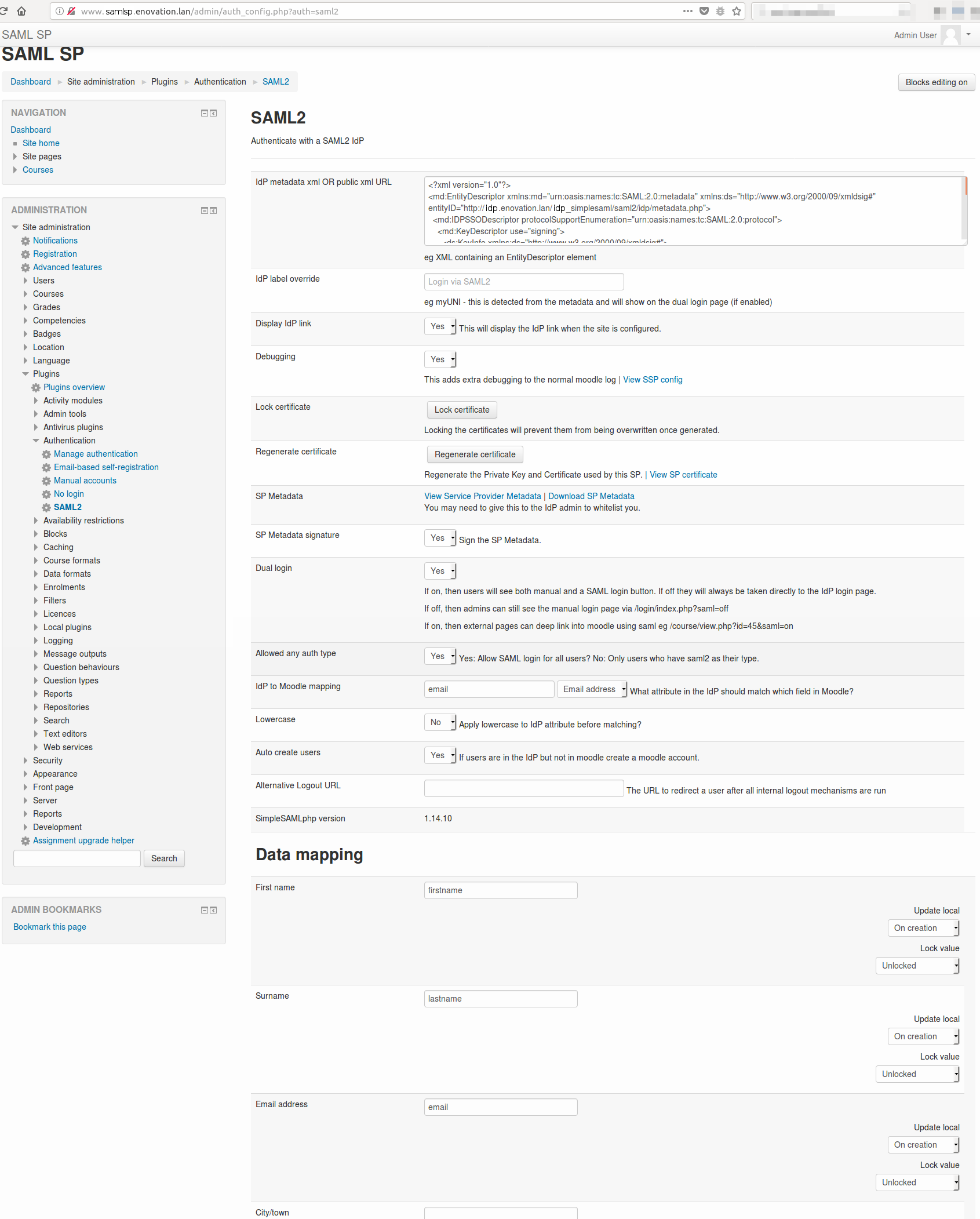
to check if user attributes come from IdP you'd need to go to (on SP!):
Site adm -> Plugins -> Authentication -> Manage authentication
and there "Test settings" against SAML2, then login to IdP from that page
If the result page displays a correct set of user attributes, it means the SAML IdP plugin works OK and the issue is on the auth_saml2 side
Your symptoms look like not enabled auth plugin in Moodle 4.0 - can you please verify there? in Site adm -> Plugins -> Authentication -> manage authentication
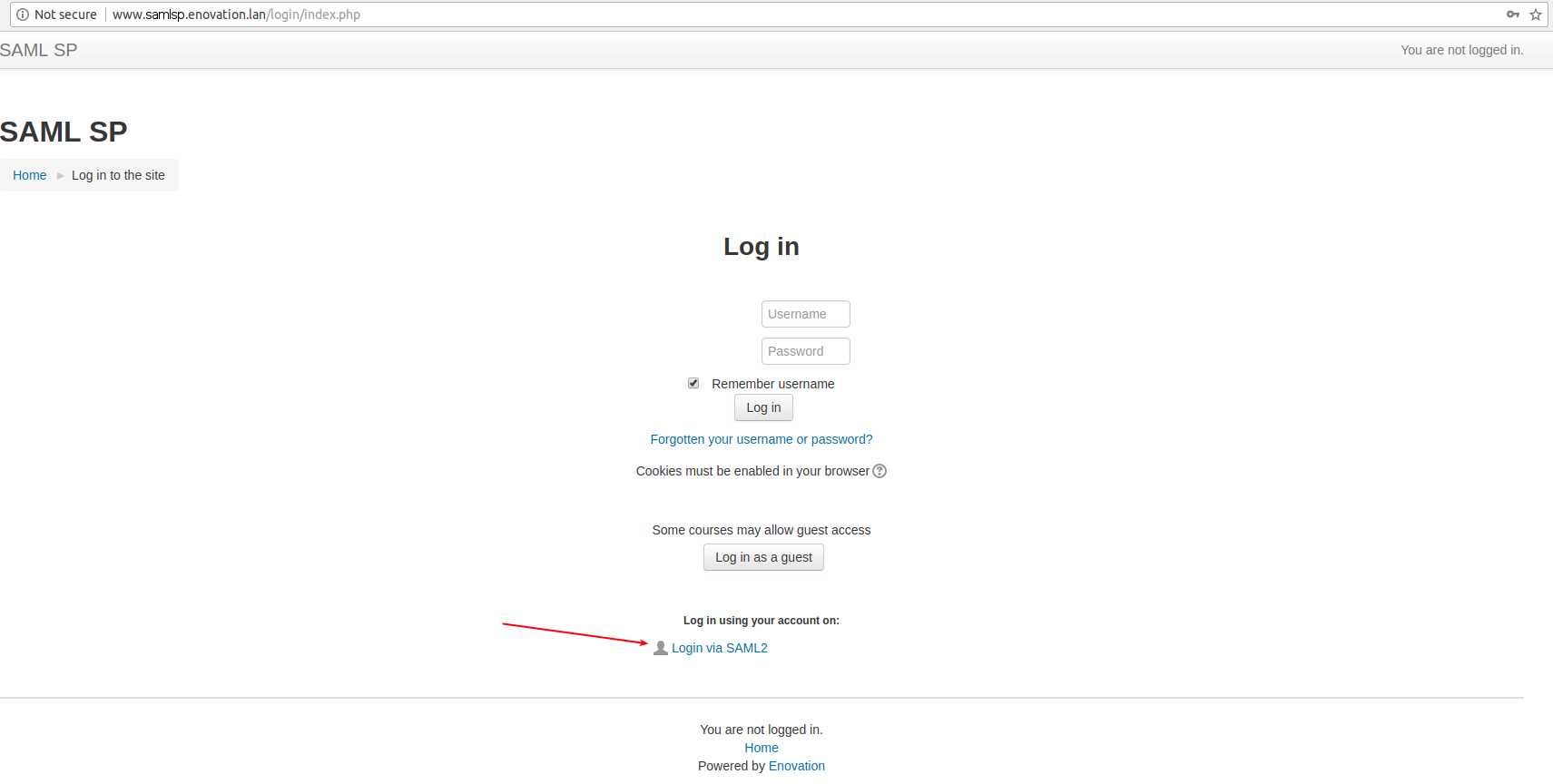
- Click the button on moodle 3.11 (SP) to log with moodle 4.0 (IDP)
- Redirects me to login page of moodle 4.0 (IDP)
- I log with data from moodle 4.0 (IDP)
- Redirects me to moodle 4.0 logged
- I return to the address of 3.11 and no logged user there
Is something that I am doing wrong? I can provide more data if needed
We just added an updated version, it should be fully compatible with Moodle 4.0
In fairness, there is not much change over the previous version. The next update for the plugin will be most probably the support for php8 - but as long as your server runs php7 the plugin should work with any Moodle version
I re-tested the plugin today with Moodle 3.10, works smoothly with the 1st attempt. no issues.. But again I'm on Linux, that can make the difference
Re your debug:
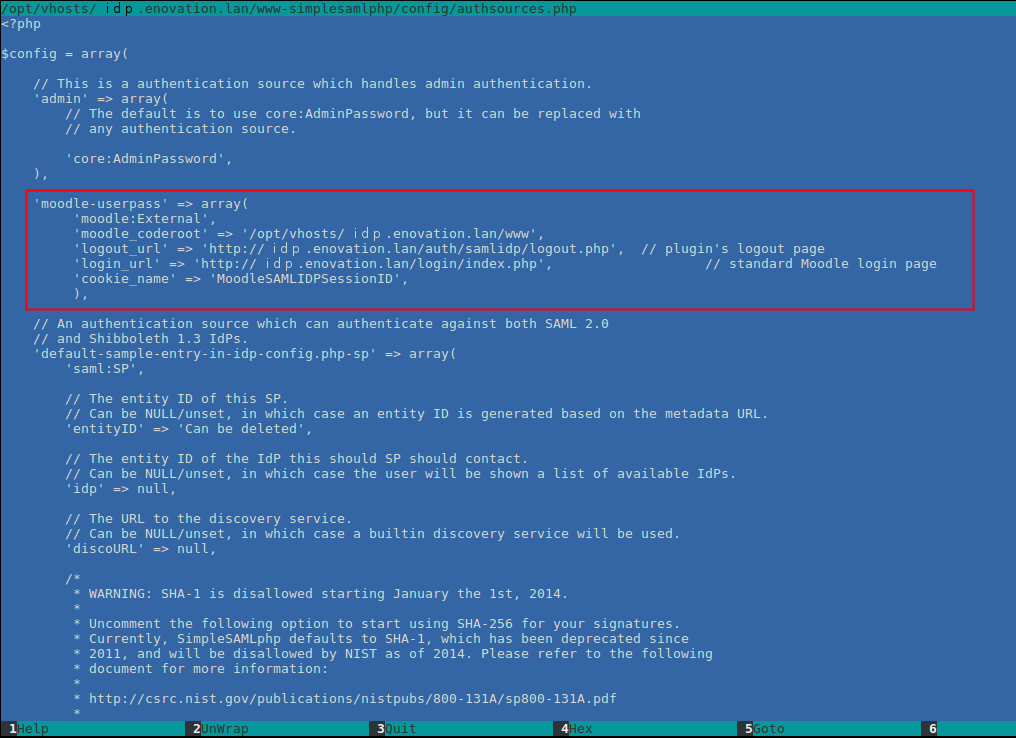
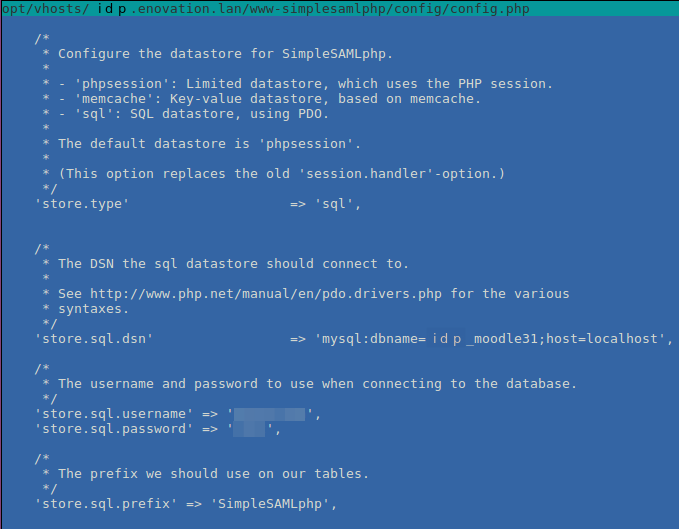
- We're working ONLY with the MoodleSAMLIDPSessionID cookie, it is set in {simplesamlphp dirroot}/config/authsources.php in: 'cookie_name' => 'MoodleSAMLIDPSessionID'. Do you have this part (config/authsources.php) done correctly? All other cookies are unrelated to our case
- you've got the wrong content of the cookie. It must be splittable by ':', and it should be sth like '7f949b31a7d61e6db03399cf8fedc69ccc4bc972:2' (decoded), where the value "2" after ":" is the direct Moodle user ID. Additionally: for the 1st part hash_hmac('sha1') is used and that should not produce a string containing chars above "f"
- " this new cookie has contents that are the same as the cookie name" is very wrong, as i said - we're working only with "MoodleSAMLIDPSessionID"
- the cookie is set in {moodle rootdir}/auth/samlidp/auth.php in "private function set_cookie ($user)". Can you debug there and see what goes wrong? By printing out every value used to create the cookie, including the cookie name. Frankly looking at the code i don't see how it's possible the cookie does not contain ":", even if setting $uid fails
- Launch SimpleSAMLPHP, and click to test Moodle-pass
- At this stage, a SimpleSAMLSessionID cookie exists.
- On clicking seeing the Moodle logon screen:
= a 2nd cookie is created (MoodleSession). It has the same contents as the filename (just a string of characters)
On submitting a valid ID and password into Moodle..
- I am re-directed back to the SimpleSAML screen, with the error mentioned in previous posts: "User not authenticated after login page."
= I notice the original cookie was deleted, and a new one is created (you have said this is correct behavior)
= the new cookie (obviously) has a different name to the first
= this new cookie has contents that are the same as the cookie name (both are (eg
- I created a debug line, in the simplesamlphp\modules\moodle\lib\Auth\Source\Exteral.php
= In "private function getUser()",
= immediately after the line "$arr_cookie = explode(':', $str_cookie);"
- the debug line is: "throw new SimpleSAML\Error\BadRequest('Cookie:' . $str_cookie . ' - ' .json_encode($arr_cookie));"
= in theory I should get both the cookie name and the (exploded) string it contains.
It reports (eg):
- SimpleSAML\Error\BadRequest: BADREQUEST('%REASON%' => 'Cookie:2n4490st7nk8orrq61lsr47b2m - ["2n4490st7nk8orrq61lsr47b2m"]')
The contents don't explode to anything useful..
Is it possible the cookie is not being populated correctly in auth/samlidp/auth.php , or that the exploding is not working?
Still working on it, but hoping that based on this, you may have some thoughts..
(Thanks again, once more in advance for your time.)
the only obvious thing is PHPSESSID - it should not be set (neither Moodle nor SimpleSAMLphp is supposed to set it). Maybe it's worth finding out, and eliminating
a side note - "MoodleSession" should be deleted, that's a correct behaviour
I'm still working through this, using Moodle 3.9.12+, PHP 7.4 and Apache 2.4.52, admittedly on Windows.. but still coming unstuck..
3 cookies get set:
- SimpleSAMLSessionID (/simplesaml/)
- MoodleSession (/moodle39/)
- PHPSESSID (/)
Windows Server structure:
- D:\Apache24/htdocs/moodle39
- D:\Apache24/var/simplesamlphp
(Apache has an alias for /simplesaml from "D:/Apache24/var/simplesamlphp/www", do https://myMoodle/simplesaml works. )
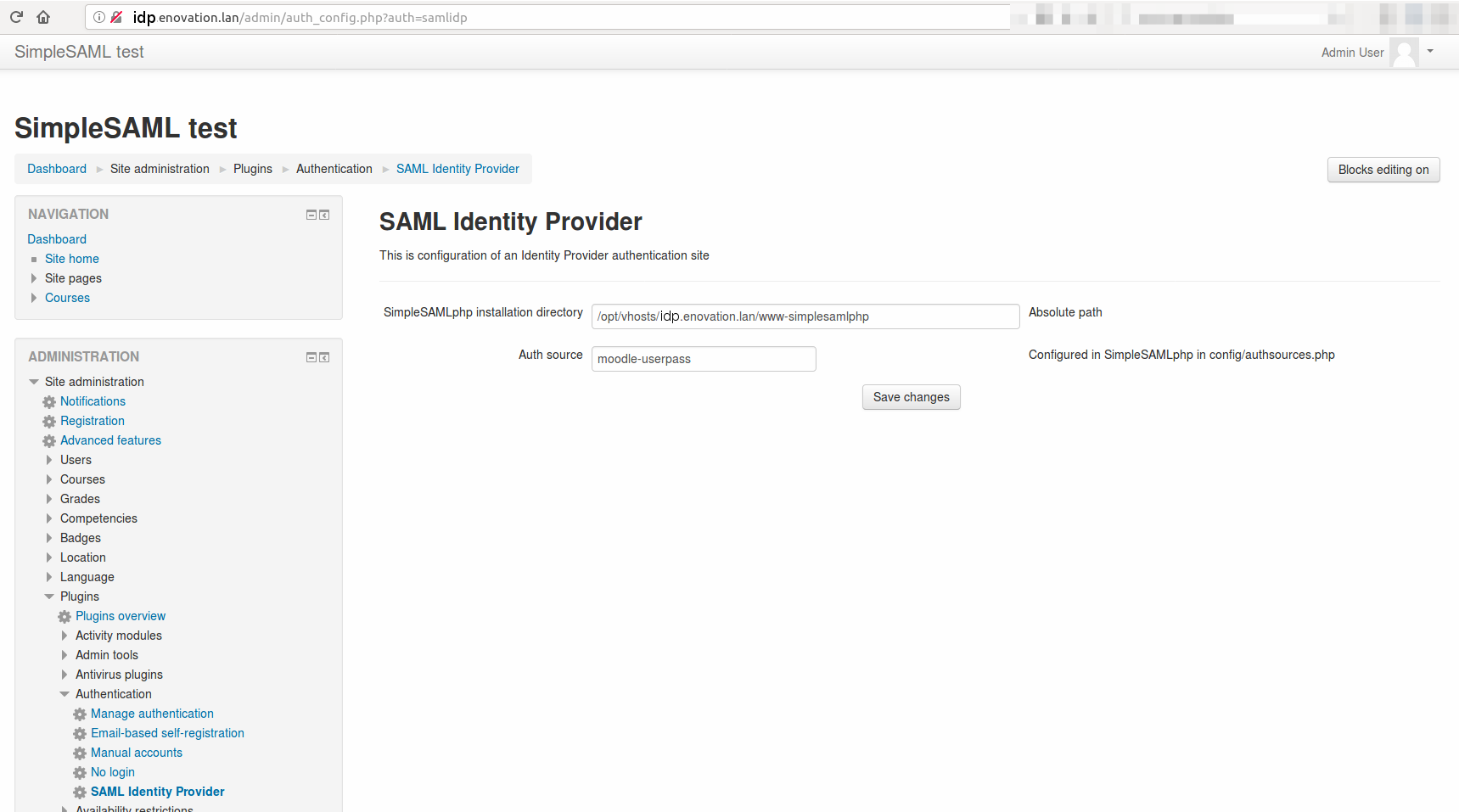
Moodle plugin settings:
- SimpleSAMLphp installation directory: /var/simplesamlphp
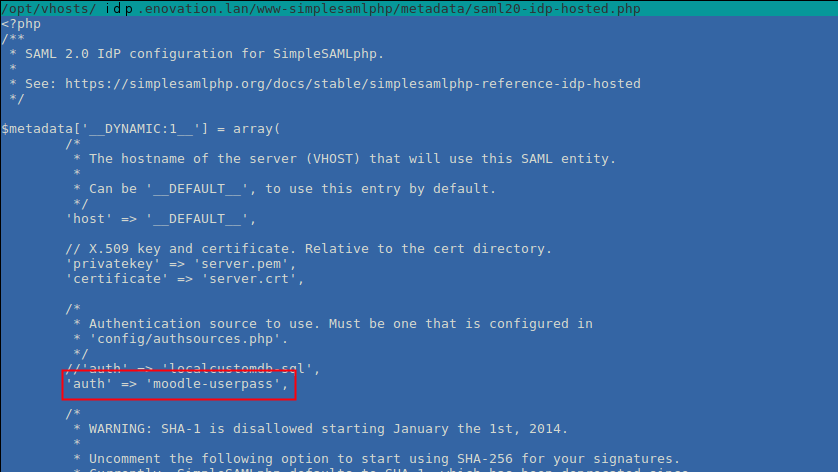
- AuthSource: moodle-userpass
SimpleSAML config:
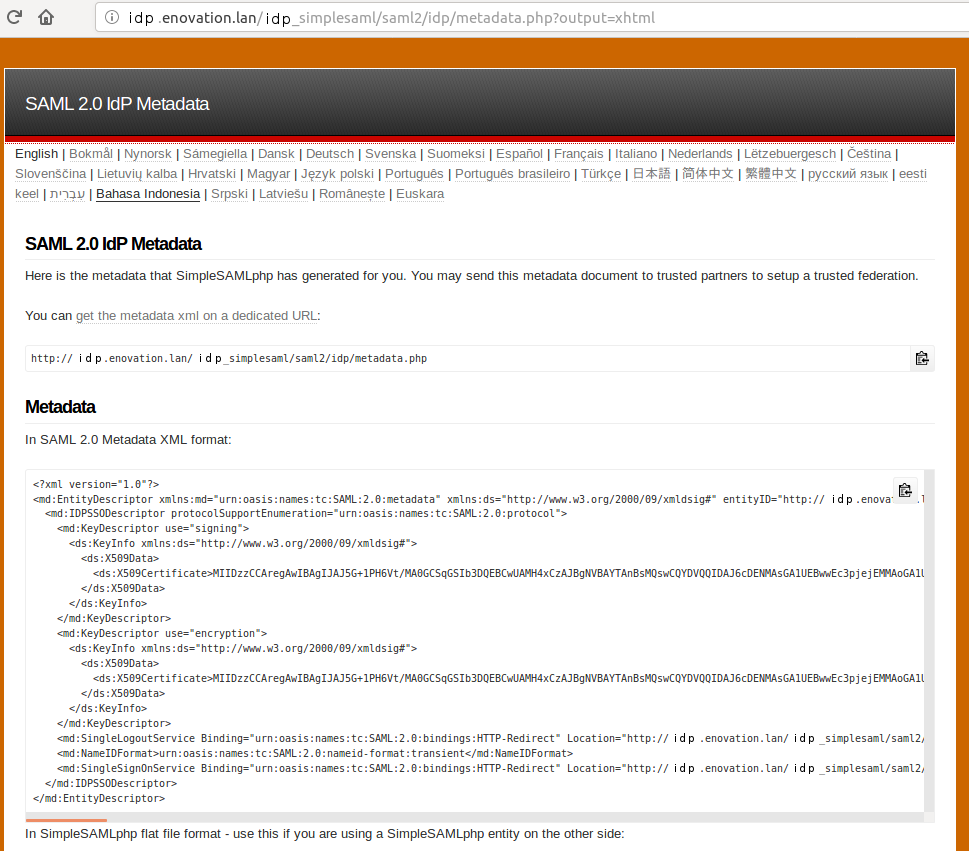
- followed all config steps, and double-checked against your screen grabs
- extract of authsources.php:
'moodle-userpass' => array(
'moodle:External',
'moodle_coderoot' => '/htdocs/moodle39',
'logout_url' => 'https://MyMoodle/moodle39/auth/samlidp/logout.php', // plugins logout page
'login_url' => 'https://MyMoodle/moodle39/login/index.php', // standard Moodle login page
'cookie_name' => 'MoodleSession',
),
If I set (above) cookie_name to anything other than "MoodleSession", the cookie remains.
- If it is set to "MoodleSession", then the cookie gets deleted
- So I assume the configuration is correct (SimpleSAMLPHP and/or plugin is delete the original Moodle cookie, as a kind of clean-up).
I don't understand why I am still not getting anything useful, and still getting "User not authenticated after login page."
I have tried toggling "httpOnly", "isSecure" and "isSession" on the cookies, but so far have still not managed to get this..
Has anyone else on Apache and Windows had this issue?
I'd really appreciate some additional input, if possible.
Should I downgrade further to an older Apache, Moodle, or anything?
Thanks in advance!
The newest Moodle 3.11 does not officially support php8, therefore we will not be doing any upgrades to the plugin as of the moment