Advanced Notifications
Maintained by
Zander Potgieter
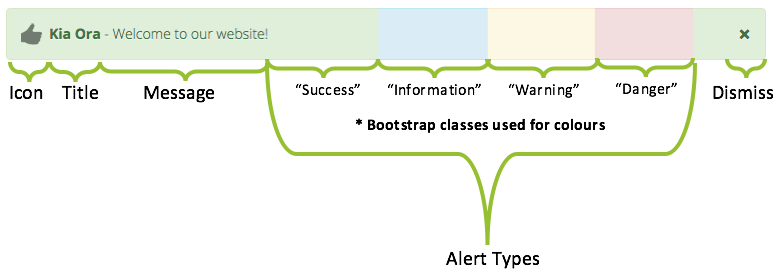
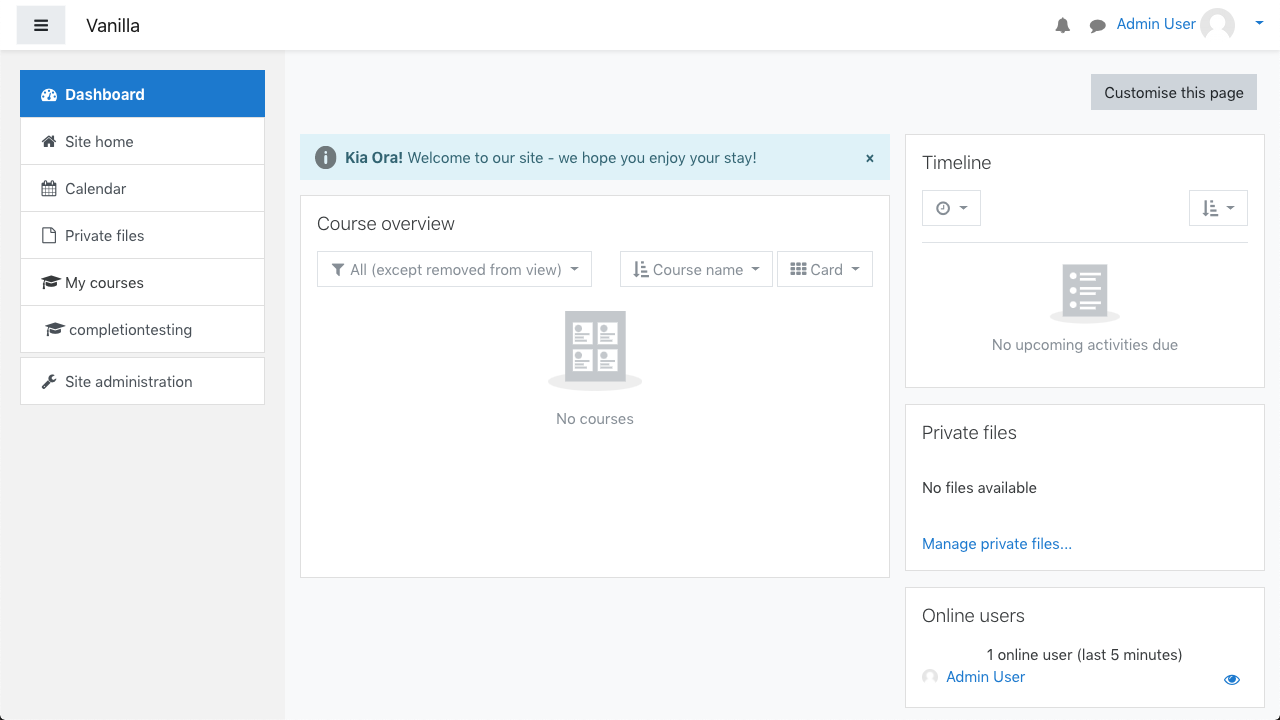
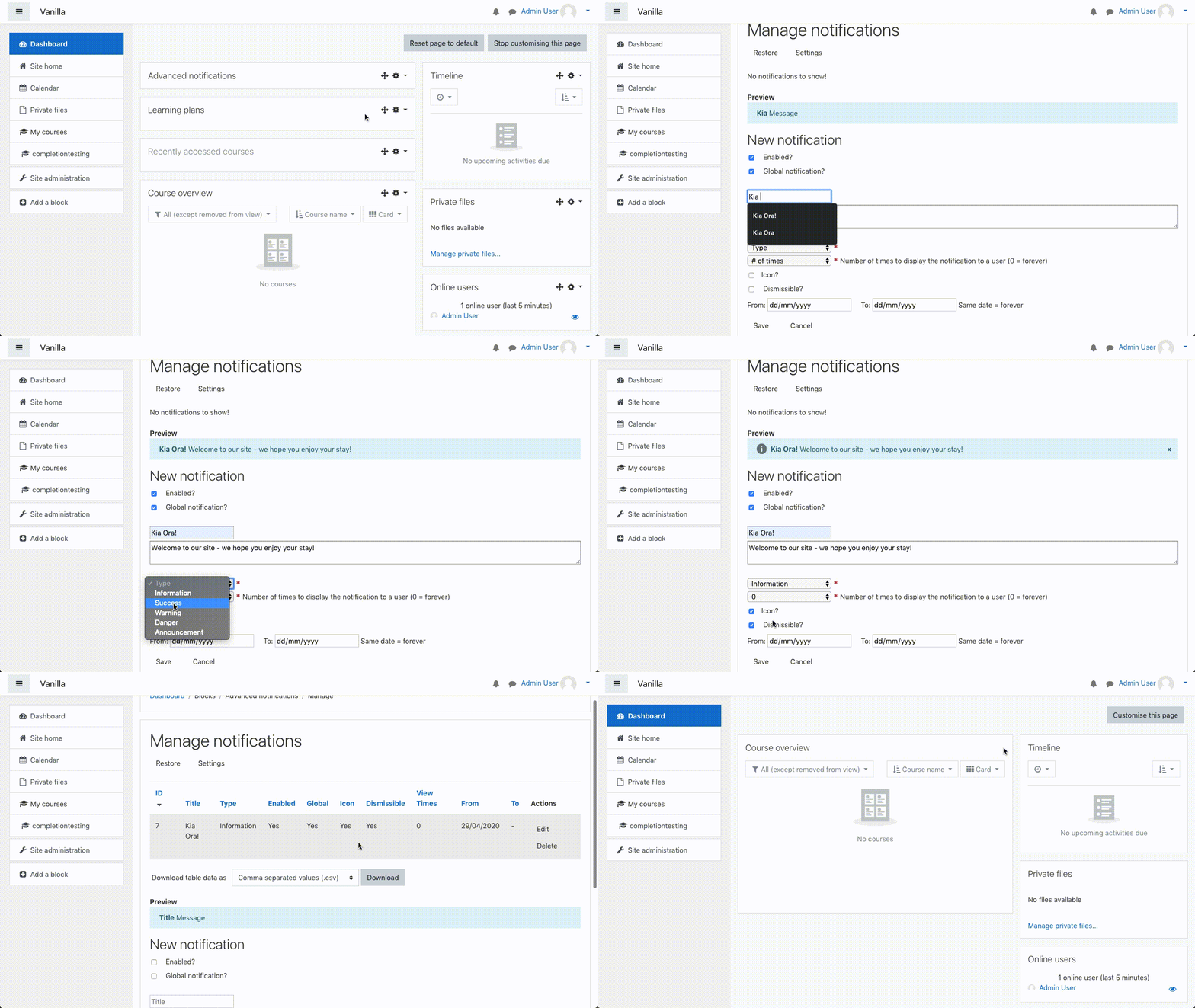
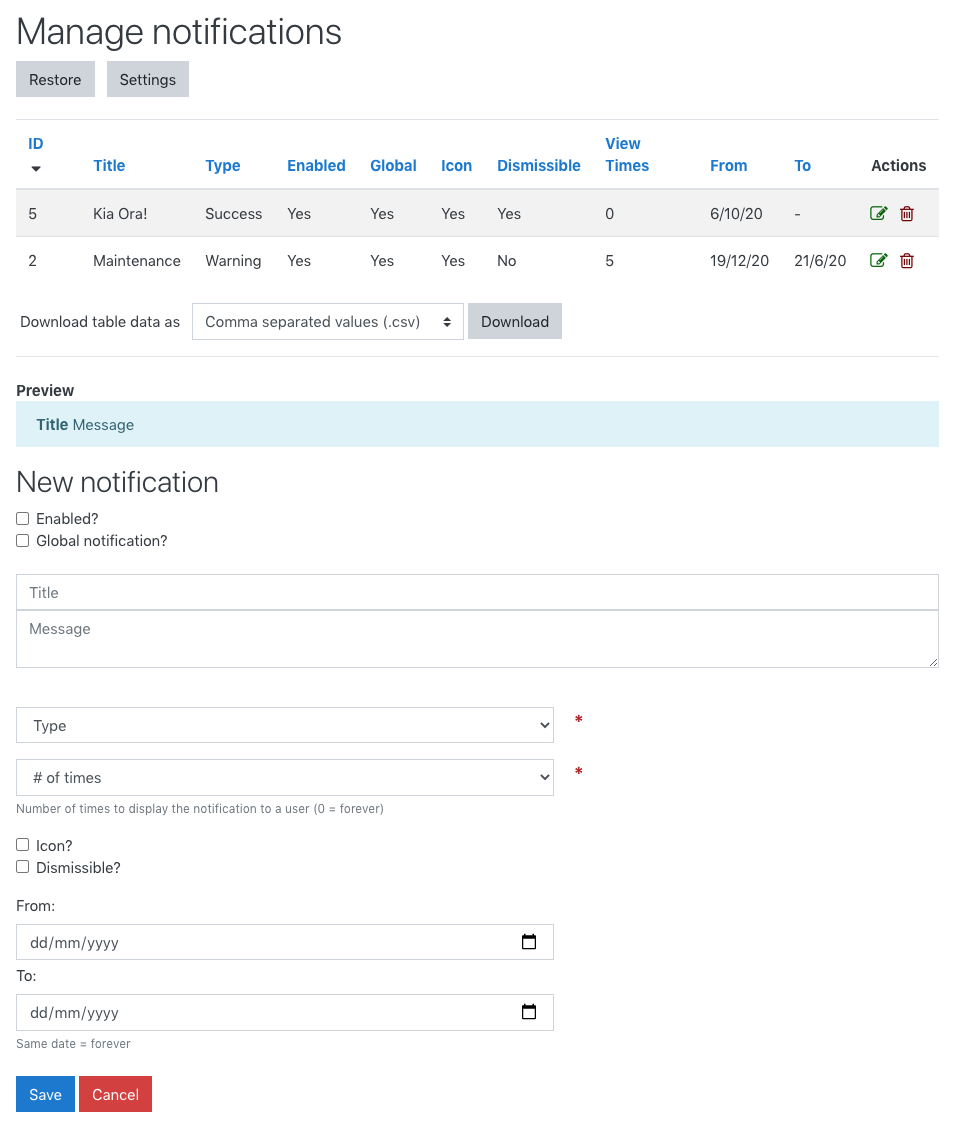
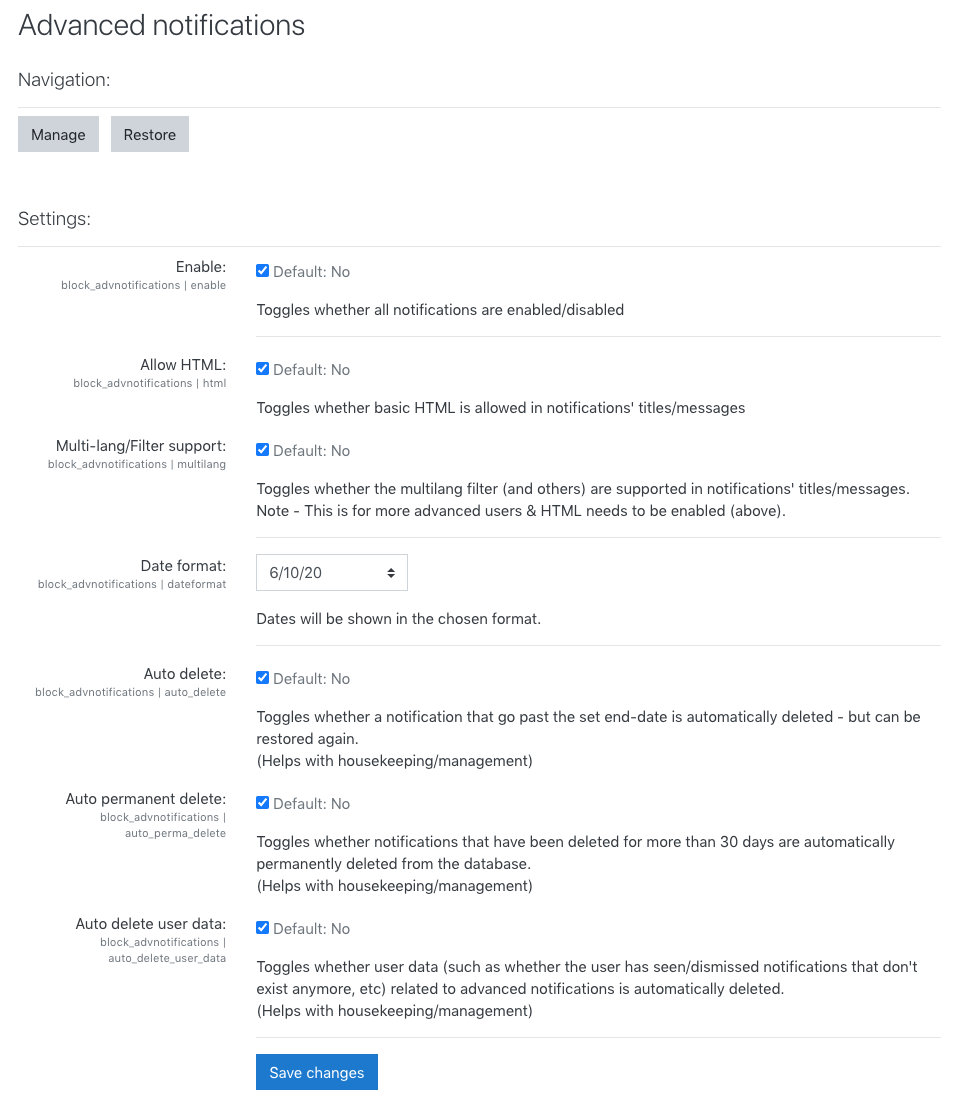
Easily create, manage and display notifications/alerts to users.
Comments
Comments are no longer open for new posts. Existing comments remain available to read.
If you add a block to a page and add a notification from that block (and deselect the global type option) it should only display for that block on that page.
Global types are displayed everywhere as it’s meant for very important alerts - site going down for maintenance, holiday closures, etc.
Hope this helps! 😊
Thanks,
Zander
Thanks,
Zander
Also, the text supports filters, so if you use a filter that can display the user’s name, etc, it should work. 👌
Thanks,
Zander
Thanks so much for creating this plugin. I have a question regarding the plugin capabilities.
Currently if you are using the advanced notifications, if you create one more than one announcement, they all show up. Is there a way that only one announcement can show up depending on which page you put it on? or am I doing something incorrectly?
Thank you in advance.
Thanks,
Lisa
What is the forecast to release version 3.11?
is it possible to individualize the notification also e.g.: " Hello "title" "firstname" "lastname".
And to select the "sender" of the message so that the attendees can see who the message is from?
We have many course trainers/managers who manage their own courses.
Maybe it already works and I didn't find it.
Hope that helps.
Thanks,
Zander
thank you for that great plugin! 🙏
Seems to be exactly what I was looking for to enhance sending out messages of different kinds to my students. 😊
What I don't get: how can I achieve that the messages are displayed in the content area of a course page, not as a small block on the right side?
I am using Moodle 3.9, Fordson theme and Edwiser course format.
Currently it looks like this:
Is there any way to achieve this?
Stefan
I think that's a bit beyond the scope of this plugin. You can bulk message students from the 'Participants' page in a course to notify them of updates to the course, or another custom plugin is needed, sorry.
All the best,
Zander
I want to send auto-generated email to the enrolled students on new activity uploaded to the particular course. My moodle version is 3.10. Any possibility to accommodate that ? Pls Guide.
What role(s) do you have in the system? And what were you doing before the message showed up?
There are two main permissions that manage your access to the plugin's features - your role will need to be granted these permissions by an admin of the site:
- block/advnotifications:managenotifications => Allows you create & manage ALL notifications
- block/advnotifications:manageownnotifications => Allows you to create & manage ONLY notifications you created
You can also create an issue here with detailed steps of how the error occurred, screenshots, Moodle/plugin version, etc: https://github.com/learningworks/moodle-block_advnotifications/issues
Thanks,
Zander
I've replied on GitHub and have now released a new version (v1.4.1) which significantly increases the maximum number of times a notification can be seen by a user. Please have a look at https://github.com/learningworks/moodle-block_advnotifications/issues/27 for more info.
Hope that helps & thanks again,
Zander