
Authorize.net
Maintained by
DualCube Team
Authorize.net makes online course purchases easier by allowing you to assign prices within a specific course section. Apart from that you can easily configure the cost and associated currency of course enrollments. One of the primary benefits of this payment method is its high level of security that keeps your transactions safe and secure.
Comments
Product ratings and reviews are coming to Moodle Marketplace. Until then, existing comments remain available to read, but new posts have been disabled.
But is plugin's 3.0 version documentation old? There are no mentioned ipn.php
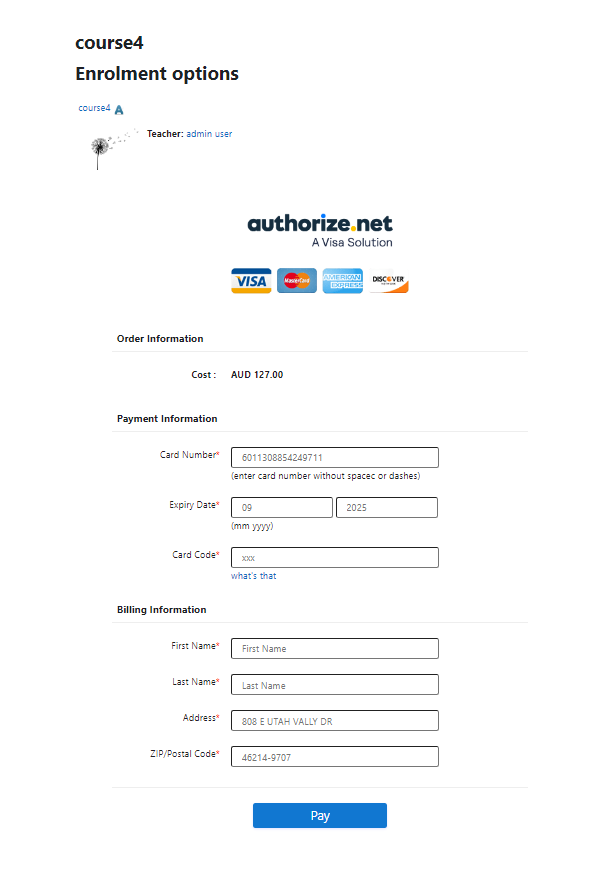
I used the plugin on a moodle 3.6 installation and it went fine apparently. But after update to Moodle 3.7.1+ I got an error message (see below) when I press pay button after filled payment card numbers.
Any idea what could be wrong?
The site is running on linux,
Apache Version 2.4.39
PHP Version 7.2
MariaDB 10.0.38
Thanks
Zorayr
------------
"Sitename" is currently unable to handle this request.
HTTP ERROR 500
pay_process.php headers shows
Status Code: 500 Internal Server Error
Effective August 1st 2019 - some major Merchant providers (including Wells Fargo and Bank of America) will replace Symantec Digital Certificates with new Root CAs: DigiCert Global Root G2 and DigiCert Global Root CA.
Authorize,net is already ready for it. However both, the Merchant providers and Authorize.net are advising to also check with the plugin providers if they are ready for this change.
Do you guys support the new Root CAs: DigiCert Global Root G2 and DigiCert Global Root CA?
Would a plugin upgrade be needed and when?
Thanks
It seems you have a mistake in file /athorizedotnet/update.php in line 233:
You should use $plugininstance instead of $plugin_instance
"As long as your business is based in the United States, Canada, United Kingdom, Europe or Australia, you can accept international payments from anywhere in the world by using Authorize.net"
You can use PayPal which is the default payment gateway for Moodle. PayPal now accepts payments in INR. Or you can try using an Indian Payment gateway like RazorPay which will be more beneficial to the Indian Customers.
Thank you.
Are there plans to migrated away from Authorize.net's SIM API?
I have been attempting to troubleshoot an Error 99 code, after the SHA-512 plugin update. While reading through some of Authorize.net's documentation, I found that the SIM API has been deprecated: https://developer.authorize.net/api/upgrade_guide/#sim. It is still active for now, but Authorize.net recommends switching to their Accept Hosted API: https://developer.authorize.net/api/reference/features/accept_hosted.html.
Thank you,
I just added the Authorize.net plugin on a new website using Moodle 3.1.6 and it doesn't work (Version 2.5).
The payments go through but there is no enrollment. I have the plugin on other sites and they work fine. The new site has the same configurations as the old sites, Response Relay is added correctly, I called Authorize.net and they confirmed that the code gets sent back to my site immediately. But the site doesn't read it. Student sees a message "The reporting of this transaction to the Merchant has timed out..." and I receive an email "Your script timed out while we were trying to post transaction results to it."
Can you please help??
"Authorize.Net is phasing out the MD5 based hash use for transaction response verification in favor of the SHA-512 based hash utilizing a Signature Key. If your existing integrations or clients are using MD5 hash, they will need to move to using the SHA-512 based hash. This applies to all Authorize.Net integration methods including the Authorize.Net API, AIM, SIM/DPM and Relay Response."
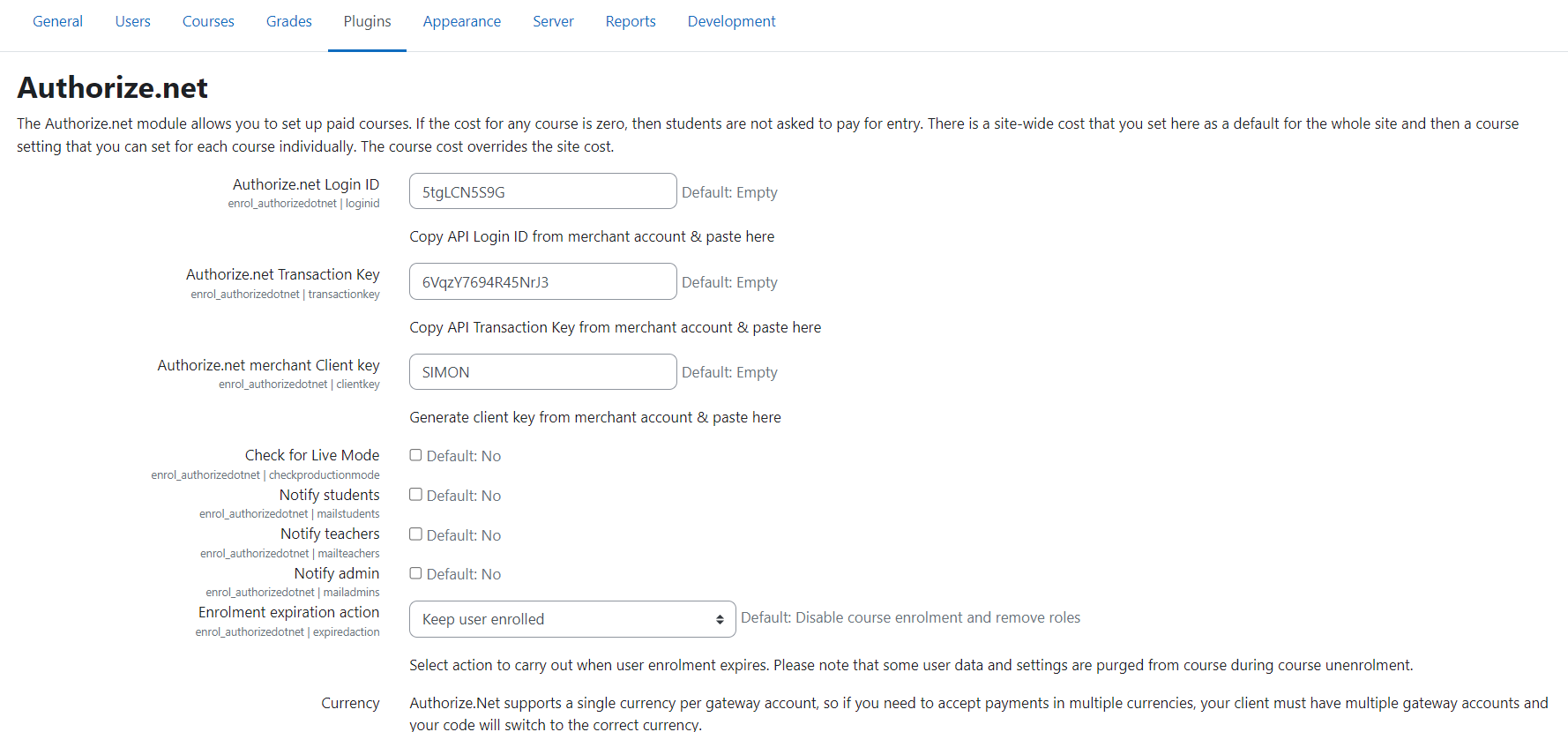
I am using Authorized.Net plugin. There is a new update from authorized.net payment gateway. There is not support Authorize.net merchant MD5 hash key. It changes with SHA Key
https://developer.authorize.net/support/hash_upgrade/
Can you please help me with new settings and new updates of plugin settings for Moodle.
Thanks
Nil
Can you email your admin and FTP credentials to our admin email ID, so that we can check the issue?
Our Admin email ID: admin@dualcube.com
Thank you.
Q. We're testing your plugin currently and while the transaction is successful and the user is enrolled, the enrollment is listed as "not current" even though there's an enrollment duration set to 120 days. Have you seen this happen before and if so, do you know the solution for the problem? Thanks!
Ans. To view the enrolment duration you have to add some settings in authorize.net plugin,
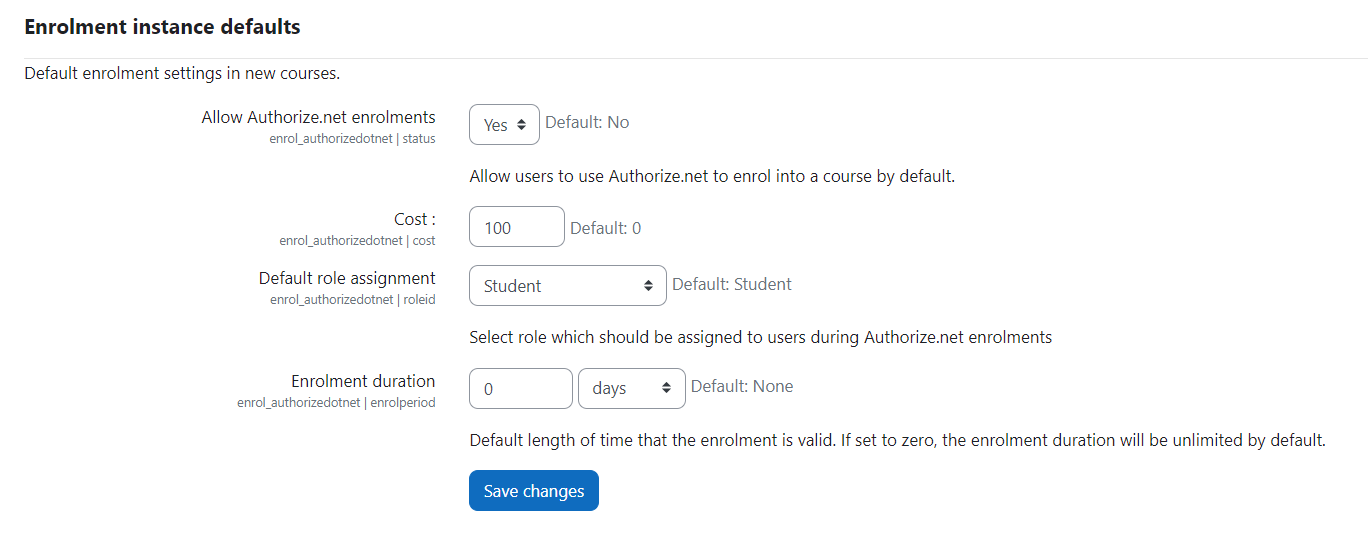
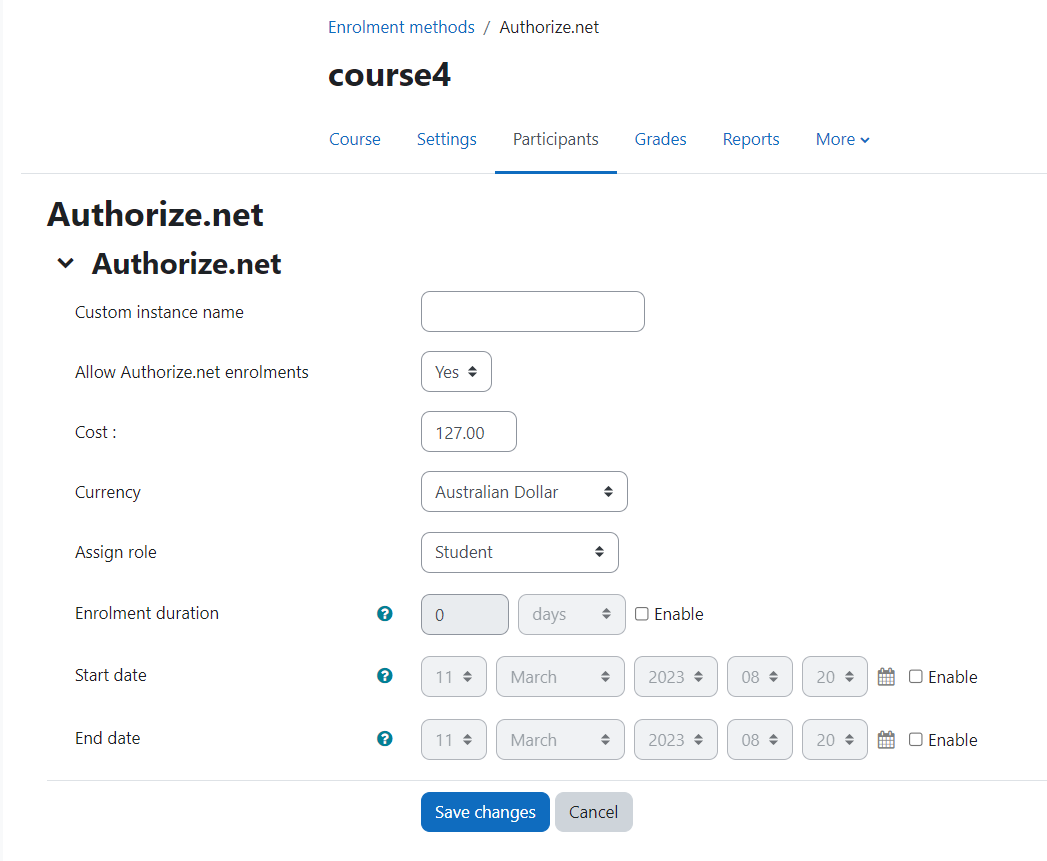
Go to course administration (in which the authorize.net is enabled)-> users-> Enrolment Methods->Authorize.net-> give the custom name,allow enrolments, give enrolment cost, -> Enable the enrolment duration(put the no. of days/month/year) ->Enable start date->Enable end date ( put the end date which is greater than start date).->click save changes.
After enrolments, an admin can view the enrolment duration by following steps.
Go to course administration (in which the authorize.net is enabled)-> users->enrolled user(here you can see the enrolment duration of the currently enrolled user)
Thank you
We're testing your plugin currently and while the transaction is successful and the user is enrolled, the enrollment is listed as "not current" even though there's an enrollment duration set to 120 days. Have you seen this happen before and if so, do you know the solution for the problem? Thanks!
And purge your cache. Please let us know if it solves the problem.
Thank you.