
Authorize.net
Maintained by
DualCube Team
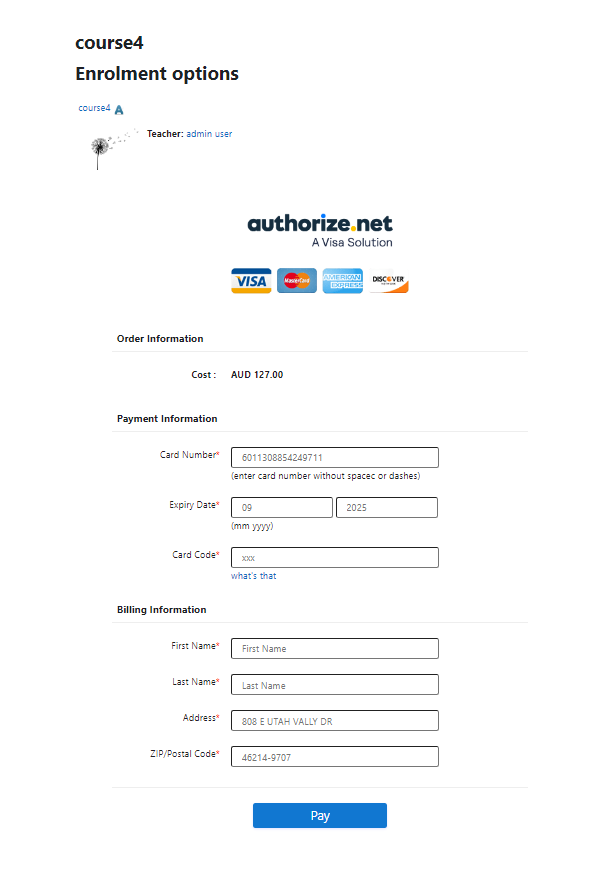
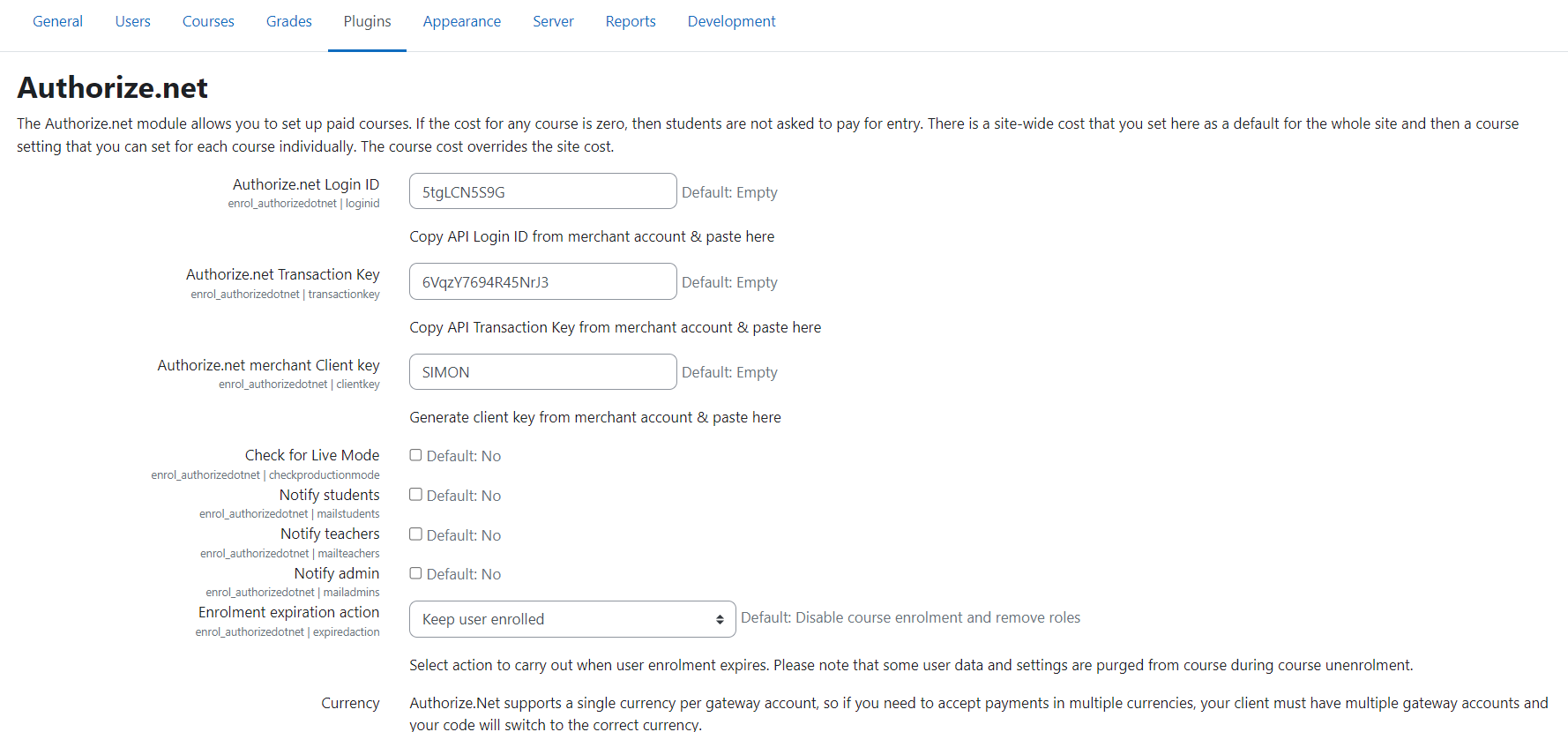
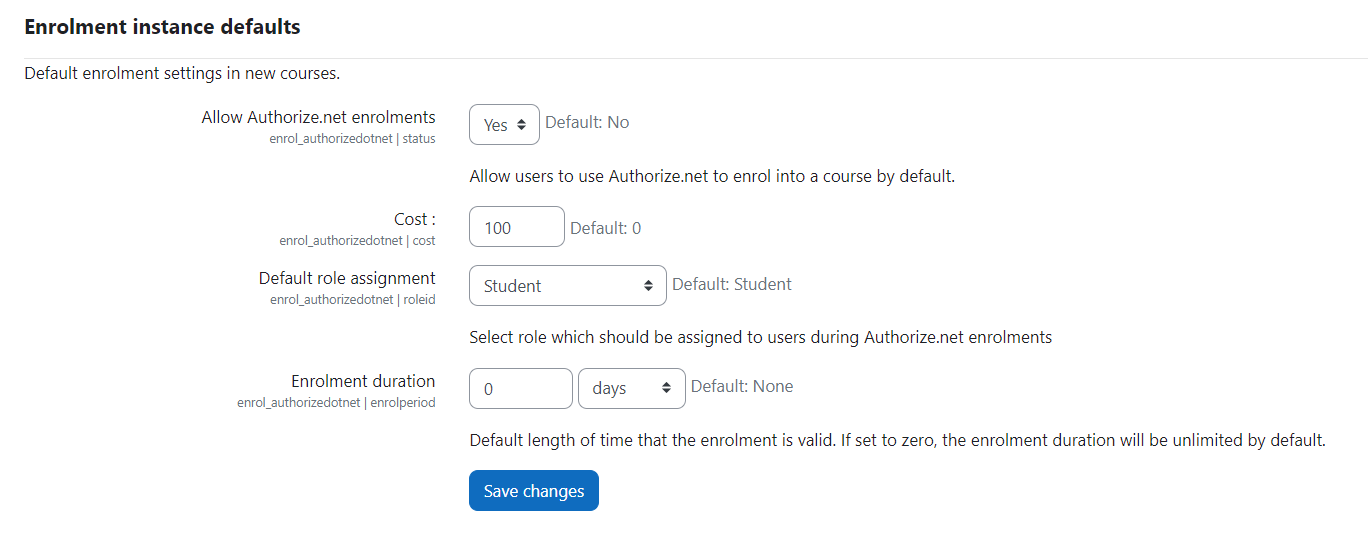
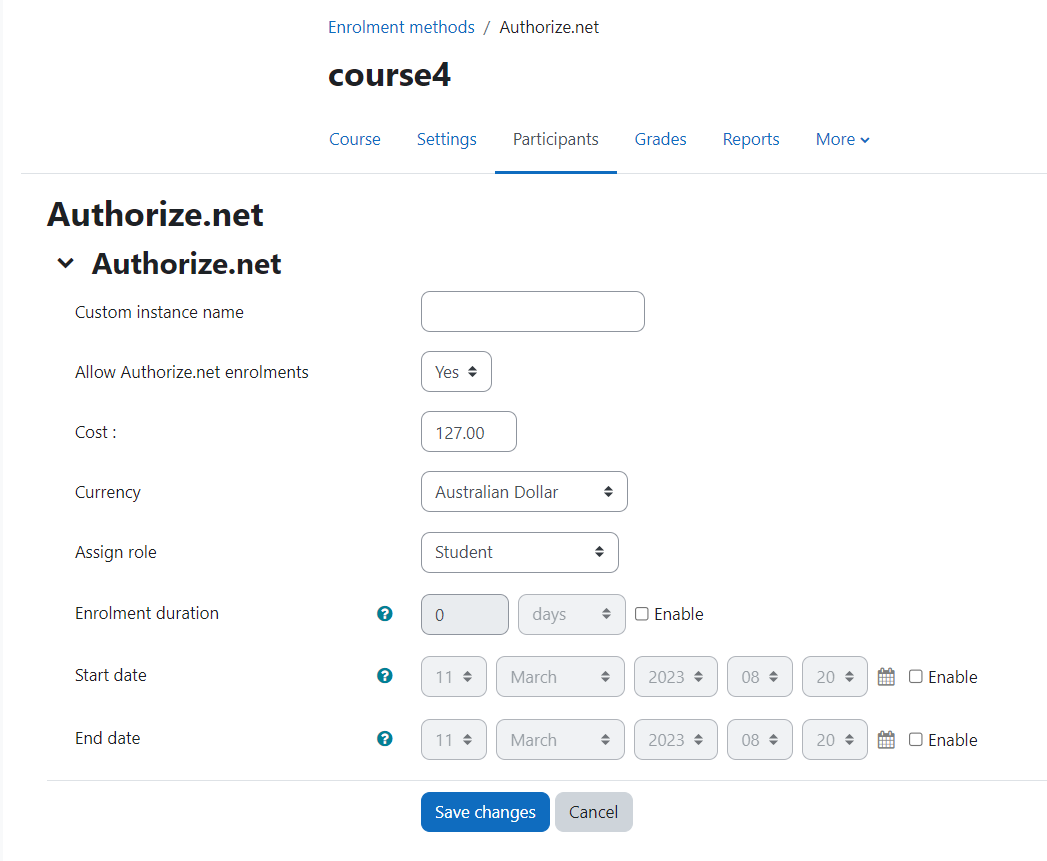
Authorize.net makes online course purchases easier by allowing you to assign prices within a specific course section. Apart from that you can easily configure the cost and associated currency of course enrollments. One of the primary benefits of this payment method is its high level of security that keeps your transactions safe and secure.
Comments
Product ratings and reviews are coming to Moodle Marketplace. Until then, existing comments remain available to read, but new posts have been disabled.
Moodle version 3.1.5
Authorize .net Plug-In version 2015061503
Can you please let me know which version of the plugin and the Moodle are you using so that we can test it?
Thank you.
I am trying to configure the Authorize.net enrollment plug-in on our Moodle site for On Demand course. I have the plug-in installed and configured per the directions here on this page. When testing the plugin with a test student I am able to get to the payment screen, complete the form and submit it. But immediately after submitting the form I am getting an error that says: "Coding error detected, it must be fixed by a programmer: Invalid property courseid specified".
Despite this error the payment seems to go through and appears in our Authorize.net account, but the student is never enrolled in the course.
Upon reviewing the installation instructions here on this page again I found that the only thing I hadn't done is to configure the Default Relay Response URL in our Authorized.net account. So I tried that and it totally broke the plug-in. After adding that URL all I got when I clicked the Pay Now button was an error saying the Default Relay Response URL was invalid.
Any ideas what I'm doing wrong here?
Thanks!
Thanks for reaching out to us. We tested the plugin but it worked fine. Please replace it with plugin version: 2.5 (Build: 20150610)
Release date: Thursday, March 8, 2018, 7:03 PM, and clear the cache.
If the problem still persists, please let me know.
Thank you.
I’ve been having some issues with the Authorize.net plugin recently:
1. Some people pay but don’t get enrolled
2. Some people pay twice (they shouldn’t be able to enroll/pay twice for the same class)
3. I get some error emails saying: “Your script timed out while we were trying to post transaction results to it. Transaction Result: This transaction has been approved.”
Would you please advise?
I upgraded the hosting plan/the same host moved the site to another server a week ago. Do you thinks that could cause the problem?
I’m using Version 2.5 on Moodle 3.1.2
Thanks
Authorize.Net is available to merchants in the United States, Canada, United Kingdom, Europe, and Australia. So your customers can be from anywhere but your business should be from these aforementioned countries to receive payments.
Thank you.
Thanks for reaching out to us. Please download the latest version of the plugin from moodle.org I think that it will fix the issue. Thanks.
Please try this solution:
Set the same URL (http://your_moodle_website/enrol/authorizedotnet/ipn.php) for both Default Relay Response URL and Response or Receipt URLs
If your problem is not solved, please go to Site administration / ► Development / ► Debugging / ► Debug messages choose "DEVELOPER: extra Moodle debug messages for developers" / ►check the "Display debug messages" field then click on the "Save changes" button / ►test it again and provide us a screenshot of the error page.
We have tested on our server but we did not get any such error!
The error didn't disappear.
The MD5 hash value is the same that MD5 hash key?
Do I have to set Default Relay Response URL and Response or Receipt URLs??? Both are the same (http://your_moodle_website/enrol/authorizedotnet/ipn.php) ???
Thanks... I really tried everything!!!
Thanks for reaching out to us. Please do the following:
Log Into your authorize.net account > ACCOUNT > MD5 Hash > Set your Hash Value.
Then go to Site administration > Plugins > Enrolments > Authorize.net > Authorize.net merchant MD5 hash key > Add the Hash value then click on the "Save changes" button.
This should do.
Thank you.
Always happy to help!
I'm wonder if I installed correctly the plugin in moodle....
Other question is if the RESPONSE/RECEIVE URL is the ipn.php or update.php file inside enrol/authroizenet ???
The problem (I think) is that ipn.php ($ret1 = $DB->insert_record("enrol_authorizedotnet", $enrolauthorizedotnet, true);) $enrolauthorizedotnet is EMPTY!!!!
Could you help me???
Thanks
Thanks for reaching out to us.
Please let us know if this information helps you: User can use Credit/Debit Card and Bank Account to buy a course using Authorize.net plugin.
Check the links for images of the same:
1)https://drive.google.com/file/d/0B8nWpX0BDUWobUpMbGlKb2lSYmVFak4tNnJnWC1QMWhVdXVN/view?usp=sharing
2)https://drive.google.com/file/d/0B8nWpX0BDUWoNWdSR09WYnczeDdVQnc4QkIxYXBNa0ljZVFZ/view?usp=sharing
Thank you.
1)Is this plugin can support me with this?
2) How I connect this to the payment gateway of the bank?
Please advise!