
Authorize.net
Maintained by
DualCube Team
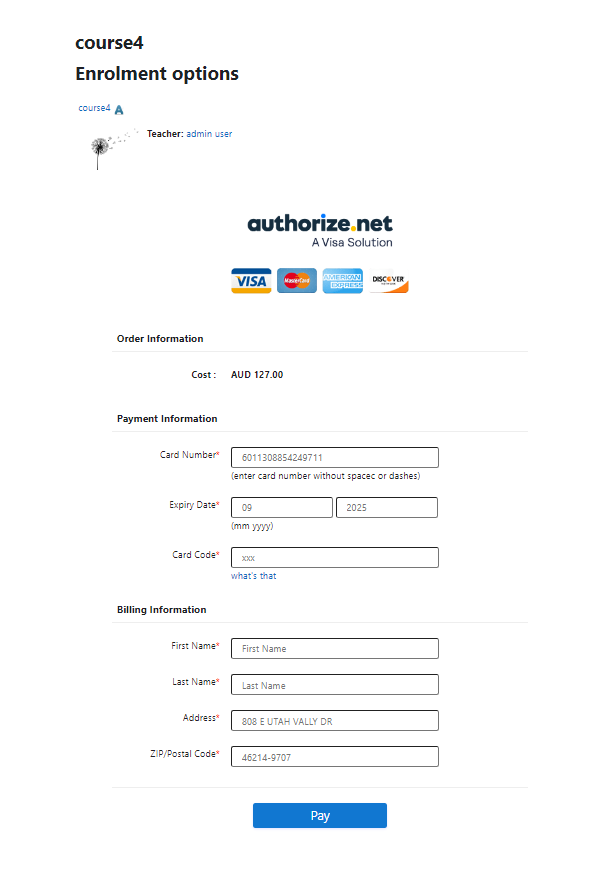
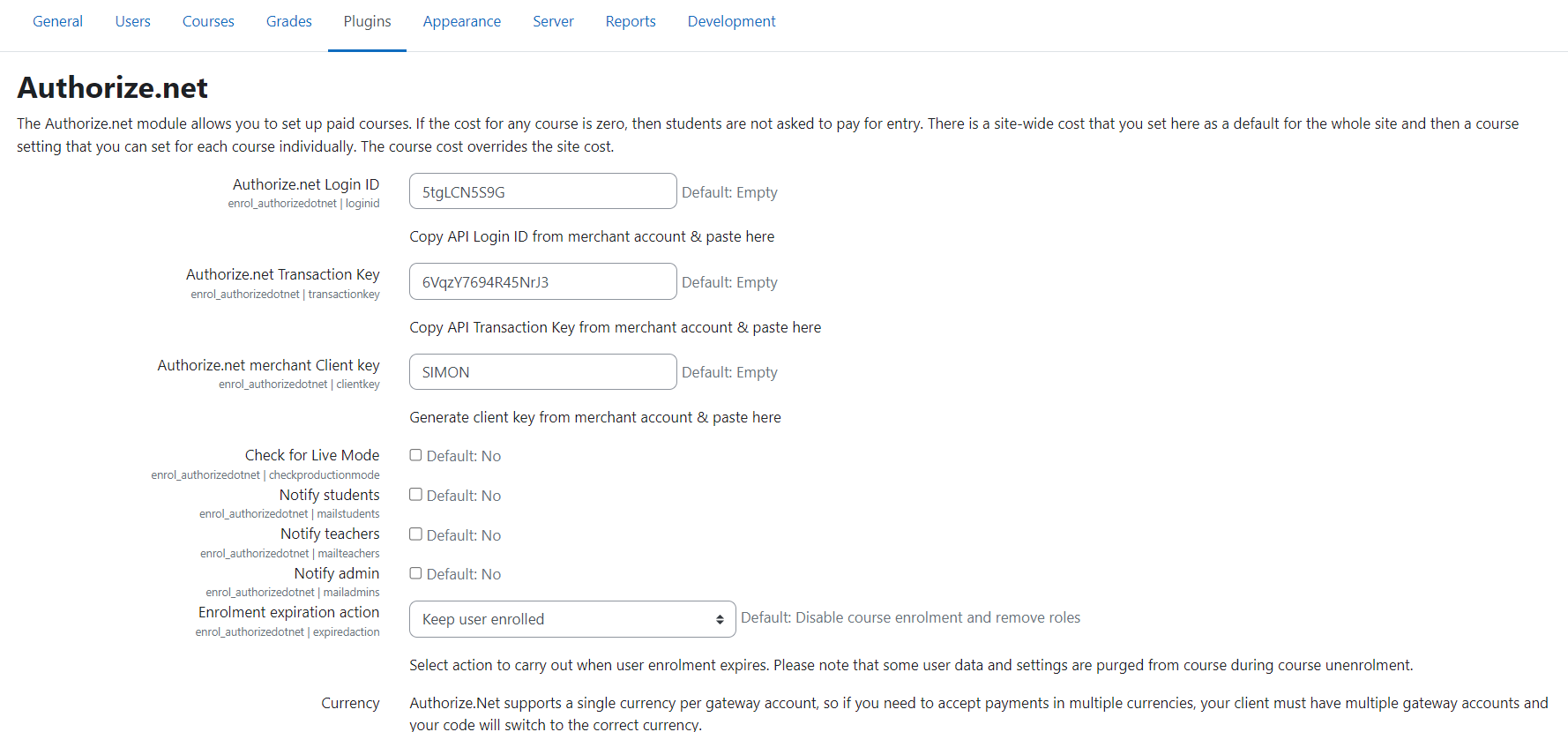
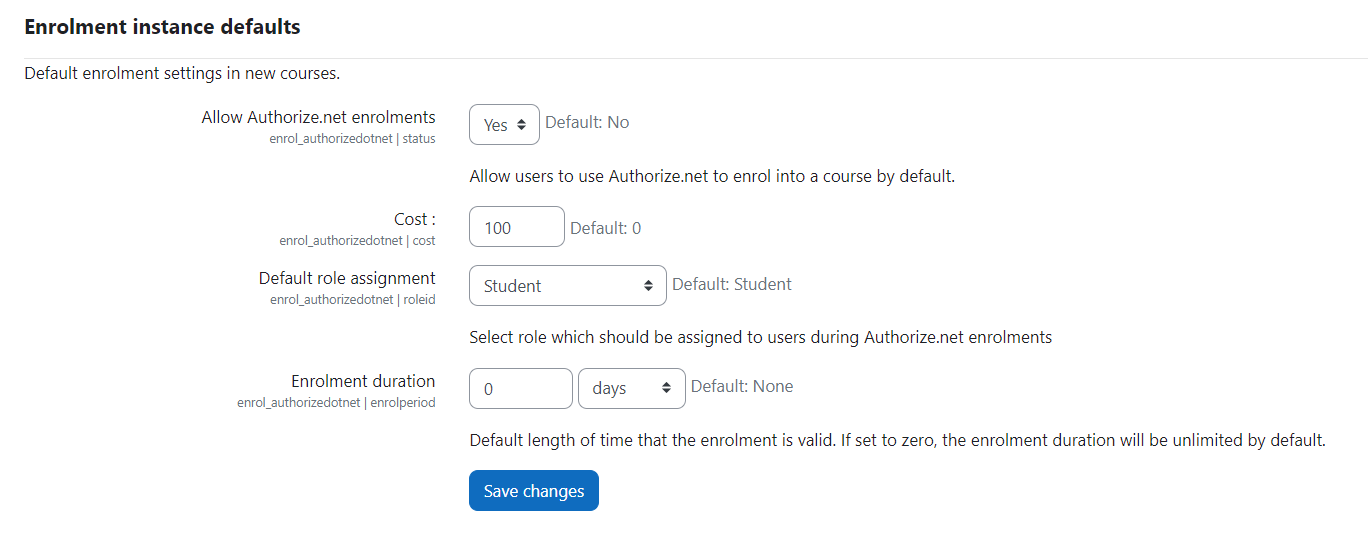
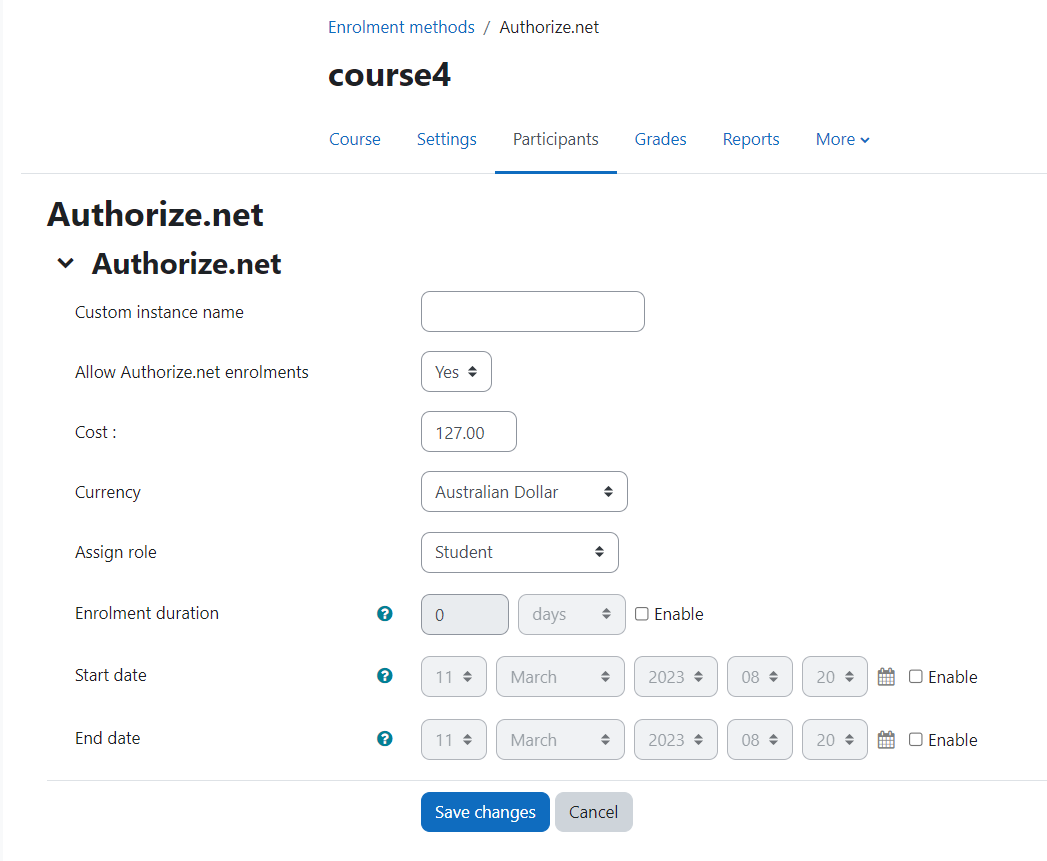
Authorize.net makes online course purchases easier by allowing you to assign prices within a specific course section. Apart from that you can easily configure the cost and associated currency of course enrollments. One of the primary benefits of this payment method is its high level of security that keeps your transactions safe and secure.
Comments
Product ratings and reviews are coming to Moodle Marketplace. Until then, existing comments remain available to read, but new posts have been disabled.
Apologies for the late response!
We have updated the plugin as well as the instructions for this plugin. Kindly download the latest updated zip from moodle.org and follow the set up steps. Hope this update will resolve your issues.
Thanks & Regards,
Priyasha
We just decided to not use this plugin.
Sorry
An error occurred while trying to report this transaction to the merchant. An e-mail has been sent to the merchant informing them of the error. The following is the result of the attempt to charge your credit card.
This transaction has been approved.
It is advisable for you to contact the merchant to verify that you will receive the product or service.
How do I fix this? Authorize.net is suggesting that I need to configure a Default Receipt URL because Moodle is not sending one in the request. So what should the Default Receipt URL be? And why isn't Moodle sending a Default Receipt URL in the request?
Yes, it is possible to incorporate old version features, but it would be customized as per your need. Please confirm so that we would discuss further.
Thanks & Regards,
Priyasha.
(Especially the history and void/refund capabilities). I was able to install the Moodle 2.x version of the authorize dot net plugin in
moodle 3.x after updating the sdk from authorize.net. This could be a good starting point as it has nice pdf receipt capability.
Just wanted to inform you that we have already fixed the issues in the latest version for the test mode. Kindly check the latest updates. Please do not hesitate to ask if you have any more queries. Would love to answer them.
Looking forward to your response.
Thanks & Regards,
Priyasha
$testmode = "true";
to
$testmode = "false";
makes the payment actually go through.
Apparently nobody must have really used this plugin? !!!
$testmode = "true";
Production mode seems to work fine. But transaction itself is treated as "************* TEST MODE *************" by authorize.net.
File permissions were the problem indeed. The folders were set to 777 and the files to 666.
I am now able to add this enrolment method to a course and, when I click on the pay now button, I get the payment form (I am using the sandbox right now).
After filling and submitting the form, an error message is displayed on the screen (see below) and nothing happens after that:
---------------
An error occurred while trying to report this transaction to the merchant. An e-mail has been sent to the merchant informing them of the error. The following is the result of the attempt to charge your credit card.
This transaction has been approved.
It is advisable for you to contact the merchant to verify that you will receive the product or service.
-------------------
Meanwhile 2 emails are generated and sent to the administrator:
1. an auto-receipt stating that the transaction has been approved
2. an email from the authorize.net developer center with the title: Transaction notification error
Authorize.Net Developer Center Merchant,
Your script timed out while we were trying to post transaction results to it.
Transaction ID: 0
Transaction Result: This transaction has been approved.
Although it is stated that the transaction has been approved, the user still can't access the course, very likely because the timed out script.
Not too sure what I can change in the sandbox to avoid the time out.
Any idea?
Thanks
Karim
Every thing is working fine at our end.
Please check the folder and file permission.
Folder permission should be 755
File permission should be 644
Let me know if that helps.
Thanks and Regards,
Arindam
Thanks for the prompt reply.
I tested the plugin on a fresh moodle 3.0.1 installation and it went fine apparently. However, I got an error message when I tried to add this plugin to the enrolment method of a course. see below:
Not too sure yet why. I got the same error when either using a restored course or a newly created course.
Any idea what could be wrong?
The site is running on linux,
Apache Version 2.4.16
PHP Version 5.4.45
MySQL Version 5.6.28
Thanks
Karim
------------
Internal Server Error
The server encountered an internal error or misconfiguration and was unable to complete your request.
Please contact the server administrator at webmaster@datiaonlinecourses.com to inform them of the time this error occurred, and the actions you performed just before this error.
More information about this error may be available in the server error log.
Additionally, a 500 Internal Server Error error was encountered while trying to use an ErrorDocument to handle the request.
Thanks for reaching out ti us!
Yes, we have published an update and this version will work fine with Moodle 3.0. Please check and let me know
Thanks and Regards,
Arindam
Any chance you will have a version working on moodle 3 in the future?
Thanks
Karim