Shubhendra Doiphode
Lead maintainer

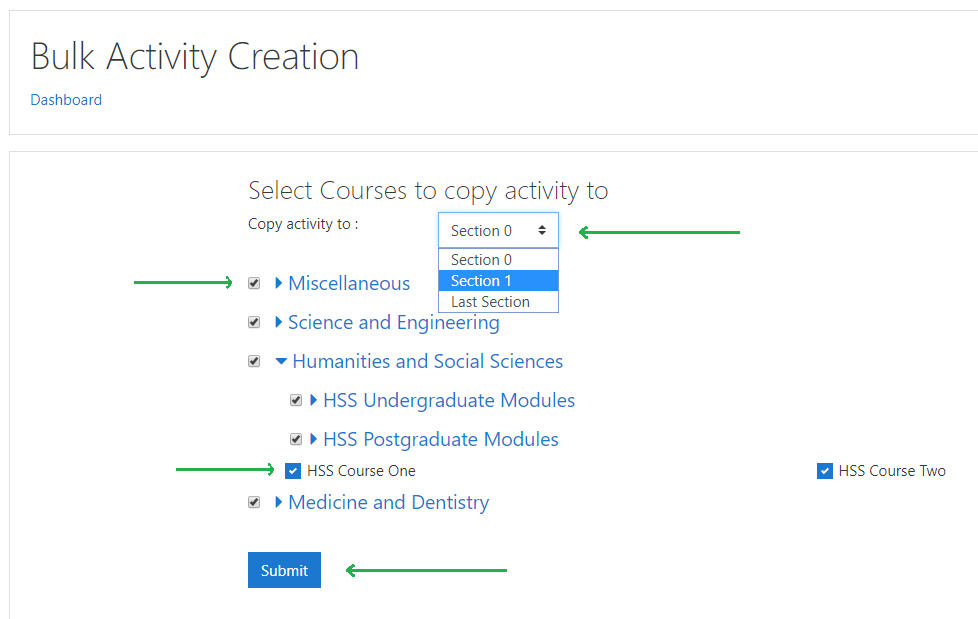
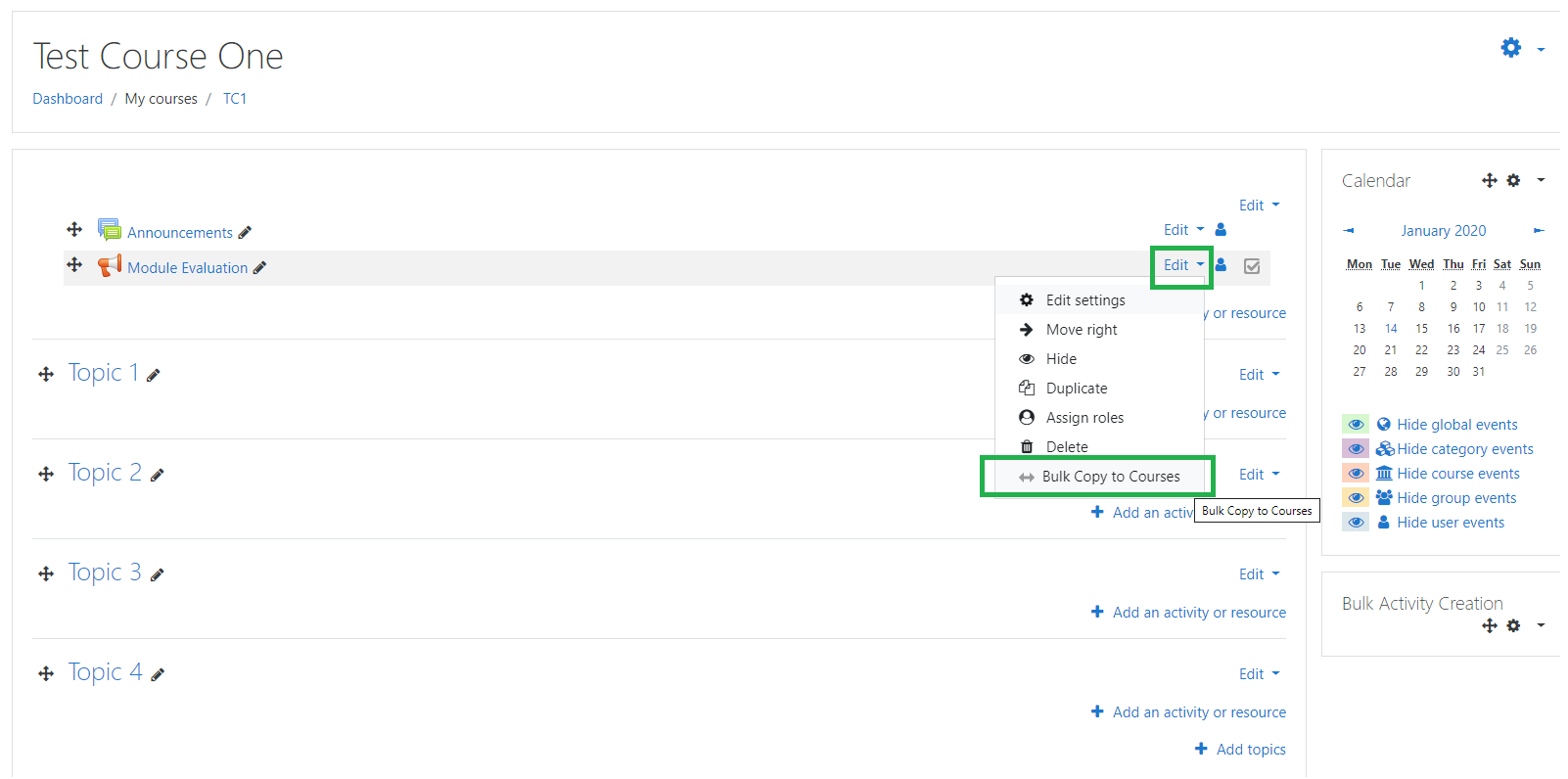
Once the block is added to a course and when in editing mode, users can click on Edit to see the 'Bulk Copy to Courses' option. By clicking on it, all non-hidden categories on the site will be displayed including their sub-categories with courses. A check-box against every category or course will be available.
You can choose where on a course area you want to add the activity or resource. Currently you can add it in Section 0, Section 1 or in the last Section. Administrators can control it's permission for particular roles to use.