Bulk Activity Creation
Maintained by
Shubhendra Doiphode
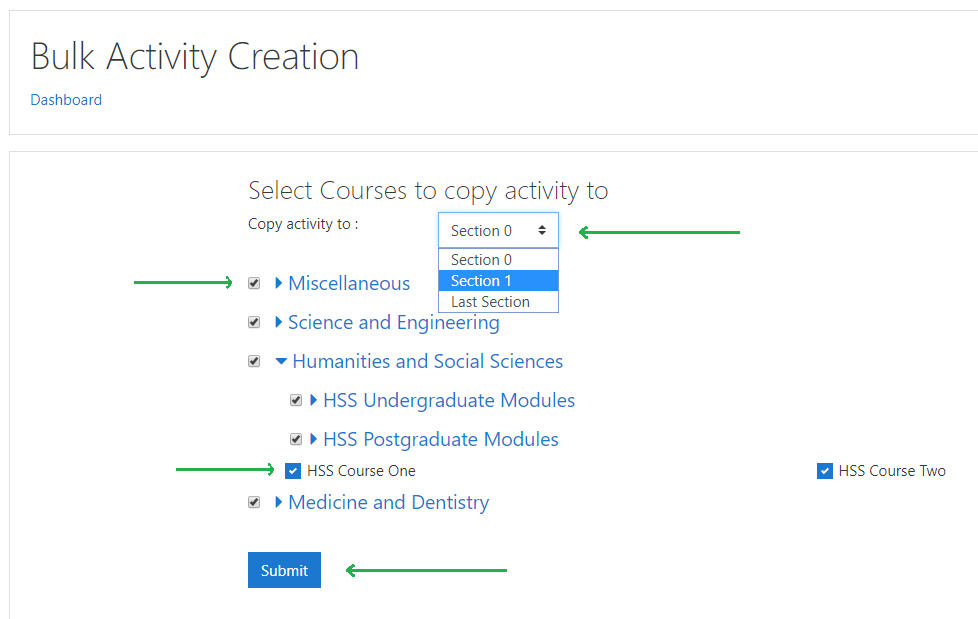
This block plugin allows users to create activities/resources in bulk. In other words, a moodle module can be copied to one or more courses or one or more categories/subcategories in one go.

Comments
Comments are no longer open for new posts. Existing comments remain available to read.
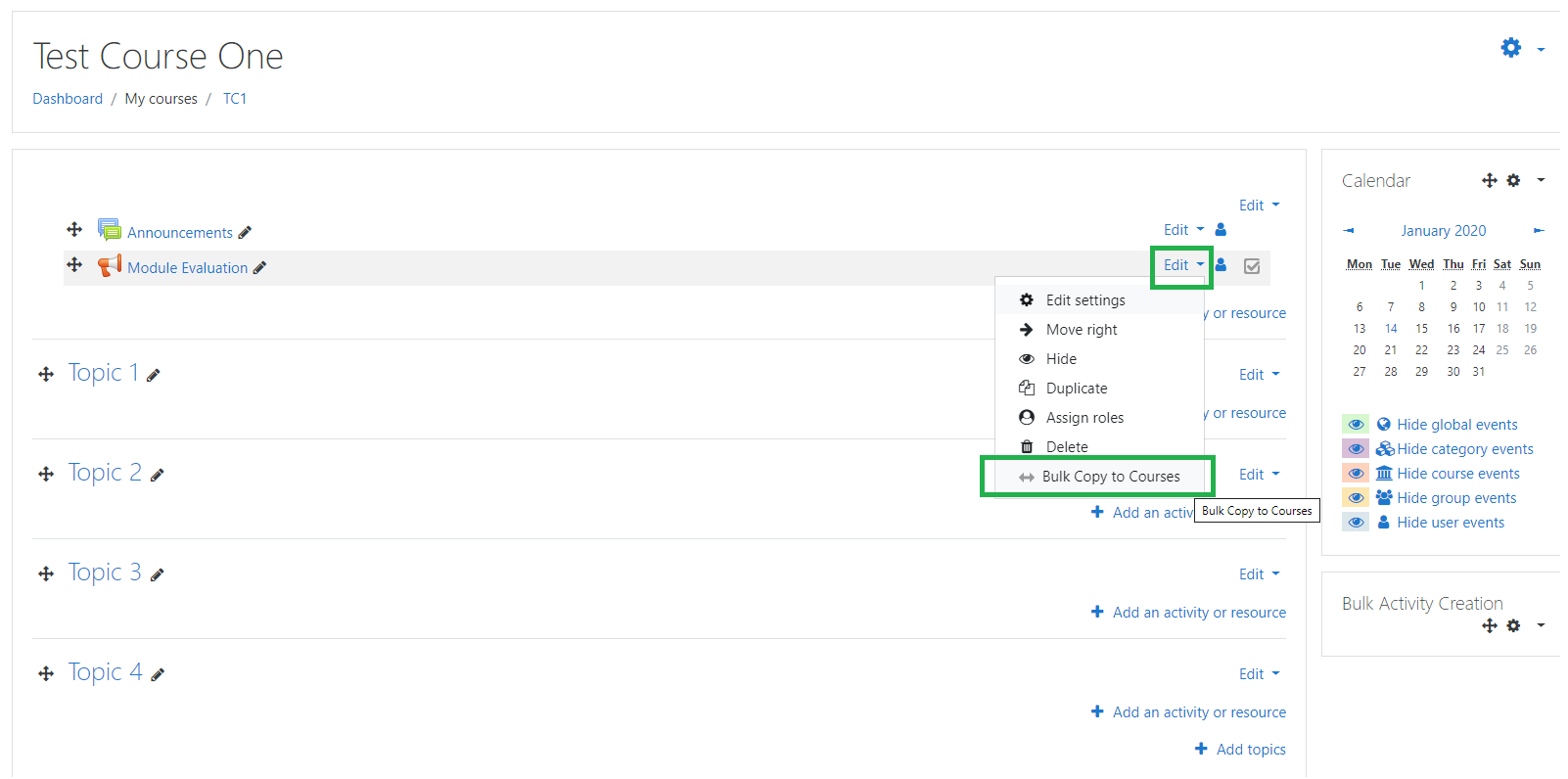
I installed this plugin on moodle 3.9.7. The plugin was installed properly but the courses are not showed up after I click "bulk copy to courses" option. I tried all roles. Our course theme is default Lambda but I changed the theme to Boost and try again nothing changed. How do I fixed it?
Thanks for help.
I am sorry, I am not able to replicate the issue on my end. Is it possible to get in touch with me on doiphode.sunny@gmail.com?
Thanks
Thanks for the prompt reply. Sorry for answering late.
Yes, the theme is Boost.
Is your Theme based on Boost?
The idea of the plugin is really helpful for admins. Thanks so much for developing this.
However, for some reason I never see the "Bulk copy to courses" options as I click on the activity (feedback for instance). I tried reinstalling the plugin a couple of times but the issue persisted. I am using Moodle 3.9.
THanks for your response.