Microsoft 365 Integration
Premium Certified Partner
Maintained by
Enovation Dev Team, Lai Wei, Patryk Mroczko
This plugin provides libraries and services that power other Microsoft 365 plugins.
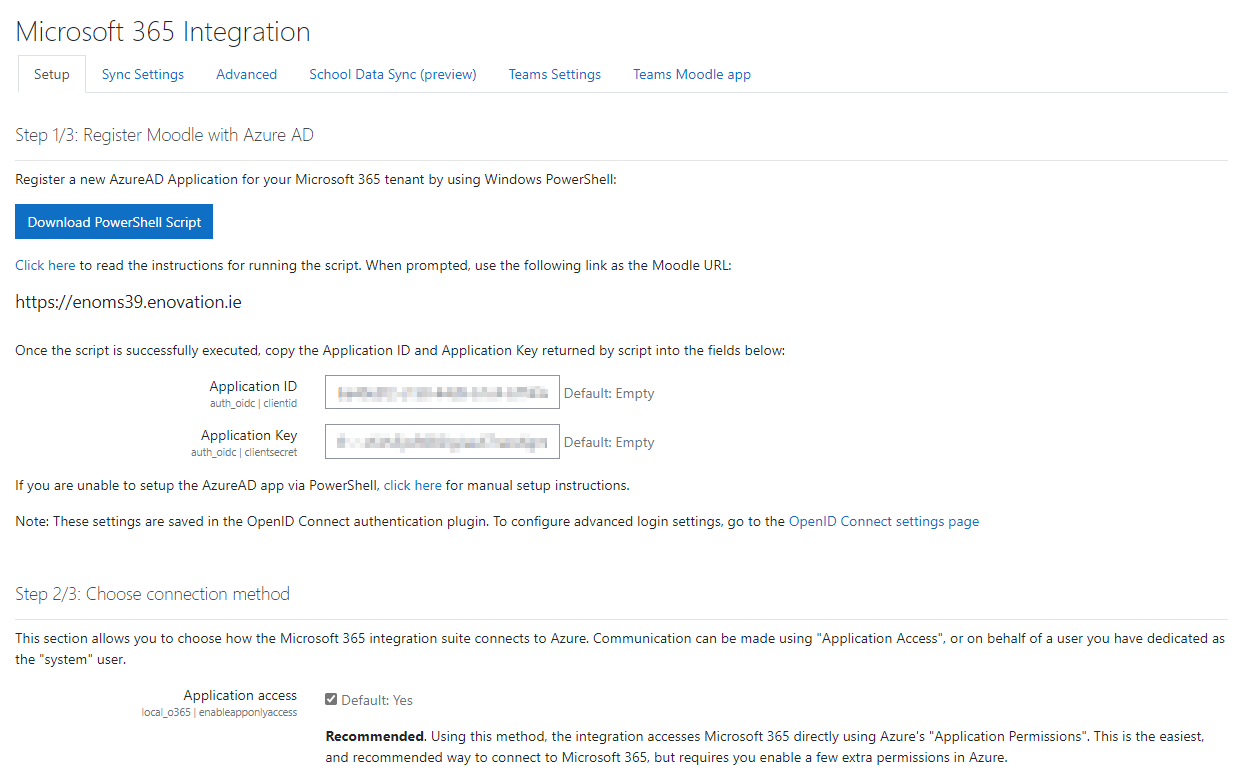
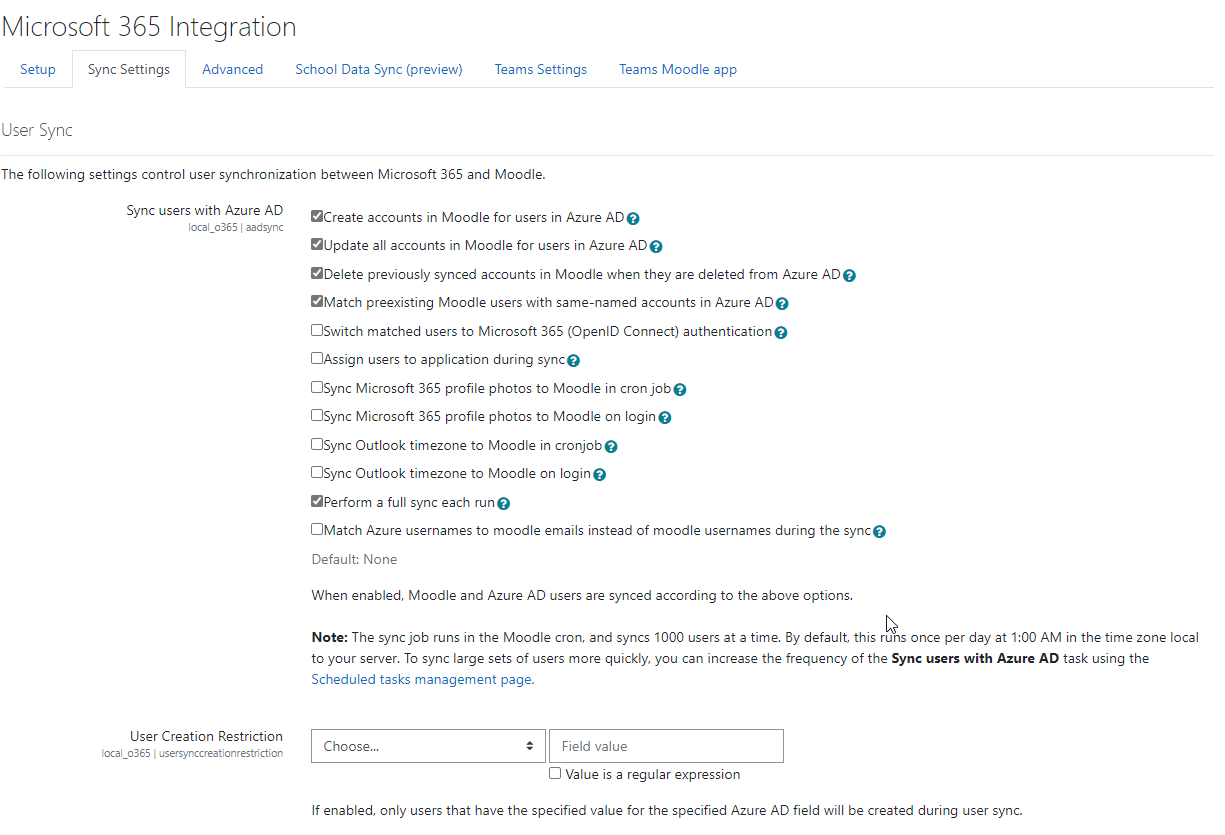
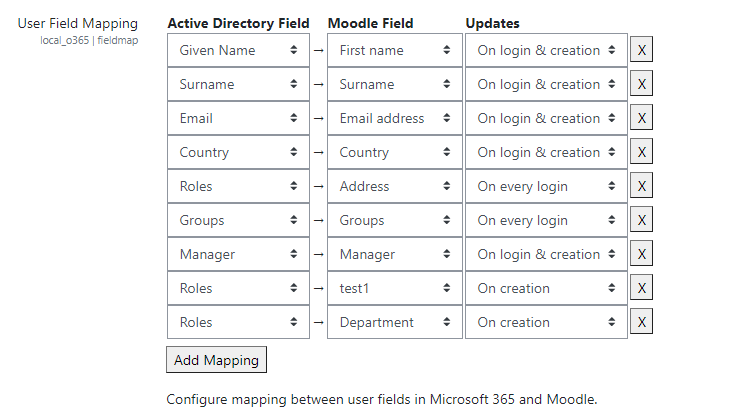
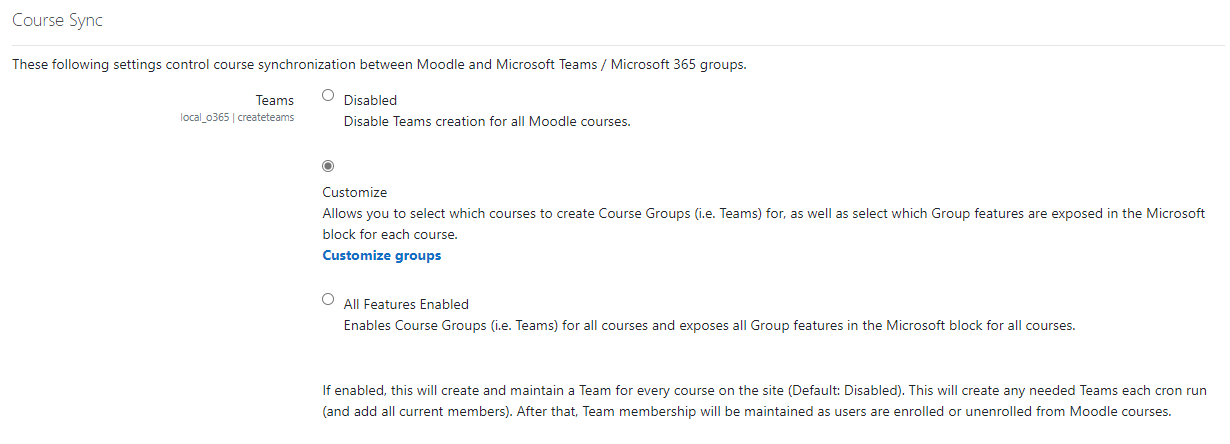
Comments
Comments are no longer open for new posts. Existing comments remain available to read.
I implemented my moodle plugin successfully , but I want only one group of users of my Azure Active Directory to access and not anyone with an account Office 365 , is that possible?
"Plugins > Microsoft Office 365 Integration > Setup > Application Permissions > "
Error: "Check permissions in AzureAD Missing: Office 365 Exchange Online -null" (the page shows me an "Update" and "Fix permissions" buttons, then when I click them, I get the same error).
I haven't changed permissions in Azure AD application. How do I fix this?
Would this plugin work regardless if our office365 subscription is the "business" or "academic/higher education" version? Is there a difference?
Thanks
I've finished with Microsoft Office 365 integration section with no problems but one.
On setup section - Sharepoint link, I've put an url in order to create, but it's taking so long... I'm waiting like 2 hours here...
At this moment it's still processing and showing this message: Moodle is setting up this SharePoint site.
Is this normal?
I want to use Sharepoint as a repository of Moodle, and I'm installing OneDrive plug-in on it.
As a previous step I'm configuring OpenID plug-in but then when I'm going to "local plug-ins" -> "Microsoft Office 365 integration" it throws me an error message: "Coding error detected, it must be fixed by a programmer: PHP catchable fatal error".
What can be wrong in what I'm doing? Please I will appreciate your help.
JASON
Just to confirm, are you asking if the account used to get the API credentials has to be the same account used to access Office365? The AzureAD does have to have an Office365 subscription connected to use these features - basically AzureAD is used to manage the Office365 accounts. I believe many business office365 subscriptions come with Azure access (and you can use AzureAD without an additional charge), but I believe you have to have administrator access to the Office365 account to access Azure to the account.
Newbie question... does the Azure account have to be the same account that the Office 365 is running on? My school board has provided us with Office 365 but will not support moodle and I'm trying to add the Office 365 and OneDrive for Business functionality to moodle but am on my own.
Any ideas.
Thanks in advance.
Jeff
Have you added an application into Azure for Moodle? You'll need to create an application in Azure to get API keys for Moodle, then enter the API keys into the "OpenID Connect" authentication plugin settings.
Thanks,
- James
im trying to connect moodle with my account of office 365.
I manage to install without problem the plugins and i have an active plan in Office 365.
My problem start when i go to plugins ->local-> Microsoft Office 365 Integration.
when i click at system api user no user Set user. its redirect me to https://login.microsoftonline.com/login.srf.....
Where i try to login with my 365 account but im getting the error
Application with identifier "username" was not found in the directory subdomain.onmicrosoft.com
what should i do?