Microsoft 365 Integration
Premium Certified Partner
Maintained by
Enovation Dev Team, Lai Wei, Patryk Mroczko
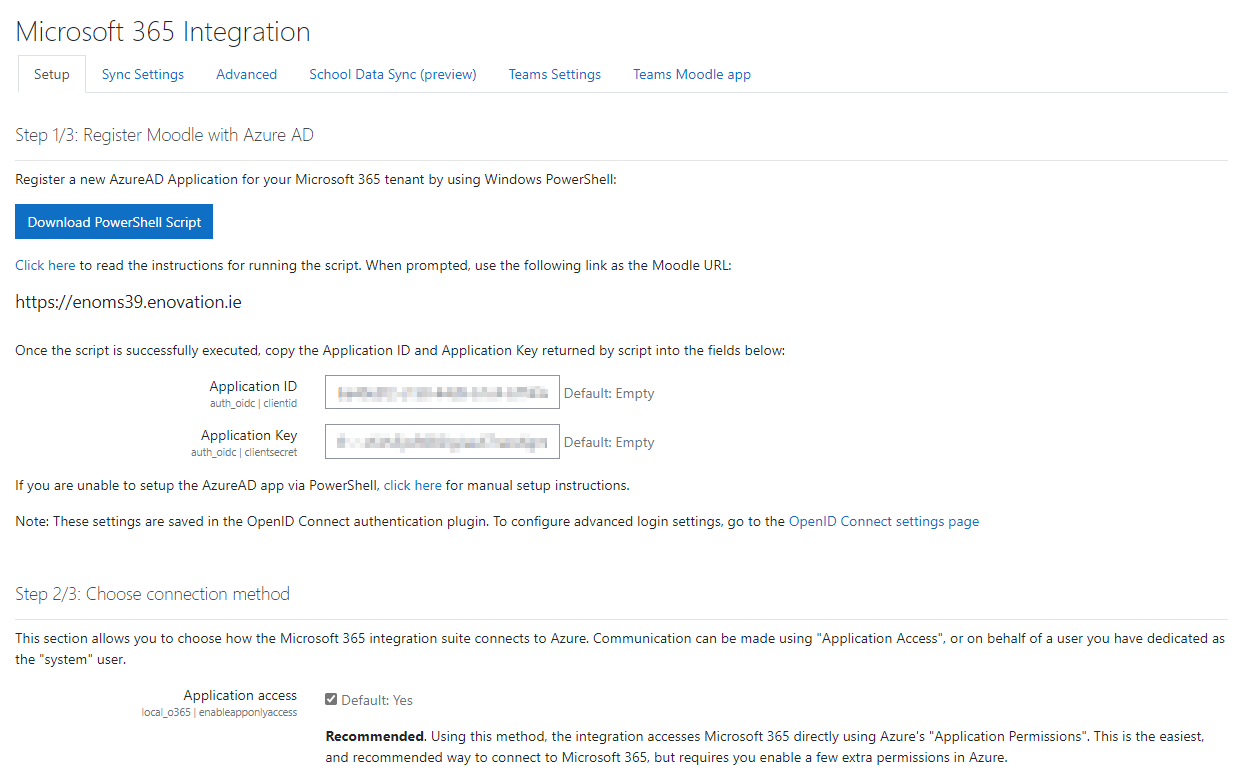
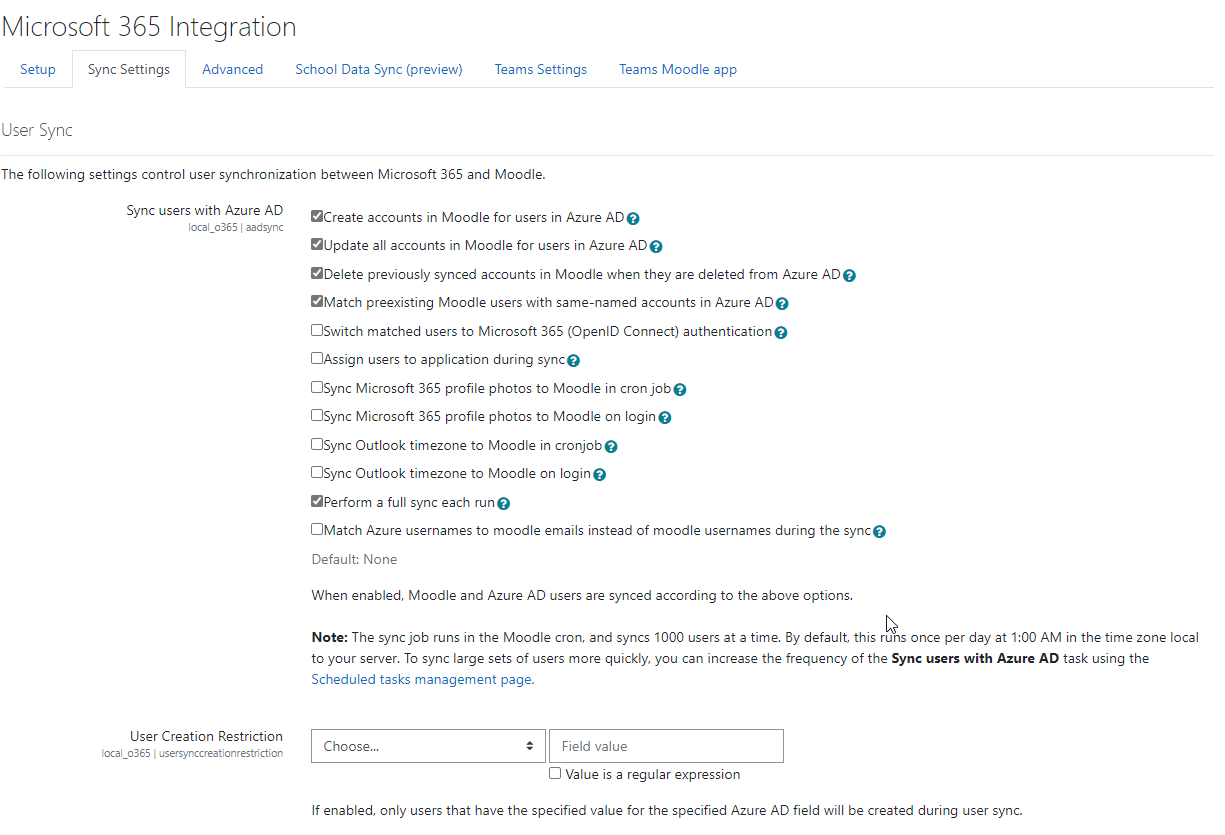
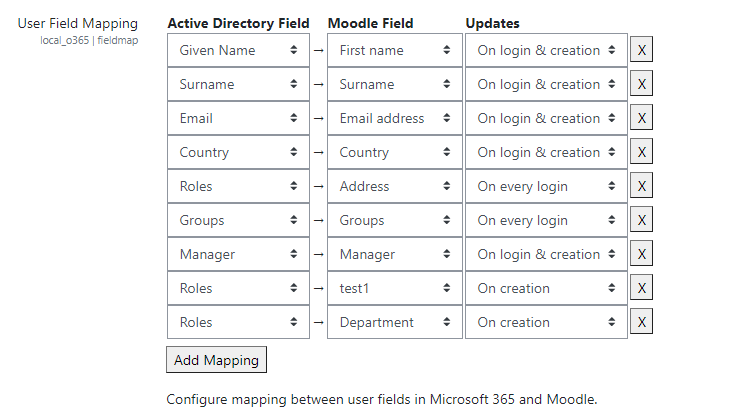
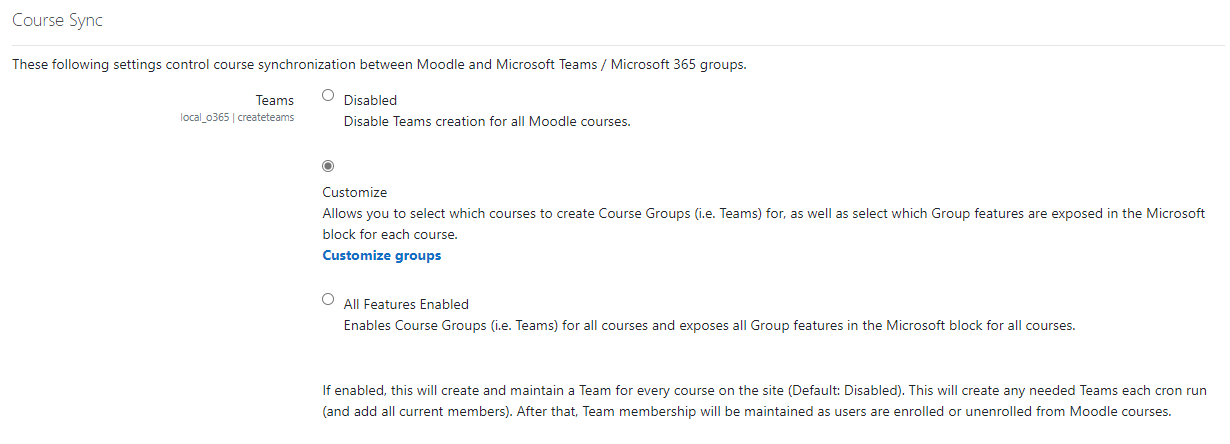
This plugin provides libraries and services that power other Microsoft 365 plugins.
Comments
Comments are no longer open for new posts. Existing comments remain available to read.
In setting up plugin "Microsoft Office 365 Integration" /admin/settings.php?section=local_o365 there is all lines green except Application Permissions (local_o365 | detectperms)
Check permissions in AzureAD. In clicking Update it will give more information:
Check permissions in AzureAD
Missing:
OneNote
View and modify OneNote notebooks
View OneNote notebooks
Create pages in OneNote notebooks
To fix this automatically, your system API user must be an administrator, and the "Access your organization's directory" permission must be enabled in Azure for the "Windows Azure Active Directory" application. Unified API: This is a beta API required for "Create User Groups" Unified API not present, some new features may not work.
In doing dobule check,
API user is global addministator for Office 365 account and so for Azure AD directory.
Application have permissionss like this:
Excange Delegated perm; R user calendars,RW user calendars;
Sharepoint Delegated perm: R items in all site collections, RW items in all site collections, R user files, RW user files, full control all site collections;
Azure AD applications perm: R directory data,
Azure AD Delegated perm: R directory data, enable sing-on and R user profiles.
Thank you in advance help provided
Rein
Turned on debugging and these are the messages I get:
Warning: require_once(/var/www/moodle/local/msaccount/msaccount_client.php): failed to open stream: No such file or directory in /var/www/moodle/local/onenote/classes/api/msaccount.php on line 30
Fatal error: require_once(): Failed opening required '/var/www/moodle/local/msaccount/msaccount_client.php' (include_path='/var/www/moodle/lib/zend:/var/www/moodle/lib/pear:.:/usr/share/pear:/usr/share/php') in /var/www/moodle/local/onenote/classes/api/msaccount.php on line 30
Moodle 2.9
Any suggestions?
Regards
bobbysox
I don't notice any problems so far - but I hate messages of this kind
Regards,
Jean-Pierre
thanks for providing this awesome plugin for Moodle. But as someone already asked: Are there any plans fo dumping the Azure AD requirement?
We are using Office 365 for our students (over 20000) with on premise AD (we have to store student access data on our own servers by law) but would really love use the plugin.
Asuming the high number of people I've met with the same problem on last Moodle Moot and other elearning conferences, the actual Azure AD requirement prevents many institutions of using this plugin.
Thanks for hopefully taking this matter into account.
Regards,
Daniel
After installing die Office365-plugin-suite on a clean 2.9+ (no other plugins installed) I get following error-message on the "plugins overview"-page:
Can not add jQuery plugins after starting page output!
line 487 of /lib/outputrequirementslib.php: call to debugging()
line 431 of /lib/outputrequirementslib.php: call to page_requirements_manager->jquery_plugin()
line 26 of /local/o365/settings.php: call to page_requirements_manager->jquery()
line 67 of /lib/classes/plugininfo/local.php: call to include()
line 500 of /admin/settings/plugins.php: call to core\plugininfo\local->load_settings()
line 6874 of /lib/adminlib.php: call to require()
line 468 of /lib/classes/plugininfo/base.php: call to admin_get_root()
line 1294 of /admin/renderer.php: call to core\plugininfo\base->get_settings_url()
line 372 of /admin/renderer.php: call to core_admin_renderer->plugins_control_panel()
line 207 of /admin/plugins.php: call to core_admin_renderer->plugin_management_page()
Any idea?
Regards,
Jean-Pierre