Microsoft 365 Integration

Premium Certified Partner
This plugin provides libraries and services that power other Microsoft 365 plugins.
Price option: Free

Supports Moodle 3.9-5.2 See all versions
Latest release: 2 weeks ago
Installations: 7160
Downloads (last 90 days): 2837

Frankenstyle name: local_o365
Local plugins
Microsoft 365

Comments

Comments are no longer open for new posts. Existing comments remain available to read.

Is it possible through the SDS plugin to create moodle courses with roster information based on O365 classes and enrollment?
Hi, I´ve just tested the calendar sync funcionality with moodle version 2.8.12, unfortunately if I change an entry in my outlook calendar, the entry is not changed in my moodle calendar, after running the cronjob.
@James, I´ve acticated everything on the server, followed this instructions http://www.ipserverone.info/applications/how-to-enable-moodle-debug-mode/, but still no errors, just the one I wrote "Error reading from database" error/moodle/dmlreadexception, and I am not able to login!
@tamas - do you have any more information about the error you're experiencing? Anything on your server logs? Enabling developer debugging in Moodle may also give more details. "error/moodle/dmlreadexception" is a generic error code from core Moodle so it's difficult to track down the cause.
Hi, I wanted to change the Moodle Auth. from LDAP to OpenID Connect, everything seems to be set up correctly, but if I disable LDAP and only activate OpenID I am getting the error "error/moodle/dmlreadexception" and cannot login, not even with the local system administrator. Any ideas?
Just an update here - I stumbled across the Moodle Mobile Additional Features Plugin which solved my login issue. smile
I chose the Login "via an Embedded Browser" and it works perfectly.
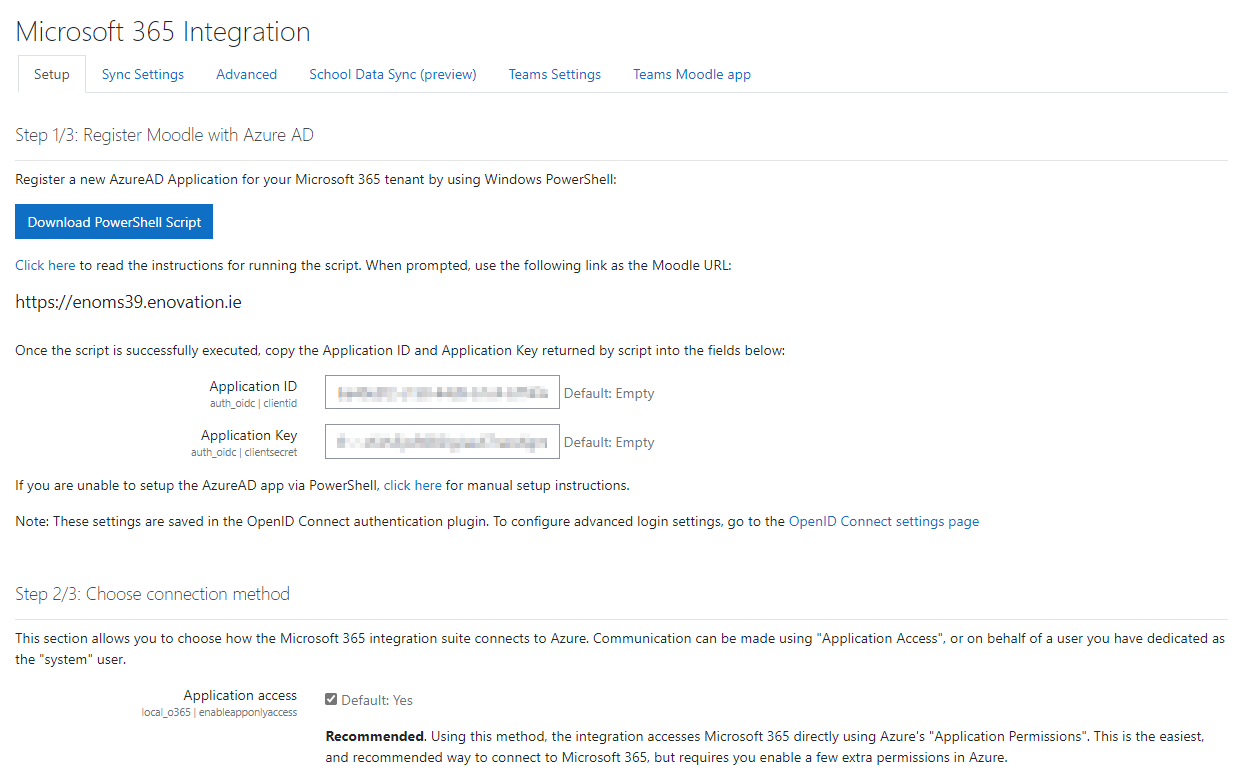
I am trying to complete my set up, but I am receiving multiple permission errors on the last step (Azure AD setup). I see the following message, I am an Office365 administrator, but I don't know where to go to set this up:
To fix this automatically, your system API user must be an administrator, and the "Access your organization's directory" permission must be enabled in Azure AD for the "Windows Azure Active Directory" application.
Additionally, I have a question concerning login capability on the Moodle Mobile App. I have not figured out how to make it work. Do you have instructions for this?
Appreciate any guidance you can share. Thanks.
Hi James,
I haven't got that far yet thanks for the reply, still trying to determine which version of Moodle to go with, many plugins other than Office 365 needed for my schools needs.
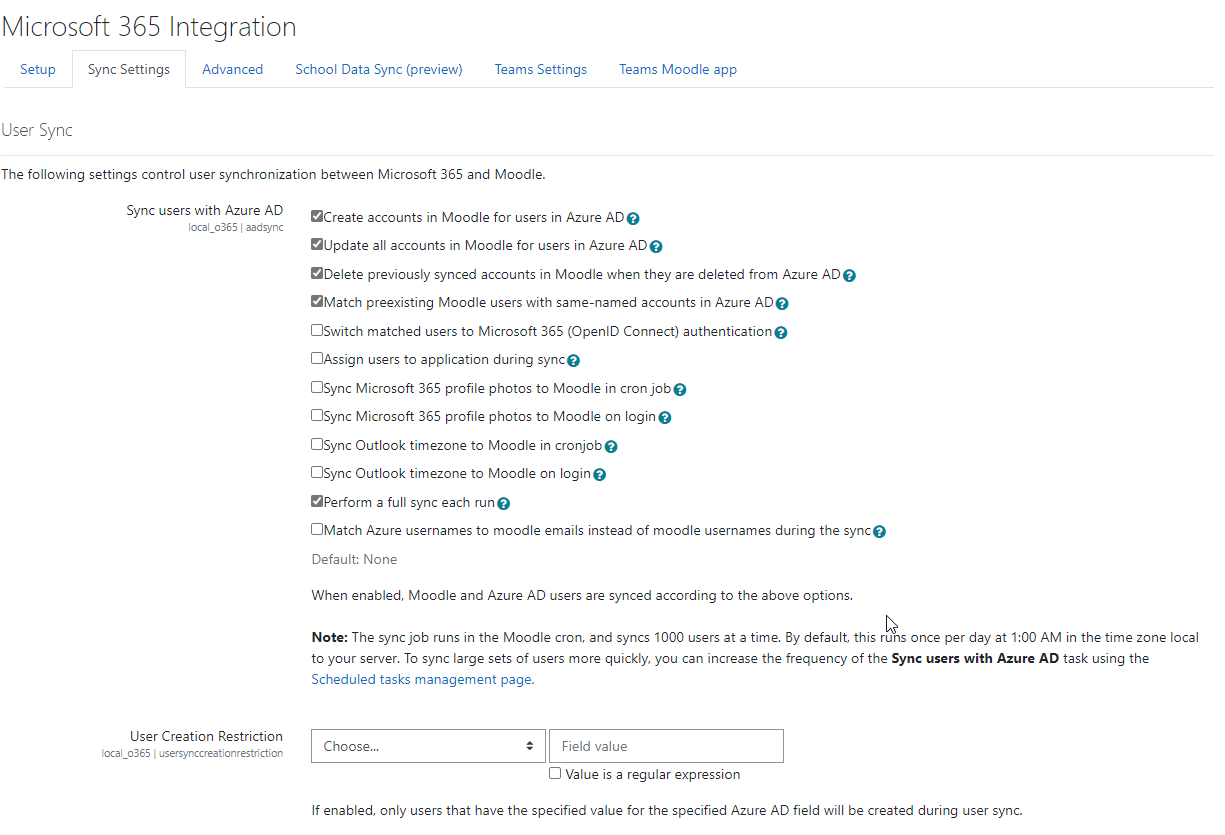
Hi Rob - When you go to the local plugin settings page (Site administration > Plugins > Local Plugins > Microsoft Office 365 Integration) do you see a "School Data Sync" tab? If so, what do you see when you click the tab? That settings page should detect whether it can access school data sync functionality and show you SDS-related settings if it detects SDS is enabled.
Hi,
Can you provide mre information on how the School Data sync fromwithin Moodle works. I am setting up SDS with our SIS (Powerschool) but want to know what configuration optiosn and settinsg are available.
@Jürg Hoerner this should be resolved in the newest release. Thanks!
This would be really helpful as my colleagues at school start using shared files heavily and they would be happy to use them in moodle easily. smile
@herbert - Not yet, although that is on our radar.
Thanks a lot for this very helpful plugin!
Is there a way to access shared files through the onedrive for business plugin?
Best regards from Austria!