
Checklist
Maintained by
Davo Smith
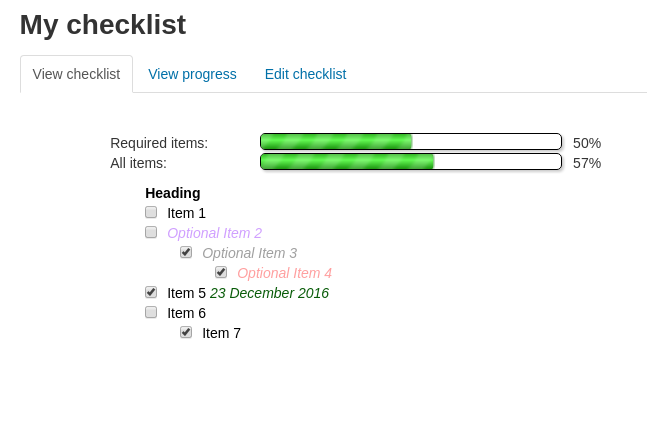
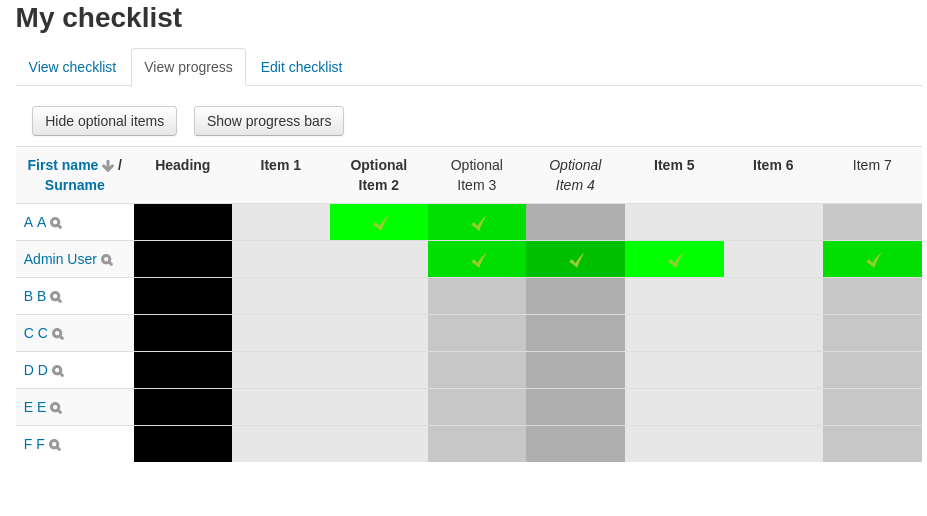
A checklist can be created by a teacher (or generated from the activities in a course) and then the students or teachers can check-off each item as they are completed.
Comments
Comments are no longer open for new posts. Existing comments remain available to read.
This text-field is not integraded in the checklist. Is this a bug or do I have to configure something?
Cheers
Is there a plan to bring this over to the mobile app?
Once the first checklist was complete the one and only item in the second checklist (i.e. the first checklist itself) would be marked as complete. So, the score for the second checklist would be either 0 or 1.
Maybe a bit fiddly to implement, but possibly less confusing than adding another setting to the checklist module to cover this use case ...
We're hoping to find a way to value the checklist in the gradebook as either a 0 value or a 1. The maximum value of the activity is 1 point, but Moodle seems to round up in the gradebook. For example, if there are 6 checklist items in the activity, and the student completes 4 of them, he gradebook will display a .67% for the grade item. We'd like it to be all or nothing. The student would have to check all 6 items to earn the point. Anything less than 6 is a 0.
Thanks or any help you can provide.
Maybe you could take a look on http://tracker.moodle.org and see if there exists a feature request for that?
An alternative might be to simply not include any checklist in the gradebook (do this by setting the grade to 0 in the checklist settings).
My question is when you create multiple checklists for different groups in a course, they all show in the gradebook as expected grades for all students.
For example, if have Group A, Group B, and Group C in my course, I would create 3 checklists that correspond to those groups. I would then restrict access based on groups so that each group can only see the correct checklist.
The problem is that in the gradebook, it shows all checklists for all students and would give a 0 to that student if they haven't completed the checklist. Is there a way to filter out the gradebook to only show checklists that were assigned to that group?
I'm not clear exaclty what support you are wanting for the book module. Is it just updating the checklist when a book activity is 'complete'? If so, the easiest way to do this is to use the standard Moodle activity completion and my plugin will pick this up automatically. If you can't use this, then someone would need to find the name of the event (if any) that fires when a book is finished, then edit mod/checklist/classes/local/autocomplete.php to add the name of this event.
We're using checklist 2.x (Build: 2014080601) with our main University Moodle v2.7.7 and we would very much like to have support for the Book module, so that student progress can be monitored against course content in books.
We are currently in the early stages of our upgrade to 3.0.x - is this something that is in the Moodle v3 version of checklist, or if not, is it on the roadmap?
Best regards
Raad