
Checklist
Maintained by
Davo Smith
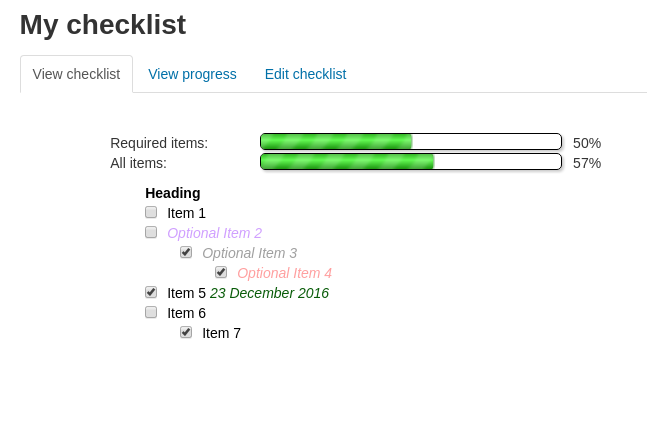
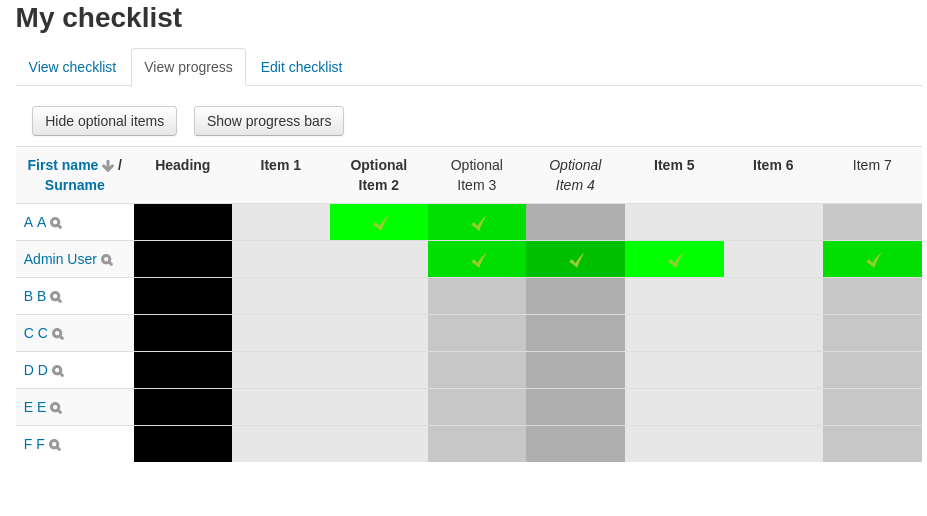
A checklist can be created by a teacher (or generated from the activities in a course) and then the students or teachers can check-off each item as they are completed.
Comments
Comments are no longer open for new posts. Existing comments remain available to read.
If you want to show the percentage in the block, then open up blocks/checklist/block_checklist.php and edit the lines that call 'print_user_progressbar', to change the 4th param from 'false' to 'true' (without quotes). The first call to 'print_user_progress' in that file is for teachers seeing an overview of all students in the course, the second call is for students seeing their own progress bar.
I want the % to show on the block after the bar. is there a simple way to get that? If i open the cheklist i have the % para i wish that could also be seen on the course page. Thanks
In theory, some of this *should* be easy to add to the code and, if I was writing it now (with many more years Moodle dev experience), they could be added very quickly. However, the code is messy and long overdue a refactor, making small changes much more difficult to implement.
In addition, we need a separate list of to-do's per group, rather than one shared for all groups/students. Moreover, they should only be able to see progress within their own group, not in other groups. We will now solve this by making a single-activity course, with only a checklist, for each group of students. In that way, they can manage their own to-do's and also have a sense of group progress.
However, this is quite a detour. Davo, do you have any suggestions on how we can do this easier? I'm happy to make the edits myself, but some pointers would be nice. Afterwards, we would also like to add assigning to-do's to specific users, etc, but that's for later
require_once($CFG->dirroot.'/mod/checklist/classes/local/autoupdate.php');
We are using this plugin with Moodle 2.5.4+ and have noticed that an error is logged every time the cron runs:
[08-Mar-2016 10:46:02 UTC] PHP Fatal error: Class 'mod_checklist\local\autoupdate' not found in /home/mysite/public_html/mod/checklist/lib.php on line 695
On this test server the error logging level is: $CFG->debug = (E_ALL | E_STRICT);
Turning off error logging suppresses the error in the log.
Is there a fix for this?
Thanks for the response. I assumed you just missed the original comment. We have a Moodle Partner. I'll have to see if they'd be willing to take a look at it. If you do get a chance to look at it and patch it please let me know. I can't thank you enough for this tool.
You cannot add the item count without changing the code for the plugin. It should be a fairly straightforward bit of code to change, if someone wants to take a look at it and submit a patch. Otherwise, I will try to get around to looking at it at some point (I can't promise when).
I asked a question on Feb 12, and have not received a response yet. I'm hoping by asking a second time I will get a response. I think I might have asked the first time when there was another discussion going on. Anyway here is my question.
The teacher view of the progress bar shows not only the percentage, but also the number complete out of the total number of activities. The student view shows only the percentage, as seen in the link below,
https://docs.google.com/presentation/d/1lUAsnWbHpqYD98d9H526jW53O0rT48mvTlmp6unyMxM/edit?usp=sharing
Is there anyway that the student can view the number of activities completed out of total activities? This would be a great feature for the student to view.
Thank you again for this great tool.
Adele
I noticed the teacher view of the progress bar shows not only the percentage, but also the number complete out of the total number of activities. The student view shows only the percentage, as seen in the link below,
https://docs.google.com/presentation/d/1lUAsnWbHpqYD98d9H526jW53O0rT48mvTlmp6unyMxM/edit?usp=sharing
Is there anyway that the student can view the number of activities completed out of total activities? This would be a great feature for the student to view.
Thank you again for this great tool.
Adele
echo '<textarea cols="25" rows="3" name="teachercomment['.$item->id.']">'.s($comment->text).'</textarea>';
https://developer.mozilla.org/en/docs/Web/HTML/Element/textarea