Microsoft Word file Import/Export (Lesson) icon

Microsoft Word file Import/Export (Lesson)

Maintained by Eoin Campbell
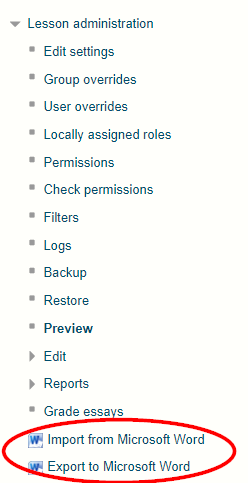
Import the contents of a Word file in '.docx' format file into a Lesson, splitting it into pages based on the "Heading 1" style. Also supports exporting lessons to Word format, for round-trip editing.
Price option: Free

Supports Moodle 3.5-5.0 See all versions
Latest release: 1 year ago
Installations: 629
Downloads (last 90 days): 61

Frankenstyle name: local_lesson_wordimport
Local plugins

Description

This plugin allows you to import Word files into a Lesson as pages, and export a Lesson into a Word file for offline review. On import, a separate page is created at each Heading 1 style in the Word file. When exporting lessons that include images, you must use Word 2020 or Word 365 to open the exported file, as images are embedded in a format that is not suitable for earlier versions of Word.

Only Lesson content pages can be imported, but question pages are exported in a readable format.

Contributors

Awards

Privacy friendly
Early bird 4.0
Early bird 4.1
Early bird 4.3
Early bird 4.4
Early bird 4.5
Early bird 5.0