
Microsoft Word file Import/Export (Lesson)
Maintained by
Eoin Campbell
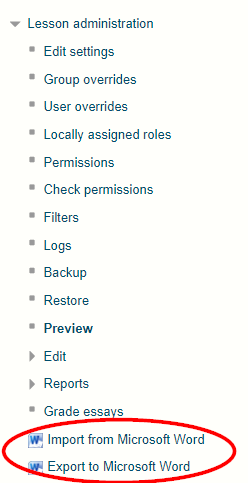
Import the contents of a Word file in '.docx' format file into a Lesson, splitting it into pages based on the "Heading 1" style. Also supports exporting lessons to Word format, for round-trip editing.
Comments
Comments are no longer open for new posts. Existing comments remain available to read.
THANK YOU! ♥
I do wish there was a way to set defaults for the jumps though. At a minimum, it'd be nice if on the first jump, it defaulted to putting the page title (or something generic like "This Page" on the first jump. Right now, the default for the first jump is "This Page" and it leaves the text field for "This Page" blank, which means I have to go through every page manually and edit the title field since that field is a required field.