
Microsoft Word file Import/Export (Glossary)
Maintained by
Eoin Campbell
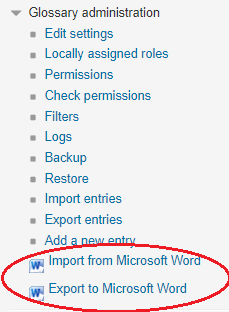
Import the contents of a Microsoft Word file (in '.docx' format) into a glossary, splitting it into terms based on the heading styles. The file can be from either Microsoft Word or LibreOffice. Also supports exporting glossaries to Word format, for round-trip editing.
Comments
Comments are no longer open for new posts. Existing comments remain available to read.
I have one problem though: I have a glossary where the definition consists only of pictures (no text). Unfortunately when trying to upload such an entry, it gets rejected (upload works, if there is also text in the definition cell or if there is no picture at all). I tried just putting a space or a linebreak/paragraph before the picture, but to no avail.
Am I doing something wrong? Is there something I could do about it?
Thanks in advance, Sarah
Why does it have to be XML? Why is it so difficult to import directly from EXCEL?
Anyway, thanks to all developers
Is there a plugin to import from Excel? A table in a Word file is not easy when you have 1000 entries
Also, does the import mantain also the multilanguage filter tags?
Thank you.
The message says: 75 entries found; 75 rejected.
Why does it so? How exactly have I to format my file? And how does the option "import categories" works? Thank you.