
Local Pages
Maintained by
Learning Works, Kevin Dibble
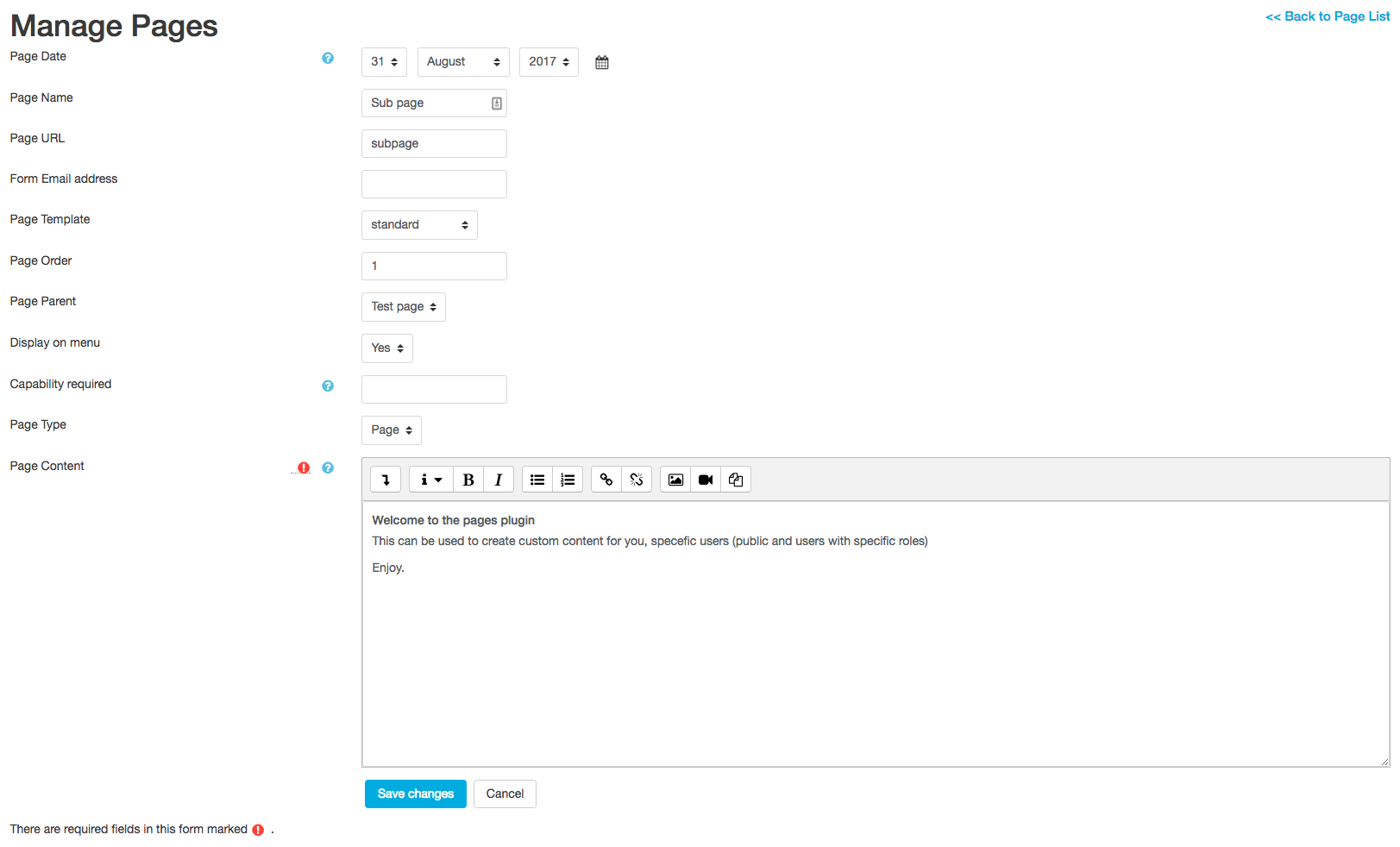
This plugin is to enable Custom pages and forms in Moodle.
It provides a quick way to create custom contact forms and custom page content.
The pages created can be publicly accessed or available to certain users based on settings you choose for the page.
This allows you to create pages such as: "terms and conditions", marketing material and more.
Comments
Comments are no longer open for new posts. Existing comments remain available to read.
moodle/user:editownprofile
Place this into the page edit text area called "Capability required".
Now only users that have rights to edit their profile can then view the page.
This will prevent logged out users and guests from having access. (As capabilities can be customized - I highly recommend to check its impact by using another browser to see if logged out users and guests can view the page (Logged out users will be taken straight to the login page, Guest users will see a message "You do not have rights to view this page").
Warning:
Don't use legacy capabilities - Moodle will not like that and the page will not show - just a warning message instead.
So avoid "moodle/legacy/xxx"
Tip 1:
You can do the reverse permissions - say logged in users are not to see - add an exclamation mark before the capability to become "!moodle/user:editownprofile"
Tip 2:
Multiple permissions can be used - let's say you only want logged in users and NOT Managers to view the page (as an example):
moodle/user:editownprofile, !moodle/user:editprofile (Place a comma between the different capabilities to create your own view filter)
Tip 3:
Capabilities to use can be viewed at:https://docs.moodle.org/37/en/index.php?title=Category:Capabilities - there are lots to choose from.
You can give roles in Moodle a certain capability and enter that same capability here to restrict pages access to just that role.
e.g.: moodle/badges:createbadge
Give that capability to a role that can create badges - then create a page for instructions and images that you want to use for badges.
That way only uses that can create badges can access the page.
cheers
How can I make this?
Thank u.
Receiving this error:
Exception - Call to undefined method MoodleQuickForm::hideIf()
Debug info:
Error code: generalexceptionmessage
Stack trace:
line 165 of /local/pages/forms/edit.php: Error thrown
line 194 of /lib/formslib.php: call to pages_edit_product_form->definition()
line 57 of /local/pages/forms/edit.php: call to moodleform->__construct()
line 410 of /local/pages/renderer.php: call to pages_edit_product_form->__construct()
line 56 of /local/pages/edit.php: call to local_pages_renderer->save_page()
Thanks for the feedback.
We have updated to add these areas into the language strings. (Purge caches once you have installed this latest version) to get the new strings.
And yes, the plugin does support Moodle 3.6 - So I have updated the supported versions.
Cheers,
Thanks again.
This can be due to a javascript error occurring on the site - you will need to open the inspector to see what is causing it. It can be caused by the boost theme related to this (as yet) unfixed issue: https://tracker.moodle.org/browse/MDL-57037?attachmentOrder=desc
The solution would be to try a different theme (Clean) and see if they work. If you are having issues, try getting the latest copy of Moodle (if possible), or raise this bug again with the Moodle team.
Cheers,
Ah - the dreaded "Inherited site" issues.
Some Reasons are:
One:
The original server person may have placed an apache directive AllowOverride None
AllowOverride None
This will stop .htaccess files in directories being read by apache.
The smart URL setting will only work on a server that supports .htaccess files in a directory.
Two:
There is a field called 'Page url' - it's this field that the smart urls use.
What the "Enable smart urls" does is when the page menu is being output - it puts in the 'page URL' value as the link instead of the ID.
Pages can still be accessed via the ID of the page.
Thanks for explaining the capabilities setting. But would it not be much more straightforward to do this with roles? This seems overly complicated.
Good to see that your .htaccess file now works.
Your server may have 'RewriteBase /' in its setup - meaning rewrites were going to the main index.php instead of the pages index.php file.
I'll make an issue to update the pages .htaccess to have a RewriteBase directive to be RewriteBase /local/pages/ for servers that have a higher level rewrite command.
Capability:
The capability field is to get the users capability. The help icon for that field states what it does... its a standard Moodle form help box, so apologies, but we're not sure why help boxes are not showing for you (They are standard moodle help boxes, icons that have displayed no issue here)
Enter in the capability string, you can comma separate to add multiple capabilities
If you want everyone BUT that capability to view - put an '!' mark before it
Example: mod/folder:managefiles,!mod/quiz:grade
mod/folder:managefiles = Everyone with this capability can view.
!mod/quiz:grade = Everyone with this capability cannot view.
eg - To stop those not logged in or guests, use a capability for the "authenticated user" that the "guest" user does not have. This will stop Google from indexing pages (As Google gets the "guest user" when indexing the site).
The capabilities accepted can be viewed here: https://docs.moodle.org/36/en/Category:Capabilities
cheers
RewriteEngine On
RewriteRule ^index\.php$ - [L]
RewriteCond %{REQUEST_FILENAME} !-f
RewriteCond %{REQUEST_FILENAME} !-d
RewriteRule . index.php [L]
to
RewriteEngine On
RewriteRule ^index\.php$ - [L]
RewriteCond %{REQUEST_FILENAME} !-f
RewriteCond %{REQUEST_FILENAME} !-d
RewriteRule . /local/pages/index.php [L]
now it works
A fast way to check if it is smart URLS are working is to put in a URL that does not exist: [yoursite]/local/pages/pagenothere
If you get a 404 error (Page not found) - then the .htaccess is not working on the server.
If you are getting 'You do not have rights to view this page' string, then the .htaccess is working.
Now go to a valid page URL for a page you have created and the content should appear as expected.
What the setting does for the "Smart Urls" configuration is to change the links to use the page url string when outputting the menu links to pages in the navigation block.
All links will point to /local/pages/[somepagename]
This will make it easier if creating a marketing page and you need to have analytics on a URL, or the marketing team wants a page link to match material.
e.g. /local/pages/shortstorycomp