
Local Pages
Maintained by
Learning Works, Kevin Dibble
This plugin is to enable Custom pages and forms in Moodle.
It provides a quick way to create custom contact forms and custom page content.
The pages created can be publicly accessed or available to certain users based on settings you choose for the page.
This allows you to create pages such as: "terms and conditions", marketing material and more.
Comments
Comments are no longer open for new posts. Existing comments remain available to read.
* Smart URLS
The .htaccess is active, but the plugin does not add anything to it, when activating Smart URLs. I even tried to create a RewriteRule myself, that did change sth. but not with the desired effect. Could you post an example of a RewriteRule? Of course the paths would need to be edited, but that could help...
* Navigation block:
Ok, great
* Page not showing:
There was no parent page, it was the very first page I created. Maybe the page was not created at all due to some mistake of mine. I am still not sure what I need to put into the "capabilities" field to restrict access to the page.
The help when hovering over the ? next to forms does not work for me with this plugin, there may be helpful info there I cannot access...
it becomes: https://trymoodle.learningworks.co.nz/local/pages/testing
instead of: https://trymoodle.learningworks.co.nz/local/pages/?id=6
This does depend on the server supporting .htaccess in directories (some admins disable this to give apache more speed).
* Navigation block:
Currently - only the original navigation block is supported to add pages (clean, bootstrapbase etc..) - the Boost navigation is different, so the navigation block is needed.
I'll aim at doing an update to this in a future version and have noted this as an issue. (Moodle 3.7 I believe is going to remove some of these themes anyway)
https://github.com/learningworks/moodle-local_pages/issues/19
* Page not showing:
Capabilities are not checked when viewing a page list (view list at: [www.yoursite]/local/pages/pages.php) so I'm surprised that the page is not showing for you to edit.
I suspect that the parent page may have been deleted - which can prevent child pages from appearing in the edit list.
I'll create an issue for our team to sort. https://github.com/learningworks/moodle-local_pages/issues/20
In the meantime to access the orphaned page you could try this:
[www.yoursite]/local/pages/edit.php?id=1
Keep increasing the number (id=1,id=2 etc...) until you find the orphaned page or the page that needs its capabilities updated.
* Smart URLs does not seem to work, do I need to put sth. to the .htaccess?
* With my first page I accidently put the name of a role to the "capabilities" field. Now the page is hidden even for me as admin in the pagelist and I see no way to access or delete it
* Entries do not appear in the Moode Boost navigation when "show on menu" is selected
I think more instructions with examples for different settings would help greatly. This is a big improvement over "loca_staticpages" as page creation is handled completely within Moodle. It woul be great to have a little quicker access to the "manage pages" area than to scroll all the way to "plugins -> local"...
this plugin is really awesome, great work!! The download of form entries is quite handy but would it be possible to export the form details column-wise?
Many thanks in advance!
Kind regards,
George
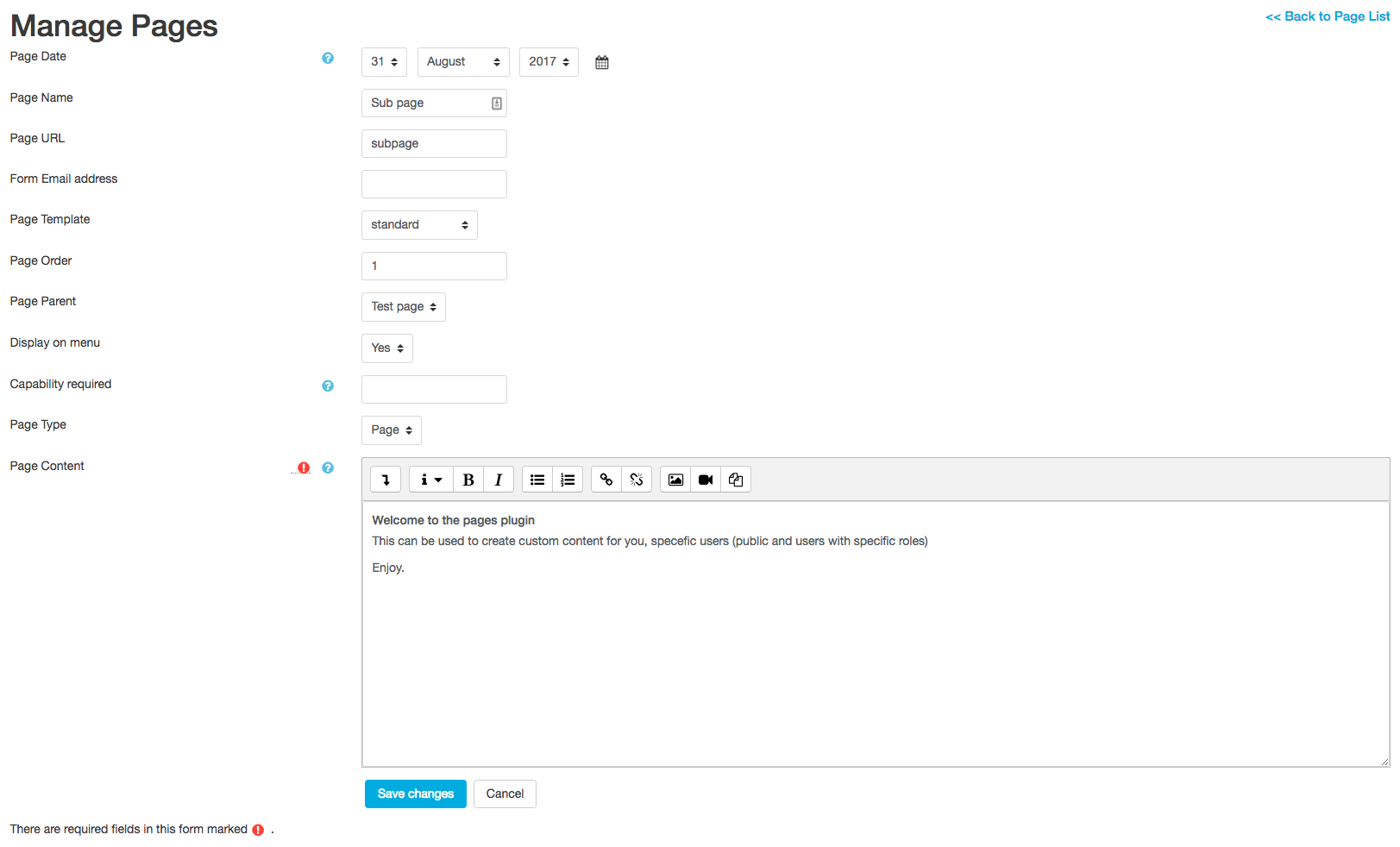
The menu options are for building the menu tree on the navigation block.
'Display on menu' means that the pages will appear on the Moodle 'navigation' block.
Page order is the order the pages will appear.
Pages will show under the page parent selected (Unless the page is a form type - which is a special type of page)
Items that have no page parent are considered top level.
So in effect, the pages plugin will build a menu tree for the navigation block:
> Top Level
--- > Subpage
--- > Subpage
I'm puzzling with the functionality of the "display on menu" field in combination with "Page Parent" field. What's does this do?
I'm thinking about automatic creation of a top page with a menu of the subpages
Bert
Compliments!! This is what we need. Keep up the good spirit
Bert
Why does not the form creation function work? Everything else is okay.
Understand that with the GDPR and privacy items that it has been busy there.
Is there any update on the ETA for plugins being reviewed?