Ascensio System SIA
Lead maintainer

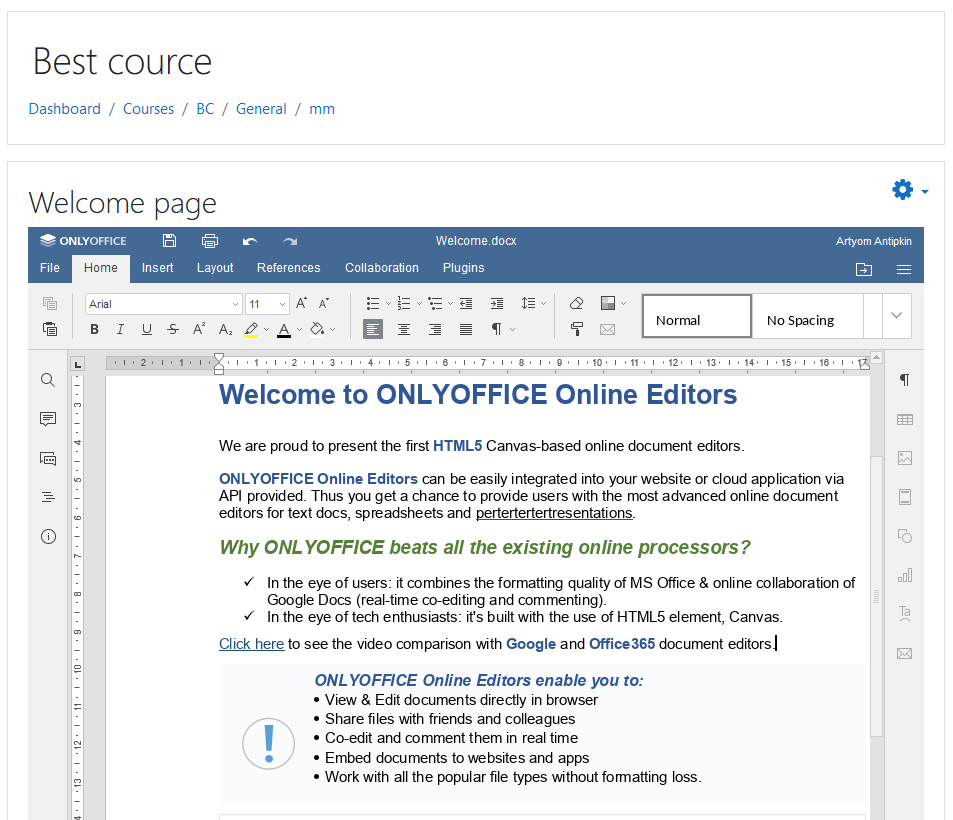
Online office for Moodle
View, edit and collaborate on office documents within Moodle using ONLYOFFICE Docs. Support for popular formats (including DOCX, XLSX, PPTX, TXT, CSV), multiple styling and formatting tools, plugins. Make use of real-time collaboration, the Track Changes mode, comments, built-in chat.
Work on activities
Add instances of ONLYOFFICE activity to your course pages as per usual Moodle practice. Admins/Teachers can choose whether or not documents can be downloaded or printed from inside the ONLYOFFICE editor. Clicking the activity name/link in the course page opens the ONLYOFFICE editor in the user's browser, ready for collaborative editing.
Easy configuration
Once the plugin is installed, the plugin settings page will be opened. Enter the name of the server with ONLYOFFICE Docs installed. Specify the Secret key to protect documents from authorized access.
More info on ONLYOFFICE connector for Moodle you can find on GitHub.

