
ONLYOFFICE Document icon

ONLYOFFICE Document

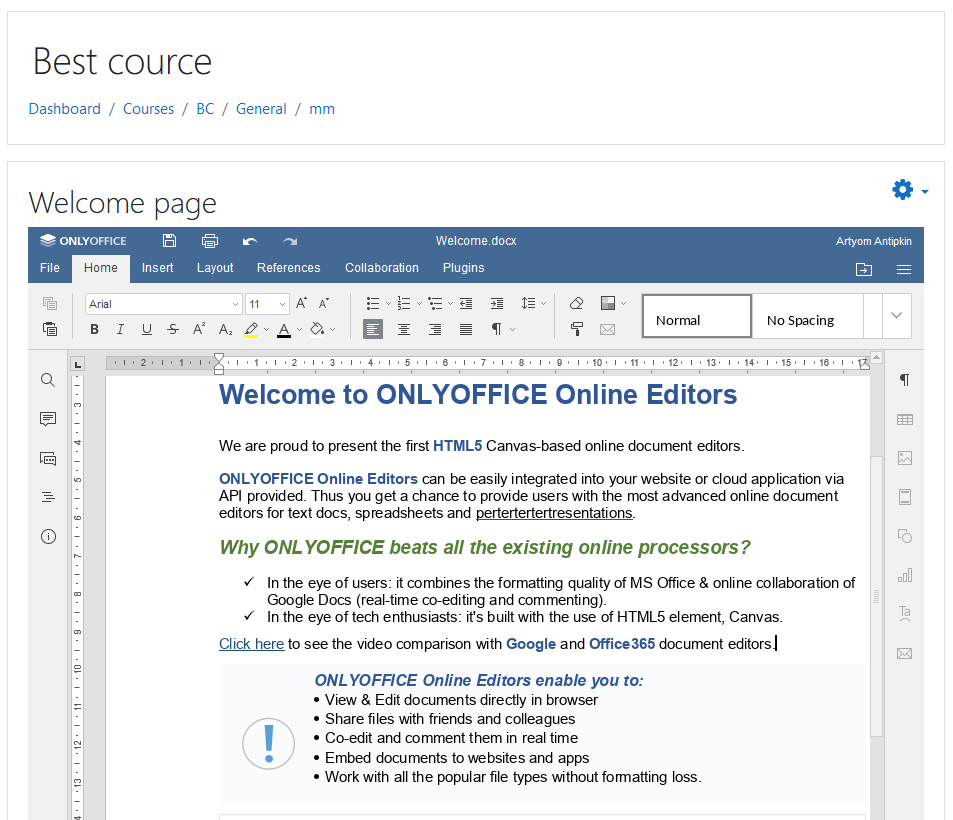
This plugin allows users to edit and collaborate on office documents from Moodle using ONLYOFFICE Docs.
Price option: Free

Supports Moodle 3.9-5.0 See all versions
Latest release: 11 months ago
Installations: 585
Downloads (last 90 days): 213

Frankenstyle name: mod_onlyofficeeditor
Activities

Comments

Comments are no longer open for new posts. Existing comments remain available to read.

Hi,
This error usually means that ONLYOFFICE Docs cannot download the file from Moodle.
1 - The Moodle site URL must be accessible from the ONLYOFFICE Docs server.
2 - Check that the Docs URL is configured correctly in the ONLYOFFICE connector settings. (If Moodle and ONLYOFFICE are on the same VPS/internal network, make sure the internal address is reachable by Docs)
3 - If that still doesn’t help, please report the issue on community.onlyoffice.com.
hello everyone, i have and error when i try to use a onlyoffice document inside of my course. when i opened the send me a message: "download failed". the console says in a json "{errorCode: -4, errorDescription: 'download failed.'}" im using moodle 4.5 with a almalinux 9 vps
get `Unable to connect to ONLYOFFICE Docs. Please check if the server is running and accessible.` at `ONLYOFFICE Docs address for internal requests from the server`
It's doesn't work on Moodle 5.0.
Hello,
The versioning functionnality seems to be disactived if we access OnlyOffice thru this plugin ... Is it possible to activate it or to integrate it in a future version of the plugin ?
Thank you by advance.
Olivier L.
Bonjour. J'utilise ce plugin sur une instance Moodle en 4.4.3 et un serveur Onlyoffice 8.0.1-31 fonctionnel. Lorsque j'utilise le plugin en renseignant le secret (Token) dans les paramètres, j'obtiens presque systématiquement une erreur à l'ouverture d'un document qui dit : "Impossible d'enregistrer le document, veuillez vérifier vos paramètres de connexion ou contactez l'administrateur. Lorsque vous cliquez sur OK, vous serez invité à télécharger le document". En cliquant sur OK, le document apparaît bien, mais les modifications ne sont pas enregistrées. Mais si j'enlève le secret, et que dans le fichier "local.json" du serveur Onlyoffice je désactive les token en mettant les 3 variables à FALSE, le plugin fonctionne parfaitement ! A noter que le serveur Onlyoffice est également connecté à un Nextcloud et qu'il fonctionnait parfaitement avec le token activé, ce qui me fais dire que le problème vient plutôt du plugin moodle (mais sans certitude). Que puis-je faire pour régler ce dysfonctionnement, car je souhaiterais pouvoir utiliser le secret pour des raisons de sécurité ? En vous remerciant. Christophe.
Hello @ny y!
You can disable Chat – to do so, open the plugin admin settings and uncheck the box "Display Chat menu button". You can refer to this guide: https://helpcenter.onlyoffice.com/integration/gettingstarted-moodle.aspx#Configure_block
Could you please maybe share what other elements you would like to be able to turn off? Thanks!
Hello, I use onlyoffice7.1. My use of moodle, may only let students read only the file, need to turn off comments, chat and other distracting functions for students, please teach me how to set up?
Hi Paul! Version 3.0.0 of our plugin is compatible with Moodle 4.0. You are welcome to use it. Thanks!
Is this going to be made Moodle 4.x ready?
Approval issue created: CONTRIB-8831