Vadim Dvorovenko
Lead maintainer
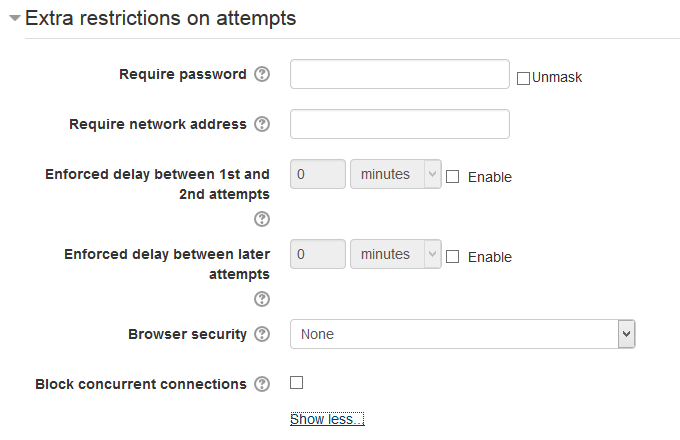
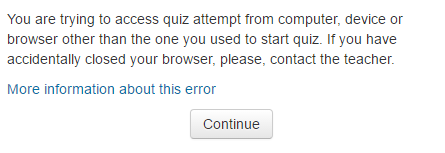
Check "Block concurrent connections" in quiz settings. First time student will access quiz attempt, session information (Moodle session, user agent, IP) will be recorded. Then any student attempts to access this quiz attempt from other computer or device or even browser will be blocked.
This is useful to prevent situation when someone helps student to solve quiz by accessing quiz with students username/password from other computer. This is much simplier then set up subnet access rule - if teacher see that student is attempting quiz that means that no one is accessing this quiz attempt at the same time.
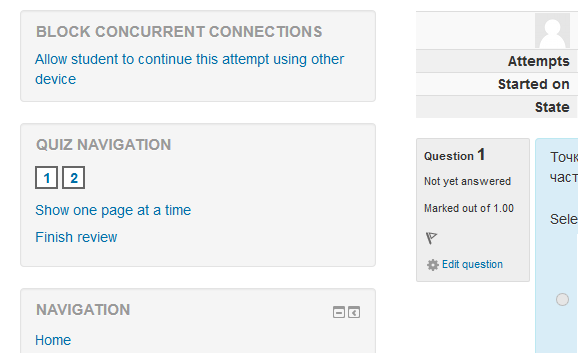
In case when student accidentally closes browser or computer breaks during quiz, teacher can use attempt review page to unlock this attempt and allow student to continue quiz attempt on other device.
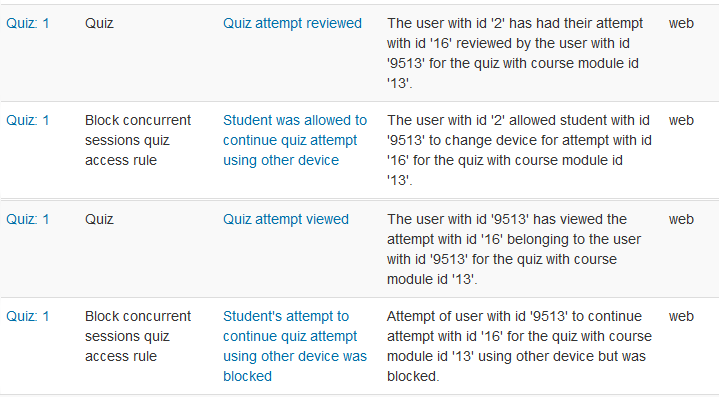
Any attempts to continue quiz from other device are logged, so teacher can see log to determine if someone tried to cheat.

