Block concurrent connections quiz access rule

Requirements
- Moodle 4.2 (build 2023042400) or later.
Installation
Copy the onesession folder into your Moodle /mod/quiz/accessrule directory and
visit your Admin Notification page to complete the installation.
Usage
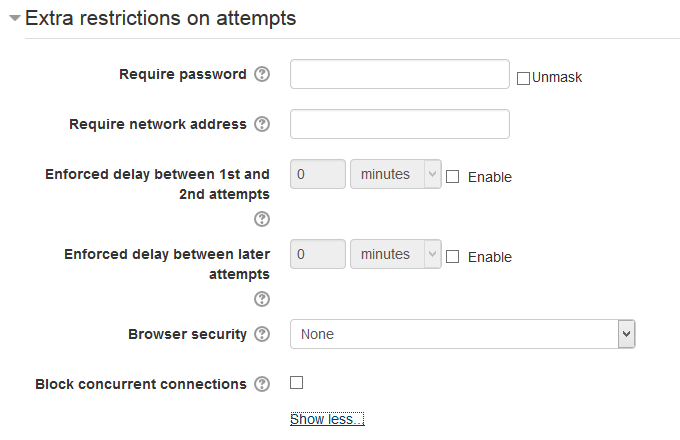
Check "Block concurrent connections" in quiz settings. The first time a student accesses
its quiz attempt, session information (Moodle session, user agent, IP) will be recorded.
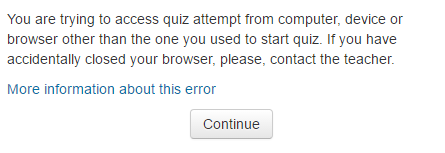
Then any student attempts to access this quiz attempt from another computer or device or
even browser will be blocked.
This is useful to prevent a situation in which someone helps
a student to solve a quiz by accessing the quiz with the student's username/password from another
computer. This is much simpler than setting up a subnet access rule - if teacher see that
a student is attempting a quiz that means that no one is accessing this quiz attempt
at the same time.
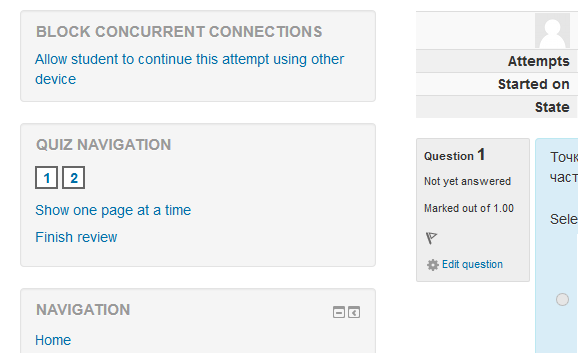
In case that a student accidentally closes the browser or the computer breaks
during a quiz, teacher can use the attempt review page to unlock this attempt and allow the
student to continue the quiz attempt on another device.
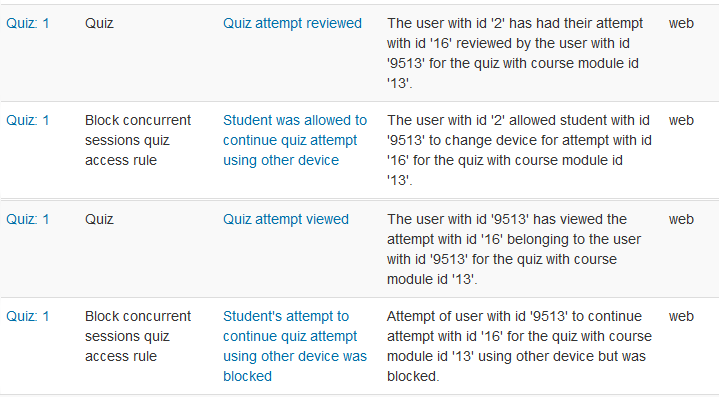
Any attempts to continue a quiz from another device are logged, so teacher can see the log
to determine if someone tried to cheat.
Upgrade from 1.x
Due to changes in the hashing algorithm, when upgrading from version 1.x, all quiz sessions
will be unlocked. This is to ensure that students can safely continue testing immediately
after the update. There is a small risk that someone will use the update to cheat a quiz
that was started before the update. If this worries you, limit the time of the quizes so
that all attempts complete before the update begins.
Author
- Vadim Dvorovenko (Vadimon@mail.ru)
Links
Changes
Release 0.9 (build 2016042100):
Release 1.0 (build 2016042800):
Release 1.1 (build 2021010300):
- Privacy provider implementation.
Release 1.2 (build 2021010301):
- Setting to exclude some networks from IP check. Thanks to Roberto Pinna.
Release 1.2.1 (build 2022020600):
- String fixes. Thanks to Luca Bösch.
Release 2.0.0 (build 2024010802):
- Removed support for versions prior to 4.2.
- Changed hash algorithm from md5 to sha256 with random salt.
Release 2.0.1 (build 2024010802):
- Changed unlock block title