Completion Progress
Maintained by
Jonathon Fowler
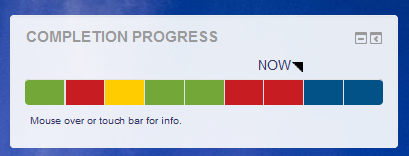
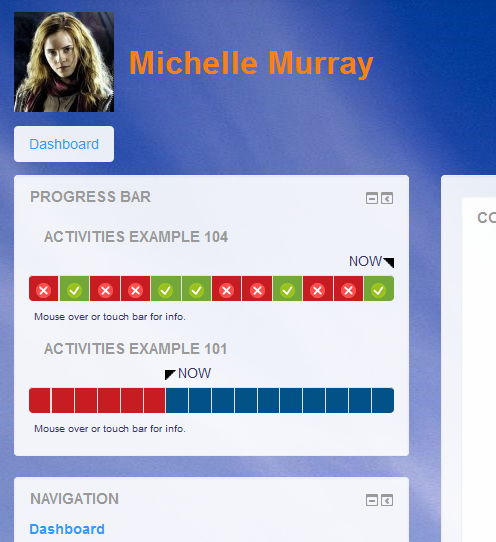
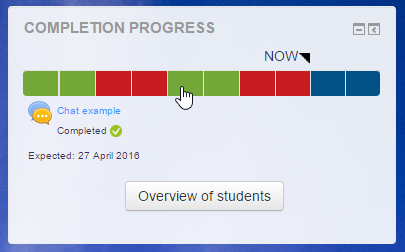
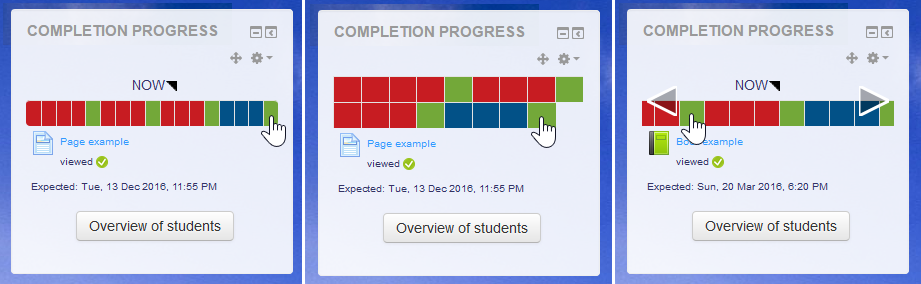
The Completion Progress block is a time-management tool for students.
Comments
Comments are no longer open for new posts. Existing comments remain available to read.
I think that should be resolved in the latest version from a few days ago. Let me know if that doesn't work for you.
Michael
I would like to continue to have the messaging functionality, but it would require a bit of re-write to the Overview page. If someone with time is willing to work ahead on that, I'd be happy to work with them.
Hi, Dave.
I don't think there should be any additional colours. I would personally prefer one less. Keep in mind that this plugin was not designed for teachers, but primarily for students, to assist in managing their time.
Michael
Can I suggest a potential improvement (not sure if it is possible to code or not)?
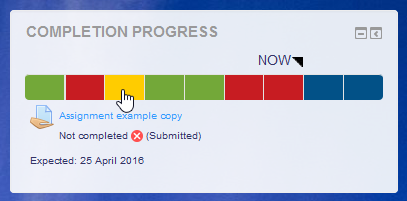
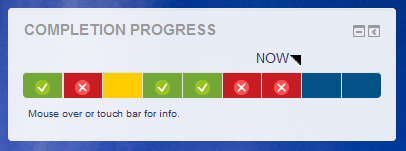
If a student submits an assignment, the block turns yellow. This is then graded by the teacher, who gives it a refer grade and the block turns red. The student then resubmits their work - but the block remains red. Would it be possible to introduce another colour (possibly orange) to change the block to to indicate that it has been resubmitted. I have tutors working on courses, who are using this plugin exclusively to manage their marking - e.g. they have got used to anything turning yellow requires their attention - but some are missing the resubmissions that remain red.
thanks in advance.
As I mentioned in my last message, I've had to remove the messaging and notes functions from the latest version. Sorry if you were relying on that.
Hi, Bobby.
If an activity is visible, but inaccessible, then this should appear as you have described.
Michael
I've added this Block to 2 different Moodles (both running 3.4 latest version) and on one it runs fine, on the other the visual bar grid that displays the assignments is greyed out. The cursor turns into the do not enter sign (round circle with red line through the middle) when I move it over the bar.
Any ideas to rectify this?
Regards
bobby
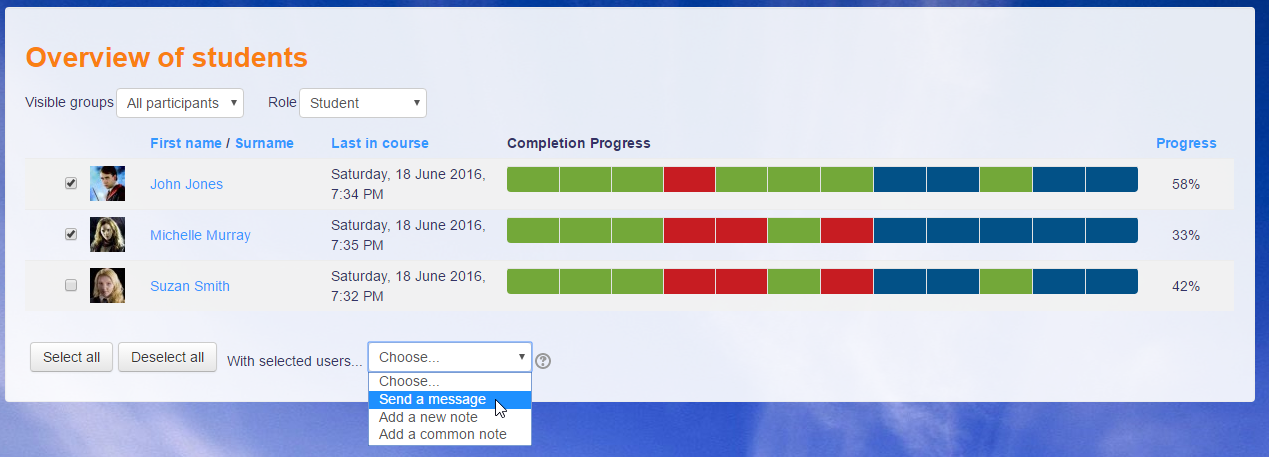
I have upgraded to this plugin on my M3.4 site. It works great, EXCEPT it doesn't have the option to select students and 'Send a message'. How can I enable this feature?
I've added a new version that fixes the JS issue. Unfortunately this means that my hacked in copy of the messaging controls had to be removed as it is no longer backwards compatible.
Will there be a version compatible with Moodle 3.4 and beyond? If so, when do you think we can expect to see a 3.4 compatible version?
Thank you for your fast answer. Let me rephrase my question: In each activity, in the Activity Completion parameter, theres is a Exptect completed on Date. But there is no information about due Time for that date. If a homework is due for January 25 at 6:30 PM, and a student complete the homework at 3:30 PM the same day, will he/she get a late mark (a red mark) in the completion progress bar?
There is an "expected by" setting for each activity in the completion settings.
Thank you for this great plugin that I use in all my Moodle classes! However, in the previous version, it was possible to set a date and time for handing over a homework assignment. Now that the logic of the progress bar is based on activity completion tracking, it does not seem possible to specify the time of delivery. Example: a job is due on January 25 at 18:30. On our Moodle installation, the bar turns red for this work well before the delivery time (the exact time of the red change seems unknown by the Moodle support staff). So, how to control the display of the progress bar to the minute? Thank you!
Thank you for this very useful plug-in. Any idea when the version for Moodle 3.4 will be available?
Coding error detected, it must be fixed by a programmer: Attempt to require a JavaScript file that does not exist.
×Debug info: /user/module.js
Error code: codingerror
×Stack trace:
line 702 of /lib/outputrequirementslib.php: coding_exception thrown
line 838 of /lib/outputrequirementslib.php: call to page_requirements_manager->js_fix_url()
line 1119 of /lib/outputrequirementslib.php: call to page_requirements_manager->js_module()
line 1098 of /lib/outputrequirementslib.php: call to page_requirements_manager->js_init_code()
line 352 of /blocks/completion_progress/overview.php: call to page_requirements_manager->js_init_call()