Completion Progress icon

Completion Progress

Maintained by Jonathon Fowler
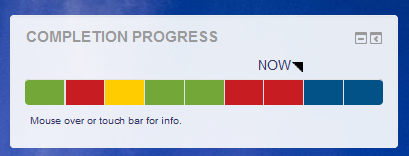
The Completion Progress block is a time-management tool for students.
Price option: Free

Supports Moodle 3.9-5.2 See all versions
Latest release: 3 months ago
Installations: 17440
Downloads (last 90 days): 3608

Frankenstyle name: block_completion_progress
Blocks

Comments

Comments are no longer open for new posts. Existing comments remain available to read.

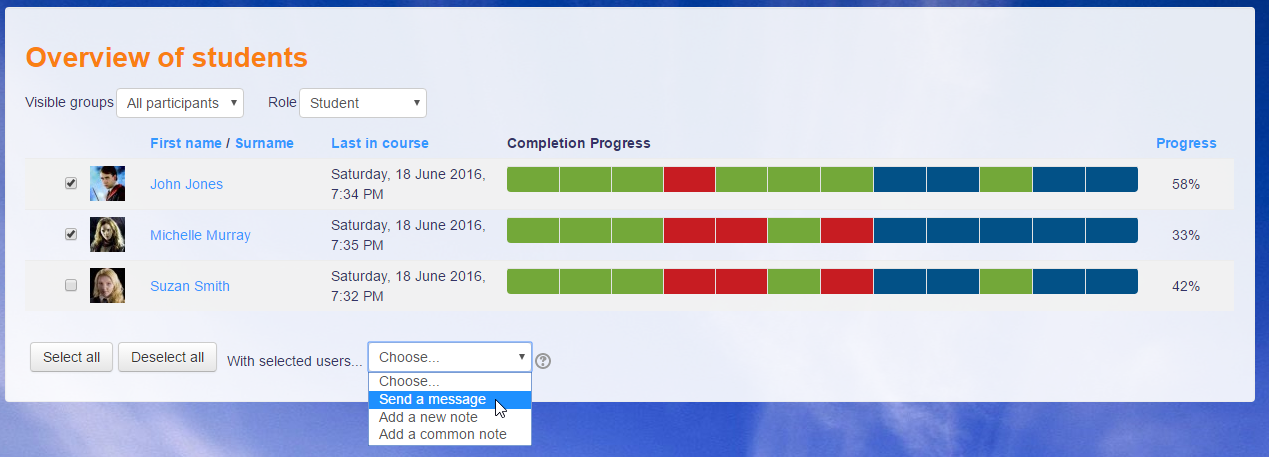
This plugin has worked well for us in the past. We upgraded our site to M3.9.1 yesterday. One issue we are noticing now it that in "Overview of Students" the width allotted to the progress bar is very narrow but there are large empty spaces around the checkbox, student image, and progress %. I've switched to the "scroll" option but I prefer the squeezed. Is there any way to adjust the relative width of the columns of the table? I'd like to make the bar at least 2 or 3 times as wide. Not sure if this will work - but here is a link to a screen shot. https://drive.google.com/file/d/16pecj7PE1V5wlsjW_Jso7jLbnkW-jcO3/view?usp=sharing
Thanks for your help. John
I have just published a new version that fixes the select all/none issue on the Overview page and advertises support for Moodle 3.5–3.9.
Hello, everybody!!! Has anyone tested this plugin in version 3.9?
Hi, we are upgrading from 3.5 to 3.9 and would like to continue use of this plugin. Will it work on 3.9 or are there plans to release a version for 3.9?
Hi, Stephen.
Yes, there seems to be a problem with the JS selection on the Overview page. I've passed this back to the dev who put forward the patch that I think led to this and hopefully he will be able to contributed a fix.
I am running the current version on 3.8. For some reason the "select all" and "deselect all" buttons will not work when I try to use them in the overview area. I can't figure out why. Am I missing something? Thanks.
Hello -- I'm on 3.7 - when I do a full backup a course that contains several completion progress block (each configured to be visible to a specific group), once I restore into a new course, only the first instance of a completion progress block restores, and it reconfigures to 'all participants' -- I wasn't sure if this was a bug I should report as a MDL or something going on specifically with me? Has anyone else experience this?
Are there any plans in progress to update for Moodle 3.9 soon?
@John Provasnik, when. we place, for each course one will appear. In case if a learner is enrolled into as many as 10 courses from different categories, then learner will see 10 , so thought if this is category wise, that display will be good.
Sushumno - this plugin is designed to show progress of one course at a time. However, place the block on the student dashboard and they can see all the blocks in one place.
Hi Michael de Raadt,
Thanks for updating this plugin. I have a request. Is it possible to display category wise progress? As we have users who enrolled into various categories and want to show them their over all completion progress. Please do let me know if there is a chance.
Hi Michael! here's a great idea for the next version: to add one more color block for the past due tasks that were not sent. greetings! =)
Thanks for this plugin. Would it be possible that activities invisibles to students but avalaible to them shows in the block ?
Hi, Henrik.
I can see some value in that. I'm not too keen to code that myself, but feel free to make such changes if you can.
Michael
We have 2 questions (improvements)
1. If you click on a label in the progress bar – nothing happens – can it be made so when you click you automatically scroll down to the label, on the course page.
2. When you click on an assignment or file, you are sent to the assignment page. Can it be made as an option? (foreach in the block setting). So, you either is send to assignment, or send (scrolled down) to assignment on course page. On long course pages some users might lose track of where they were on the course. (Yes, we have some long courses)