Completion Progress icon

Completion Progress

Maintained by Jonathon Fowler
The Completion Progress block is a time-management tool for students.
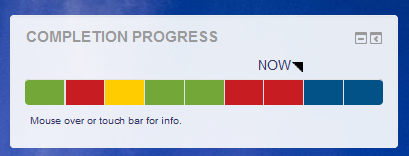
Price option: Free

Supports Moodle 3.9-5.2 See all versions
Latest release: 3 months ago
Installations: 17440
Downloads (last 90 days): 3608

Frankenstyle name: block_completion_progress
Blocks

Comments

Comments are no longer open for new posts. Existing comments remain available to read.

We are getting random occasions when the completion isn't being marked off as being completed. This is happening mainly in Quiz activities and despite 3-4 following attempts will not mark as being completed. After checking, it appears the first attempt is when a user has used a mobile device? Is anyone else experiencing this and is there a way we can manually mark off completion? Thank you.
I've only tested this with Assignments. But the response (color) of the Completion Progress Bar depends on how you set the "Activity Completion" settings for the activity. If your quiz doesn't have an "Activity Completion" setting option, you may have this turned off for your whole course under Course settings. Hope this is of some help!
Hi
We've notice that if using scales (Competent / Not competent), the completion progress bar does not register a submission for quizzes. It only registers if the submission is marked and does go green if competency achieved. Does anyone know why this might be occurring?
Good afternoon!
I ran into a problem like this: when clicking on the table column header link in the page /blocks/completion_progress/overview.php, the sort works only in one direction and does not change.
moodle version: 3.9+ (Build: 20200704)
PHP Version 7.2.34-2+ubuntu16.04.1
Hi,
When using Assignment activity and the students submit in groups and the Activity completion is set only to request "Student must submit to this activity to complete it ", then the progress bar only turns yellow. Is there a bug?
BR. Per
James - There is an indirect way of opening these in new tabs. We suggest this for our trainers who have a large number of assignments to grade. See this excerpt from one of my video tutorials. https://drive.google.com/file/d/1VFHmEfs-lRCFkIKnDzQMndB3m4x_wpGN/view?usp=sharing
James - have you seen this plugin: https://moodle.org/plugins/block_grade_me this is really useful for assignment markers to see what needs marking, including a direct link to the exact marking page for each submission. I use this in hand in hand with the completion progress plugin - and think they work brilliantly together.
Hi and thanks for this great plugin, is it possible to change the code so that when you click on one of the tiles/blocks it will open the target assignment in a new window as opposed to self, it would be a great feature for assignment markers who are reviewing submissions from a student, hope that makes sence and thanks in advance.
Regards
James.
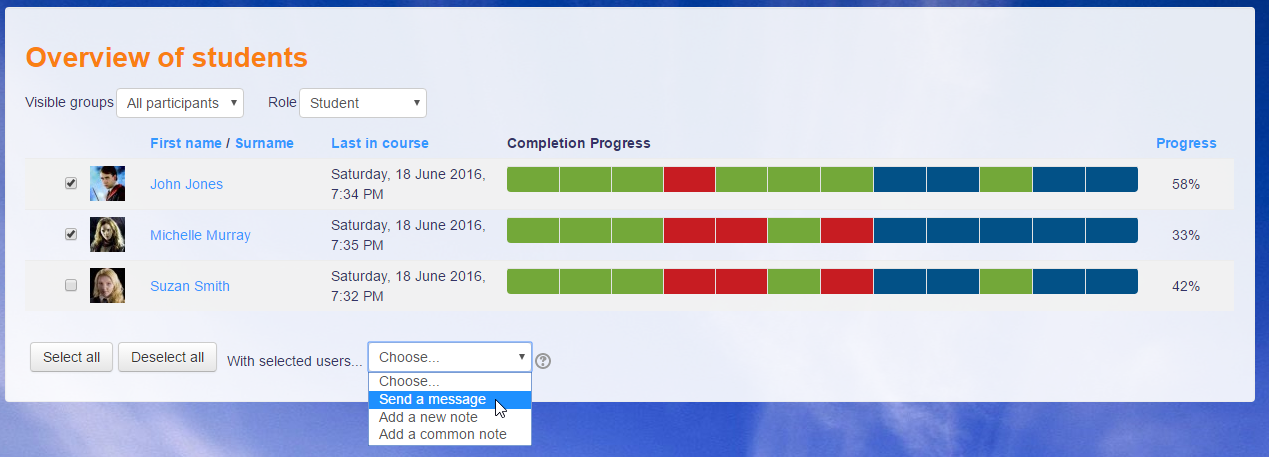
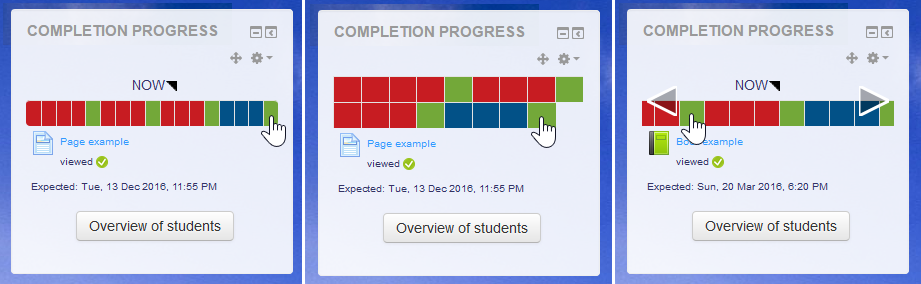
Jonathon, Thank you for the update. The Progress Completion Bar is functioning well again. Some of our courses have 60 or 70 monitored activities so that bar was really impossibly compressed before this fix. I appreciate the quick response.
John
The release I just published will fix the column widths problem.
Jonathon, we are using Fordson for both the Frontpage theme and also for this particular course. But switching the course theme to Boost did not change the display widths.
It appears that a recent change in 3.9 (MDL-69336) has busted the setting of column widths on the table.
@John: I did not notice a problem with either Boost or Classic themes when I tested them. What is your site's theme, or which theme is it derived from? Feel free to email me if you prefer (address in profile).
John - Hopefully someone from the development team of the plugin, will comment to clarify - but I have a hunch that the squeezing of the table may be created by Moodle itself rather than the plugin. I notice that the layout of the table in the forum activity has done the same thing, and somewhere else (but I forget where) since upgrades.
As a follow up to my comment on 7 Aug. I now see that, with our upgrade from M3.5 to M3.9.1, the Completion Progress Bar also was upgraded to a new version. I am checking now to see if we can just revert to the old version again which has the wider bar. I am still curious if the new version can be adjusted to display a wider bar. Thanks, John