
Learning Tools
Maintained by
Stefan-Alexander Scholz, bdecent gmbh
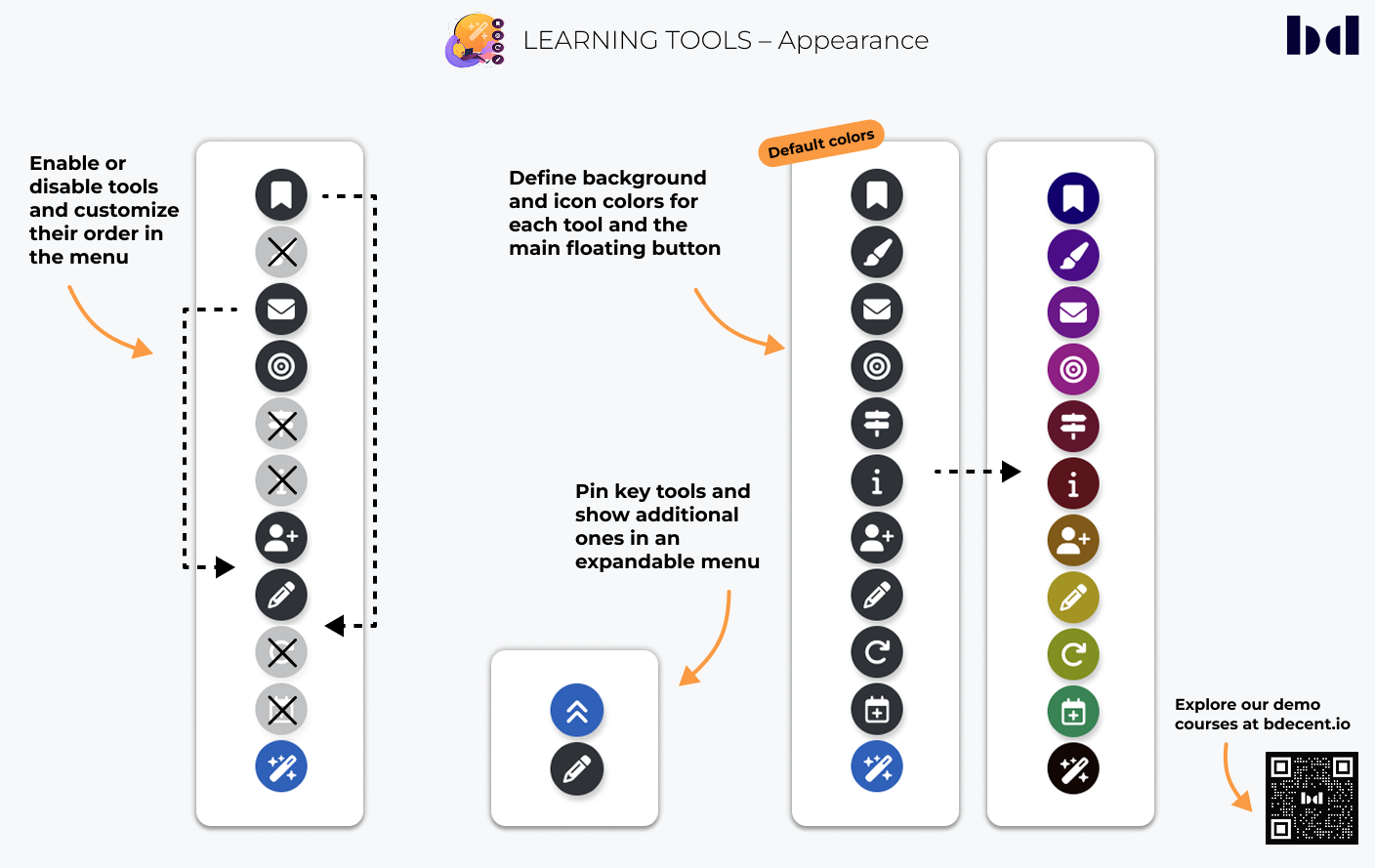
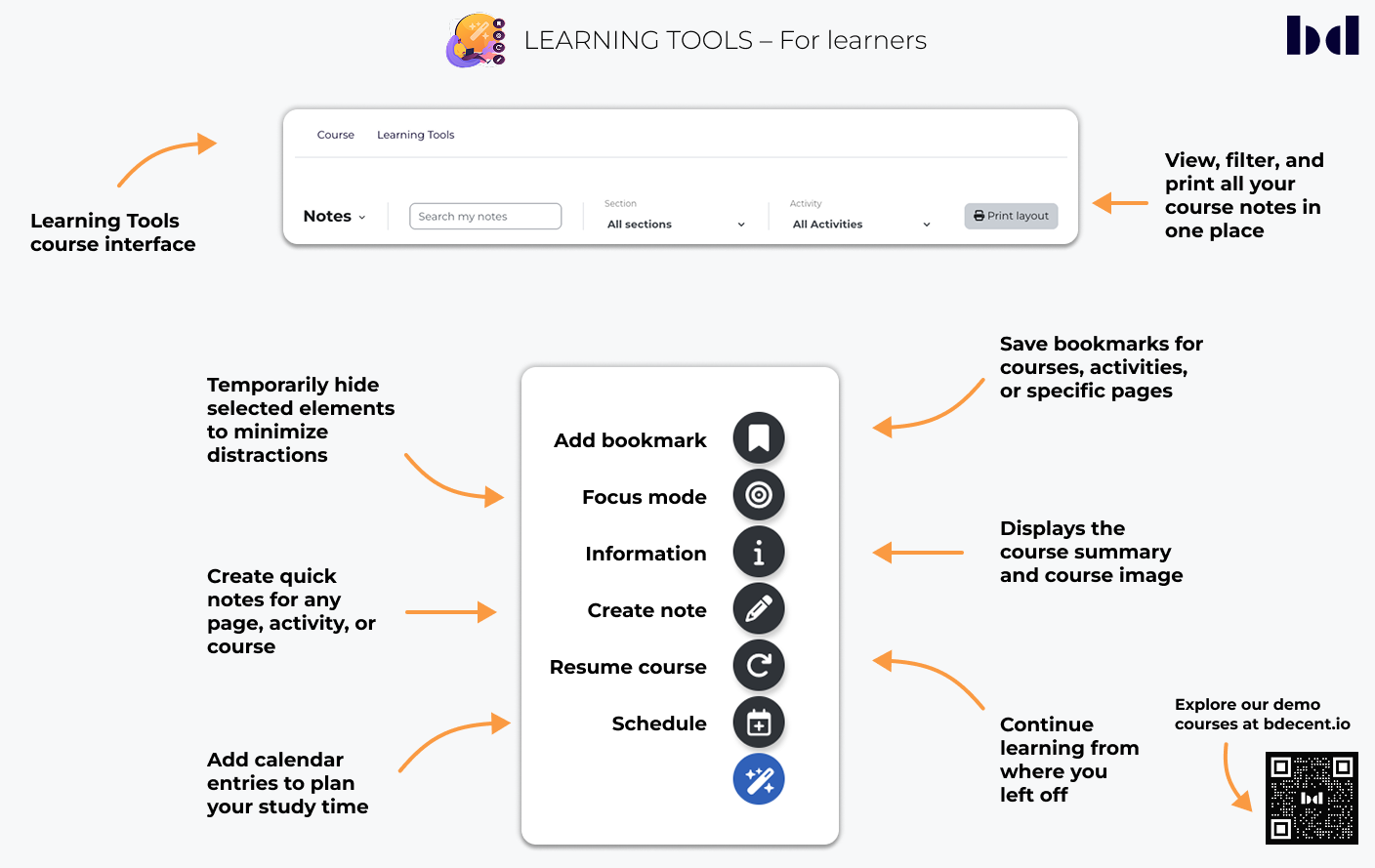
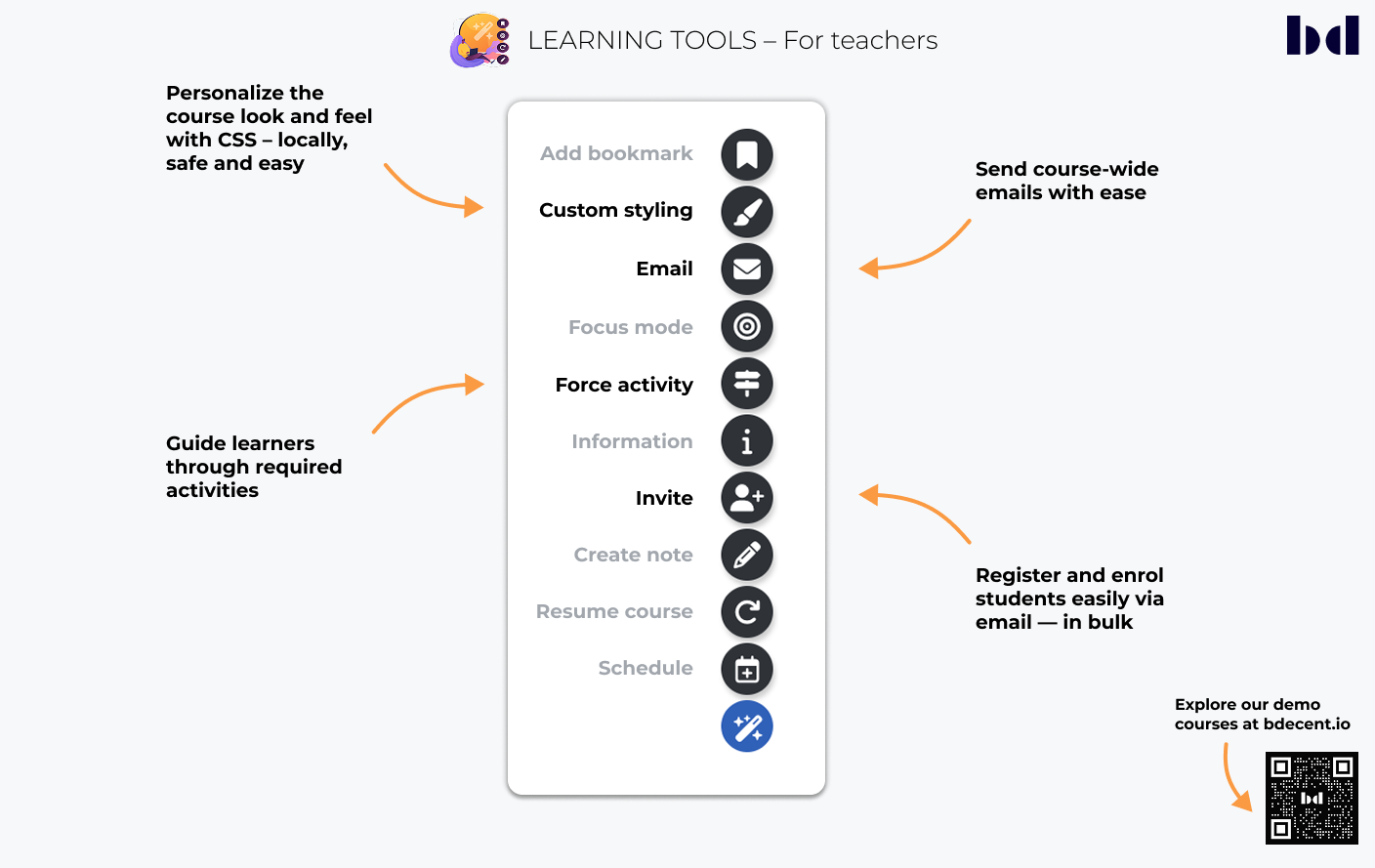
Create bookmarks, take notes, schedule activities and focus mode for better learning experiences … and much more!


Comments
Comments are no longer open for new posts. Existing comments remain available to read.
Sorry to hear that you have issues. This section is not the right place though for bug reports and without more detail, there’s not much we can do.
Please send me the exact error message, how to reproduce it and the moodle version you use, the theme you use and the learning tools version you use via email or open a GitHub issue for it (later is preferred and the usual approach).
Since you are the first to report such an issue, and it never occurred during our testing, it’s likely that it is something specific to you installation. Maybe a conflict with another plugin. The error message often provides hints to the specific cause, if it does not, you might need to turn on debugging to get the full error message.
Thanks
Stefan
Thank you much for feedback. I would love to stay tuned for more. In the meantime, I have encountered a problem. I receive an error message, when trying to access the Moodle User as admin. My provider says, when Learning Tools is set to be active on a specific category. This happens. So in our case, we had to hide all the functions or deactivate. Because we have not yet implemented the Tool to staff and students. Maybe you could look into that problem?
- Kenneth
The focus tool is the same in free and pro.
It’s technically speaking a very simple (but powerful) tool: when focus mode is enabled, a number of css styles are applied to the site. If you’re not using the default theme of moodle (boost), you might need to adjust these styles. It’s easy to do and can be done directly in the global settings, just adjust the css to your theme.
Very happy to hear that you like learning tools! We’ve got some amazing additions planned, so stay tuned!
Hope this helps!
Stefan
I have installed the fantastic Learning Tools on our Moodle site. However the focus button does not seem to work. Is there any differences to the focus tool with Learning Tools pro?
- Kenneth
I don’t know, give it a try and let us know if you run into any issues. Since edumy is a paid theme, best to contact the vendor if you run into issues.
Cheers
Stefan
Ive installed your theme on one of our test sites and it seems to work just fine.
Here are the most common problems:
1) Java Script errors - please check if your moodle site has any issues with JavaScript; these could prevent learning tools from working properly.
2) A wrong configuration; learning tools can be configured to display everywhere, or just on specific course categories. Maybe that’s the problem?
3) a theme (or third party plugin) which conflicts with learning tools; in order to test that, disable them one at a time to see which one may cause the problems.
Feel free to reach out to me directly via chat.bdecent.de and I can help finding the issue.
Hope this helps!
Stefan
Thank you so much, for replying. Will try it out.
- Happy Easter
You can see the available translations here:
https://moodle.org/plugins/local_learningtools/translations
Dutch is not yet available. If you can provide a full translation, you’ll get a free pro license as a thank you.
Focus Mode depends on the theme, because your theme might use different classes and styles.
Best to test with boost, but you can easily adjust the styles in learning tools‘s settings page.
Stefan
- Kenneth
We do not add the links to notes and bookmarks automatically to the user menu, but we have added instructions how to do it in the global settings. Essentially, you just need to copy and paste the following into the „customusermenuitems“:
bookmarks,local_learningtools|/local/learningtools/ltool/bookmarks/list.php|b/bookmark-new
notes,local_learningtools|/local/learningtools/ltool/note/list.php|i/edit
Hope this helps!