Report Orphaned files icon

Report Orphaned files

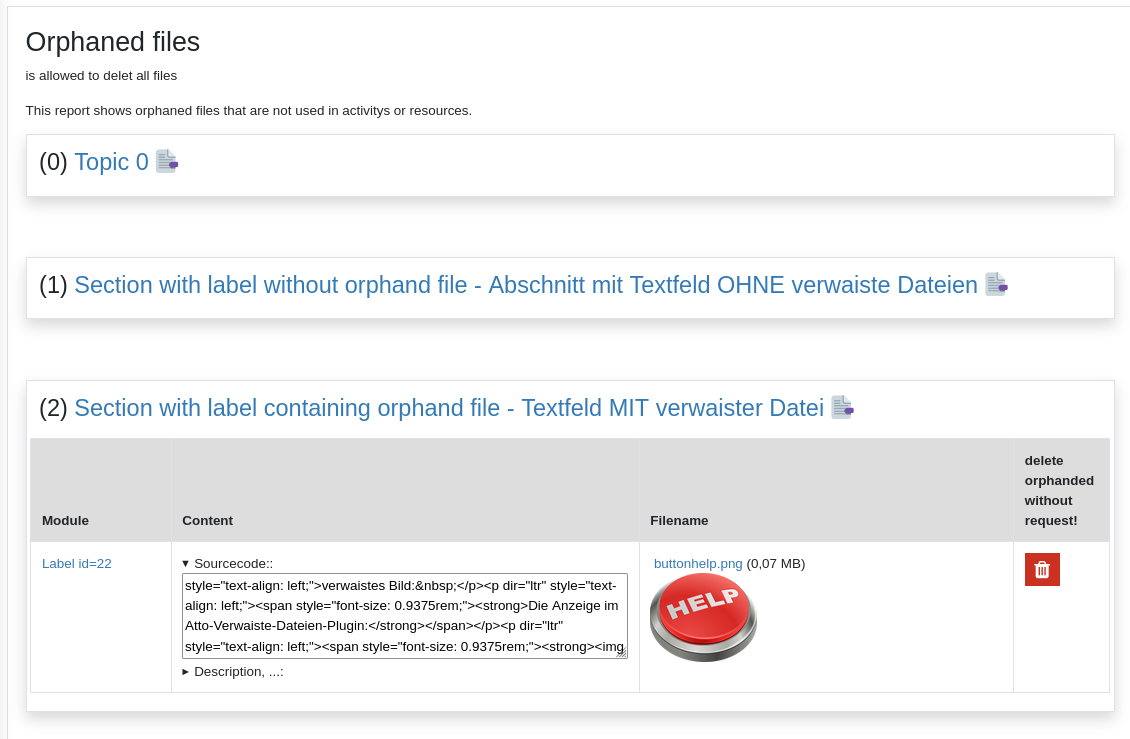
# Report Orphaned files # This plugin is a report to show files that are stored in moodle but are not in use.
Price option: Free

Supports Moodle 3.9-5.0 See all versions
Latest release: 11 months ago
Installations: 187
Downloads (last 90 days): 56

Frankenstyle name: report_sphorphanedfiles
Reports

Description

This plugin is a report to show files that are stored in moodle but are not in use.

Example:

A teacher adds a material "label" into a moodlecourse and uploads an image to this label. Then the teacher recognize that this was the wrong image and selects the image and deletes the image. Now the teacher adds the correct image. The problem is, that the first uploades image ist still stored in this label. This can be seen by clicking at the "manage files" icon where unused files are indicated at the bottom of the shown dialog.

This report only shows orphaned files that are stored by a teacher in the intro-field of added moodle activity or moodle material. The files that are added by students are not checked.

How to access the report

In the course menu there is an additional node if the user has the capability to see the report.


Capabilitys

The capability to view the report is set for 'editingteacher' => CAP_ALLOW, by default.


Settings

By default the report is not activated after installation. It can be activated for every user with the capability report/sphophanedfiles:view or only for siteadmins.
If you additional plugins to your moodle and you want the report to check if there are orphaned files you have to add the name of the plugin into the commasperated list.


Contributors

Awards

Privacy friendly