Report Orphaned files icon

Report Orphaned files

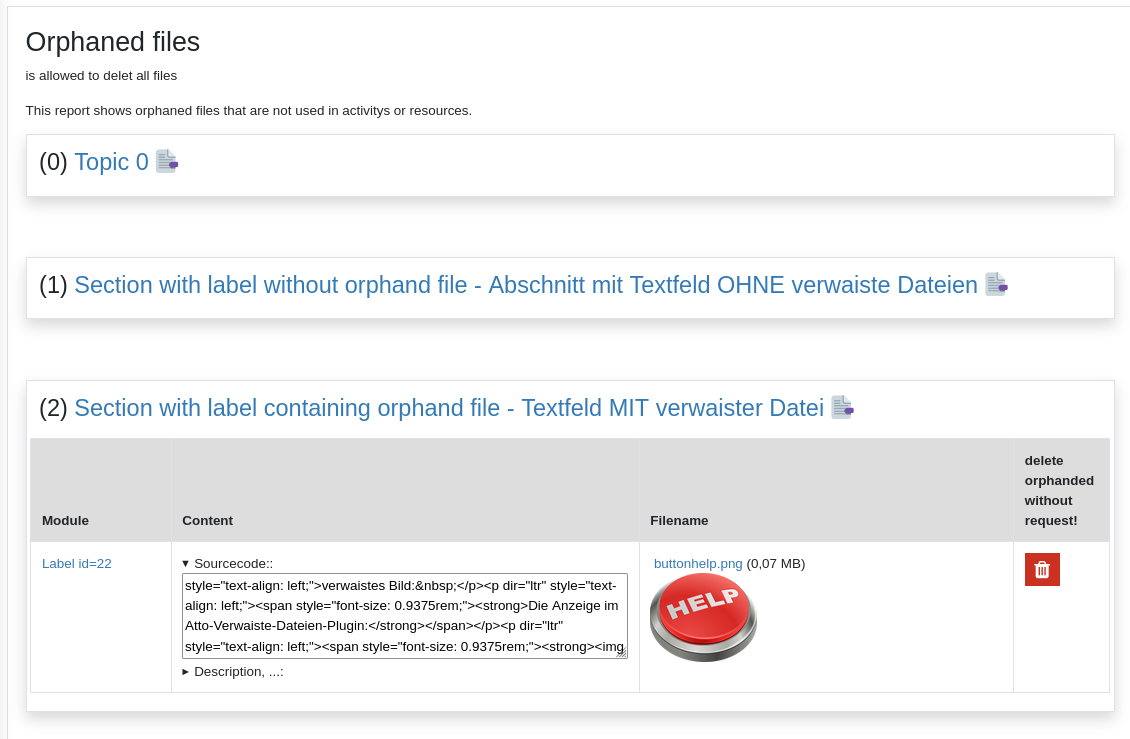
# Report Orphaned files # This plugin is a report to show files that are stored in moodle but are not in use.
Price option: Free

Supports Moodle 3.9-5.0 See all versions
Latest release: 11 months ago
Installations: 187
Downloads (last 90 days): 56

Frankenstyle name: report_sphorphanedfiles
Reports

Comments

Comments are no longer open for new posts. Existing comments remain available to read.

I just removed the branch development_moodle_405 because it was just for develoment and not a releasebranch. Some problems became apparent that has to be fixed. The development_moodle_405-version does not work correctly at the moment.
It's a very useful plugin but we're getting an error message and Site administration > Notifications stop working. I had to uninstall do get access to notifications again.
'Coding error detected, it must be fixed by a programmer: Unknown parameter type '1''
We´re using Moodle 4.4.3 installed on Apache and Maria DB.
The same problem was reported 1 month ago with Moodle 4.5 https://github.com/schulportalhessen/moodle-report_sphorphanedfiles/issues/11
The error message shows when:
- I try to save the plugin configuration .../admin/settings.php?section=reportsphorphanedfiles
- At Site administration > Notifications .../admin/index.php
Plugin configuration:
report_sphorphanedfiles | isactive = yes
all other parameters set to default values
report_sphorphanedfiles | isactiveforadmin
report_sphorphanedfiles | handleractivitiescore, report_sphorphanedfiles | handleractivitiesplugin, report_sphorphanedfiles | handlermaterialscore, report_sphorphanedfiles | handlermaterialsplugin
Great plugin with Moodle 4.1, THANKS!
I would love to be able to use it with my other and bigger server Moodle 4.5, but it crashes at the installation process. sad
@andreas Schenkel I discovered that it has to do with the theme used. When I use the default Moodle theme (without forcing a theme) or some other themes it doesn't appear. However, when I use themes like Fordson it appears.
@andreas Yes. I activated it but I still can't find it in the course administration or on the website.
@Inna No, it only checks the activity intros.
@Efraim By default the report is not activated. You can activate it in the pluginsettings in websiteadministration.
I installed it but it doesn't appear anywhere.
Instalei mas não aparece em nenhum lugar.
Very helpful plugin. Does it support different question types? I mean if i have orphaned files inside quiz questions. Thanks
@pavel Have you installed version 2.0.4 for moodle 4.x or 2.0.3 for moodle 3.x ?
Hice todo y no se visualiza el menu del plugin en la navegacion del curso.
Approval issue created: CONTRIB-9021