Quickmail icon

Quickmail

Maintained by Robert Russo, David Lowe
A block that provides selective, bulk emailing within courses. Developed by LSU.
Price option: Free

Supports Moodle 2.1-4.5 See all versions
Latest release: 6 months ago
Installations: 3303
Downloads (last 90 days): 600

Frankenstyle name: block_quickmail
Blocks

Comments

Comments are no longer open for new posts. Existing comments remain available to read.

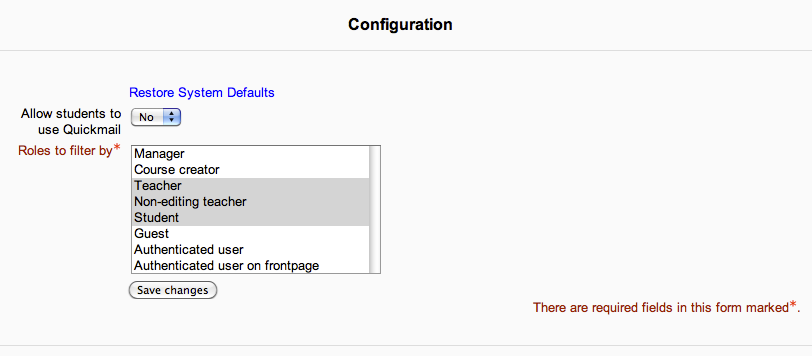
Hello everyone, I write first to thank you for this block, it is very useful. On the other hand, request that in future versions incorporate the "fullname" as an option in "Prepend Course name".
- quickmail / config_qm_form.php - line 57
     $ options = array (
         0 => get_string ('none'),
         'idnumber' => get_string ('idnumber'),
         'shortname' => get_string ('shortname'),
         'fullname' => get_string ('fullname')
     );
- quickmail / settings.php - line 68
     $ options = array (
         0 => get_string ('none'),
         'idnumber' => get_string ('idnumber'),
         'shortname' => get_string ('shortname'),
         'fullname' => get_string ('fullname')
     );
Thank you very much.
Best regards.
Verónica.
Hi Chad, thank you very much. This was fast! I will test it. Best, Christian
Christian, should be fixed now. Please let me know if you are still experiencing errors. Thanks.
Hey Christian, thanks for reporting this. I'll look into the issue right now and put up a patch to fix. Will report back here when it is done.
Chad
Hi Chad, concerning the error "if you have not selected any recipient users ": I created an issue: https://github.com/lsuits/block_quickmail/issues/236
All the best,
Christian
And to answer your question about screenshots, JoJo, "no" I don't think you can add screenshots here. But I'd be happy to work through this problem with you offline through email. I'm at cmazilly@lsu.edu if you want to send it.
Chad
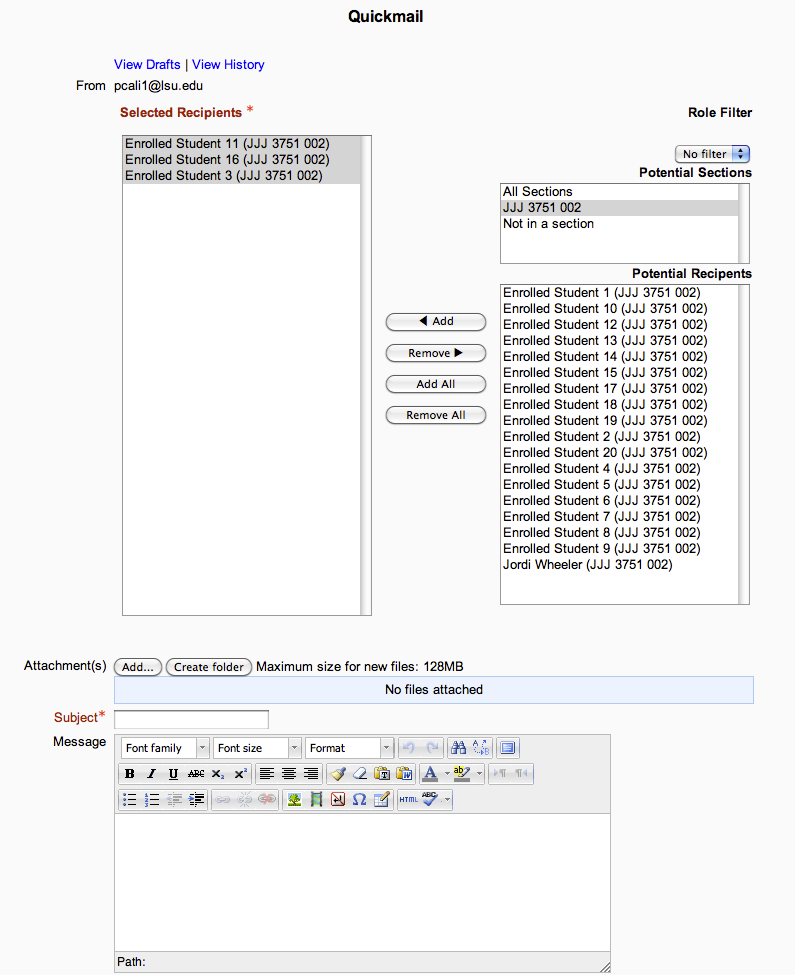
To get back to the issue though, I'd be interested in getting some feedback on how this "course-scoped" email interface could be improved. I know it has a few JS issues, and it is not entirely mobile responsive. As you probably know, I'm (still) working on a rewrite and am at this exact point right now. To me, the current interface seems like it is tried and true, seems to fits everyone's needs, but are there any pain-points that you run into when working with this form? By this I'm referring to the two multi-select boxes, the filter select, and the potential sections. Any recommendations on making it more user friendly?
On the admin_email side, I can't really think of a better way of dealing with it since it is Moodle core selection.
Chad
You all are spared... this time.
I'm sorry
LOL, sorry about that. JoJo started it...
If you would call Marvin The Martian... "Martin", he would zap you all!
Great point, Martin. There are actually two ways that Quickmail sends messages: one is from within a course to it's selected enrollees (email.php), another is from an admin perspective (admin_email.php). The latter is what Martin is talking about and the button may be called "Add filter".
Hello Chad and Martin. Thank you for your patience. I do not see an "add filter" button. I have selected recipients. Is there a way I can add a screenshot to this forum to show you?
Hey JoJo,
That error is thrown only if you have not selected any recipient users (or have not entered any "additional emails" to receive either).
When are you getting this message? Are you sure that you've actually added the recipients to be emailed through the main email form?
Chad
Hi JoJo. I think this happens to all of us in the begining. Well me. You have to remember to click "Apply Filter" button AFTER you select all the criteria.