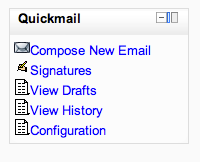
Quickmail
Maintained by
Robert Russo, David Lowe
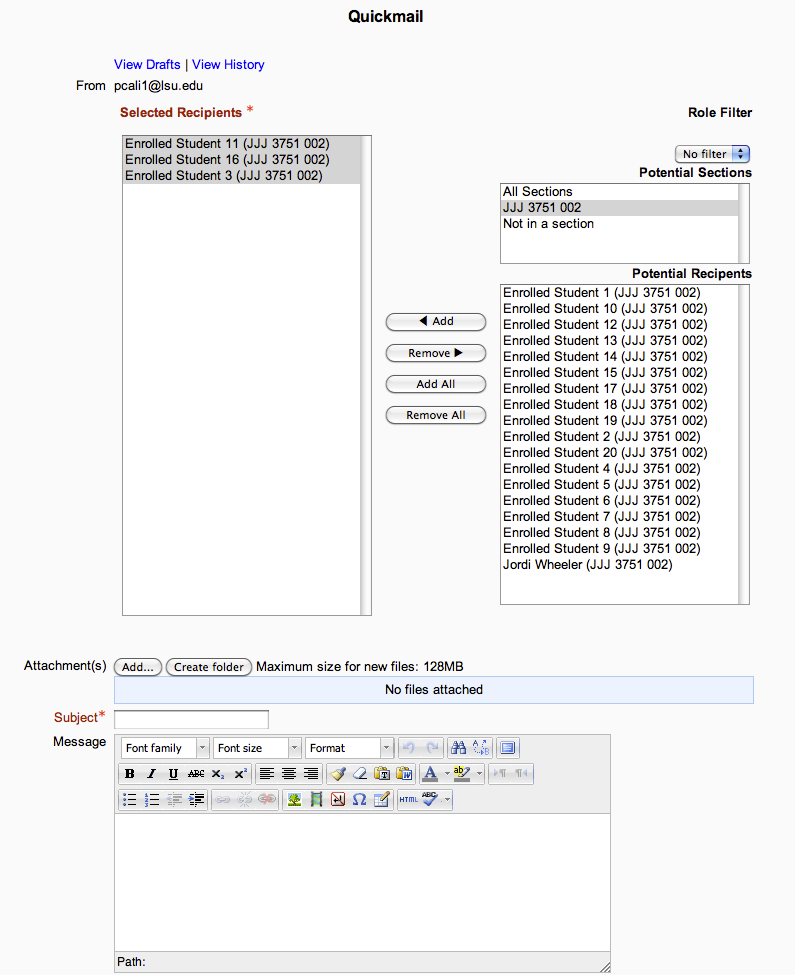
A block that provides selective, bulk emailing within courses. Developed by LSU.
Comments
Comments are no longer open for new posts. Existing comments remain available to read.
I installed quickmail in my moodle 2.2 and he doesn´t show me "use external email cliente to send this message" what´s wrong?
https://github.com/lsuits/quickmail/issues/51
You have to replace out your email.php file with the fixed one and the language file. The fix requires a moderate amount of knowledge relating to patching / applying fixes from github.
Would I be able to add this code to the current "emaillog.php file and it work?
/// links to compose new email
echo '
'.
"id&instanceid=$instance->id\">".get_string("composenew", "block_quickmail").' ';
}
Or is there more to the code to be added to make it work? Any help or insight would be much appreciated!! Many faculty used this feature but now you have to go back to the page and block to compose a new email message. Thanks for your help.
I wanted to translate the quickmail block in AMOS (http://lang.moodle.org/), but the English language strings are not registered with AMOS. That usually means that there is something wrong with the code, that does not adhere to Moodle standars and prevents the automatic import of English Language files into AMOS (http://lang.moodle.org/mod/forum/discuss.php?d=2485).
Would the developers please contact David Mudrak to find out the cause of the problem and fix it, as many people have expressed their interest to have this very useful block available in other languages besides English.
Thanks in advance for your help.
Coding error detected, it must be fixed by a programmer: Invalid field
definition in table {block_quickmail_log}: XMLDB_TYPE_INTEGER field "alternateid" has invalid default
to fix it, in db/install.xml, remove the two parts that say default="NULL"
Moodle Ver. 2.3.3
Quickmail Ver. 2012061112
At the University of Dundee we are using Quickmail with the course format 'collapsed topics'.
Quickmail stops working with that format and the information that I get in the debugger is:
! ) Fatal error: Call to a member function get_record() on a non-object in C:\wamp\www\moodle_LZ\blocks\quickmail\config.php on line 14
Call Stack
# Time Memory Function Location
1 0.0015 485976 {main}
2 0.2445 24466448 core_renderer->header
3 0.2464 24468088 core_renderer->render_page_layout
4 0.2472 24556168 include( 'C:\wamp\www\moodle_LZ\theme\cover\layout\general.php' ) ..\outputrenderers.php:685
5 0.2472 24556376 moodle_page->has_navbar
6 0.2472 24556376 navbar->has_items
7 0.2476 24563808 global_navigation->initialise
8 0.3799 36252616 global_navigation->format_display_course_content
9 0.3806 36290080 require_once( 'C:\wamp\www\moodle_LZ\course\format\topcoll\lib.php' ) ..\navigationlib.php:1390
10 0.3810 36318824 require_once( 'C:\wamp\www\moodle_LZ\blocks\quickmail\config.php' ) ..\lib.php:23
It seems that this is the line that gives the problem:
if (!$course = $DB->get_record('course', array('id' => $courseid))) {
print_error('no_course', 'block_quickmail', '', $courseid);
}
Could it be that this course format is seemed as if there is no course, and the error happens?
I have no idea of how to fix it. Any help is appreciated.
thank you
They have been given permission within the course to use Quickmail as well as at the site level. Help, please.