OU multiple response
Maintained by
Tim Hunt, Mahmoud Kassaei, Chris Nelson, Hieu Vu Van
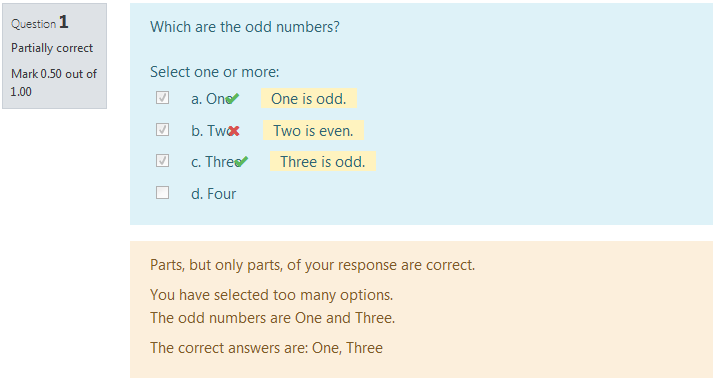
The main difference from the standard Moodle multiple choice question type is in the way that grading works. When creating the question, the teacher just indicates which choices are correct. If there are n correct choices, then the student scores 1/n for each correct choice. If they select too many choices, then incorrect choices outweigh correct ones.
Comments
Comments are no longer open for new posts. Existing comments remain available to read.
Did you install the plugin properly? In particular, have you been to the Site admininistration -> Notifactions page?
I would like to export OU multiple response questions to GIFT or Microsoft Word table format, to make checking their content easier. I used the export function from the Moodle administration menu, but the GIFT file does not contain the questions (only their names). I get a similar result when exporting to Word. Is this a known issue, or might I have done something wrong? Also, would it be possible to convert automatically a category of OU multiple response type questions to the standard multiple choice type?
Greetings from Bucharest,
Cristina
Cheers,
Dave
"A spreadsheet and a text editor"
and you want to give them two marks or one mark or none, then what you need is the Pattern match question type which is another of our question types on this site.
Documentation is here http://labspace.open.ac.uk/mod/oucontent/view.php?id=470268§ion=5.3.1
You will need something like
match_mow(spreadsheet text_editor) for 2 marks
match_mow(spreadsheet|[text_editor]) for 1 mark